

Inbox
Tickets are created in the customer portal, from the website chat and the phone via the Conversation Agent, or by your team. Each ticket gets a number, optionally with your own prefix.
Ticket System · Part of Helpdesk AI
The ticket system collects portal, chat and phone requests in one list with status, priority and assignment.
Customers track their tickets in the portal without a password, your team works with notes, files and the Copilot.

DownloadDatasheetsPDF · EN4 pages
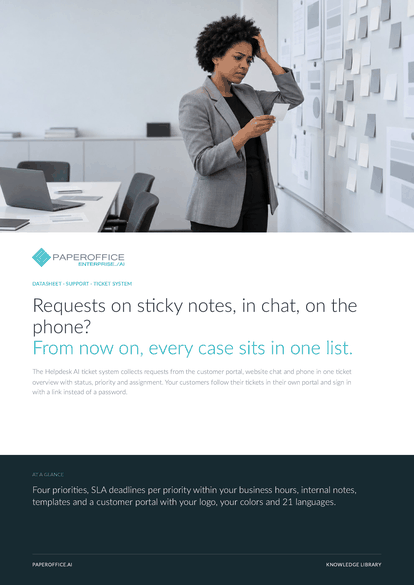
Requests on sticky notes, in chat, on the phone? From now on, every case sits in one list.
Trust, verification & partnerships
Verified in Claude and ChatGPT, certified to ISO/IEC 27001:2022
and the sole official DMS partner of QNAP and ASUSTOR.









In scope:
Verified MCP connector.
Learn moreVerified MCP plugin.
Learn more
Sole official DMS partner.
Learn more
Sole official DMS partner.
Learn moreHow it works
From first contact to closure, your team sees the whole case and the customer sees status and replies.
Tickets are created in the customer portal, from the website chat and the phone via the Conversation Agent, or by your team. Each ticket gets a number, optionally with your own prefix.
Assignment to team members, internal notes the customer does not see, and statuses from new through open and pending to closed. Optional SLA deadlines per priority flag what is due soon or overdue.
Customers sign in without a password via a link by email, see status and replies, write back and open new tickets. With your logo, your colors and your portal name.
Capabilities
From inbox to closure, with customers who can see for themselves where their case stands.
Customer portal, website chat and phone in one list with filters, search and key figures.
New, open, pending, closed and more, changed one by one or in bulk.
Low, normal, high and urgent, optionally with SLA deadlines per priority.
Team coordination on the ticket, invisible to the customer.
Tickets to team members, unassigned ones at a glance, new tickets move to open.
Passwordless sign-in, view status and replies, send attachments, open new tickets.
Logo, colors and portal name in the portal, emails under your portal name.
Summarizes tickets, suggests tags and drafts replies from the history and your knowledge base.
Comparison
Support from a shared mailbox works until two people answer the same mail.
| Comparison | Shared mailbox | Spreadsheet and mailbox | PaperOffice ticket system |
|---|---|---|---|
| Overview | Who read what? | Maintained by hand | Status, reply need and dashboard |
| Ownership | Unclear | Column in the sheet | Assignment in the ticket, unassigned in view |
| Priority | Gut feeling | By hand | Four levels with SLA deadlines |
| Customer | Asks again | Asks again | Sees status in the portal |
| Knowledge | In heads | Scattered | Knowledge base in the reply draft |
Security and compliance
Tickets, attachments and portal run through our own EU data center. In the portal customers see only their own cases.
Practical guide
A ticket in Helpdesk AI starts in the customer portal, in the website chat or after a phone call, and ends with a reply the customer reads in the portal. Your team sees every ticket in one overview with response times, takes ownership by assigning it, and keeps internal notes that the customer never sees. This guide follows one ticket through the screens, explains numbers and deadlines, and lists what the system leaves to people.
Every ticket carries a number in the form prefix, type, year and six digits. In the demo the prefix is NSI. The type is PT for tickets from the portal, CH for chat and TE for phone.
Chat and phone tickets get a subject automatically. A chat ticket starts with Website chat, followed by the visitor's last message. A phone ticket starts with Phone request, followed by the first sentence of the call summary.
Deadlines are off by default. When you enable SLA deadlines in the settings, you set a response time and a resolution time for each priority, counted in business hours. From then on, every open ticket shows a Response label, and after the first reply it shows Resolution instead. The duration is written out, for instance Resolution, 1 day 6 h.
A ticket past its limit is flagged SLA overdue in the overview. This is separate from the dashboard, which calls a ticket overdue after 48 hours without an update.
The film begins with a familiar mess. Carmen Vidal of Iberica Components S.L. asks something in the website chat, Sarah Mitchell of Norvexa Manufacturing Inc. phones, and Carmen asks again on Wednesday because nobody replied. Nobody knows who has the request.
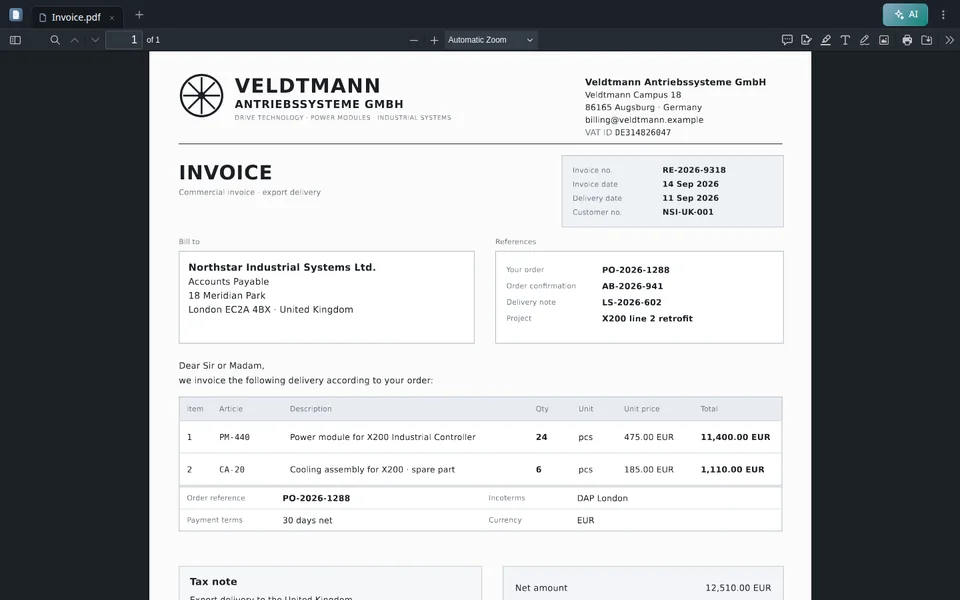
After the change, the overview lists NSI-CH-2026-000415 from Carmen, NSI-TE-2026-000417 from Sarah and NSI-PT-2026-000412 from Klaus Albers of Veldtmann Antriebssysteme GmbH, who writes in German that the X200 stays dark after a firmware update. His ticket shows SLA overdue.
L. Hartwig assigns the ticket and asks the PaperOffice Agent for a reply with the instruction Tell the customer how to restart the X200 after the update. The German draft explains holding the power button for ten seconds until the status light blinks green. A person edits and sends it. A team member also writes an internal note, Same firmware issue at two other sites. Check with QA.
After Send, the app shows no toast. The reply appears with the label Unread until the customer opens it. An email goes to the customer titled New reply on your ticket. It contains a Go to ticket button but not the text of the answer.
The button is a sign-in link. It leads straight to the ticket in your portal without a password, and it is valid for 24 hours. If it has expired, the portal offers to request a new link. In the portal, under My Tickets, the customer reads the answer, writes back in the field Write a message and sees Message sent. The ticket then moves to Pending.
The portal address has the form of the portal host followed by your short name. The footer reads Powered by with your company name. Internal notes are never loaded in the portal.
The ticket form has two modes next to each other, Reply and Internal Note. A reply is stored on the ticket for the customer. An internal note is flagged as internal when it is saved, and the portal only reads messages that are not flagged. A teammate can therefore leave a hint about the firmware issue on the same ticket, and the customer does not see it.
Team members work in the web app under Helpdesk AI, and customers work in the portal. There is no other interface for tickets.
Frequently asked questions
Through your customer portal, with or without sign-in, through website chat and phone with the Conversation Agent, or created by your team. There is no email inbox as an input.
With a sign-in link: the customer enters an email address and receives a link. The button in every reply email signs them in directly as well. No password, no registration.
Their tickets with status, the team's replies, attachments and notifications. Internal notes stay invisible.
Day to day: new, open, pending and closed. Four priorities: low, normal, high, urgent, optionally with response and resolution times per priority.
From the Ticket Copilot, the “PaperOffice Agent” side panel in the ticket. It uses the ticket history and your knowledge base and writes in the customer's language. Your team checks, edits and sends.
Yes. The portal shows your organization image as the logo, your colors and your portal name, at portal.paperoffice.ai with a fixed short name for your company.
You use the ticket system in the web app. Tickets currently have no public API and no MCP tools.
Case Studies
Discover how businesses transformed their processes with PaperOffice AI.
 Mining & Resources
Enterprise document management for all our mining operations. World class.
 Printing & Packaging
FDA-regulated pharmaceutical labels require complete documentation. PaperOffice has reduced our approval process from days to hours.
 Industry & Manufacturing
Technical documentation and order processing now run fully automatically.
 Public Administration
Digitization has revolutionized our administration. Citizen inquiries are now processed in minutes instead of days.
Health & Medicine Patient records, medical reports, and referrals are automatically captured and classified. Our practice team finally has time for their patients.
 Hospitality & Entertainment
8,000 employees and thousands of guest documents every day. PaperOffice has completely digitized our back-office processes.
 Regional Bank
Loan applications and compliance documents are now processed in minutes instead of hours. The regulatory review is fully automated.
 Construction & Real Estate
Construction project documentation and compliance are now digital and traceable.
 Hospitality & Tourism
Check-in forms, invoices, and guest communications are fully digital. Our concierge team now focuses on providing excellent service.
Energy & Gas Stations Gas station billing, supplier documents, and compliance records from over 250 stations are automatically processed and archived.
Pharma & Labels GMP-relevant documentation for pharmaceutical functional labels now runs automatically. Audit trails are complete and instantly accessible.
Construction & Timber Blueprints, permits, and customer files for our wooden houses are now managed centrally. After six generations, we are finally paperless.
E-Commerce & Retail Supplier contracts, certificates, and customs papers for hundreds of roasteries worldwide are automatically captured and assigned to the correct product.
Logistics & Transport Temperature logs, CMR waybills, and food certificates are automatically scanned and assigned to the order. Misallocations are a thing of the past.
Logistics & Transport Heavy transport permits, route plans, and project documentation are now instantly accessible digitally. No more searching through folders.
 Logistics & Transport
Customs documents, warehouse receipts, and shipping orders for our Eastern European network are automatically classified. Four generations of logistics, finally digital.
Printing & Packaging Printing specifications, customer approvals, and material certificates are now accessible centrally. The production error rate has dropped to near zero.
 Packaging & Labels
Sustainability certificates, supplier contracts, and customer specifications are processed automatically. Swiss precision, now also digital.
 Construction & Real Estate
Building permits, subcontractor contracts, and acceptance protocols for our commercial properties are now fully documented digitally.
Real Estate & Management Purchase agreements, exposés, and customer files from over 30 years of market leadership are now digitally searchable. Every agent finds everything in seconds.
Logistics & Freight Ocean freight documents, customs declarations, and bills of lading are automatically captured. Baltic Sea logistics has never been so efficient.
 E-Commerce & Packaging
Thousands of custom packaging orders per week, including design approvals, print data, and delivery documents. PaperOffice keeps it all together.
 Laboratory & Medical Technology
Pathology lab documentation and device certifications are now fully automated. Complete traceability for every specimen.
Regional Bank Loan documents, security papers, and customer correspondence are processed in minutes instead of hours. The regulatory review is complete.
Steel Construction & Industry Technical specifications, quality certificates, and recycling protocols for our steel production are central and instantly accessible.
 Pharma & Labels
Pharma and cosmetic label specifications with regulatory requirements are automatically checked and approved. No more manual checklists.
 Fintech & Wealth Management
KYC documents, investment reports, and regulatory filings are classified in seconds. As an MAS-regulated robo-advisor, complete compliance is essential.
Logistics & Transport Safety data sheets, transport permits, and ADR documents for chemical logistics are automatically assigned. Zero tolerance for errors.
 Luxury & Jewelry
Certificates of authenticity, supplier records, and customer warranties for our pearl collections are automatically archived and instantly accessible.
 Commercial Bank
SME loan applications, security documents, and regulatory reports are automatically classified. Our advisors have more time for customer consulting.
 Private Bank
Customer files from over 135 years of banking history are being successively digitized. 5,000 employees now have instant access to all documents.
 Development Bank
Microcredit applications and compliance documents for millions of customers are now processed in minutes instead of days. A game changer for financial inclusion.
 E-Commerce Logistics
Hundreds of thousands of delivery notes and return slips per day are processed automatically. Vietnam's leading e-commerce logistics provider, now paperless.
 Precision Metal & Manufacturing
CNC manufacturing protocols, material certificates, and customer specifications for oil, gas, and aerospace projects are now fully documented digitally.
 GovTech & IT
Vision 2030 requires complete digitization. PaperOffice processes government documents for Saudi Arabia's digital backbone.
 Specialty Steel & Industry
Material certificates, hardening protocols, and customer specifications are automatically assigned to the correct order. Australia's only Q&T manufacturer, now paperless.
 Steel Construction & Manufacturing
Weld seam protocols, structural calculations, and project plans are managed digitally. Our workshop teams have access in real time.
 Precision Parts & Manufacturing
Aerospace certificates, CNC programs, and customer tolerances are automatically classified. AS9100 evidence has never been this easy to produce.
 Fintech & Payments
Merchant contracts, KYC documents, and transaction receipts for hundreds of thousands of SMEs are processed in seconds. Mexico's payment revolution, paperless.
 Premium Winery
Harvest documentation, export certificates, and quality protocols for our high-altitude Malbecs are automatically archived. 120 years of winemaking tradition, now digital.
Digital Banking Millions of user verifications and regulatory documents are processed fully automatically. Scaling without paper.
 Fintech & Payments
Merchant onboarding documents and compliance records for Africa's leading payment provider are processed in minutes instead of days.
E-Commerce & Organic Organic certificates, supplier audits, and product labels for thousands of natural products are automatically checked and archived.
 Fintech & Payments
Regulatory documents from 33 African countries, partner contracts, and audit trails are managed fully automatically. An enterprise DMS for a $3 billion fintech.
 Pharma & Healthcare
Prescriptions and medication management now run fully automatically. More time for our patients.
Religious Institution Centuries-old documents are now digitally searchable. A milestone for our historical archives.
Care & Health Our caregivers finally have more time for residents instead of paperwork.
Government & Administration 500,000+ records digitized. Our deputies now find all information instantly.
Medicine & Healthcare Patient records management is now a breeze. Everything automatically captured and archived.
 Estate Services
Inheritance and estate documentation is now efficient and error-free.
Real Estate & Management Digital property management for all our residential complexes. Tenants and owners are thrilled.
Industry & Packaging With PaperOffice, we have accelerated our invoice processing by 99%. The AI automatically recognizes all relevant data and assigns it correctly.
Trades & Crafts PaperOffice has become indispensable to our daily work. Orders, quotes, and invoices are now automated.
Care & Health The documentation of our care services is now digital and automated. More time for our patients.
Mechanical Engineering & Manufacturing Technical drawings, bills of materials, and quality protocols are instantly searchable. A search that used to take 30 minutes now takes 30 seconds.
Tax Advisory & Legal Client receipts, tax assessments, and annual financial statements are automatically sorted and assigned to the correct client. Receipt chaos is a thing of the past.
IT & Consulting Project documentation, SLAs, and customer communication for our IT consulting projects are automatically classified and archived.
Measurable customer success
 Kumul Minerals Holdings Limited
 The Challenge Printing Company Inc.
 K60-Gitterrostsysteme GmbH & Co. KG
 Ayuntamiento de Carrión de los Condes
"Enterprise document management for all our mining operations. World class."
Mining & Resources "FDA-regulated pharmaceutical labels require complete documentation. PaperOffice has reduced our approval process from days to hours."
Printing & Packaging "Technical documentation and order processing now run fully automatically."
Industry & Manufacturing "Digitization has revolutionized our administration. Citizen inquiries are now processed in minutes instead of days."
Public Administration "Patient records, medical reports, and referrals are automatically captured and classified. Our practice team finally has time for their patients."
Health & Medicine "8,000 employees and thousands of guest documents every day. PaperOffice has completely digitized our back-office processes."
 Hospitality & Entertainment
"Loan applications and compliance documents are now processed in minutes instead of hours. The regulatory review is fully automated."
 Regional Bank
"Construction project documentation and compliance are now digital and traceable."
 Construction & Real Estate
"Check-in forms, invoices, and guest communications are fully digital. Our concierge team now focuses on providing excellent service."
 Hospitality & Tourism
"Gas station billing, supplier documents, and compliance records from over 250 stations are automatically processed and archived."
Energy & Gas Stations "GMP-relevant documentation for pharmaceutical functional labels now runs automatically. Audit trails are complete and instantly accessible."
Pharma & Labels "Blueprints, permits, and customer files for our wooden houses are now managed centrally. After six generations, we are finally paperless."
Construction & Timber "Supplier contracts, certificates, and customs papers for hundreds of roasteries worldwide are automatically captured and assigned to the correct product."
E-Commerce & Retail "Temperature logs, CMR waybills, and food certificates are automatically scanned and assigned to the order. Misallocations are a thing of the past."
Logistics & Transport "Heavy transport permits, route plans, and project documentation are now instantly accessible digitally. No more searching through folders."
Logistics & Transport "Customs documents, warehouse receipts, and shipping orders for our Eastern European network are automatically classified. Four generations of logistics, finally digital."
 Logistics & Transport
"Printing specifications, customer approvals, and material certificates are now accessible centrally. The production error rate has dropped to near zero."
Printing & Packaging "Sustainability certificates, supplier contracts, and customer specifications are processed automatically. Swiss precision, now also digital."
 Packaging & Labels
"Building permits, subcontractor contracts, and acceptance protocols for our commercial properties are now fully documented digitally."
 Construction & Real Estate
"Purchase agreements, exposés, and customer files from over 30 years of market leadership are now digitally searchable. Every agent finds everything in seconds."
Real Estate & Management "Ocean freight documents, customs declarations, and bills of lading are automatically captured. Baltic Sea logistics has never been so efficient."
Logistics & Freight "Thousands of custom packaging orders per week, including design approvals, print data, and delivery documents. PaperOffice keeps it all together."
 E-Commerce & Packaging
"Pathology lab documentation and device certifications are now fully automated. Complete traceability for every specimen."
 Laboratory & Medical Technology
"Loan documents, security papers, and customer correspondence are processed in minutes instead of hours. The regulatory review is complete."
Regional Bank "Technical specifications, quality certificates, and recycling protocols for our steel production are central and instantly accessible."
Steel Construction & Industry "Pharma and cosmetic label specifications with regulatory requirements are automatically checked and approved. No more manual checklists."
 Pharma & Labels
"KYC documents, investment reports, and regulatory filings are classified in seconds. As an MAS-regulated robo-advisor, complete compliance is essential."
 Fintech & Wealth Management
"Safety data sheets, transport permits, and ADR documents for chemical logistics are automatically assigned. Zero tolerance for errors."
Logistics & Transport "Certificates of authenticity, supplier records, and customer warranties for our pearl collections are automatically archived and instantly accessible."
 Luxury & Jewelry
"SME loan applications, security documents, and regulatory reports are automatically classified. Our advisors have more time for customer consulting."
 Commercial Bank
"Customer files from over 135 years of banking history are being successively digitized. 5,000 employees now have instant access to all documents."
 Private Bank
"Microcredit applications and compliance documents for millions of customers are now processed in minutes instead of days. A game changer for financial inclusion."
 Development Bank
"Hundreds of thousands of delivery notes and return slips per day are processed automatically. Vietnam's leading e-commerce logistics provider, now paperless."
 E-Commerce Logistics
"CNC manufacturing protocols, material certificates, and customer specifications for oil, gas, and aerospace projects are now fully documented digitally."
 Precision Metal & Manufacturing
"Vision 2030 requires complete digitization. PaperOffice processes government documents for Saudi Arabia's digital backbone."
 GovTech & IT
"Material certificates, hardening protocols, and customer specifications are automatically assigned to the correct order. Australia's only Q&T manufacturer, now paperless."
 Specialty Steel & Industry
"Weld seam protocols, structural calculations, and project plans are managed digitally. Our workshop teams have access in real time."
 Steel Construction & Manufacturing
"Aerospace certificates, CNC programs, and customer tolerances are automatically classified. AS9100 evidence has never been this easy to produce."
 Precision Parts & Manufacturing
"Merchant contracts, KYC documents, and transaction receipts for hundreds of thousands of SMEs are processed in seconds. Mexico's payment revolution, paperless."
 Fintech & Payments
"Harvest documentation, export certificates, and quality protocols for our high-altitude Malbecs are automatically archived. 120 years of winemaking tradition, now digital."
 Premium Winery
"Millions of user verifications and regulatory documents are processed fully automatically. Scaling without paper."
Digital Banking "Merchant onboarding documents and compliance records for Africa's leading payment provider are processed in minutes instead of days."
 Fintech & Payments
"Organic certificates, supplier audits, and product labels for thousands of natural products are automatically checked and archived."
E-Commerce & Organic "Regulatory documents from 33 African countries, partner contracts, and audit trails are managed fully automatically. An enterprise DMS for a $3 billion fintech."
 Fintech & Payments
"Prescriptions and medication management now run fully automatically. More time for our patients."
 Pharma & Healthcare
"Centuries-old documents are now digitally searchable. A milestone for our historical archives."
Religious Institution "Our caregivers finally have more time for residents instead of paperwork."
Care & Health "500,000+ records digitized. Our deputies now find all information instantly."
Government & Administration "Patient records management is now a breeze. Everything automatically captured and archived."
Medicine & Healthcare "Inheritance and estate documentation is now efficient and error-free."
 Estate Services
"Digital property management for all our residential complexes. Tenants and owners are thrilled."
Real Estate & Management "With PaperOffice, we have accelerated our invoice processing by 99%. The AI automatically recognizes all relevant data and assigns it correctly."
Industry & Packaging "PaperOffice has become indispensable to our daily work. Orders, quotes, and invoices are now automated."
Trades & Crafts "The documentation of our care services is now digital and automated. More time for our patients."
Care & Health "Technical drawings, bills of materials, and quality protocols are instantly searchable. A search that used to take 30 minutes now takes 30 seconds."
Mechanical Engineering & Manufacturing "Client receipts, tax assessments, and annual financial statements are automatically sorted and assigned to the correct client. Receipt chaos is a thing of the past."
Tax Advisory & Legal "Project documentation, SLAs, and customer communication for our IT consulting projects are automatically classified and archived."
IT & Consulting Where would you like to try PaperOffice?
Your trial is ready
Where would you like to start?
The full workspace is optimized for the computer. The mobile version is for capturing, reviewing, and approving documents.
Register free Already a customer? Log in app.paperoffice.aiStart on the computer
A personal access link will be sent to the email address provided.
Open PaperOffice Mobile
Capture and work with documents directly on the smartphone.
Open mobile version
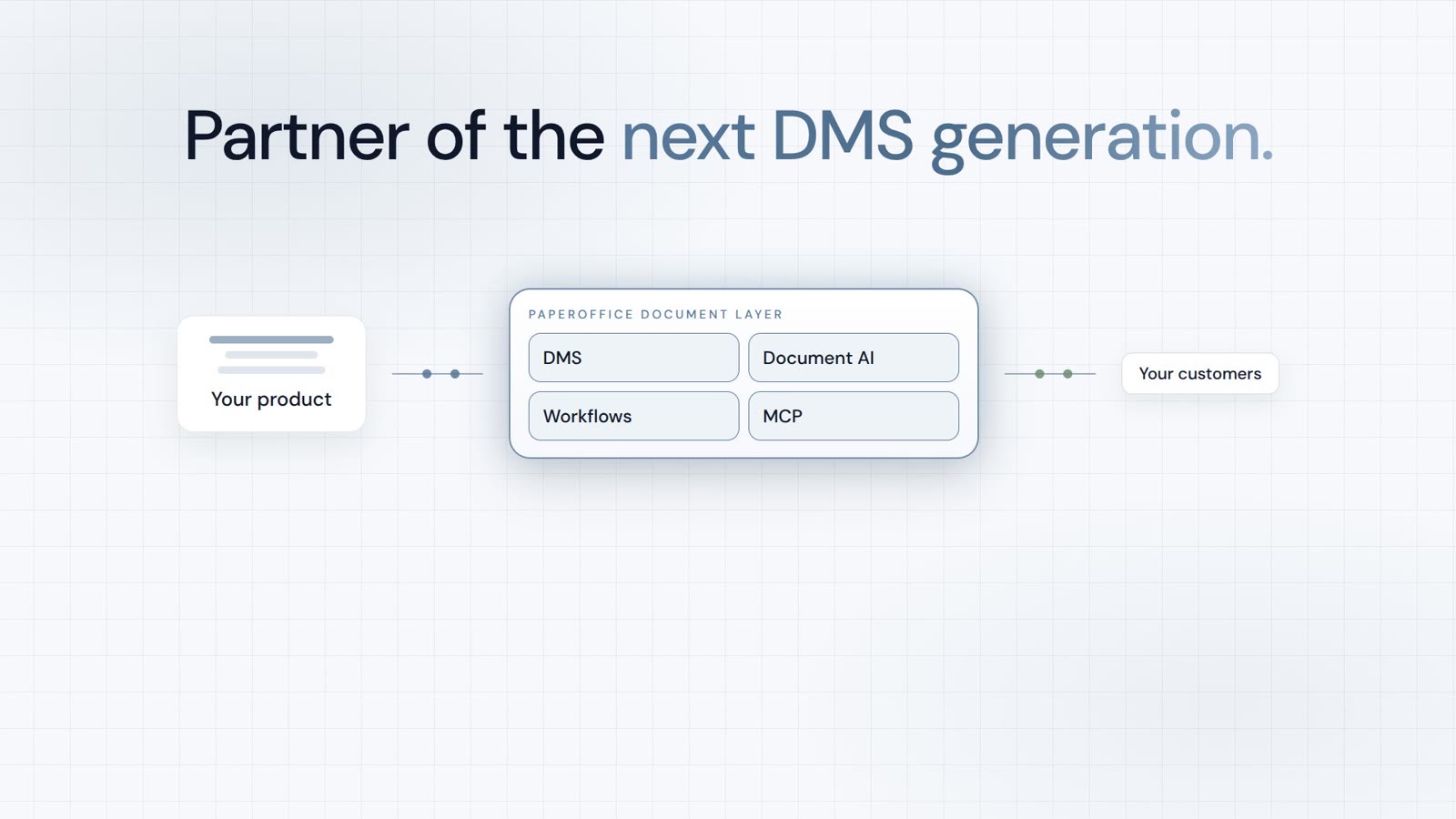
Integrator and Reseller can be combined. Referral by invitation.
View the partner program
AI-DMS
Documents. Intelligence. Real impact.
PaperOffice AI is the AI-DMS. Four functional areas on one DMS foundation, with three ways in.
Features, modules and benefits at a glance.
Capture, organize, search and collaborate on documents.
Plug into your systems and AI workflows.
No installation, ready in seconds.
Search all tools