Does PaperOffice AI run on my NAS?
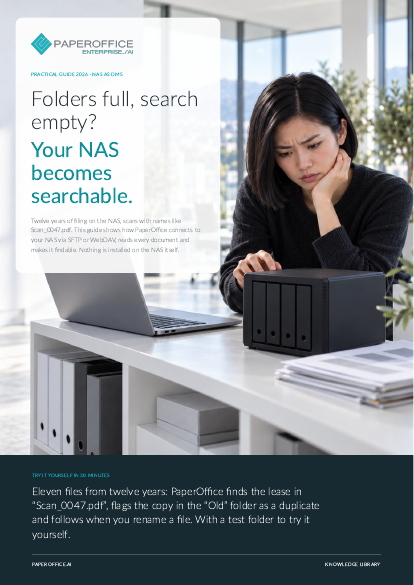
No. There is no PaperOffice app for the NAS. The NAS connects like any server via SFTP, WebDAV or reverse SSH. For the tunnel without port forwarding, only a small SSH container or a boot task runs on the NAS. OCR, AI and search run at PaperOffice.
Which NAS systems can I connect?
A NAS from Synology, QNAP, ASUSTOR, UGREEN or TrueNAS, for example, connects like any server through a storage mount, via SFTP, WebDAV or reverse SSH. SMB, NFS, AFP and Synology QuickConnect are not supported. S3 works only if an S3-compatible service runs on the NAS.
Does my NAS have to be reachable from the internet?
No. A direct connection via SFTP or WebDAV requires a public address for the NAS, for example via DynDNS with port forwarding. Without port forwarding, the NAS opens an outbound tunnel over port 443 via reverse SSH, as a Docker container or, on Synology, via Task Scheduler. Alternatively, an always-on computer with OpenSSH can do this. The tunnel works as a source and as BYOS storage.
What is the difference between import, index and BYOS?
Import takes new files from exactly one folder into the workspace. Index leaves the originals on the NAS, includes subfolders and tracks changes. BYOS turns the NAS into the encrypted storage location of a new workspace via SFTP or reverse SSH.
Do my files stay on the NAS?
In index mode, the originals stay with you, and PaperOffice keeps an encrypted working copy for processing. With BYOS, the workspace's documents are stored encrypted on your NAS. In import mode, PaperOffice brings the files into the workspace. Full text, index, metadata and AI results are kept at PaperOffice in its own data center in the EU in every mode.
Can I move an existing workspace to the NAS?
No. You set the storage mode once and for all when creating a workspace. For BYOS, create a new workspace. BYOS does not bring in existing NAS files on its own; use an index connector or the Data Importer, included in every plan, for that.
Who can open the BYOS files?
The .pod archives are encrypted with AES-256 and your password. PaperOffice keeps this password encrypted to open the files for processing and retrieval. Keep it in a safe place: without the password, the files cannot be read.
Does PaperOffice write results back to the NAS?
No. A connector only reads. OCR text, tags and AI results stay in PaperOffice. With BYOS, PaperOffice stores the workspace's new documents on the NAS.












 Kumul Minerals Holdings Limited
 The Challenge Printing Company Inc.
 K60-Gitterrostsysteme GmbH & Co. KG
 Ayuntamiento de Carrión de los Condes
 Hospitality & Entertainment
 Regional Bank
 Construction & Real Estate
 Hospitality & Tourism
 Logistics & Transport
 Packaging & Labels
 Construction & Real Estate
 E-Commerce & Packaging
 Laboratory & Medical Technology
 Pharma & Labels
 Fintech & Wealth Management
 Luxury & Jewelry
 Commercial Bank
 Private Bank
 Development Bank
 E-Commerce Logistics
 Precision Metal & Manufacturing
 GovTech & IT
 Specialty Steel & Industry
 Steel Construction & Manufacturing
 Precision Parts & Manufacturing
 Fintech & Payments
 Premium Winery
 Fintech & Payments
 Fintech & Payments
 Pharma & Healthcare
 Estate Services