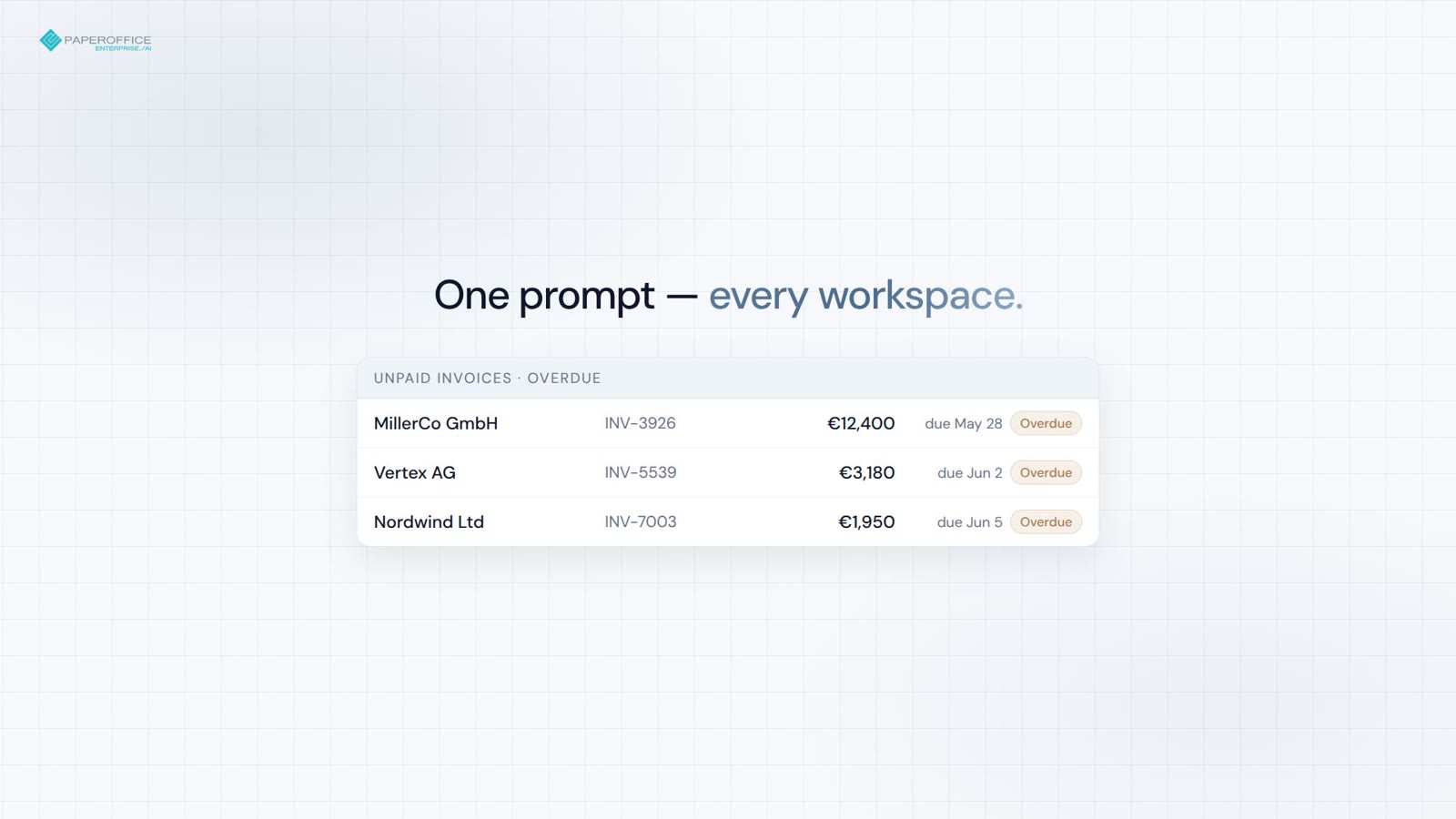
Month-end invoices
Unpaid invoices across every workspace — totals and overdue flags in one prompt.




MCP server
The PaperOffice MCP server brings documents, search, workflows and analytics into Claude, ChatGPT, Grok and Cursor.
Paste the profile URL, connect with OAuth 2.1 or a user token — no SDK, no installation.
Supported clients
Claude, ChatGPT, Grok and Cursor connect through a single URL. The guide walks you through every step, the configuration sits right below.
/claude /chatgpt /grok /cursor Quick start
Remote MCP server — no installation. Paste the URL, OAuth 2.1 or a user token (po_ut_ / po_gt_).
OAuth 2.1 starts on connect. Alternatively a user or group token (po_ut_ / po_gt_) — not po_sk_.
Pick the URL for your AI client (tabs below).
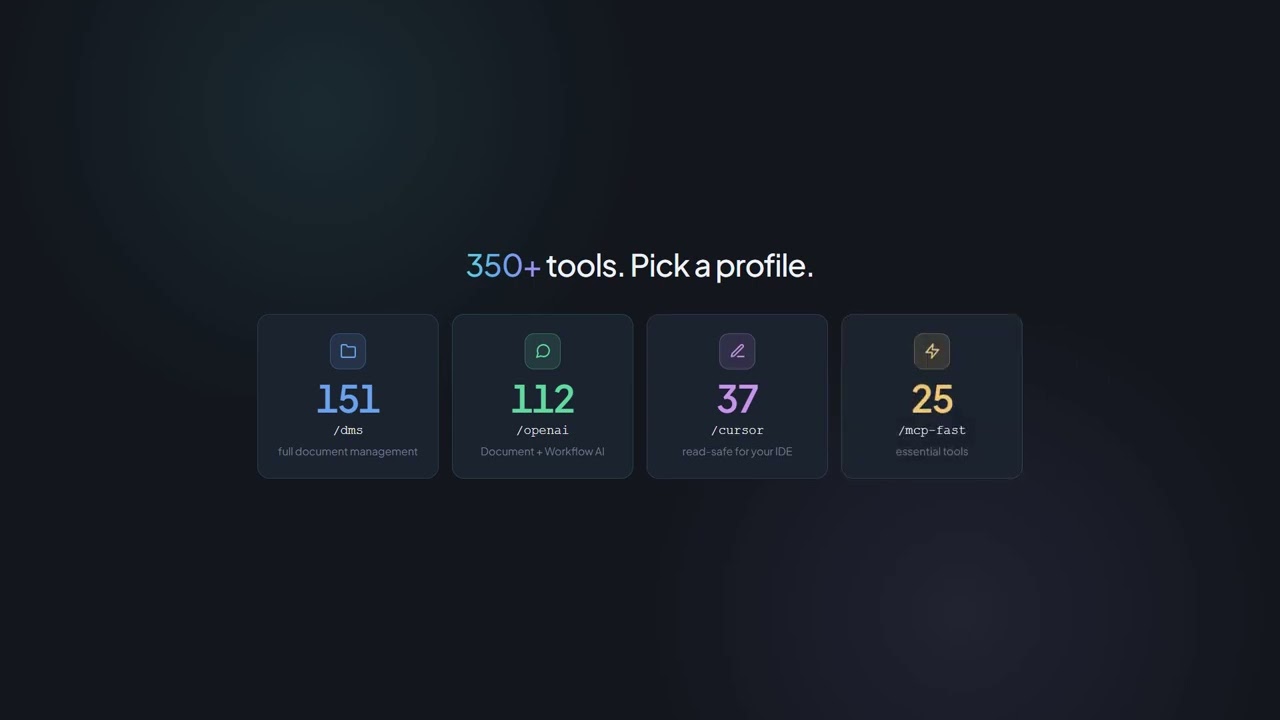
/dms, /cursor and /grok share Documents Operations (300+ MCP tools, including TTS).
{
  "mcpServers": {
    "paperoffice": {
      "url": "https://mcp.paperoffice.ai/claude"
    }
  }
}
Claude Directory URL — OAuth 2.1. Documents Operations without TTS. Paste /claude; no bearer in the snippet.
{
  "mcpServers": {
    "paperoffice": {
      "url": "https://mcp.paperoffice.ai/cursor",
      "headers": {
        "Authorization": "Bearer po_ut_..."
      }
    }
  }
}
The same Documents Operations catalog as /dms (including TTS) — user token (po_ut_ / po_gt_), not po_sk_.
{
  "mcpServers": {
    "paperoffice": {
      "url": "https://mcp.paperoffice.ai/chatgpt",
      "headers": {
        "Authorization": "Bearer po_ut_..."
      }
    }
  }
}
Canonical URL /chatgpt (alias /openai). Directory without TTS, OTP and unlock tools. Business documents only. OAuth 2.1 or a user token (po_ut_ / po_gt_) — not po_sk_.
{
  "mcpServers": {
    "paperoffice": {
      "url": "https://mcp.paperoffice.ai/grok"
    }
  }
}
No token in the file — OAuth 2.1 starts on first connect. In Grok: New Connector → Custom → this URL.
{
  "mcpServers": {
    "paperoffice-dms": {
      "url": "https://mcp.paperoffice.ai/dms"
    },
    "paperoffice-full": {
      "url": "https://mcp.paperoffice.ai/mcp-full"
    }
  }
}
Live paths: /dms, /cursor, /grok, /claude, /chatgpt (alias /openai), /mcp, /mcp-full (300+).
Endpoints
Every profile points at the same server — they differ only in tool scope. Which URL fits which job is in the table below.
/dms Documents Operations — identical catalog on /dms, /cursor and /grok. Canonical URL.
https://mcp.paperoffice.ai/dms /claude Directory: Documents Operations without TTS — Claude Directory URL.
https://mcp.paperoffice.ai/claude /cursor The same Documents Operations catalog as /dms (including TTS).
https://mcp.paperoffice.ai/cursor /chatgpt ChatGPT connector — Directory without TTS, OTP and unlock tools. Business documents only; do not store health records in connected workspaces. Alias: /openai.
https://mcp.paperoffice.ai/chatgpt Alias: https://mcp.paperoffice.ai/openai
/grok Grok custom connector — the same Documents Operations catalog as /dms.
https://mcp.paperoffice.ai/grok /mcp Slim IDE subset — not the Documents Operations catalog on /cursor.
https://mcp.paperoffice.ai/mcp /mcp-full All MCP tools (300+) for power workflows.
https://mcp.paperoffice.ai/mcp-full /openai remains reachable as an alias of /chatgpt. Decommissioned module paths respond with HTTP 410.
Capability matrix
One row per job: the recommended URL and the reason for it. This table is the only complete path list on this page.
| Task | Recommended URL | Why |
|---|---|---|
| Documents Operations (canonical) | /dms | Documents Operations (300+ MCP tools) — identical catalog on /dms, /cursor and /grok. |
| Claude Desktop / Claude Code (Directory URL) | /claude | Directory: Documents Operations without TTS. Title and hints on every tool. |
| Cursor IDE while coding | /cursor | The same Documents Operations catalog as /dms (including TTS). |
| ChatGPT connector | /chatgpt | ChatGPT connector — Directory without TTS, OTP and unlock tools. Business documents only. Alias: /openai. |
| Grok custom connector | /grok | The same Documents Operations catalog as /dms. Paste the URL in grok.com/connectors. |
| Slim IDE subset | /mcp | Read-safe balanced subset — not the Documents Operations catalog. |
| Complex multi-step tasks | po_agents_ask in /mcp-full | The host LLM agent stays on the full surface, not on /dms. |
| Migration / all MCP tools | /mcp-full | Complete MCP surface (300+ tools) for debugging and legacy agents. |
Retired module paths respond with HTTP 410. Use /dms for Documents Operations.
Tools
The MCP tools are grouped by job. Your client sees them with a title and short description and picks the right tool itself.
Documents, OCR, IDP, search, PDF operations, signatures and AI-DMS.
document-ai Workflows, jobs, tasks, HITL, approvals and process automation.
workflow-ai CRM, partners, leads, helpdesk and appointments.
relations-ai Analytics, BI, knowledge graph, entities and RAG.
analytics-ai Image Studio, TTS, STT and translation.
media-ai Validation, VAT, currency, geodata and security lookups.
data-ai Covered areas
Examples
Four everyday sentences and the MCP tool your client calls for them. Permissions come from your workspace, not from the chat.
Extract all data from the attached invoice.
po_aiocr_analyze Invoice analyzed — extracted data:
Rename this document to Invoice-2026-0042.
po_documents_rename Document renamed successfully:
Add a review comment on page 2.
po_documents_comments_create Comment created:
How has our document volume developed?
po_analytics_trends_get Trend analysis for the last 6 months:
Highlights
The MCP server is not a wrapper around the REST API — it is the same core with your account permissions, workspaces and credits.
OAuth for Claude, ChatGPT and Grok; user tokens (po_ut_ / po_gt_) for Cursor — po_sk_ is blocked.
PaperOffice embeddings and full text work together so your client finds the right tool.
Presigned upload URLs — no base64 in the chat.
Business cases, timelines and document relations in natural language.
Trends, finance, heatmaps and workspace metrics on request.
Processing in our own EU infrastructure — the same permissions and workspaces as in the app.
Use Cases
Four real workflows with Claude — one short video each. Deep-dive articles linked below.
Unpaid invoices across every workspace — totals and overdue flags in one prompt.
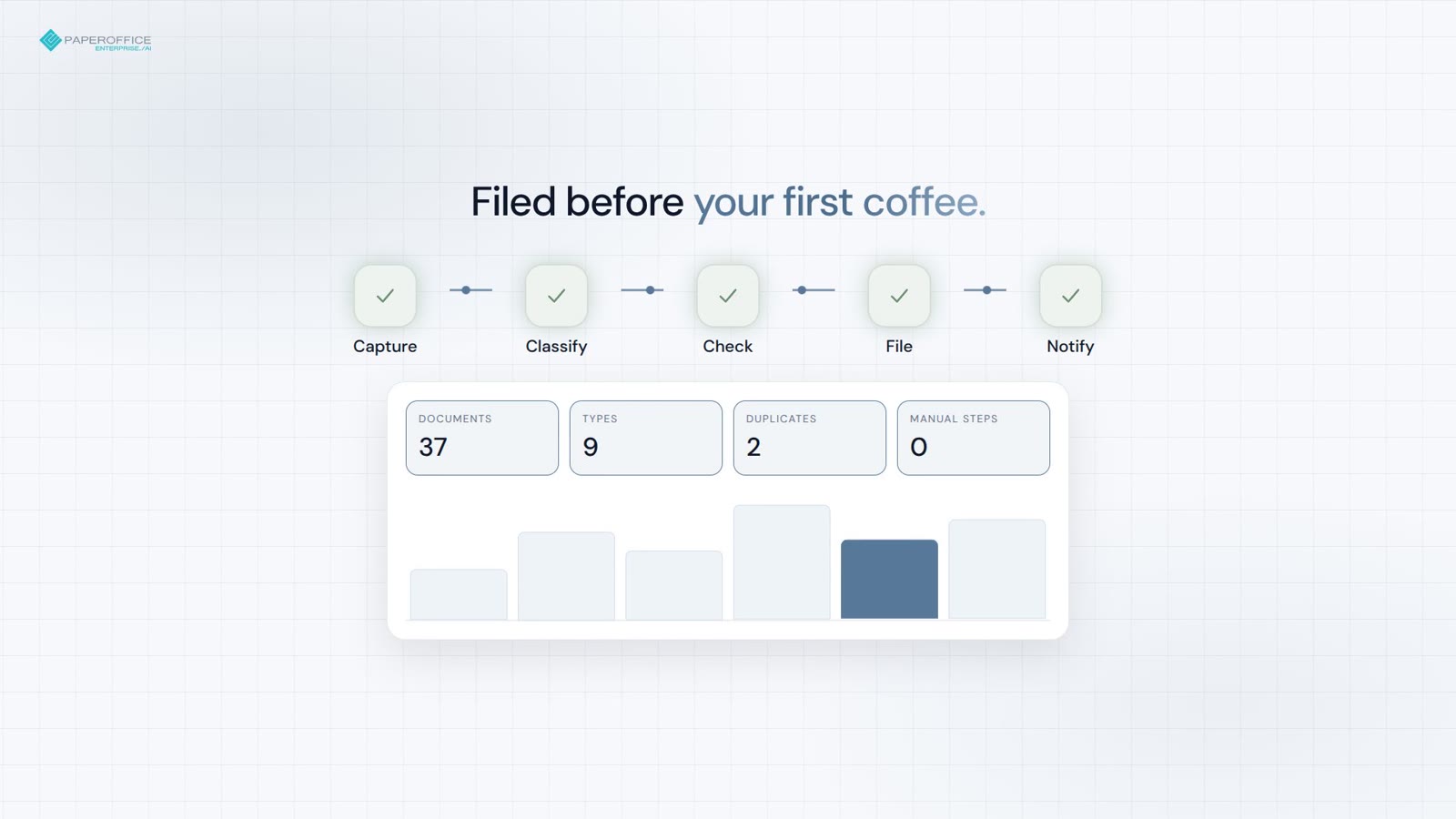
Capture, classify, and file — duplicates and expiring contracts flagged before coffee.
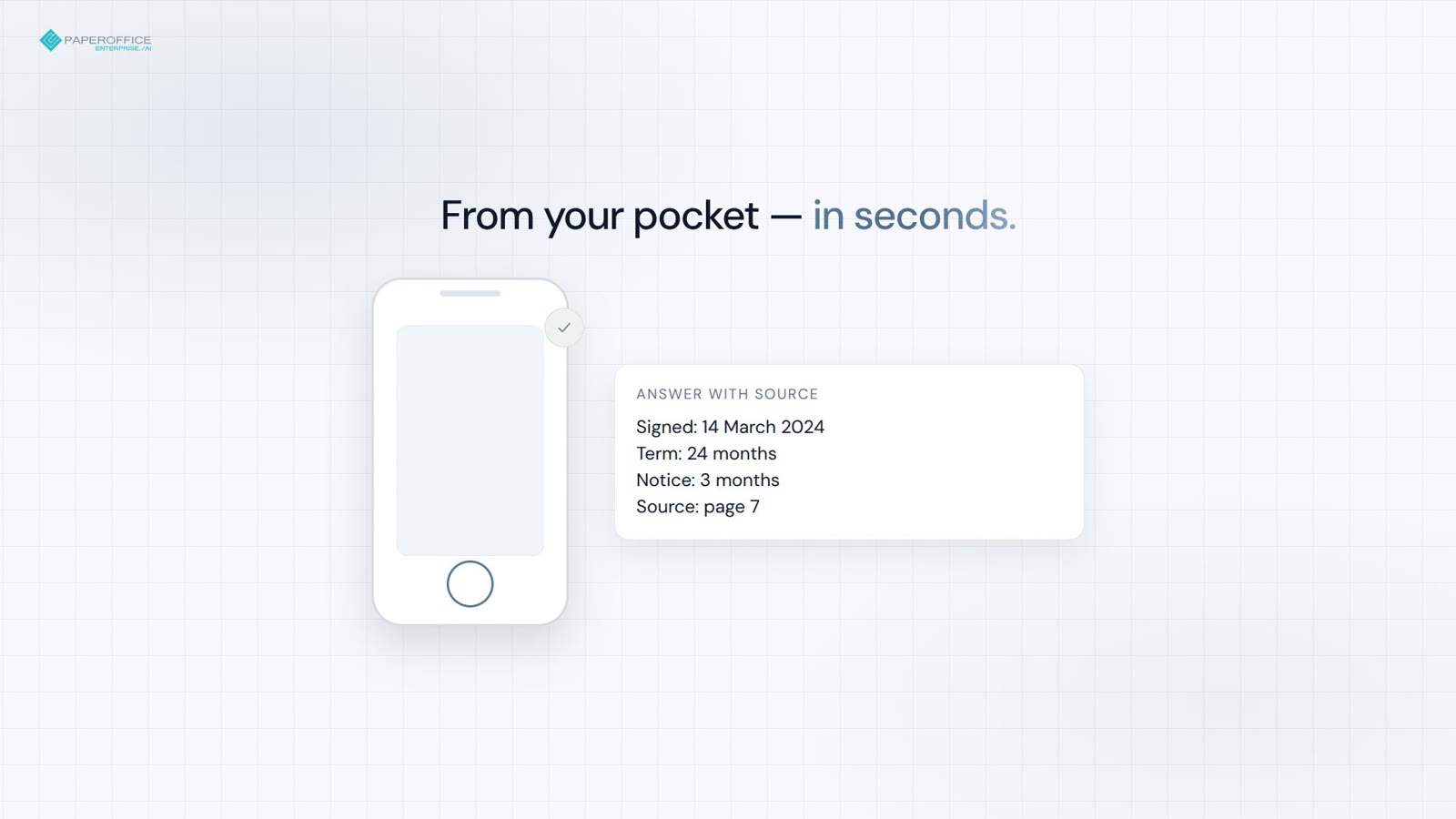
Signed date, terms, page reference — from your pocket in seconds.
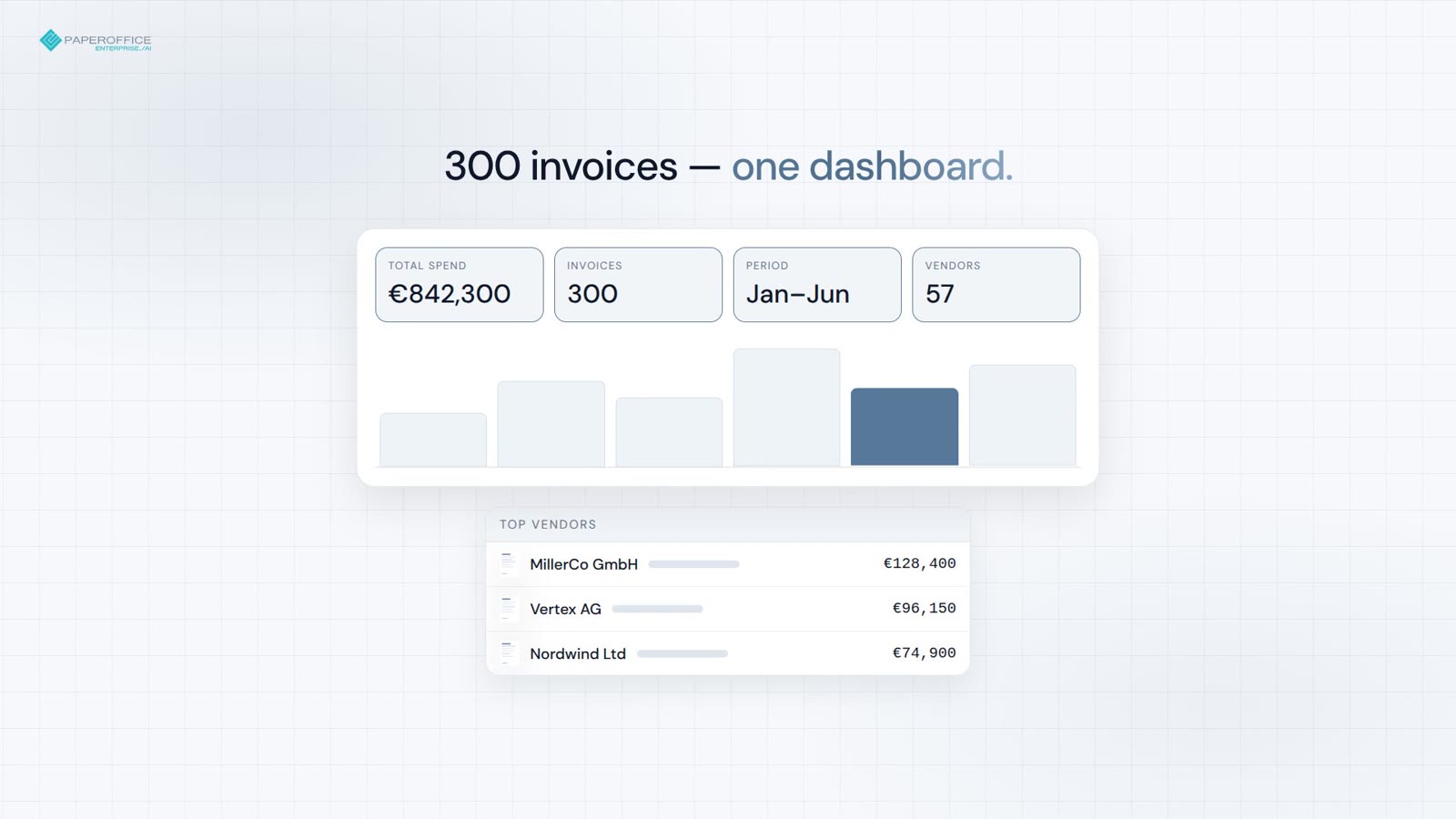
From 300 invoices to a board-ready dashboard in one prompt.
See how PaperOffice MCP works in practice — in this video.
FAQ
Next station
The recommended next step in the developer funnel and two fitting branches.