

Place fields and invite signers
Place signature fields on the document, enter signers with email and mobile number and assign roles. Field templates save the work next time.
PaperOffice Sign · Part of the AI-DMS
Signature request from the archive, SMS code for signers, signed PDF with certificate right next to the document.
€0.99 per signature, no subscription per user. SES under eIDAS, mobile signing link included.

DownloadDatasheetsPDF · EN4 pages
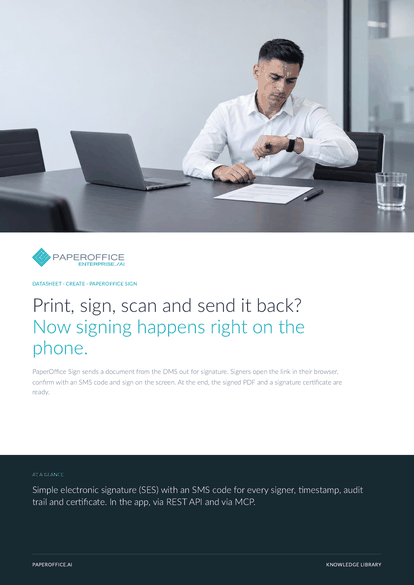
Print, sign, scan and send it back? Now signing happens right on the phone. PaperOffice Sign sends a document from the DMS out for signature.
Trust, verification & partnerships
Verified in Claude and ChatGPT, certified to ISO/IEC 27001:2022
and the sole official DMS partner of QNAP and ASUSTOR.









In scope:
Verified MCP connector.
Learn moreVerified MCP plugin.
Learn more
Sole official DMS partner.
Learn more
Sole official DMS partner.
Learn moreHow PaperOffice Sign works
The signature request starts from the document in the workspace. Signers need no account, just the link and their phone.
Place signature fields on the document, enter signers with email and mobile number and assign roles. Field templates save the work next time.
Signers open the signing link, also on mobile, confirm with an SMS one-time code and sign. The status shows who has already signed.
The signed PDF and the certificate land with the document in the workspace. Signatures can be verified at any time: integrity, certificate chain, time.
Pricing
You pay per signature and sent request, at the same unit price in app, API and MCP.
Billed in credits (conversion: see pricing). Every signature and every sent request is billed.
Signature, request, SMS code
| Item | Price |
|---|---|
Signature | €0.99 per signature |
Send signature request | €0.99 per request |
SMS one-time code | €0.30 per SMS |
Capabilities
Everything that happens in the app applies equally via API and MCP.
SES under eIDAS with SMS OTP, signature image, audit trail and certificate.
Signers confirm their identity via OTP before they sign.
Time-limited link, sign on the phone without an app and without an account.
Roles and status per person, declines and expiry included.
Completed, pending and total per request, with buttons for the signed PDF and the certificate.
Save signature fields and placements as a template and reuse them.
Signed PDF and certificate are filed with the document.
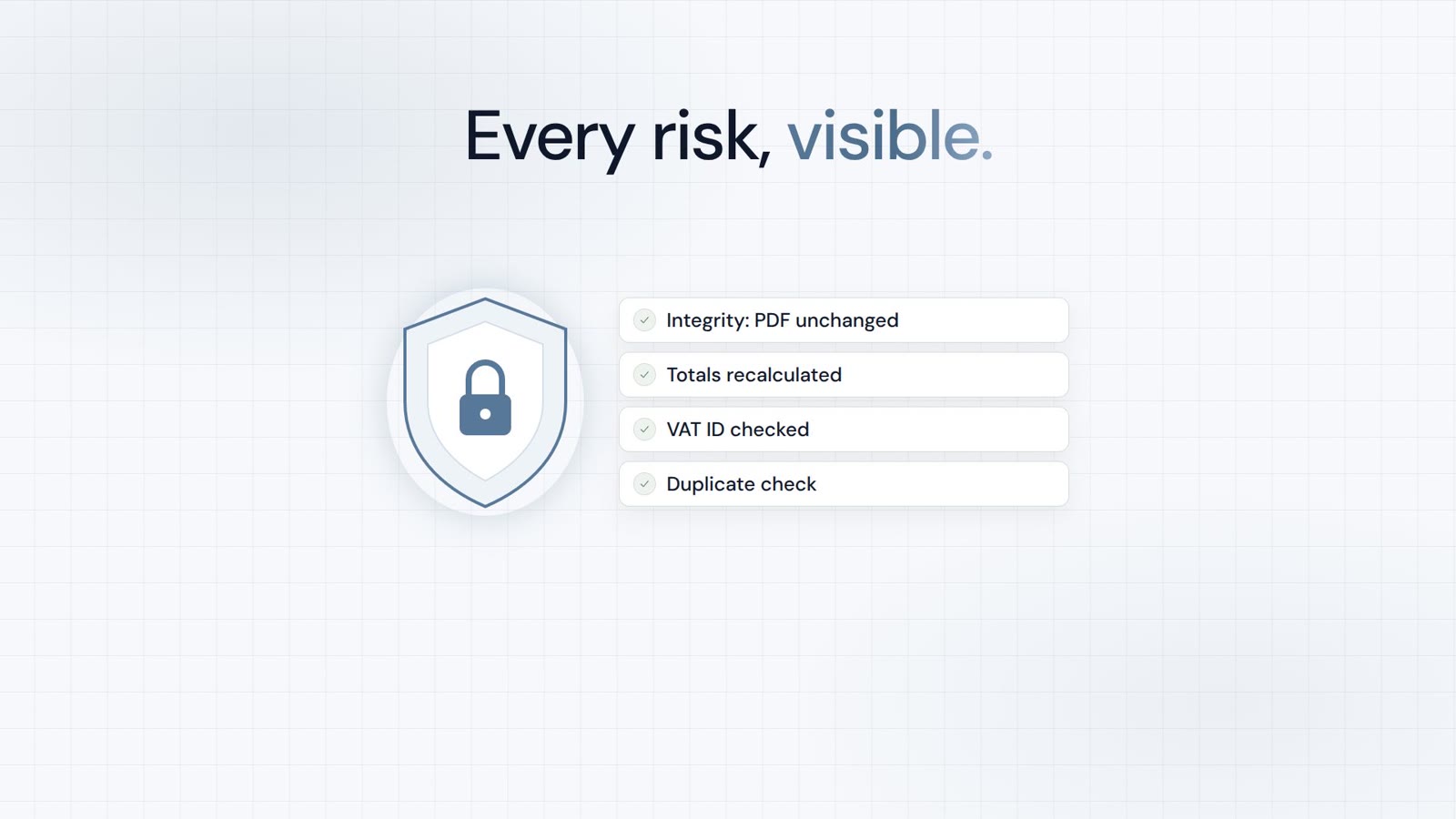
Verify integrity, certificate chain and time of every signature.
Comparison
What a contract costs that is signed twice a year.
| Comparison | Signature subscription per user | Print and scan | PaperOffice Sign |
|---|---|---|---|
| Cost with few signatures | Monthly fee per user | Paper and time | Per signature |
| Signer identity | No check | SMS one-time code | |
| Filing with the document | Separate portal | Manual | Right in the workspace |
| Data location | Mostly US cloud | Local | Own data center in the EU |
| Automatic in the process | With integration | No | API and MCP |
curl -X POST \ "https://api.paperoffice.ai/latest/signatures/create" \ -H "Authorization: Bearer po_ut_YOUR_API_KEY" \ -H "Content-Type: application/json" \ -d '{"pofid":"YOUR_DOCUMENT_POFID","signers":[{"name":"Anna Berger","email":"anna@example.com","phone":"+491701234567"}]}'curl -X POST \ "https://api.paperoffice.ai/latest/signature_link/create_and_send" \ -H "Authorization: Bearer po_ut_YOUR_API_KEY" \ -F "pofid=YOUR_DOCUMENT_POFID" \ -F "signer_email=anna@example.com" \ -F "signer_phone=+491701234567"curl -X GET \ "https://api.paperoffice.ai/latest/signatures/get?uuid=YOUR_REQUEST_UUID" \ -H "Authorization: Bearer po_ut_YOUR_API_KEY"For developers
Two paths: the eSignatures API for documents in the workspace or the signing link with invitation and sending in one call.
Roles and field placements per request.
Get a request by ID and download the signed PDF.
Start signature requests from Claude, ChatGPT and Cursor.
PaperOffice Tools
Free tools on this topic.
Sovereignty
Our own data center in the EU, own GPU hardware, in-memory processing and deletion after completion.
Practical guide
You send a signature request from the document itself. The signer receives a link, needs no account, confirms with a code sent by SMS to their mobile number, allows the location and signs on the phone. Afterwards the signed PDF and a certificate are available on the document, and anyone holding the certificate can check it on a public page without logging in. This guide walks through sending, signing, signing at the table, status, certificate and verification, and then the API and MCP routes and the limits.
The level issued is the simple electronic signature (SES) under eIDAS. It is the only level PaperOffice issues. The signer needs a phone that can receive an SMS and a browser. No app installation and no registration are required.
For every signer you enter three details: name, email address and mobile number. The mobile number is mandatory because it receives the one-time code. The app stores it in international E.164 format without spaces.
The signer gets an SMS containing a short link to the signing page. In the film the text reads: PaperOffice, followed by the sender's company name, asks you to sign a document, then the link. The link opens a mobile page without a login.
The page first shows Verification required with six input fields. A second SMS carries the six-digit code, which is valid for 10 minutes. The page shows the target number partly masked, with only the first and last digits visible. After the code is accepted, the document appears.
The signer ticks I confirm that I have read and understood the document and chooses Continue to location capture. Another choice, I do not wish to sign, lets the signer decline. After the browser captures the position, the page shows Location captured, then Your name and Your signature. The signer draws the signature in the field Sign here and presses Sign document. The confirmation reads Successfully signed.
For a signer who is present, Actions, Signature, Sign on smartphone opens the dialog Mobile Signature. It has three steps: Setup for the signer details, Signature position for the frame and pages, and Waiting for signature.
In the film, S. Mitchell signs the quotation Q-2026-0374 in person. The signer receives one SMS with the signing link and signs on their own phone. Your screen tracks the stages SMS, Link opened, Document, Signing and Complete, and a recap lists document, signer, mobile number and language. The dialog stays open until the signature arrives. The line Checked followed by a time shows when the status was last queried, which is not a live feed.
On this in-person path the signer is not asked for an SMS code. The film shows no code for the table signature.
Actions, Signature, View status opens the Signature status dialog with the counters Completed, Pending and Total and a row per recipient showing mobile number, status and progress such as 1/1. Once a request is completed, the buttons PDF (tooltip Signed PDF) and Certificate appear. The document list also marks the document as Signed. The signed PDF is generated on demand when you call it up.
The certificate lists the document and the signature request, then each signer with name, the time of signing, device and operating system, the location at signing with the note GPS (browser) and the line SMS verification successful. A closing part covers integrity and timestamp, with an online verification link and QR code. In the film's example the signer D. Alvarez signed on 2026-09-11 at 09:34 UTC on a mobile iOS device.
The page Signature Verification carries the badge eIDAS SES and opens from the QR code without a login. For a valid signature it states Signature certificate is valid and shows the Certificate ID, the signature level SES, the completion time, the number of pages, the document hash (SHA-256) and the integrity algorithm. Signers appear anonymised, with the method (Drawn), whether SMS was verified and the device type. The page does not show the file name.
Requests can also be created without the app. POST /signatures/create takes document_pofid (or pofid) and a signers array in which every entry needs name, email and phone in E.164 format. Optional fields include channel (email, manual or none), signature_type (ses), expires_days, message, placement_template_uuid and signature_fields, where the page may be a number, last or all.
With channel set to email, the invitation goes out by email. With manual or none, the response only returns the signing URL for you to pass on. On this API route, SMS carries only the one-time code and never the invitation, and the code is not sent at creation. A second route, POST /signature_link/create_and_send, creates a signing request and sends invitations; its documented default validity differs from the first route, so set expires_days explicitly.
Status and results: GET /signatures/get returns pending, completed or declined state per request, GET /signatures/list filters by status, POST /signatures/cancel ends a pending request (completed requests cannot be cancelled) and GET /signatures/download returns the signed PDF of a completed request.
The MCP tools include po_esignatures_create_signature_request, po_esignatures_get_signature_details, po_esignatures_cancel_signature_request and po_esignatures_download_signed_document. The create tool states that the connector never signs on behalf of a signer. In the film an assistant is asked to send AMD-2026-NORVEXA-001-01 to D. Alvarez; the signer still receives the link and confirms with the SMS code.
Questions and answers
No. Signers receive a signing link by email, confirm with an SMS one-time code and sign in the browser or on their phone.
The simple electronic signature (SES) under eIDAS – with SMS OTP, signature image, audit trail and certificate. The level is fixed and is not chosen per request.
The signed PDF and the certificate are filed with the document. Every signature can be verified for integrity, certificate chain and time.
You see the status per request and can cancel the request. Requests can expire.
€0.99 per signature, a sent request costs the same, the SMS one-time code is billed per SMS. No subscription per user. Billed in credits (conversion: see pricing).
Yes. Via REST API you create requests, check the status and download the signed PDF. Via MCP, Claude, ChatGPT and Cursor can start requests.
Yes. You define the roles per request. Every person sees their own status, declines and expiry are documented.
In our own data center in the EU on own hardware. Encrypted with AES-256 and TLS 1.3, processed on RAM disk, deleted after completion. ISO/IEC 27001 certified.
Case Studies
Discover how businesses transformed their processes with PaperOffice AI.
 Mining & Resources
Enterprise document management for all our mining operations. World class.
 Printing & Packaging
FDA-regulated pharmaceutical labels require complete documentation. PaperOffice has reduced our approval process from days to hours.
 Industry & Manufacturing
Technical documentation and order processing now run fully automatically.
 Public Administration
Digitization has revolutionized our administration. Citizen inquiries are now processed in minutes instead of days.
Health & Medicine Patient records, medical reports, and referrals are automatically captured and classified. Our practice team finally has time for their patients.
 Hospitality & Entertainment
8,000 employees and thousands of guest documents every day. PaperOffice has completely digitized our back-office processes.
 Regional Bank
Loan applications and compliance documents are now processed in minutes instead of hours. The regulatory review is fully automated.
 Construction & Real Estate
Construction project documentation and compliance are now digital and traceable.
 Hospitality & Tourism
Check-in forms, invoices, and guest communications are fully digital. Our concierge team now focuses on providing excellent service.
Energy & Gas Stations Gas station billing, supplier documents, and compliance records from over 250 stations are automatically processed and archived.
Pharma & Labels GMP-relevant documentation for pharmaceutical functional labels now runs automatically. Audit trails are complete and instantly accessible.
Construction & Timber Blueprints, permits, and customer files for our wooden houses are now managed centrally. After six generations, we are finally paperless.
E-Commerce & Retail Supplier contracts, certificates, and customs papers for hundreds of roasteries worldwide are automatically captured and assigned to the correct product.
Logistics & Transport Temperature logs, CMR waybills, and food certificates are automatically scanned and assigned to the order. Misallocations are a thing of the past.
Logistics & Transport Heavy transport permits, route plans, and project documentation are now instantly accessible digitally. No more searching through folders.
 Logistics & Transport
Customs documents, warehouse receipts, and shipping orders for our Eastern European network are automatically classified. Four generations of logistics, finally digital.
Printing & Packaging Printing specifications, customer approvals, and material certificates are now accessible centrally. The production error rate has dropped to near zero.
 Packaging & Labels
Sustainability certificates, supplier contracts, and customer specifications are processed automatically. Swiss precision, now also digital.
 Construction & Real Estate
Building permits, subcontractor contracts, and acceptance protocols for our commercial properties are now fully documented digitally.
Real Estate & Management Purchase agreements, exposés, and customer files from over 30 years of market leadership are now digitally searchable. Every agent finds everything in seconds.
Logistics & Freight Ocean freight documents, customs declarations, and bills of lading are automatically captured. Baltic Sea logistics has never been so efficient.
 E-Commerce & Packaging
Thousands of custom packaging orders per week, including design approvals, print data, and delivery documents. PaperOffice keeps it all together.
 Laboratory & Medical Technology
Pathology lab documentation and device certifications are now fully automated. Complete traceability for every specimen.
Regional Bank Loan documents, security papers, and customer correspondence are processed in minutes instead of hours. The regulatory review is complete.
Steel Construction & Industry Technical specifications, quality certificates, and recycling protocols for our steel production are central and instantly accessible.
 Pharma & Labels
Pharma and cosmetic label specifications with regulatory requirements are automatically checked and approved. No more manual checklists.
 Fintech & Wealth Management
KYC documents, investment reports, and regulatory filings are classified in seconds. As an MAS-regulated robo-advisor, complete compliance is essential.
Logistics & Transport Safety data sheets, transport permits, and ADR documents for chemical logistics are automatically assigned. Zero tolerance for errors.
 Luxury & Jewelry
Certificates of authenticity, supplier records, and customer warranties for our pearl collections are automatically archived and instantly accessible.
 Commercial Bank
SME loan applications, security documents, and regulatory reports are automatically classified. Our advisors have more time for customer consulting.
 Private Bank
Customer files from over 135 years of banking history are being successively digitized. 5,000 employees now have instant access to all documents.
 Development Bank
Microcredit applications and compliance documents for millions of customers are now processed in minutes instead of days. A game changer for financial inclusion.
 E-Commerce Logistics
Hundreds of thousands of delivery notes and return slips per day are processed automatically. Vietnam's leading e-commerce logistics provider, now paperless.
 Precision Metal & Manufacturing
CNC manufacturing protocols, material certificates, and customer specifications for oil, gas, and aerospace projects are now fully documented digitally.
 GovTech & IT
Vision 2030 requires complete digitization. PaperOffice processes government documents for Saudi Arabia's digital backbone.
 Specialty Steel & Industry
Material certificates, hardening protocols, and customer specifications are automatically assigned to the correct order. Australia's only Q&T manufacturer, now paperless.
 Steel Construction & Manufacturing
Weld seam protocols, structural calculations, and project plans are managed digitally. Our workshop teams have access in real time.
 Precision Parts & Manufacturing
Aerospace certificates, CNC programs, and customer tolerances are automatically classified. AS9100 evidence has never been this easy to produce.
 Fintech & Payments
Merchant contracts, KYC documents, and transaction receipts for hundreds of thousands of SMEs are processed in seconds. Mexico's payment revolution, paperless.
 Premium Winery
Harvest documentation, export certificates, and quality protocols for our high-altitude Malbecs are automatically archived. 120 years of winemaking tradition, now digital.
Digital Banking Millions of user verifications and regulatory documents are processed fully automatically. Scaling without paper.
 Fintech & Payments
Merchant onboarding documents and compliance records for Africa's leading payment provider are processed in minutes instead of days.
E-Commerce & Organic Organic certificates, supplier audits, and product labels for thousands of natural products are automatically checked and archived.
 Fintech & Payments
Regulatory documents from 33 African countries, partner contracts, and audit trails are managed fully automatically. An enterprise DMS for a $3 billion fintech.
 Pharma & Healthcare
Prescriptions and medication management now run fully automatically. More time for our patients.
Religious Institution Centuries-old documents are now digitally searchable. A milestone for our historical archives.
Care & Health Our caregivers finally have more time for residents instead of paperwork.
Government & Administration 500,000+ records digitized. Our deputies now find all information instantly.
Medicine & Healthcare Patient records management is now a breeze. Everything automatically captured and archived.
 Estate Services
Inheritance and estate documentation is now efficient and error-free.
Real Estate & Management Digital property management for all our residential complexes. Tenants and owners are thrilled.
Industry & Packaging With PaperOffice, we have accelerated our invoice processing by 99%. The AI automatically recognizes all relevant data and assigns it correctly.
Trades & Crafts PaperOffice has become indispensable to our daily work. Orders, quotes, and invoices are now automated.
Care & Health The documentation of our care services is now digital and automated. More time for our patients.
Mechanical Engineering & Manufacturing Technical drawings, bills of materials, and quality protocols are instantly searchable. A search that used to take 30 minutes now takes 30 seconds.
Tax Advisory & Legal Client receipts, tax assessments, and annual financial statements are automatically sorted and assigned to the correct client. Receipt chaos is a thing of the past.
IT & Consulting Project documentation, SLAs, and customer communication for our IT consulting projects are automatically classified and archived.
Measurable customer success
 Kumul Minerals Holdings Limited
 The Challenge Printing Company Inc.
 K60-Gitterrostsysteme GmbH & Co. KG
 Ayuntamiento de Carrión de los Condes
"Enterprise document management for all our mining operations. World class."
Mining & Resources "FDA-regulated pharmaceutical labels require complete documentation. PaperOffice has reduced our approval process from days to hours."
Printing & Packaging "Technical documentation and order processing now run fully automatically."
Industry & Manufacturing "Digitization has revolutionized our administration. Citizen inquiries are now processed in minutes instead of days."
Public Administration "Patient records, medical reports, and referrals are automatically captured and classified. Our practice team finally has time for their patients."
Health & Medicine "8,000 employees and thousands of guest documents every day. PaperOffice has completely digitized our back-office processes."
 Hospitality & Entertainment
"Loan applications and compliance documents are now processed in minutes instead of hours. The regulatory review is fully automated."
 Regional Bank
"Construction project documentation and compliance are now digital and traceable."
 Construction & Real Estate
"Check-in forms, invoices, and guest communications are fully digital. Our concierge team now focuses on providing excellent service."
 Hospitality & Tourism
"Gas station billing, supplier documents, and compliance records from over 250 stations are automatically processed and archived."
Energy & Gas Stations "GMP-relevant documentation for pharmaceutical functional labels now runs automatically. Audit trails are complete and instantly accessible."
Pharma & Labels "Blueprints, permits, and customer files for our wooden houses are now managed centrally. After six generations, we are finally paperless."
Construction & Timber "Supplier contracts, certificates, and customs papers for hundreds of roasteries worldwide are automatically captured and assigned to the correct product."
E-Commerce & Retail "Temperature logs, CMR waybills, and food certificates are automatically scanned and assigned to the order. Misallocations are a thing of the past."
Logistics & Transport "Heavy transport permits, route plans, and project documentation are now instantly accessible digitally. No more searching through folders."
Logistics & Transport "Customs documents, warehouse receipts, and shipping orders for our Eastern European network are automatically classified. Four generations of logistics, finally digital."
 Logistics & Transport
"Printing specifications, customer approvals, and material certificates are now accessible centrally. The production error rate has dropped to near zero."
Printing & Packaging "Sustainability certificates, supplier contracts, and customer specifications are processed automatically. Swiss precision, now also digital."
 Packaging & Labels
"Building permits, subcontractor contracts, and acceptance protocols for our commercial properties are now fully documented digitally."
 Construction & Real Estate
"Purchase agreements, exposés, and customer files from over 30 years of market leadership are now digitally searchable. Every agent finds everything in seconds."
Real Estate & Management "Ocean freight documents, customs declarations, and bills of lading are automatically captured. Baltic Sea logistics has never been so efficient."
Logistics & Freight "Thousands of custom packaging orders per week, including design approvals, print data, and delivery documents. PaperOffice keeps it all together."
 E-Commerce & Packaging
"Pathology lab documentation and device certifications are now fully automated. Complete traceability for every specimen."
 Laboratory & Medical Technology
"Loan documents, security papers, and customer correspondence are processed in minutes instead of hours. The regulatory review is complete."
Regional Bank "Technical specifications, quality certificates, and recycling protocols for our steel production are central and instantly accessible."
Steel Construction & Industry "Pharma and cosmetic label specifications with regulatory requirements are automatically checked and approved. No more manual checklists."
 Pharma & Labels
"KYC documents, investment reports, and regulatory filings are classified in seconds. As an MAS-regulated robo-advisor, complete compliance is essential."
 Fintech & Wealth Management
"Safety data sheets, transport permits, and ADR documents for chemical logistics are automatically assigned. Zero tolerance for errors."
Logistics & Transport "Certificates of authenticity, supplier records, and customer warranties for our pearl collections are automatically archived and instantly accessible."
 Luxury & Jewelry
"SME loan applications, security documents, and regulatory reports are automatically classified. Our advisors have more time for customer consulting."
 Commercial Bank
"Customer files from over 135 years of banking history are being successively digitized. 5,000 employees now have instant access to all documents."
 Private Bank
"Microcredit applications and compliance documents for millions of customers are now processed in minutes instead of days. A game changer for financial inclusion."
 Development Bank
"Hundreds of thousands of delivery notes and return slips per day are processed automatically. Vietnam's leading e-commerce logistics provider, now paperless."
 E-Commerce Logistics
"CNC manufacturing protocols, material certificates, and customer specifications for oil, gas, and aerospace projects are now fully documented digitally."
 Precision Metal & Manufacturing
"Vision 2030 requires complete digitization. PaperOffice processes government documents for Saudi Arabia's digital backbone."
 GovTech & IT
"Material certificates, hardening protocols, and customer specifications are automatically assigned to the correct order. Australia's only Q&T manufacturer, now paperless."
 Specialty Steel & Industry
"Weld seam protocols, structural calculations, and project plans are managed digitally. Our workshop teams have access in real time."
 Steel Construction & Manufacturing
"Aerospace certificates, CNC programs, and customer tolerances are automatically classified. AS9100 evidence has never been this easy to produce."
 Precision Parts & Manufacturing
"Merchant contracts, KYC documents, and transaction receipts for hundreds of thousands of SMEs are processed in seconds. Mexico's payment revolution, paperless."
 Fintech & Payments
"Harvest documentation, export certificates, and quality protocols for our high-altitude Malbecs are automatically archived. 120 years of winemaking tradition, now digital."
 Premium Winery
"Millions of user verifications and regulatory documents are processed fully automatically. Scaling without paper."
Digital Banking "Merchant onboarding documents and compliance records for Africa's leading payment provider are processed in minutes instead of days."
 Fintech & Payments
"Organic certificates, supplier audits, and product labels for thousands of natural products are automatically checked and archived."
E-Commerce & Organic "Regulatory documents from 33 African countries, partner contracts, and audit trails are managed fully automatically. An enterprise DMS for a $3 billion fintech."
 Fintech & Payments
"Prescriptions and medication management now run fully automatically. More time for our patients."
 Pharma & Healthcare
"Centuries-old documents are now digitally searchable. A milestone for our historical archives."
Religious Institution "Our caregivers finally have more time for residents instead of paperwork."
Care & Health "500,000+ records digitized. Our deputies now find all information instantly."
Government & Administration "Patient records management is now a breeze. Everything automatically captured and archived."
Medicine & Healthcare "Inheritance and estate documentation is now efficient and error-free."
 Estate Services
"Digital property management for all our residential complexes. Tenants and owners are thrilled."
Real Estate & Management "With PaperOffice, we have accelerated our invoice processing by 99%. The AI automatically recognizes all relevant data and assigns it correctly."
Industry & Packaging "PaperOffice has become indispensable to our daily work. Orders, quotes, and invoices are now automated."
Trades & Crafts "The documentation of our care services is now digital and automated. More time for our patients."
Care & Health "Technical drawings, bills of materials, and quality protocols are instantly searchable. A search that used to take 30 minutes now takes 30 seconds."
Mechanical Engineering & Manufacturing "Client receipts, tax assessments, and annual financial statements are automatically sorted and assigned to the correct client. Receipt chaos is a thing of the past."
Tax Advisory & Legal "Project documentation, SLAs, and customer communication for our IT consulting projects are automatically classified and archived."
IT & Consulting Where would you like to try PaperOffice?
Your trial is ready
Where would you like to start?
The full workspace is optimized for the computer. The mobile version is for capturing, reviewing, and approving documents.
Register free Already a customer? Log in app.paperoffice.aiStart on the computer
A personal access link will be sent to the email address provided.
Open PaperOffice Mobile
Capture and work with documents directly on the smartphone.
Open mobile version
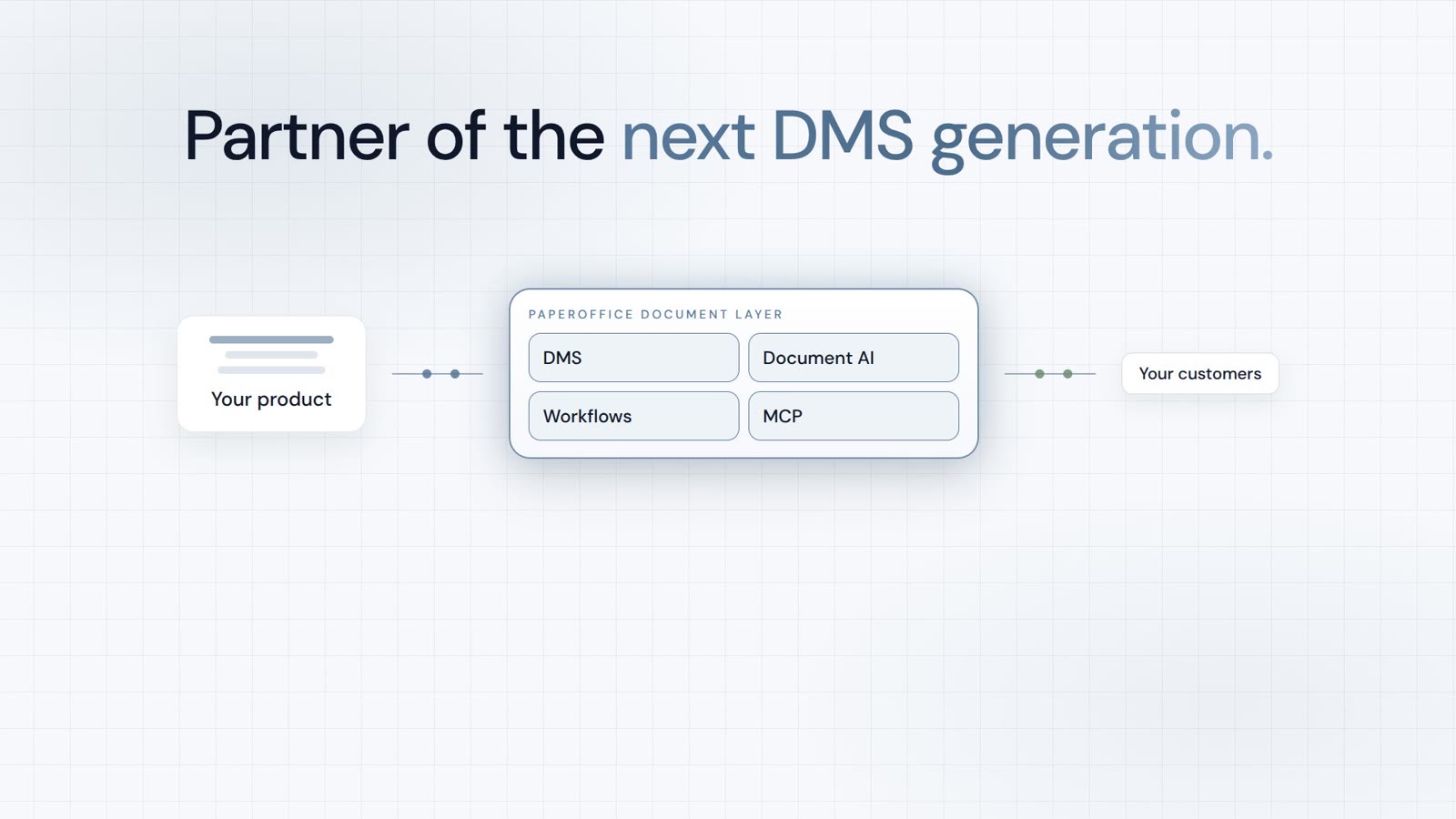
Integrator and Reseller can be combined. Referral by invitation.
View the partner program
AI-DMS
Documents. Intelligence. Real impact.
PaperOffice AI is the AI-DMS. Four functional areas on one DMS foundation, with three ways in.
Features, modules and benefits at a glance.
Capture, organize, search and collaborate on documents.
Plug into your systems and AI workflows.
No installation, ready in seconds.
Search all tools