


Choose a source
A ZIP up to 5 GB via Computer & Network, or a storage mount over SFTP, S3 or WebDAV with a source folder. Subfolders are included by default.
Import & Migration · AI-DMS module
Bulk import moves existing files into a workspace once, as a ZIP or from SFTP, S3 and WebDAV.
With SHA-256 duplicate matching and live progress. Failed files can be retried.

DownloadDatasheetsPDF · EN4 pages
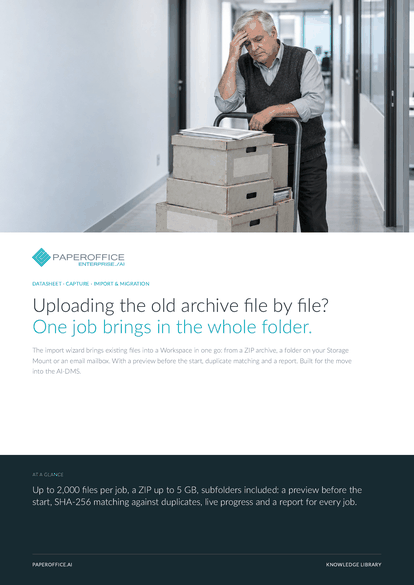
Uploading the old archive file by file? One job brings in the whole folder. The import wizard brings existing files into a Workspace in one go: from a ZIP archive, a folder on your Storage Mount or an email mailbox.
Trust, verification & partnerships
Verified in Claude and ChatGPT, certified to ISO/IEC 27001:2022
and the sole official DMS partner of QNAP and ASUSTOR.









In scope:
Verified MCP connector.
Learn moreVerified MCP plugin.
Learn more
Sole official DMS partner.
Learn more
Sole official DMS partner.
Learn moreHow it works
Bulk import moves an existing stock of files into a workspace once. After that, every file runs through that workspace's processing.
A ZIP up to 5 GB via Computer & Network, or a storage mount over SFTP, S3 or WebDAV with a source folder. Subfolders are included by default.
The check step shows the number of files, total size, folders and a preview of the first 20 files. SHA-256 matching detects duplicates in the target workspace, and you switch skipping on or off.
Progress runs live with files and MB per second and the remaining time. The report shows imported, skipped and failed, and you retry failed files.
Capabilities
From the check step to the report, you see what happens to every file.
Upload an archive from your computer or a network drive. Archives inside the ZIP are skipped.
Storage mounts over SFTP with password or SSH key, S3 such as AWS or MinIO, and WebDAV. On the Data Importer page, credentials can also be entered directly.
Number of files, total size, folders and a preview of the first 20 files, before anything is imported.
Files with identical content that are already in the target workspace are detected and skipped. On by default, can be switched off, with a lock against parallel double imports.
Files per second, MB per second and remaining time while the import runs. A running import can be cancelled.
The final report shows imported, skipped and failed. You retry failed files.
The original path is stored per document in the Save Path Suggestion metadata field. The import is flat, without a folder tree.
Every file runs through the target workspace's settings with processing depth and Start SLA. After AI-DMS has read a file, a Workflow Agent can start.
Comparison
The difference shows at file 1,000, not at file 10.
| Comparison | Upload by hand | Own script | PaperOffice bulk import |
|---|---|---|---|
| Before the start | Only visible afterwards | Build checks yourself | Check step with count, size, folders and preview |
| Duplicates | Noticed later | Build matching yourself | SHA-256 matching in the target workspace |
| Progress | No overall view | Own logging | Live with files/s, MB/s and time left |
| Errors | Search one by one | Build retries yourself | Report and retry |
| Folder path | Not recorded | Record it yourself | As Save Path Suggestion per document |
curl -X POST \ "https://api.paperoffice.ai/latest/import/upload-source" \ -H "Authorization: Bearer po_ut_YOUR_API_KEY" \ -F "file=@./archiv_2019.zip" \ -F "source_type=local_upload"curl -X POST \ "https://api.paperoffice.ai/latest/import/import-create" \ -H "Authorization: Bearer po_ut_YOUR_API_KEY" \ -H "Content-Type: application/json" \ -d '{"workspace_id":1553,"source_type":"local_upload","source_config":{"temp_file_id":"YOUR_TEMP_FILE_ID"}}'curl -X POST \ "https://api.paperoffice.ai/latest/import/import-scan" \ -H "Authorization: Bearer po_ut_YOUR_API_KEY" \ -H "Content-Type: application/json" \ -d '{"job_id":3104}'curl -X POST \ "https://api.paperoffice.ai/latest/import/import-start" \ -H "Authorization: Bearer po_ut_YOUR_API_KEY" \ -H "Content-Type: application/json" \ -d '{"job_id":3104}'curl -X POST \ "https://api.paperoffice.ai/latest/import/import-status" \ -H "Authorization: Bearer po_ut_YOUR_API_KEY" \ -H "Content-Type: application/json" \ -d '{"job_id":3104,"include_report":true}'For developers
Upload a ZIP, create a job, scan the source, start it and read the status, with the same steps as in the app.
import-scan returns the file count and total size before any file is imported.
import-retry retries failed files, import-cancel stops a job. File filter and maximum file size are set via API only.
Create, scan, start, status, job list and cancel are also available as MCP tools.
Security and compliance
Credentials for your sources are stored encrypted, with the key kept outside the database. Every file appears in the report: imported, skipped or failed.
Practical guide
Bulk import takes a stock of files from a ZIP archive or from a server or bucket and moves it into one target workspace, once. Before anything is imported, the source is scanned, and you see the number of files, the total size and the folders. Duplicates are skipped by content, progress is shown while the job runs, and a report lists what was imported, skipped or failed. After the import, the workspace processes the files with its own settings.
Most archives do not start in a clean folder. They sit on a file server, in a cloud bucket or in an export from an old system. Uploading such a stock by hand works for a few dozen files, but at a few thousand you need to know what is in the source, which files are already in the workspace and which ones failed.
Bulk import is built for that one-time move. In the app it is called the Data Importer, described as a one-time bulk import of files from external sources. Each job has exactly one target workspace, which you choose from your own workspaces. Single files go through the normal document upload, not through the importer.
The wizard is called Import Documents. It has four steps, labeled Source, Files, Review and Import, and an Import overview panel at the side that shows the target, the source and the number of files.
In the film, the fictional company Northstar has an archive on a NAS with invoices, contracts and delivery notes. The Storage Mount points to the folder /archive, and the target workspace is called Archive. The check step reports 1,840 files, 2.1 GB and the folders. The files carry names such as RE-2026-7834.pdf and MSA_Northstar.pdf.
While the job runs, the counter shows 1,212 of 1,840, which is 66 percent. In the end, the report lists 1,795 imported files, 37 skipped files, 8 failed files and 2.0 GB in total. The 37 skipped files carry the reason Already Imported: their content was already in the workspace. The job finishes with the message Import completed with notes and the hint Some files require attention. The 8 failed files are the ones to look at, fix at the source and retry.
The import is flat. All files land in the target workspace without a folder tree. The original folder is not lost, though: it is stored for each document in the metadata field Save Path Suggestion, in the section Data. In the example, a file from the Invoices folder carries the path /archive/Invoices. Permissions, versions, index fields and original timestamps from a legacy system are not taken over.
Duplicate detection compares file content with a SHA-256 hash. A file counts as a duplicate when a file with the same hash is already in the target workspace. A lock prevents the same files from being imported twice by parallel jobs.
After the import, the workspace takes over. Processing follows the settings of the target workspace, not the importer. With AI-DMS, each document is read, classified and made searchable: AI-OCR, document type with metadata, and full-text search. In the film, the imported invoices, contract and delivery note show up with their document types in the workspace.
The steps of the wizard map to API endpoints, so you can script a migration. For a ZIP, upload the archive with POST /import/upload-source (a ZIP of up to 5 GB) and copy the returned temp_file_id. Then call POST /import/import-create with source_type: local_upload and source_config: { "temp_file_id": "..." }. For SFTP, S3 or WebDAV, use the matching source_type and a source_config object with host, credentials and path.
The next calls follow the app. import-scan returns the file count, sizes and a breakdown by type before anything moves. import-start runs the job in batches of 50 files per call, and you repeat it until all files are imported. import-status returns counters such as total_files_imported, total_files_failed, total_files_skipped and progress_percent, and with include_report: true it adds a breakdown of skipped and failed files. import-retry retries a failed job from its last checkpoint, and import-cancel stops one.
Some options exist only in the API: file_pattern as a filter such as *.pdf, max_file_size_mb, and include_subfolders. Create, scan, start, status, job list and cancel are also available as MCP tools, for example po_import_create and po_import_scan.
Frequently asked questions
A ZIP archive up to 5 GB or a storage mount over SFTP, S3 or WebDAV. For servers and buckets, create a connection as an import source under Storage Mounts. Reverse SSH folders and the scanner endpoint are sources for connectors, not for bulk import. A folder of an email mailbox can be taken over once via the API or the MCP command po_ingest_email; each email arrives with its attachments as separate documents.
Up to 2000 files per job, a ZIP up to 5 GB, a single file up to 200 MB by default. Import larger stocks in stages, for example one job per subfolder.
Among others PDF, Office and OpenDocument files, RTF, TXT and CSV, images including TIFF and HEIC, audio and video, and JSON, XML, MD, ICS and VCF.
The import is flat into the target workspace. The original folder path is kept per document in the Save Path Suggestion metadata field. Folder tree, permissions, versions, index fields and original timestamps from legacy systems are not taken over.
Files with an identical SHA-256 hash that are already in the target workspace are skipped. The check is on by default. Switch it off if you deliberately want to import again.
Bulk import does not offer a direct transfer from other systems. It takes over files: export them from the legacy system as a ZIP or onto a server and import them from there.
Then use a connector in index mode over SFTP, S3, WebDAV or Reverse SSH. The originals stay with you, and PaperOffice keeps an encrypted working copy for processing.
According to the target workspace's settings, with processing depth and Start SLA. After AI-DMS has read a file, a Workflow Agent can start. Each job has one target workspace, chosen from your own workspaces.
Bulk import is available in every plan, Free included. It runs in the web app, via REST API and via MCP, not in the mobile app.
Case Studies
Discover how businesses transformed their processes with PaperOffice AI.
 Mining & Resources
Enterprise document management for all our mining operations. World class.
 Printing & Packaging
FDA-regulated pharmaceutical labels require complete documentation. PaperOffice has reduced our approval process from days to hours.
 Industry & Manufacturing
Technical documentation and order processing now run fully automatically.
 Public Administration
Digitization has revolutionized our administration. Citizen inquiries are now processed in minutes instead of days.
Health & Medicine Patient records, medical reports, and referrals are automatically captured and classified. Our practice team finally has time for their patients.
 Hospitality & Entertainment
8,000 employees and thousands of guest documents every day. PaperOffice has completely digitized our back-office processes.
 Regional Bank
Loan applications and compliance documents are now processed in minutes instead of hours. The regulatory review is fully automated.
 Construction & Real Estate
Construction project documentation and compliance are now digital and traceable.
 Hospitality & Tourism
Check-in forms, invoices, and guest communications are fully digital. Our concierge team now focuses on providing excellent service.
Energy & Gas Stations Gas station billing, supplier documents, and compliance records from over 250 stations are automatically processed and archived.
Pharma & Labels GMP-relevant documentation for pharmaceutical functional labels now runs automatically. Audit trails are complete and instantly accessible.
Construction & Timber Blueprints, permits, and customer files for our wooden houses are now managed centrally. After six generations, we are finally paperless.
E-Commerce & Retail Supplier contracts, certificates, and customs papers for hundreds of roasteries worldwide are automatically captured and assigned to the correct product.
Logistics & Transport Temperature logs, CMR waybills, and food certificates are automatically scanned and assigned to the order. Misallocations are a thing of the past.
Logistics & Transport Heavy transport permits, route plans, and project documentation are now instantly accessible digitally. No more searching through folders.
 Logistics & Transport
Customs documents, warehouse receipts, and shipping orders for our Eastern European network are automatically classified. Four generations of logistics, finally digital.
Printing & Packaging Printing specifications, customer approvals, and material certificates are now accessible centrally. The production error rate has dropped to near zero.
 Packaging & Labels
Sustainability certificates, supplier contracts, and customer specifications are processed automatically. Swiss precision, now also digital.
 Construction & Real Estate
Building permits, subcontractor contracts, and acceptance protocols for our commercial properties are now fully documented digitally.
Real Estate & Management Purchase agreements, exposés, and customer files from over 30 years of market leadership are now digitally searchable. Every agent finds everything in seconds.
Logistics & Freight Ocean freight documents, customs declarations, and bills of lading are automatically captured. Baltic Sea logistics has never been so efficient.
 E-Commerce & Packaging
Thousands of custom packaging orders per week, including design approvals, print data, and delivery documents. PaperOffice keeps it all together.
 Laboratory & Medical Technology
Pathology lab documentation and device certifications are now fully automated. Complete traceability for every specimen.
Regional Bank Loan documents, security papers, and customer correspondence are processed in minutes instead of hours. The regulatory review is complete.
Steel Construction & Industry Technical specifications, quality certificates, and recycling protocols for our steel production are central and instantly accessible.
 Pharma & Labels
Pharma and cosmetic label specifications with regulatory requirements are automatically checked and approved. No more manual checklists.
 Fintech & Wealth Management
KYC documents, investment reports, and regulatory filings are classified in seconds. As an MAS-regulated robo-advisor, complete compliance is essential.
Logistics & Transport Safety data sheets, transport permits, and ADR documents for chemical logistics are automatically assigned. Zero tolerance for errors.
 Luxury & Jewelry
Certificates of authenticity, supplier records, and customer warranties for our pearl collections are automatically archived and instantly accessible.
 Commercial Bank
SME loan applications, security documents, and regulatory reports are automatically classified. Our advisors have more time for customer consulting.
 Private Bank
Customer files from over 135 years of banking history are being successively digitized. 5,000 employees now have instant access to all documents.
 Development Bank
Microcredit applications and compliance documents for millions of customers are now processed in minutes instead of days. A game changer for financial inclusion.
 E-Commerce Logistics
Hundreds of thousands of delivery notes and return slips per day are processed automatically. Vietnam's leading e-commerce logistics provider, now paperless.
 Precision Metal & Manufacturing
CNC manufacturing protocols, material certificates, and customer specifications for oil, gas, and aerospace projects are now fully documented digitally.
 GovTech & IT
Vision 2030 requires complete digitization. PaperOffice processes government documents for Saudi Arabia's digital backbone.
 Specialty Steel & Industry
Material certificates, hardening protocols, and customer specifications are automatically assigned to the correct order. Australia's only Q&T manufacturer, now paperless.
 Steel Construction & Manufacturing
Weld seam protocols, structural calculations, and project plans are managed digitally. Our workshop teams have access in real time.
 Precision Parts & Manufacturing
Aerospace certificates, CNC programs, and customer tolerances are automatically classified. AS9100 evidence has never been this easy to produce.
 Fintech & Payments
Merchant contracts, KYC documents, and transaction receipts for hundreds of thousands of SMEs are processed in seconds. Mexico's payment revolution, paperless.
 Premium Winery
Harvest documentation, export certificates, and quality protocols for our high-altitude Malbecs are automatically archived. 120 years of winemaking tradition, now digital.
Digital Banking Millions of user verifications and regulatory documents are processed fully automatically. Scaling without paper.
 Fintech & Payments
Merchant onboarding documents and compliance records for Africa's leading payment provider are processed in minutes instead of days.
E-Commerce & Organic Organic certificates, supplier audits, and product labels for thousands of natural products are automatically checked and archived.
 Fintech & Payments
Regulatory documents from 33 African countries, partner contracts, and audit trails are managed fully automatically. An enterprise DMS for a $3 billion fintech.
 Pharma & Healthcare
Prescriptions and medication management now run fully automatically. More time for our patients.
Religious Institution Centuries-old documents are now digitally searchable. A milestone for our historical archives.
Care & Health Our caregivers finally have more time for residents instead of paperwork.
Government & Administration 500,000+ records digitized. Our deputies now find all information instantly.
Medicine & Healthcare Patient records management is now a breeze. Everything automatically captured and archived.
 Estate Services
Inheritance and estate documentation is now efficient and error-free.
Real Estate & Management Digital property management for all our residential complexes. Tenants and owners are thrilled.
Industry & Packaging With PaperOffice, we have accelerated our invoice processing by 99%. The AI automatically recognizes all relevant data and assigns it correctly.
Trades & Crafts PaperOffice has become indispensable to our daily work. Orders, quotes, and invoices are now automated.
Care & Health The documentation of our care services is now digital and automated. More time for our patients.
Mechanical Engineering & Manufacturing Technical drawings, bills of materials, and quality protocols are instantly searchable. A search that used to take 30 minutes now takes 30 seconds.
Tax Advisory & Legal Client receipts, tax assessments, and annual financial statements are automatically sorted and assigned to the correct client. Receipt chaos is a thing of the past.
IT & Consulting Project documentation, SLAs, and customer communication for our IT consulting projects are automatically classified and archived.
Measurable customer success
 Kumul Minerals Holdings Limited
 The Challenge Printing Company Inc.
 K60-Gitterrostsysteme GmbH & Co. KG
 Ayuntamiento de Carrión de los Condes
"Enterprise document management for all our mining operations. World class."
Mining & Resources "FDA-regulated pharmaceutical labels require complete documentation. PaperOffice has reduced our approval process from days to hours."
Printing & Packaging "Technical documentation and order processing now run fully automatically."
Industry & Manufacturing "Digitization has revolutionized our administration. Citizen inquiries are now processed in minutes instead of days."
Public Administration "Patient records, medical reports, and referrals are automatically captured and classified. Our practice team finally has time for their patients."
Health & Medicine "8,000 employees and thousands of guest documents every day. PaperOffice has completely digitized our back-office processes."
 Hospitality & Entertainment
"Loan applications and compliance documents are now processed in minutes instead of hours. The regulatory review is fully automated."
 Regional Bank
"Construction project documentation and compliance are now digital and traceable."
 Construction & Real Estate
"Check-in forms, invoices, and guest communications are fully digital. Our concierge team now focuses on providing excellent service."
 Hospitality & Tourism
"Gas station billing, supplier documents, and compliance records from over 250 stations are automatically processed and archived."
Energy & Gas Stations "GMP-relevant documentation for pharmaceutical functional labels now runs automatically. Audit trails are complete and instantly accessible."
Pharma & Labels "Blueprints, permits, and customer files for our wooden houses are now managed centrally. After six generations, we are finally paperless."
Construction & Timber "Supplier contracts, certificates, and customs papers for hundreds of roasteries worldwide are automatically captured and assigned to the correct product."
E-Commerce & Retail "Temperature logs, CMR waybills, and food certificates are automatically scanned and assigned to the order. Misallocations are a thing of the past."
Logistics & Transport "Heavy transport permits, route plans, and project documentation are now instantly accessible digitally. No more searching through folders."
Logistics & Transport "Customs documents, warehouse receipts, and shipping orders for our Eastern European network are automatically classified. Four generations of logistics, finally digital."
 Logistics & Transport
"Printing specifications, customer approvals, and material certificates are now accessible centrally. The production error rate has dropped to near zero."
Printing & Packaging "Sustainability certificates, supplier contracts, and customer specifications are processed automatically. Swiss precision, now also digital."
 Packaging & Labels
"Building permits, subcontractor contracts, and acceptance protocols for our commercial properties are now fully documented digitally."
 Construction & Real Estate
"Purchase agreements, exposés, and customer files from over 30 years of market leadership are now digitally searchable. Every agent finds everything in seconds."
Real Estate & Management "Ocean freight documents, customs declarations, and bills of lading are automatically captured. Baltic Sea logistics has never been so efficient."
Logistics & Freight "Thousands of custom packaging orders per week, including design approvals, print data, and delivery documents. PaperOffice keeps it all together."
 E-Commerce & Packaging
"Pathology lab documentation and device certifications are now fully automated. Complete traceability for every specimen."
 Laboratory & Medical Technology
"Loan documents, security papers, and customer correspondence are processed in minutes instead of hours. The regulatory review is complete."
Regional Bank "Technical specifications, quality certificates, and recycling protocols for our steel production are central and instantly accessible."
Steel Construction & Industry "Pharma and cosmetic label specifications with regulatory requirements are automatically checked and approved. No more manual checklists."
 Pharma & Labels
"KYC documents, investment reports, and regulatory filings are classified in seconds. As an MAS-regulated robo-advisor, complete compliance is essential."
 Fintech & Wealth Management
"Safety data sheets, transport permits, and ADR documents for chemical logistics are automatically assigned. Zero tolerance for errors."
Logistics & Transport "Certificates of authenticity, supplier records, and customer warranties for our pearl collections are automatically archived and instantly accessible."
 Luxury & Jewelry
"SME loan applications, security documents, and regulatory reports are automatically classified. Our advisors have more time for customer consulting."
 Commercial Bank
"Customer files from over 135 years of banking history are being successively digitized. 5,000 employees now have instant access to all documents."
 Private Bank
"Microcredit applications and compliance documents for millions of customers are now processed in minutes instead of days. A game changer for financial inclusion."
 Development Bank
"Hundreds of thousands of delivery notes and return slips per day are processed automatically. Vietnam's leading e-commerce logistics provider, now paperless."
 E-Commerce Logistics
"CNC manufacturing protocols, material certificates, and customer specifications for oil, gas, and aerospace projects are now fully documented digitally."
 Precision Metal & Manufacturing
"Vision 2030 requires complete digitization. PaperOffice processes government documents for Saudi Arabia's digital backbone."
 GovTech & IT
"Material certificates, hardening protocols, and customer specifications are automatically assigned to the correct order. Australia's only Q&T manufacturer, now paperless."
 Specialty Steel & Industry
"Weld seam protocols, structural calculations, and project plans are managed digitally. Our workshop teams have access in real time."
 Steel Construction & Manufacturing
"Aerospace certificates, CNC programs, and customer tolerances are automatically classified. AS9100 evidence has never been this easy to produce."
 Precision Parts & Manufacturing
"Merchant contracts, KYC documents, and transaction receipts for hundreds of thousands of SMEs are processed in seconds. Mexico's payment revolution, paperless."
 Fintech & Payments
"Harvest documentation, export certificates, and quality protocols for our high-altitude Malbecs are automatically archived. 120 years of winemaking tradition, now digital."
 Premium Winery
"Millions of user verifications and regulatory documents are processed fully automatically. Scaling without paper."
Digital Banking "Merchant onboarding documents and compliance records for Africa's leading payment provider are processed in minutes instead of days."
 Fintech & Payments
"Organic certificates, supplier audits, and product labels for thousands of natural products are automatically checked and archived."
E-Commerce & Organic "Regulatory documents from 33 African countries, partner contracts, and audit trails are managed fully automatically. An enterprise DMS for a $3 billion fintech."
 Fintech & Payments
"Prescriptions and medication management now run fully automatically. More time for our patients."
 Pharma & Healthcare
"Centuries-old documents are now digitally searchable. A milestone for our historical archives."
Religious Institution "Our caregivers finally have more time for residents instead of paperwork."
Care & Health "500,000+ records digitized. Our deputies now find all information instantly."
Government & Administration "Patient records management is now a breeze. Everything automatically captured and archived."
Medicine & Healthcare "Inheritance and estate documentation is now efficient and error-free."
 Estate Services
"Digital property management for all our residential complexes. Tenants and owners are thrilled."
Real Estate & Management "With PaperOffice, we have accelerated our invoice processing by 99%. The AI automatically recognizes all relevant data and assigns it correctly."
Industry & Packaging "PaperOffice has become indispensable to our daily work. Orders, quotes, and invoices are now automated."
Trades & Crafts "The documentation of our care services is now digital and automated. More time for our patients."
Care & Health "Technical drawings, bills of materials, and quality protocols are instantly searchable. A search that used to take 30 minutes now takes 30 seconds."
Mechanical Engineering & Manufacturing "Client receipts, tax assessments, and annual financial statements are automatically sorted and assigned to the correct client. Receipt chaos is a thing of the past."
Tax Advisory & Legal "Project documentation, SLAs, and customer communication for our IT consulting projects are automatically classified and archived."
IT & Consulting Where would you like to try PaperOffice?
Your trial is ready
Where would you like to start?
The full workspace is optimized for the computer. The mobile version is for capturing, reviewing, and approving documents.
Register free Already a customer? Log in app.paperoffice.aiStart on the computer
A personal access link will be sent to the email address provided.
Open PaperOffice Mobile
Capture and work with documents directly on the smartphone.
Open mobile version