

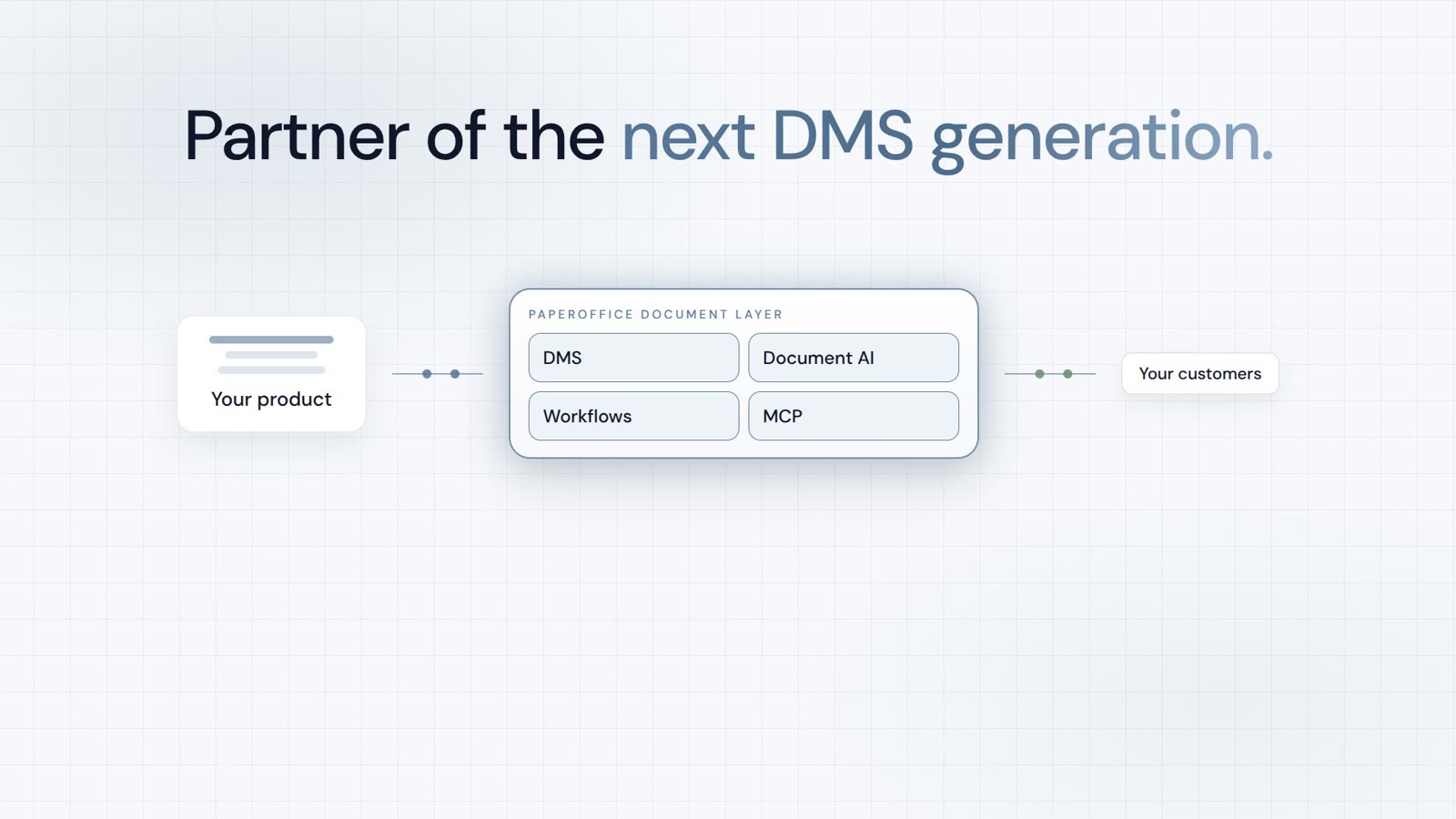











In short: Claude Fable 5 is Anthropic's most capable publicly available model — but a model can only act as well as it can reach your documents. PaperOffice MCP DMS connects Fable 5 to 300+ MCP tools at a single URL via the Model Context Protocol. The result is agentic document work: Claude searches, reads, classifies, signs, and analyzes — across every workspace, with an audit trail and zero API code. This hub article explains the pairing and links four real use cases with videos.
Key takeaways at a glance
- Model: Claude Fable 5 (Anthropic, June 9, 2026) — up to 1M tokens of context, built for long-running, autonomous tasks.
- Connection: PaperOffice MCP DMS at
https://mcp.paperoffice.ai/dms— 300+ MCP tools via the Model Context Protocol. - Result: Claude searches, reads, classifies, signs, and analyzes — across every workspace, verifiable with a
pofidand audit trail. - Setup: OAuth 2.1 or a User token (po_ut_ / po_gt_), one URL, under 60 seconds — without a single line of API code.
- Four use cases: month-end, overnight inbox, mobile contract lookup, and a spend dashboard — each with a video and a deep-dive article.
What is Claude Fable 5?
Claude Fable 5 is Anthropic's flagship model, released on June 9, 2026. It is built for long-running, autonomous work: multi-day software migrations, finance with documents, vision over screenshots and scans, and legal redlines. With a context window of up to 1M tokens and up to 128k output tokens, it stays on track even inside large archives.
For document-heavy teams, one thing matters most: Fable 5 is exceptionally strong at document-based reasoning — reasoning over tables, contracts, invoices, and audit trails. It can plan multi-step tasks, check intermediate results, and call tools in the right order. That ability to orchestrate tools autonomously is what separates a chatbot from an agent.
What is PaperOffice MCP DMS?
The Model Context Protocol (MCP) is an open standard that lets AI clients such as Claude Desktop, Claude Code, Cursor, or ChatGPT call external tools. PaperOffice MCP exposes the full headless DMS as an MCP server at a single URL: https://mcp.paperoffice.ai/dms. Authentication uses OAuth 2.1 or a User token (po_ut_ / po_gt_) (po_ut_ / po_gt_) — po_sk_ is blocked for MCP. /cursor and /grok share the same Documents Operations catalog as /dms (including TTS). /claude is Directory without TTS. /chatgpt (alias /openai) is the ChatGPT connector.
Behind that URL are 300+ MCP tools: for workspaces, fulltext and hybrid search, OCR/IDP, workflows and tasks, e-signatures, redaction, and analytics. "Atomic" means each tool does exactly one thing. This fits PaperOffice's LLM-first architecture — the model decides (routes), the tools execute. Destructive operations are protected by confirm gates, and errors return as structured error_code responses.
Why the strongest model fails without a DMS
A language model with no connection to your archive does not know your documents. It can summarize an uploaded PDF — but it does not know which invoices are open, which contract expires on Friday, or where the signed version lives. Without DMS access, even Fable 5 stops at rhetoric instead of research. MCP closes three gaps:
- Access instead of upload: Claude searches the entire authorized archive, not just one attached file.
- Verifiability instead of hallucination: answers are grounded in real hits with a
pofidand audit trail. - Action instead of talk: Claude can classify, comment, start workflows, or trigger signatures.
300+ MCP tools, one URL: the headless DMS surface
The 300+ DMS tools fall into clear groups. You never call them manually — Claude selects based on your request:
- Search & read:
po_documents_search,po_search_advanced,po_documents_text_get - Capture & OCR/IDP:
po_documents_upload,po_import_scan,po_document_analysis_analysis_dms - Organize:
po_workspaces_list,po_documents_bulk_update - Workflow & signature: tasks, approvals (HITL), e-signature tools
- Analytics:
po_analytics_financial_summary_get,po_analytics_trends_get
Need more? Use other profiles: /cursor (same Documents Operations catalog as /dms), /chatgpt (Directory without TTS and OTP), or /mcp-full for the complete surface. Details on the MCP page.
Four use cases — four short videos
Each scenario below shows PaperOffice MCP with Claude in under 30 seconds. Every use case has a dedicated deep-dive article with prompts and tool lists:
- Month-end invoices — open items across every workspace, payment reminders as a second step
- Overnight inbox — capture, classify, flag duplicates and expiring contracts before you wake up
- Mobile contract lookup — archive answers in seconds, straight from your phone
- Board dashboard — from 300 invoices to a presentation-ready spend overview in one prompt
Setup in under 60 seconds
Here is how to connect Claude to PaperOffice MCP:
- Paste the URL: in Claude Desktop or Claude Code add
https://mcp.paperoffice.ai/dms— OAuth 2.1 starts on first connect. - Alternatively a User token: if the client asks for a header, use
Authorization: Bearer po_ut_...(po_gt_is also valid;po_sk_andpo_pk_are blocked for MCP). - Restart the client — the 300+ DMS tools are available immediately.
Then a natural-language question is enough, for example:
Fable 5 + MCP: which strength meets which tool
| Fable 5 strength | Matching MCP DMS tool |
|---|---|
| Long-horizon / up to 1M tokens | po_search_advanced, audit trails, knowledge graph |
| Vision (scans, screenshots) | po_documents_vision_analyze, thumbnails |
| Async, long-running jobs | po_jobs_get, OCR, redaction |
| Knowledge work & numbers | Analytics, VAT checks, financial summaries |
| Tool orchestration | 300+ MCP tools instead of one opaque mega-tool |
A generational shift: agentic, not chat-based
The difference from earlier setups is qualitative, not just quantitative:
| Classic (chat over a PDF) | Fable 5 + PaperOffice MCP |
|---|---|
| Only the uploaded file | The entire authorized archive |
| Answers without a source | Hits with pofid and audit trail |
| Human copies results back | Claude acts directly through tools |
| One task per prompt | Multi-step workflows in one request |
Security, governance, and GDPR
More autonomy demands clear guardrails. Fable 5 ships its own safeguards (e.g. fallback to Opus 4.8 on sensitive topics). On the enterprise side, the essentials remain:
- Token scopes: issue User tokens with only the rights needed.
- Sandbox workspaces: test in a contained area first.
- Confirm gates: destructive operations require confirmation.
- Audit trail: every action is logged and traceable.
Background on the standard: our MCP revolution article.
"Fable 5 is the brain — PaperOffice MCP DMS are the hands for your archive."
Who benefits most?
Especially teams with distributed document stores: finance and accounting, law firms, public administration, and anyone who regularly searches, analyzes, or approves across many workspaces. Getting started is low-risk — OAuth 2.1 or a User token (po_ut_ / po_gt_), one URL, one use case.
MCP profiles: not just /dms
PaperOffice exposes several MCP profiles under the same base URL. Each profile bundles a different tool selection, so you connect exactly the surface that fits the client and the task:
| Profile | Focus | Typical client |
|---|---|---|
/dms | 300+ MCP tools — search, OCR/IDP, workflows, signatures, analytics | Claude Desktop, Claude Code |
/claude | Directory without TTS | Claude clients |
/cursor | Same Documents Operations catalog as /dms (including TTS) | Cursor |
/chatgpt | ChatGPT connector (Directory without TTS, OTP/unlock); alias /openai | ChatGPT |
/grok | Same Documents Operations catalog as /dms (including TTS) | Grok |
/mcp-full | The complete MCP surface | advanced setups |
To get started, /dms is enough. Directory /claude omits TTS; /chatgpt also omits OTP/unlock; auth is OAuth 2.1 or a User token (po_ut_ / po_gt_) — not po_sk_.
A typical day with Fable 5 + MCP
This is what agentic document work looks like day to day — four moments, one setup:
- 07:00: A scheduled task sorted the intake overnight. Your desk holds not 14 documents but two flagged exceptions.
- 10:30: A contract question comes up in a meeting. The answer arrives in seconds from your phone — with the signed date and page reference.
- 14:00: The board wants an overview. From 300 invoices, one prompt produces a presentation-ready dashboard.
- 17:00: For month-end, Claude lists open items across every workspace — including drafts for payment reminders.
Four tasks that used to mean logins, exports, and Excel now run through a single connection — on the live state of the archive.
Common mistakes when starting out
To make the first impression count, it pays to avoid three typical pitfalls:
- Tokens with too many rights: start with a read-only token in a sandbox workspace, not full access.
- A poor data foundation: if documents are not cleanly captured via OCR, search and analysis suffer. Good capture is half the battle.
- Requests that are too broad: narrow by period or workspace early — precise prompts yield precise results.
The good news: all three are configuration and habit, not code. Set up one use case cleanly and you carry the same pattern to the others.
Conclusion
Claude Fable 5 and PaperOffice MCP DMS together enable real agentic document work — not chat-only PDF Q&A. Start with /dms, pick one of the four use cases below, and scale from there. Setup takes under a minute; the value begins with the first prompt.


