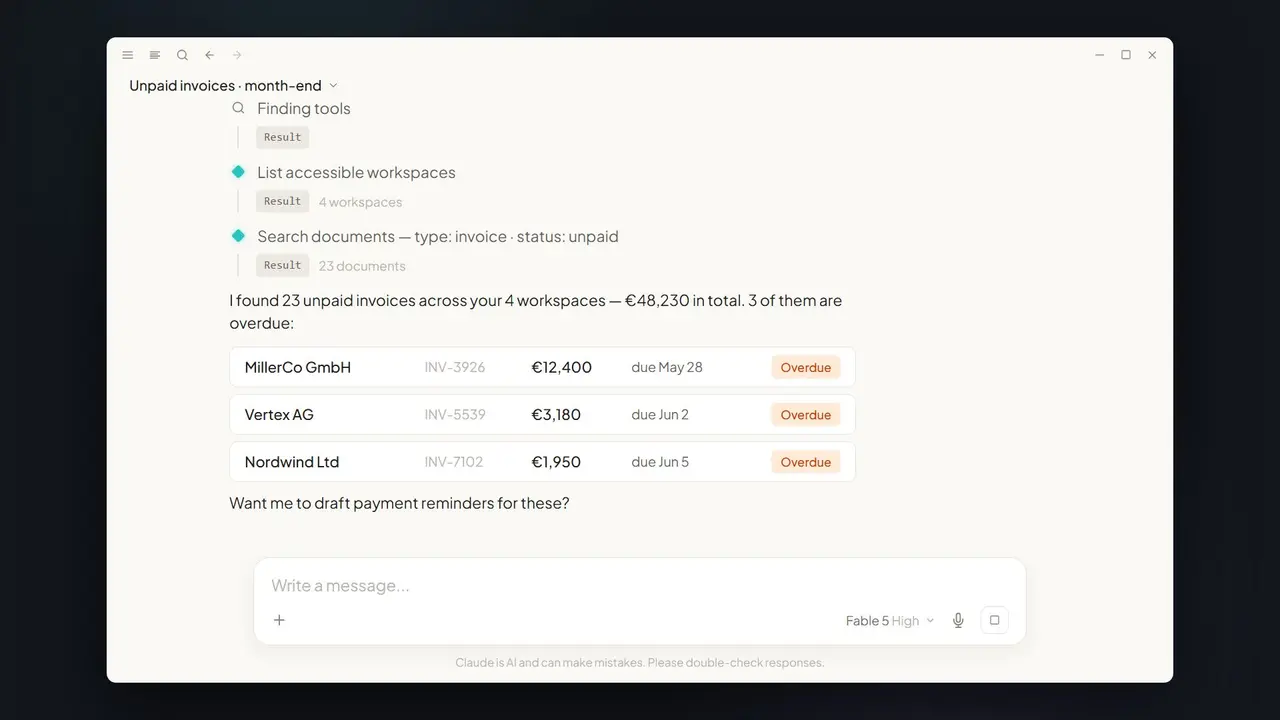











In short: PaperOffice is listed in the Claude directory as a verified connector. You can check the listing yourself at any time: claude.com/connectors/paperoffice. For everyone who works with Claude, that means: your document management is one click away — search, read, extract, approve, send for signature and archive, directly in the conversation.
What “Verified by Anthropic” means
Anthropic reviews connectors before listing them in the Claude directory. PaperOffice appears there as a verified connector — the listing on claude.com is the proof, visible to everyone. We deliberately show the seal as plain text with a simple check mark: Works in Claude · Verified by Anthropic.
What you can do with PaperOffice in Claude
The connector links Claude to the documents in your own PaperOffice account — only with your account and your permissions. In plain language you can:
- Search: “Find the March invoice from the Meyer company.”
- Read and extract: deadlines, amounts and clauses from contracts — summarized on request.
- Approve: release documents straight from the conversation.
- Send for signature: start the signing flow without leaving Claude.
- Archive: finished documents land back in your PaperOffice account.
Where it works
One connection covers every Claude surface: Claude chat · Desktop · Mobile · Cowork · Claude Code. Whether you ask on your phone or let an agent work in Claude Code — PaperOffice answers everywhere with the same tools.
How to connect
- Open the listing and click “Add to Claude” — the connector comes straight from the Claude directory.
- Authorize with your PaperOffice account. Access runs only under your permissions.
- Ask Claude — in plain language, no new tools to learn.
All details, including a step-by-step guide with video, are on our page PaperOffice in Claude.
Why this matters
AI assistants are becoming the place where document work actually happens. The Claude directory gives that a reliable foundation: listed connectors are reviewed, and the listing is public. Combined with PaperOffice's own EU infrastructure, ISO/IEC 27001 certification (SOC 2 Type II in preparation) and processing under the GDPR, you get both halves of trust: a verified connection — and a document platform built for audits.