












Although the basic techniques of document management have been used in corporate document control for decades and have evolved over the years, the need for a document management system and its application advantages are still underestimated.
Studies have shown that employees spend up to thirty percent of their time searching for the necessary documents in the company. On average, employees lose more than one working day per week as a result. It gets even worse, because: In 70% of all cases the search is unsuccessful. The document is created again and the colleagues can no longer understand the current status of the documents.

But what is the standard, what can the customer expect from a DMS?
In the current article, we will show you the advantages of using electronic data management (document management system).
This can be explained point by point using PaperOffice AI.
Before we get into the benefits, let's explain the definition:
What is a document management system?
A document management system (DMS) is used to store, manage and control the flow of documents within an organization.
This means that companies from a wide variety of industries accumulate important documents every day: pleadings, contract documents, drafts, external letters, research, expert opinions and much more. These do not only arrive by post, many documents also arrive by email.
You can organize all information, such as paper documents, digital files or emails, in a central location, your document management system, which employees can access easily and without any problems.
On top of that come functions for teamwork and document sharing, permissions and versions, in the browser and with nothing to install.
Document management systems are becoming increasingly important to businesses as the amount of information generated by today's businesses is growing exponentially.
The introduction of a document management system, DMS for short, also helps you to bring a clear structure to your documents and to cope with the flood of information.
DMS also stands for document management software and is intended to manage documents, especially digital documents, which includes the conversion from analogue to digital. PaperOffice AI is such software.
The management and control of the enormous amount of external and internal documents that are part of the business processes in public or business administration has become a challenge. This promotes the introduction of document management software that makes it easier to manage.
The introduction of the DMS ensures significant reductions in search time, handling and cost savings, which are very important in our administrative processes.
The heart of a DMS
An advanced document management system has its "heart" in a database, where the information is stored in a way that allows it to be found and retrieved in an easy and controlled way.
With PaperOffice AI, this database with the index, metadata and AI results is located in PaperOffice's own EU data center in Navarra (Spain). You store the files themselves there or, with Bring Your Own Storage, encrypted on your own NAS or server, for example from QNAP or Synology, connected via SFTP. But by storing the information in a structured way, we only have part of the equation.
The "brain" that controls the system is the workflow logic, which makes it possible to create dependencies between documents and processes and to link this information in flexible and previously defined flows.
An essential step in the implementation of such a sophisticated "workflow" is that as much documentation as possible is available in digital form.
Digitization and document management
When we talk about document management systems, we must not forget: the higher the level of digitization of the information that is part of the processes, the higher the level of control and automation that we can achieve. We have already written a separate article on the advantages of digitization.
In the first step, you determine which documents belong to our processes, how we integrate them into our document management system and which information is to be extracted and stored together with the documents in your database. Once the information is included, we define its life cycle, how it will interact with other processes and how we can integrate it.
Information comes from different sources
Most likely, we will come across information coming from different sources and in different formats. Some of it in digital form, stored in files or databases and some in the form of printed documents.
What do we do with digital documents in pdf, doc, etc. format? Here the process is very simple.
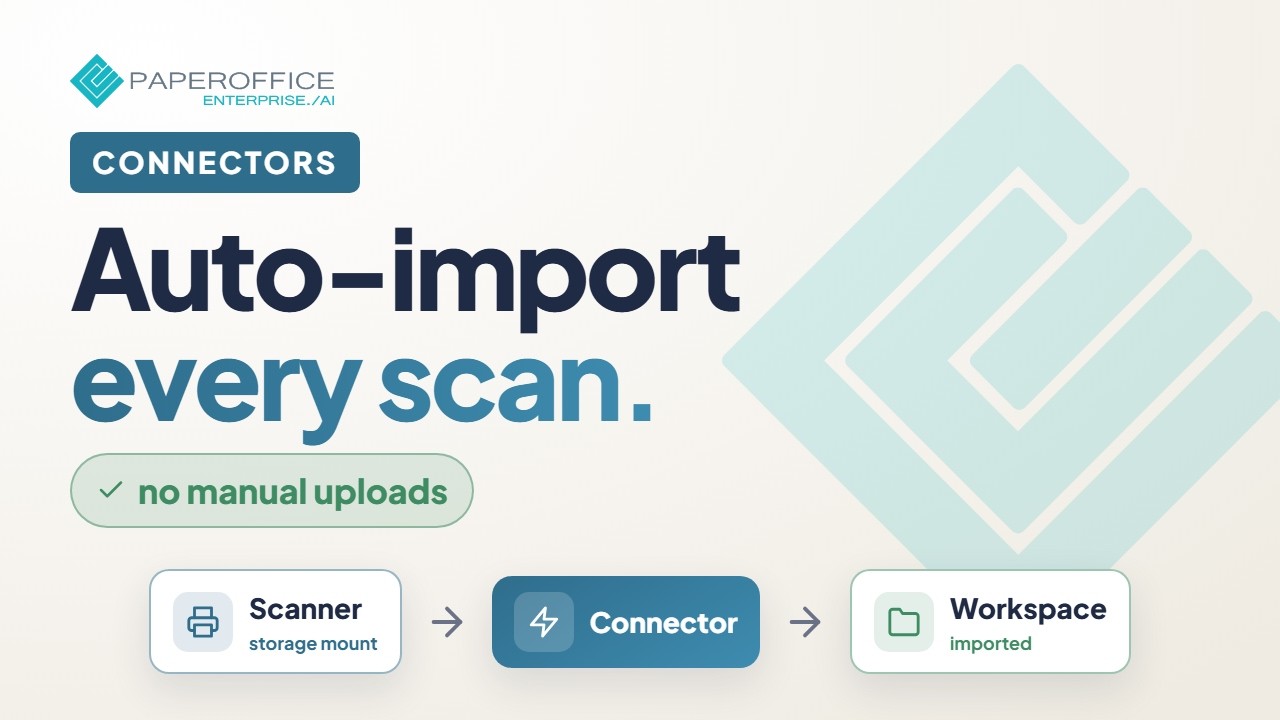
Upload the digital document to PaperOffice AI in the browser or forward it by email. Or have a connector monitor a folder on your storage or a mailbox: new files are imported and processed automatically.
Tip
The PaperOffice Academy film “Full setup: Connectors — import scans automatically” shows how connectors import scans and files automatically from a monitored folder:
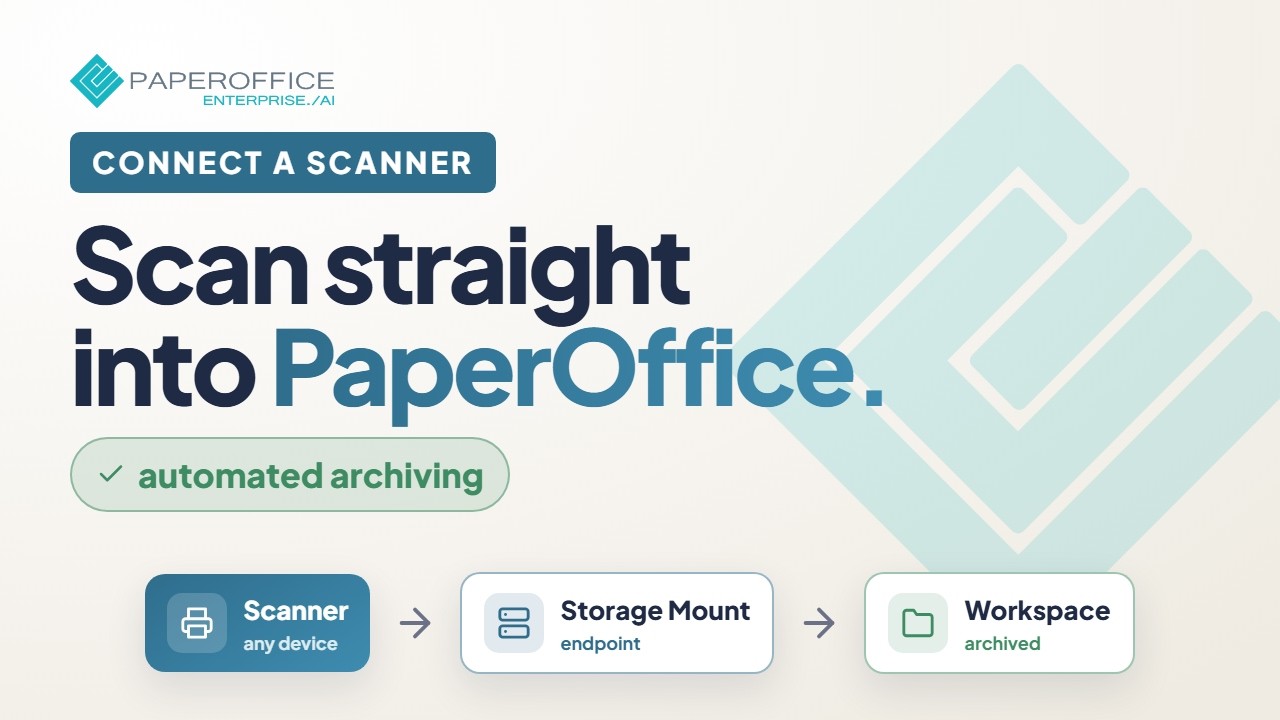
You scan paper documents with your scanner or multifunction device, and PaperOffice AI picks up the scans automatically. On the go, you capture paper with the mobile app, which detects the page edges automatically.
Tip
The PaperOffice Academy film “Full setup: connect a scanner — automatic archiving” shows how to connect a scanner and archive paper documents automatically:
Thanks to the Optical Character Recognition program (OCR = Optical Character Recognition), we have already taken an important step. Using a scanner or other digitizing device, we not only convert the document into an image, but can also "read" its content electronically.
PaperOffice AI does more than read the pure text via OCR in more than 120 languages: the AI also classifies the document and extracts the important data via IDP, without you having to train templates first.
These include, for example, the invoice number, date and amounts and, depending on the processing depth, individual line items. Accordingly, we have all the necessary information in our document management system.
The digitization of information via OCR makes it easier to integrate a wide variety of documentation into the management of processes and workflows.
Workflow and document management
As already mentioned, it is essential for advanced document management to have all information in a digital and structured form in a database. So you can find all documents stored in PaperOffice AI with full-text and semantic search, by their meaning and not just by individual words. You can also set the rules of who can access, modify and delete/archive your information.
But we want to go even further and streamline our business processes. One of the pillars of our document management solution is the workflow engine. This allows us to specify each step of a business process with its associated activities and dependencies, as well as the departments and roles involved.
We can also define automatic notifications that will be activated depending on activities and events that occur throughout the process.
All this not only minimizes the time spent managing tasks, but also minimizes the likelihood of forgetfulness and errors in the process.
Added value and benefits of electronic data archiving
Here are some of the most outstanding benefits of implementing a document management system:
- Availability: By storing and managing all your documents and their versions, updates, notes, stored contacts, document data in a central database, all the information gradually forms a central knowledge database.
Central and easy access to all of this relevant company documentation and the ability for multiple parties to collaborate on the same document make it top of the list of benefits. - Access Permission: Control who can access the documents, when, and what activities can be performed on them.
Settings for folders and documents, release levels and rights as well as groups and departments make access to sensitive documents transparent and secure. - Security, not only in access control, but also in the custody and security that comes with the introduction of new technologies and databases.
First of all, PaperOffice AI stores every document encrypted: every file is split into pieces that are encrypted individually with AES-256 (ChunkCrypt). Data is transmitted over TLS 1.3. Processing takes place on PaperOffice's own hardware in its own EU data center in Navarra (Spain), following the Zero Trust principle.
PaperOffice is ISO/IEC 27001 certified (certificate on request under NDA). - Retrievability and time savings: All your documents, previously on paper and now available digitally, as well as emails, are stored centrally in PaperOffice AI. At the same time, the date and time, versions and keywords are saved, which the semantic search of PaperOffice AI uses to find documents even if the person searching only roughly knows the content of the document.
Depending on the processing depth of the workspace, documents in PaperOffice AI are text-recognized by OCR in more than 120 languages and indexed for full-text and semantic search.
Save time searching for documentation and costs managing and storing it. - Reduction of redundancies such as duplication of documents, photocopies, data recording.
- Agility and automation of administrative tasks with the creation of workflows that allow the integration of documents and business processes in a controlled environment and clearly defined and monitored activities.
- Not to forget the positive "side effect" of higher internal and external customer satisfaction. The use of a document management system enables you to react faster and more reliably and thus better to the wishes of your customers.
The increase in customer satisfaction is noticeable very quickly and, above all, sustainably - both in terms of sales and the company's reputation. - One of the most important aspects when storing documents via a document management system is compliance with legal regulations or the specifications of the GoBD.
- The abbreviation GoBD stands for the "Principles for the proper management and storage of books, records and documents in electronic form and for data access".
- With audit-proof archiving, i.e. encrypted storage, WORM write protection, versions, an audit log and retention periods, PaperOffice AI provides the basis for GoBD record-keeping.
- The term versioning is not a foreign word within a document management system (DMS). The need to use a document management system with traceable version control and audit-proof versioning as the basis for GoBD record-keeping is clearer than ever before.
Versioning as the basis for GoBD record-keeping
PaperOffice AI records changes to documents as versions, with an audit log of who changed what and when. This lets you track what content the document had at what time. Together with WORM write protection and retention periods, this is the basis for GoBD record-keeping. Whether your processes as a whole are sufficient is for your tax advisor to assess on the basis of your procedural documentation.
- The PaperOffice Academy film “Synology NAS + PaperOffice AI — overview” shows how to connect a Synology NAS via SFTP as your own storage.
- PaperOffice AI stores and backs up your documents in its own EU data center in Navarra (Spain). With Bring Your Own Storage, you can add a second storage as a mirror that takes over automatically if the first one fails. This helps keep your records available for the entire retention period.
Be sure to avoid this error
- While large companies have long appointed digitization officers who deal with the topic of converting analog documents full-time, small and medium-sized companies usually lack human resources, especially since appropriate professional qualifications are required.
However, this is a common mistake and leads to bad investments, because many manufacturers take advantage of this ignorance. -
Interim conclusion
You don't need an IT specialist or a trained librarian!
All you really need is
- the right software
- reliable IT partner
- corresponding hardware
Tip
By the way, there is a special article on the subject of "Digital invoice processing", which describes the advantages of digitization and digital invoice processing.
Which scanner to use for DMS?
- To scan bound documents, a sheet-fed scanner with a flatbed unit and at least 300 dpi is recommended. The scanner should have a scan-to-folder or scan-to-email function: PaperOffice AI then picks up the scans automatically via a connector or the email inbox. We have had good experiences with devices from the ScanSnap range, which work very reliably.
What is the best way to archive documents?
- Paper documents should generally be scanned in PDF/A format and then saved in a DMS document management software - or directly if the software supports this or automates it, e.g. through monitoring.
Can I throw away original documents?
- If you are using decent software that gets regular updates and have a data backup strategy, the answer is YES for non-critical documents. Everything that could legally require the original should also be kept in the original. In PaperOffice AI, for example, you can record where the original is kept as a custom tag or metadata field on the document.
Investment that pays off
The term document management includes much more than one might initially imagine. The introduction of a document management system in your company is now a prerequisite for the efficiency and success of your company. The need for digitization is now an important aspect for everyone.
The list above of the advantages of electronic data management is by no means complete, but only limits your own creativity and professionalism, depending on the area of application! If the digitization of the analogue archive is considered from these points of view and a counter-calculation is made, it becomes clear that the effort is worthwhile and how, for example, an investment in a new, more modern and faster machine is considered should.


















