












As the whole world becomes more “digital”, more and more companies, especially SMEs, need a “push” to get started. Because many are already horrified at the mere thought of devoting themselves to the topic or dealing with it.

In the current article, we will show you that the transition from paper documents to digital documents is much easier than it seems in your nightmares. Follow our advice; it will pay off for your business.
To a certain extent, the analogue archive is still a necessity even today. However, 99% of the time there is no need to work with it.
On the contrary, printed paper is an anachronism that is maintained either out of habit or purely technically because certain documents must be preserved in the form in which they were made out, such as deeds or contracts. But these can also be scanned in order to work with their respective content on the computer.
The actual trip to the archive, the search on shelves or filing cabinets, the removal of the document, working with it and bringing it back and arranging it again in the archive. Just describing and reading this process takes a lot of time. Calling up the digital archive, on the other hand, takes a few clicks and nothing more.
Before we get into the benefits, let's answer the following question:
Why is it important not to lag behind when it comes to digitization?
As a responsible person, you are certainly aware that analogue documents are simply no longer up to date. However, you also see the complications involved in converting the existing analogue archive into digital data. Because digitizing documents is more than just a trend. In fact, it is now the prerequisite for remaining competitive and up-to-date with all the other companies in the same sector.
Digitization brings many advantages, BUT scanning all the files of the past years, sheet by sheet, is a process that is particularly time- and personnel-intensive and discourages.
10 advantages of digitizing paper documents:
- Flexibility
Flexible working, no matter where you are - Efficiency
Optimization of all workflows - Faster
Digital receipt and dispatch - Cost-saving
Reducing costs in all areas - Reliability
Simplified handling of deadlines - Together
Faster internal and external communication - Seamless
Integration in office software - Search "Google-like"
Search content using keywords - Time saver
Saving working hours - For eternity
Long-term archiving in PDF/A format
Consider it an investment in a new machine!
The above list of 10 points is by no means complete: depending on the area of application, only your own creativity and professionalism set the limits! If the digitization of the analog archive is viewed from these points of view and a counter-calculation is made, it becomes clear that the effort is worthwhile and that it should be viewed like, for example, an investment in a new, more modern and faster machine.
Be sure to avoid this error
While large companies have long appointed digitization officers who deal with the topic of converting analog documents full-time, small and medium-sized companies usually lack human resources, especially since appropriate professional qualifications are required.
However, this is a common mistake and leads to bad investments, because many manufacturers take advantage of this ignorance.
Interim conclusion 1 / 3
You don't need an IT specialist or a trained librarian!
All you really need is
Sometimes the hardware is often already there, has more potential than before and can be used immediately.
- the right software
- reliable IT partner
- corresponding hardware
Tip
By the way, there is a special article on the subject of "digital invoice processing", which reports on the advantages of digitization and digital invoice processing.
What does the digitization of documents mean in detail?
Put very simply, it is the process of replacing a physical document, in the sense of paper, with a digital format.
Most people should be familiar with the process, at least in a rudimentary way. A document is scanned or photographed, for which scanners are usually used. However, it depends on the respective interface. A document can also be digitized using a cell phone camera.
For many companies, the change from paper and folders to electronic formats is one of the most important and also significant measures in the digitization process.
Video "Connect a scanner – automatic archiving"
PaperOffice AI gives you all the tools you need to digitize your documents.
You scan with your scanner, your multifunction device or the mobile app, and PaperOffice AI turns the scan into a searchable digital document. Scanners and multifunction devices connect through a folder on your NAS or server or through an email mailbox.
Tip
The video in the PaperOffice Academy shows how to connect a scanner so that your scans are archived automatically:
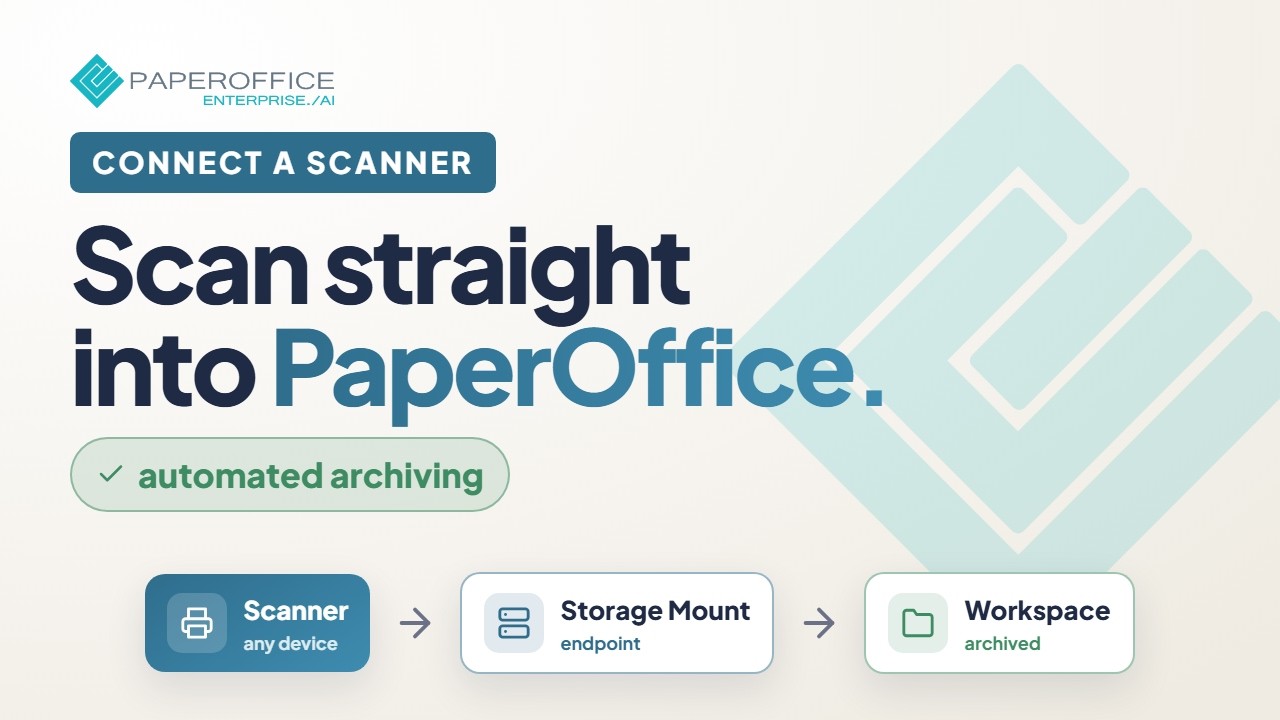
How to scan paper documents
Scanned documents reach PaperOffice AI through connectors: a connector monitors the scan folder on your NAS or server or an email mailbox and pulls new files into the workspace automatically. This is how you connect scanners, multifunction devices and large copiers, for example from Konica Minolta, Develop, Canon, Xerox and other manufacturers. On the go, you scan straight into the workspace with the mobile app.
For bulk scans, the Split Agent automatically splits batch PDFs into individual documents: it detects the document boundaries from the content. You do not need separator sheets for this, and existing separator sheets are detected and removed.
If you scan a lot of documents, PaperOffice AI is particularly useful because every separated document is named and filed individually. A great feature that is particularly useful if your company regularly works with documents in complex formats: the AI recognizes the content of your documents, such as totals, document types, dates and contact details, without templates and without training.
OCR or how are paper documents made searchable?
Now the text on a document should not only be readable, but also be available in such a way that you can easily search for a snippet of text.
Filing fully automatically and without manual effort.
As soon as documents arrive in PaperOffice AI, the AI processing takes care of everything that is otherwise holding you up.
AI processing is an integral part of the PaperOffice AI-DMS and every added document is:
- read by AI-OCR in over 120 languages, with text layer and layout
- classified: document type, language, sender and folder suggestion
- mined for data such as amounts, dates and contact details through IDP extraction
- indexed and made searchable
- No matter what and no matter from which source: scanner, mobile app, email or upload!
This means that PaperOffice AI provides you with your own powerful search for all your information: it finds terms in the full text like a classic search engine and, with semantic search, also searches by meaning. This lets you find documents even if you do not know the exact terms.
You describe your own document types in natural language, without training and without templates. From the next document on, PaperOffice AI recognizes the type automatically, which in turn can trigger workflows, filing rules and retention periods.
Can document storage and recognition be automated?
Yes. To file your documents and receipts automatically, you do not have to teach anything in PaperOffice AI: classification detects the document type without training and without templates. Where a document belongs and which fields it gets is defined by document types, IDP agents and workflows.
As soon as a document type has been recognized, its rules apply automatically: folder suggestion, keywording with the extracted fields, retention period and, if you wish, a workflow.

Every AI decision carries a confidence score and can be reviewed and corrected in the app. If you wish, you add a human review step (human-in-the-loop).
PaperOffice AI handles every new document automatically, without user interaction and according to the workspace settings:
- Read out automatically
- Tag fully
- Make searchable
- Add and monitor tasks and workflows that need to be done
- Index
- Suggest folders
- Save to target folder
- Create thumbnails
- Fill in the required fields yourself
- Link to contacts and optimize for contact search
GoBD and legal requirements for digitization
One of the most important aspects when storing documents via a document management system is compliance with legal regulations or the requirements of the GoBD.
- The abbreviation GoBD stands for the "Principles for the proper management and storage of books, records and documents in electronic form and for data access".
- With audit-proof, encrypted storage, PaperOffice AI provides the building blocks: versions, an immutable log of every change (audit trail), WORM write protection and retention periods per document type. This is the basis for GoBD record-keeping.
- The term versioning is not a foreign word within a document management system (DMS). The need to use a document management system with audit-proof version control is clearer than ever before.

Versioning makes all changes traceable
- The term versioning can be explained very easily: Overall, it is about the functionality used to record changes to documents or files. Document change can be detected and saved as a shadow copy as a new document version.
Ensure immutability
- Each document change places a "newer" version of the document in a corresponding archive. The logging makes changes transparent and traceable at all times. At this point, the subsequent viewer knows when and by which editor the change to the document was made. This gives you an overview of the entire document lifecycle. Versioning can be done automatically or manually.
- In order to ensure revision security, all details of a change to documents and files must be clearly traceable. It must be ensured that only authorized employees can make such a change. But it is just as important to know years later which employees changed what and when.
Versioning as the basis for GoBD record-keeping
PaperOffice AI stores new revisions of a document as versions and logs every change in the audit trail. This lets you track what content the document had at what time and who changed it. Together with WORM write protection and retention periods, this is the basis for GoBD record-keeping. Whether your processes as a whole are sufficient is for your tax advisor to assess on the basis of your procedural documentation.
The right strategy for digitizing:
"Step by step" and "Last in<>First out"- The fact that the digitization of analogue documents has advantages is clearly demonstrated.
But how can the short-term disadvantages be reduced?
- The more expensive variant of digitization is to commission a company that specializes in this. Depending on the circumstances, the files and folders from the archive are sent to the company as freight, where they are digitized and sent back again. The format of the data to be digitized was previously determined. But give out important company data? Although all companies that deal with digital archiving assure the highest level of confidentiality, there are no guarantees.
- On request, companies can also bring a truck with drum scanners and digitize directly on site, in the parking lot of their own company premises. However, that drives up the bill tremendously. The costly out-of-home service, which can take several days depending on the size of the archive, has to be paid for separately.
- Fortunately for all companies, while archives must be archives, the information they contain, whether analogue or digital, does not all have to be available at the same time. This enables companies to digitize archives step by step, according to the logistics principle of last in <> first out. Digitize the most recently received analogue documents first.
The reason is simple
- Contemporary documents are usually needed far more than time-distant documents in the daily workflow. So you should digitize these recent documents first, which speeds up the work process thanks to their better availability. In the best case, there is a balance between the effort involved in digitizing (removing the archive, scanning, saving digitally, bringing back the analogue document) and the process acceleration that is now available, since there is no need to go to the archive and you can do all the processes on the computer.
- Another positive effect of this approach is that retention periods can be optimally used in order to reduce the analogue archive stock and not to digitize files whose retention periods expire six months later.
It is essential to provide hardware or an easy connection and determine the scope of digitization in-house!
- The number of administrative employees in a company or the number of VDU jobs that come into question sometimes vary greatly, so it is impossible to say how many of the employees you should commission with digitization in relation to the size of the company.
- At the very least, each employee should have access to a device with a scanner function, preferably a document scanner that allows multiple feeds to be scanned as well as different formats.
- The scope of each digitization is just as tricky as the number of people involved in digitization, because with this system, digitization is almost incidental. This can be implemented, for example, in the form that employee Z processes a process in connection with company XYZ. At the same time, this could be the trigger to digitize the entire analog archived file on company XYZ.
- However, a long-term business relationship, for example, can manifest itself in a fairly large number of files. Another variant would be to digitize only certain segments of the business relationship, precisely those that are subject to the most frequent processing. For example, invoicing or delivery notes. With the right software, process-accompanying digitization can be implemented without any problems.
-
The paperless office in 5 steps
Tip
Our guide to the paperless office describes how to implement the paperless office in 5 steps and digitize your company.
Build DMS software yourself or open source?
-
Anyone who, as an entrepreneur or responsible person, wants to make life really difficult for themselves and their employees in terms of digitalization, puts together the software:
A program to collect the data from the scanning process.
An OCR software for text recognition.
A database program.
A search software and so on.
In the end everything ends up in some cloud.
In short: a do-it-yourself job without rhyme or reason.
Which software suits me?
- The software composition of many companies resembles their company history, a structure that has grown slowly. It is so complex that only a few long-time employees understand it.
- The better solution is software that carries out all processes from scanning to provision to archiving and at the same time offers interfaces to connect other software. Software with self-explanatory menus that gives a company's digital documents a home and also meets the requirements for data processing and security.
Does that sound a bit grandiose?
- True, but a little simple, working grandeur is better than a torrent of IT jargon that makes employees break out in a cold sweat.
- PaperOffice AI is built for exactly this: from scanning and recognition to archiving, in one platform.
The right document management software solves the analogue-digital problem
- DMS stands for document management software and is intended to manage documents, especially digital documents, which includes the conversion from analog to digital. PaperOffice AI is such software: a platform that runs in the browser. Its range of functions is just as remarkable as its intuitive operation, which only requires a little familiarization. You don’t need expensive consultants on site. The free videos in the PaperOffice Academy explain the setup step by step.
- Capture via scanner, mobile app, email and upload, AI-OCR in over 120 languages, classification and data extraction without templates, archiving with automatic keywording, Split Agent for batch scans, semantic search and document chat, workflows with approvals and tasks, versions with audit trail, AES-256 encryption, WORM write protection, e-signature (simple electronic signature under eIDAS), redaction of personal data, plus REST API and MCP for Claude, ChatGPT and Cursor.
- These are some of the most important functions of PaperOffice AI, and as mentioned, neither you nor your employees need an IT degree for them.
Where is the best place to save the scan documents?
- With PaperOffice AI you have the choice: your documents are stored encrypted in PaperOffice’s own data center in Navarra (Spain, EU), or the files stay on your own storage, such as a Synology or QNAP NAS or your own server (Bring Your Own Storage, BYOS). In both cases, the documents are processed on PaperOffice’s own hardware in that data center.
- With BYOS, the files stay encrypted on your own NAS or server, connected via SFTP. PaperOffice keeps the index, metadata and AI results in its own EU data center. A second storage system can act as a mirror: if one fails, the other takes over.
- Don't want to use a server? No problem.
Why a NAS is ideal for document archiving
- You connect a NAS (network attached storage), a storage device with a network connection, to PaperOffice AI via SFTP as your own storage: the files stay encrypted on your NAS, while AI processing runs in PaperOffice’s data center in the EU. Thanks to the NAS backup function, the documents are also protected in the event of a hard drive crash. If you want to work entirely locally and without internet, use the Windows program PaperOffice Classic, which stores the documents in a MariaDB database directly on the NAS.
-
Interim conclusion 3/ 3
1. Contact a provider with know-how whose software supports you with the GoBD and the GDPR! 2. There is no one suitable DMS software. Every DMS has its justification and ultimately the product has to fit the purpose. 3. Whether in PaperOffice’s data center in Navarra (Spain, EU), on your own server or on your NAS: NEVER store your documents with a cloud provider that a) does not process in the EU, b) does not sign a data processing agreement (DPA) under Art. 28 GDPR with you or c) does not disclose where and by whom your data is processed.
Tip
If you follow the advice and use a NAS for in-house document storage: PaperOffice has been an official DMS partner of QNAP since 2019. PaperOffice Classic runs with MariaDB directly on the NAS, while PaperOffice AI connects the NAS via SFTP as your own storage. Learn more on our page PaperOffice for QNAP.
Which scanner to use for DMS?
- To scan bound documents, a sheet-fed scanner with a flatbed unit and at least 300 dpi is recommended. The scanner should have a scan-to-folder or scan-to-email function, so that scans reach PaperOffice AI automatically through a connector. We have had good experiences with Fujitsu ScanSnap scanners, which work very reliably.
What is the best way to archive documents?
- Paper documents should generally be scanned in PDF/A format and then saved in a DMS document management software - or directly if the software supports this or automates it, e.g. through monitoring.
Can I throw away original documents?
- If you are using decent software that gets regular updates and have a data backup strategy, the answer is YES for non-critical documents. Everything that could legally require the original should also be kept in the original. In PaperOffice AI, for example, you can record where the original is kept as a custom metadata field on the document.
-
Benefits justify the effort and costs
Working digitally and bringing old documents into the new age will be the best key investment to save an incredible amount of time, money and nerves in the future. -
You need someone who knows the ropes
You don't need your own IT specialist to take advantage of all the benefits of digitization.
What you need is the right partner at your side who, thanks to their experience, can implement exactly what you need. Avoid scaremongers and choose pilot setups instead of fancy PowerPoint presentations that were never really put to the test. -
The hardware is usually already available
Experience has shown that almost every business has a large copier whose potential is not being used. These devices love mass scans, are tolerant of paper clips and can be the basis for a digital start without investing in a scanner. -
Cheaper than expected with the right DMS
Avoid cost traps with DMS / ECM systems where you are mercilessly at the mercy of the manufacturers. Do not make any compromises when it comes to your own administration options, such as setting up document types and making settings yourself. If you need help, the manufacturer will be happy to help you, but remain independent. -
Digital automation is the future
Procedures will be completely identical in the future, but fully automated.
Invoice coming in? The workflow is triggered and everything goes its defined way.
Search through all 1000 folders? No problem, because you have your own Google!
-
Benefits justify the effort and costs
- With the right strategy, the conversion from analogue to digital archives will not be an expensive process. Every entrepreneur must realize that this step has to be taken at some point, better today than tomorrow.
- As shown here, with the right tools, change can lead to rapid amortization of investments and significantly reduce the costs and time required for future processes.
-
The change just has to happen.
The PaperOffice team is happy to share more than two decades of experience (since 2002) and help you avoid typical mistakes. And you can try PaperOffice AI for free.


















