

Scan, Sign & AI Chat
Mobile App
The mobile app pairs with your account via QR code and brings scanner, signature, chat and documents to your phone.
Transparency about the processing of your personal data

Processing under the GDPR
Your privacy is very important to us. We process your data in accordance with the European General Data Protection Regulation (GDPR).
The data controller responsible for data processing on this website is:
PaperOffice Limited Europe
World Trade Center, 6 Bayside Road
Ocean Village, GX11 1AA, Gibraltar
E-Mail: privacy@paperoffice.ai
PaperOffice Enterprise Operations, Calle Cataluña 8, 31006 Pamplona (Spain), is responsible for the PaperOffice software and customer accounts. It is also the representative of PaperOffice Limited Europe in the European Union pursuant to Art. 27 GDPR.
When you access our website, information is automatically transmitted to the server by your browser. This information is temporarily stored in a log file:
When registering for our services, we collect:
When you describe a request in the Problem Solver, we process the text you enter, the selected language and the result of the matching (suggested functions, open points). We store this information together with date and time for twelve months in order to improve the Problem Solver and our function catalogue; the IP address is stored only as a day-based hash value. Signed-in users are linked to their account. Our team is informed of every request by email so that it can get in touch if needed. The legal basis is our legitimate interest in improving our offering (Art. 6(1)(f) GDPR). Please do not enter special categories of personal data in the Problem Solver.
We process your personal data for the following purposes:
Processing is based on:
Your data is stored exclusively in European data centers. We do not use cloud services outside the EU for storing personal data.
We store your data only as long as necessary for the purposes for which it was collected or as long as statutory retention periods apply.
You have the following rights regarding your personal data:
Reach measurement and session recording start only after explicit consent in the privacy panel. Without consent they stay off. Technically necessary technologies (language, currency, session, security and the po_privacy choice) are required for operation. There are no advertising IDs.
These cookies are required for the website to operate (for example language and currency) and cannot reasonably be disabled.
After consent, each selectable on its own: Google Analytics 4 (measurement ID G-HQHHXQ44LG, only paperoffice.ai and www.paperoffice.ai), first-party statistics via /po-stats/ (Plausible), and session recording with OpenReplay on our servers. No Google Tag Manager and no advertising IDs. The choice is stored in po_privacy for about six months.
We implement technical and organizational security measures to protect your data against accidental or intentional manipulation, loss, destruction, or access by unauthorized persons:
Your personal data will not be transmitted to third parties except for the following purposes:
PaperOffice operates a Model Context Protocol (MCP) server at mcp.paperoffice.ai that lets you connect third-party AI assistants to your PaperOffice account. The connection is authorised solely by you (OAuth 2.1 with PKCE); your password is never disclosed to the assistant.
On each use, the assistant sends PaperOffice the name of the tool being called and the parameters required for it (for example a search term or a document ID). PaperOffice executes the call with the permissions of your user account within its own infrastructure in EU data centres and returns the result to the assistant. PaperOffice does not receive your chat history or your prompts and does not store conversation data.
Returned results (such as document text) become part of your conversation with the assistant and are subject to the privacy terms of the respective provider (Anthropic, OpenAI, xAI, Cursor, Meta). Please check whether sharing the documents concerned with that provider is permitted within your organisation.
PaperOffice records every tool call in your account's audit trail: time, user, tool, outcome, duration, credits used, connection (session ID and a shortened hash of the access token), the document IDs concerned and the call parameters; text values of up to 100 characters (such as search terms) are stored verbatim, longer values only as their length. The entries are kept for as long as your account exists. The legal basis is the performance of the contract (Art. 6(1)(b) GDPR) and our legitimate interest in security and traceability (Art. 6(1)(f) GDPR). Access tokens issued via OAuth are valid for at most 365 days. You can revoke the connection at any time in the PaperOffice app under Account → API → MCP connections or within the assistant; issued access tokens become invalid immediately. An API key that you use instead of OAuth is deleted in the app under Account → API; until then it remains valid.
When you open the connection window of an AI assistant for which direct connection is enabled (initially Claude), mcp.paperoffice.ai sets a strictly necessary cookie (__Host-po_oauth_hb, valid for at most 60 minutes). It contains only a random identifier and links the open connection request to the browser in which you then create or are signed in to your PaperOffice account. This lets the connection be completed after you confirm it in the app, without having to copy an access token. For this purpose PaperOffice stores only a hash of this identifier together with the connection request and holds the confirmed access token until completion, for at most 10 minutes. All of this is deleted at the latest 40 minutes after the connection window was last opened. The legal basis is that the cookie is strictly necessary for the connection you requested (Section 25(2) no. 2 TDDDG) in conjunction with the performance of the contract (Art. 6(1)(b) GDPR).
PaperOffice Enterprise Operations, which is responsible for the PaperOffice software and customer accounts, offers an add-on for Gmail and Google Drive. The add-on runs within Google Workspace and connects to your PaperOffice account with an API key that you enter yourself. The add-on stores this key and the name of the target workspace in your Google account (Apps Script user properties) and nowhere else.
The add-on processes Google user data only when you trigger an action: in Gmail, the attachments of the open email that you choose to store; in Google Drive, the names and types of the files you select and the content of the files you explicitly allow the add-on to open. It sends this content only to your PaperOffice account, where it is stored and processed like any other document you upload. The add-on does not read other emails or files and does not store email content or files outside your PaperOffice account.
We do not use Google user data for advertising, do not sell it and do not use it to train generalised AI models. PaperOffice's use and transfer to any other app of information received from Google APIs will adhere to the Google API Services User Data Policy (https://developers.google.com/terms/api-services-user-data-policy), including the Limited Use requirements.
The legal basis is the performance of the contract (Art. 6(1)(b) GDPR). You can revoke the add-on's access to your Google account at any time at https://myaccount.google.com/permissions and delete the stored API key in the add-on settings or in the PaperOffice app under Account → API.
PaperOffice Enterprise Operations, which is responsible for the PaperOffice software and customer accounts, offers apps for third-party platforms. Each app connects to your PaperOffice account with a key or user token that you enter yourself, and processes data only when you trigger an action. The apps send content only to your PaperOffice account, where it is stored and processed like any other document you upload.
The Outlook add-in and the Teams app connect with an API key that you enter yourself. The Outlook add-in stores this key and the name of the target workspace in your mailbox settings (Office roaming settings), the Teams app in the local storage of your Teams client or browser. The pages of both apps are served from connect.paperoffice.ai without cookies.
In Outlook, the apps process the attachments of the open email that you select; in Teams, the files you choose from your device. They do not read other emails or files and do not access Microsoft Graph. You can remove the stored API key at any time in the settings of the add-in or app, and remove the add-in or app in Outlook or Teams.
For each installation of a CRM app, our app service stores the identifiers of your account and user in the platform, the access and refresh tokens issued by the platform, your PaperOffice user token and the target workspace you choose. The tokens are stored encrypted, are not written to logs and are not shown again in the app.
In Pipedrive, the app processes the file attached to the open deal that you choose to process, and writes the result back to the deal as a note and, if a check fails, as a task. The app does not read other records and does not keep its own copy of document contents. You can end the app's access at any time by uninstalling it in the platform. The stored installation data, including all tokens, is then deleted; backup copies are deleted after no more than 30 days. In HubSpot, the result note on the deal names the HubSpot user who started the extraction (user ID and e-mail address), because the app writes with its own permissions. The installation data of a HubSpot account is deleted within 24 hours after HubSpot revokes the app's access; backup copies after no more than 30 days.
For each Slack workspace in which the app is installed, our app service stores the workspace identifier, the bot token issued by Slack, the identifier of the person who installed the app and whether results may be shown in the thread; for each user, it stores the PaperOffice user token and the target workspace that the user enters with /paperoffice. The tokens are stored encrypted, are not written to logs and are not shown again in the app.
The app processes a file only when you choose the message shortcut "Extract with PaperOffice AI" on a message. It downloads the first file of that message and uploads it to the PaperOffice workspace you selected, where it is stored and processed like any other document you upload. The result contains the extracted invoice data, such as supplier, amounts and IBAN. By default, only you see it. If the person who installed the app has switched on "Show results in the thread for everyone in the channel", the result is posted in the thread and is visible to all members of the channel. The app does not read other messages, channels or member lists, and the app service does not keep its own copy of document contents. When the app is removed from the Slack workspace, Slack informs our app service, which then deletes the bot token and the settings of all users of that workspace; backup copies are deleted after no more than 30 days.
The Jira app runs on Atlassian's Forge platform. Your PaperOffice user token is stored encrypted in Atlassian's app storage for your Jira site, together with the target workspace you choose; our own app service does not store it. You can remove both at any time with "Remove my token" in the app panel.
The app processes an attachment only when you choose Extract in the PaperOffice AI panel of an issue that you can see. It uploads the attachment to the PaperOffice workspace you selected, where it is stored and processed like any other document you upload, and adds the result, including the extracted invoice data, as a comment on the issue that everyone who can see the issue can read. In Jira Service Management projects, the comment is always an internal note that customers do not see. When the app is uninstalled, Atlassian deletes the app storage according to its own deletion periods.
The Confluence app runs on Atlassian's Forge platform. Your PaperOffice user token is stored encrypted in Atlassian's app storage for your Confluence site, together with the target workspace you choose; our own app service does not store it. You can remove both at any time with "Remove my token" in the app.
The app processes an attachment only when you choose Extract on a page that you are allowed to edit. It uploads the attachment to the PaperOffice workspace you selected, where it is stored and processed like any other document you upload, and adds the result, including the extracted invoice data, as a comment under the app's own name on the page that everyone who can see the page can read. The app supports pages, not blog posts. When the app is uninstalled, Atlassian deletes the app storage according to its own deletion periods.
The Power-Up authorizes itself with a Trello token that you grant and that stays in Trello; our app service uses it only for the processing in progress and does not store it. For each Trello member, our app service stores the member identifier, the PaperOffice user token, encrypted, and the target workspace you choose. Removing the Power-Up from a board does not delete these settings, because Trello does not inform our app service; they are deleted no later than 6 months after their last use, or right away with "Remove my token" in the Power-Up settings.
The Power-Up processes a file only when you choose Extract for a file uploaded to a card that you can access. It uploads the file to the PaperOffice workspace you selected, where it is stored and processed like any other document you upload, and adds the result, including the extracted invoice data, as a comment on the card that everyone who can see the card can read. The app service does not keep its own copy of document contents; backup copies of removed settings are deleted after no more than 30 days.
The monday.com app runs as an item view. It reads files and writes updates directly in monday.com with your own permissions; our app service stores no monday.com tokens; it only receives a short-lived session token to verify you. For each user, our app service stores the PaperOffice user token, encrypted, and the target workspace you choose. You can remove both at any time with "Remove my token" in the view.
The app processes a file only when you choose Extract for a file of the open item. Our app service downloads that file from monday.com and uploads it to the PaperOffice workspace you selected, where it is stored and processed like any other document you upload; the result, including the extracted invoice data, is added as an update on the item. The app service does not keep its own copy of document contents. When the app is uninstalled, monday.com informs our app service, which then deletes the settings of all users of that account; backup copies are deleted after no more than 30 days.
For each shop, our app service stores the shop domain and the access token issued by Shopify; for each staff user, it stores the PaperOffice user token, encrypted, and the target workspace. The app reads products and inventory costs to compare invoice lines with your catalog; it does not read customer or order data. It does not change anything in your shop.
Invoices you upload in the app are stored in the PaperOffice workspace you selected and processed like any other document you upload. When the app is uninstalled, or when Shopify asks us to delete a shop's data, our app service deletes the shop's access token and the settings of all its users; backup copies are deleted after no more than 30 days.
For each user of a Stripe account, our app service stores the PaperOffice user token, encrypted, and the target workspace. The app reads only the invoice you choose to archive in your Stripe account and writes nothing to Stripe.
The invoice PDF is stored in the PaperOffice workspace you selected and processed like any other document you upload. When the app is uninstalled, Stripe informs our app service, which then deletes the settings of all users of that Stripe account; backup copies are deleted after no more than 30 days.
For each Shopware shop, our app service stores the shop identifier and URL, the shop's app secret and the API access that Shopware issues to the app, the PaperOffice user token and the target workspace; secrets and tokens are stored encrypted. The app only reads products and manufacturers to compare invoice lines with your catalog; it does not change anything in your shop and does not read customer or order data.
Invoices you upload in the app are stored in the PaperOffice workspace you selected and processed like any other document you upload. When the app is removed from the shop, Shopware informs our app service, which then deletes all data stored for that shop; backup copies are deleted after no more than 30 days.
PaperOffice Enterprise Operations, S.L.U., which is responsible for the PaperOffice software and customer accounts, offers an app for Zendesk. The Zendesk administrator enters a PaperOffice user token as a secure app setting and, only if the account requires sign-in for attachments, a Zendesk API token with the e-mail address of its owner. Zendesk stores these settings and only inserts them into requests to connect.paperoffice.ai; our connector uses them for the single request and does not store them.
The app works with the permissions of the signed-in agent: it shows the attachments of the open ticket that the agent can see, and it adds the result as an internal note with the agent's own Zendesk session. Only when the agent selects an attachment does the connector receive its download link, load the file, send it to the PaperOffice account and return the result text. The connector does not read tickets and does not write to Zendesk.
Removing the app in Zendesk deletes the settings; the PaperOffice user token can be deleted in the PaperOffice app under Account → API and a Zendesk API token in the Zendesk Admin Center.
PaperOffice Enterprise Operations, S.L.U. offers an app for Freshdesk. The administrator enters a PaperOffice user token as a secure installation parameter; Freshworks stores it and only inserts it into requests to connect.paperoffice.ai. Our connector uses it for the single request and does not store it. A Freshdesk API key is not needed.
The app works with the permissions of the signed-in agent: it shows the attachments of the open ticket and opens the private note editor with the result, which the agent adds. Only when the agent selects an attachment does the connector receive its temporary download link, load the file, send it to the PaperOffice account and return the result text. The connector does not read tickets and does not write to Freshdesk.
Uninstalling the app in Freshdesk deletes the installation parameters; the PaperOffice user token can be deleted in the PaperOffice app under Account → API.
PaperOffice Enterprise Operations, S.L.U. offers an integration for Box. When you open it on a file, Box signs you in with OAuth; our connector stores your Box access and refresh tokens and the PaperOffice user token you enter, encrypted, for your Box user (keyed by your Box user ID), together with the chosen workspace and the time of last use.
The integration works with your own Box permissions. Only when you confirm in the PaperOffice AI window does the connector download that one file from Box, send it to your PaperOffice account and add the result as a comment to the file. It does not read other files. The comment is visible to everyone who has access to the file in Box, including the extracted data such as bank details (IBAN). So that a file is not read and billed twice, the connector keeps a processing state for each read file (a key derived from account, file and version, the status and the PaperOffice document reference) for 30 days.
We do not use this data for advertising, do not sell it and do not use it to train generalised AI models.
The legal basis is the performance of the contract (Art. 6(1)(b) GDPR). You can remove the PaperOffice user token in the integration window at any time; tokens are deleted after 60 days without use at the latest, or at the next access after you revoke the app in Box. You can also revoke the app in your Box account settings.
PaperOffice Enterprise Operations, S.L.U. offers an extension for Dropbox. When you open a file with it, Dropbox signs you in with OAuth; our connector stores your Dropbox access and refresh tokens and the PaperOffice user token you enter, encrypted, for your Dropbox account (identified only by a hash of the account ID), together with the chosen workspace and the time of last use.
The extension works with your own Dropbox permissions. Only when you confirm on the PaperOffice AI page does the connector download that one file from Dropbox, send it to your PaperOffice account and save the result as a new file next to the original. It does not read other files and never changes or overwrites existing files. The result file is visible to everyone who has access to the folder in Dropbox, including the extracted data such as bank details (IBAN). So that a file is not read and billed twice, the connector keeps a processing state for each read file (a key derived from account, file and version, the status and the PaperOffice document reference) for 30 days.
We do not use this data for advertising, do not sell it and do not use it to train generalised AI models.
The legal basis is the performance of the contract (Art. 6(1)(b) GDPR). You can remove the PaperOffice user token on the page at any time; tokens are deleted after 60 days without use at the latest, or at the next access after you revoke the app in Dropbox. You can also disconnect the app in your Dropbox settings under Connected apps.
When you connect the Docusign app, our app service stores your PaperOffice user token (encrypted), the target workspace and a renewal token for Docusign (encrypted). Docusign then sends completed agreements to our app service, which stores them in that workspace like any other document you upload; the same file is stored only once. The app service does not keep its own copy of document contents.
The connection data is deleted 6 months after its last use, an unfinished connection after one day; backup copies are deleted after no more than 30 days. To make sure the same file is stored only once, the app service keeps a processing record (a hash of the file and the document ID in PaperOffice, no document contents) for 30 days. You can end the connection at any time by deleting the user token in the PaperOffice app under Account → API: no further documents are stored, and the connection data is deleted at the next attempt, otherwise after the periods above.
When you use the Wix app, our app service stores your PaperOffice user token (encrypted) and the chosen workspace for your Wix site and your Wix user ID. Invoices you upload are stored in that workspace like any other document you upload. To compare line items, the app service reads the matching products of your Wix Stores catalog (SKU, product name, cost of goods) for the moment of the check and does not store them. The app does not read orders, customers or site members and does not change anything in Wix.
Your settings are deleted when you remove the app from your site, otherwise 6 months after their last use; backup copies are deleted after no more than 30 days. To make sure the same file is processed only once, the app service keeps a processing record (a hash of the file, document and job IDs, no document contents) for 30 days. You can remove your token at any time with "Remove my token" in the app.
When you connect the Airtable extension, our app service stores your PaperOffice user token (encrypted), the chosen workspace, the ID of the Airtable base and a connection token (encrypted) that only works for this base. The connection token is stored in the extension settings of the base and is visible to people who can open the extension there. When an extraction is started, the app service downloads the chosen attachment from Airtable once and stores it in your workspace like any other document you upload; the summary is written into the base by the extension with the permissions of the person using it.
The connection token expires after 30 days. The connection data is deleted one day after it expires, after 60 days without use, when you disconnect in the extension, or at the next use after you delete your user token in PaperOffice AI; backup copies are deleted after no more than 30 days. To make sure the same attachment is processed only once, the app service keeps a processing record (a hash of your PaperOffice account token, the base, record and attachment IDs, plus document and job IDs, no document contents), separately for each PaperOffice AI account for 30 days.
To prevent double processing, our app service keeps a processing status for each extraction (an irreversible key, the PaperOffice document and job IDs) for 30 days.
We do not use data from these platforms for advertising, do not sell it and do not use it to train generalised AI models.
The legal basis is the performance of the contract (Art. 6(1)(b) GDPR). You can also delete the key or user token at any time in the PaperOffice app under Account → API. Documents stored in your PaperOffice workspace remain in your account until you delete them there.
You have the right to complain to a data protection supervisory authority about the processing of your personal data.
Data Protection Officer
E-Mail: privacy@paperoffice.ai
Last updated: August 31, 2026
This privacy policy may be updated from time to time. The current version is always available on this website.

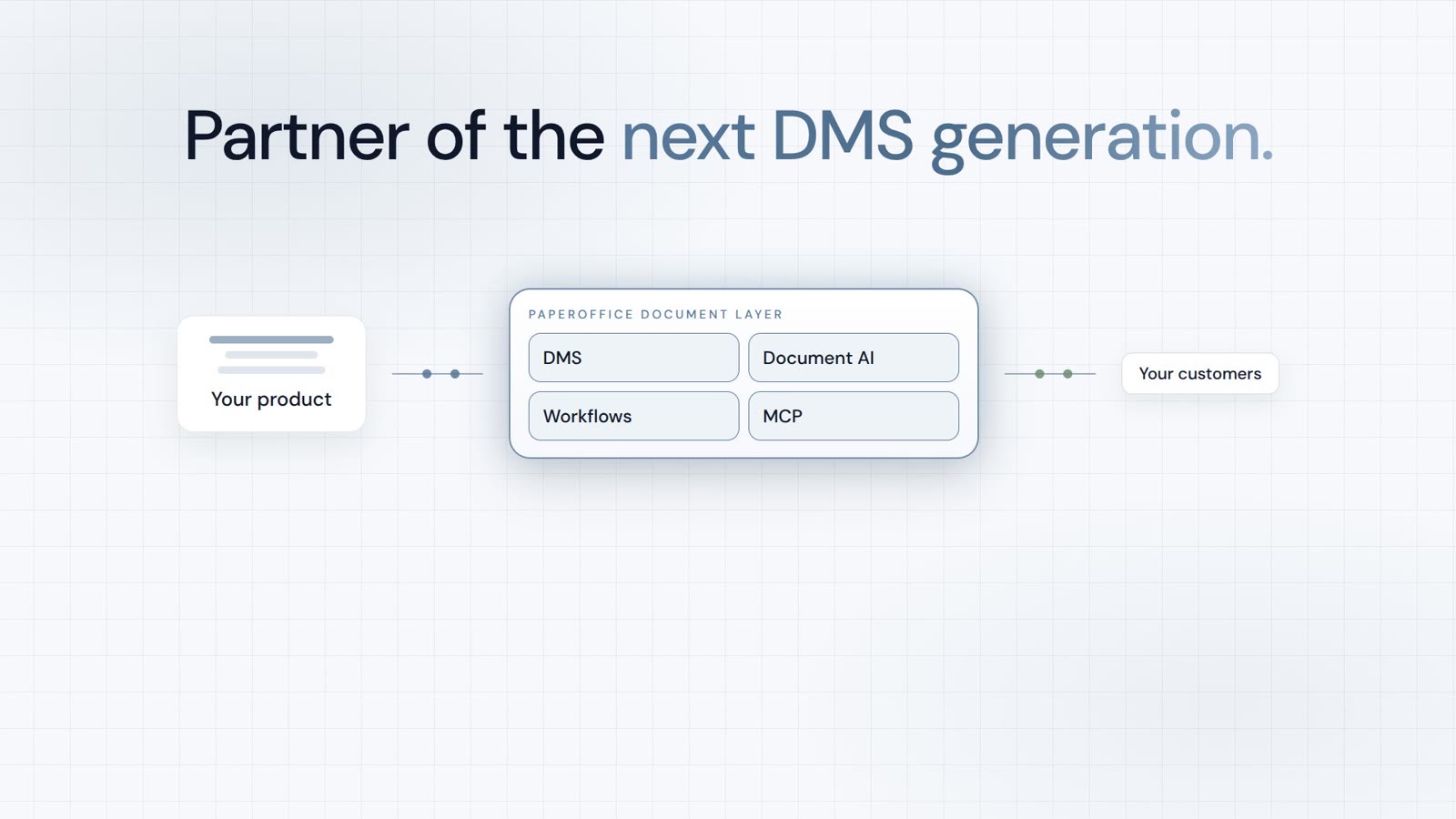
Integrator and Reseller can be combined. Referral by invitation.
View the partner program
AI-DMS
Documents. Intelligence. Real impact.
PaperOffice AI is the AI-DMS. Four functional areas on one DMS foundation, with three ways in.
Features, modules and benefits at a glance.
Capture, organize, search and collaborate on documents.
Plug into your systems and AI workflows.
No installation, ready in seconds.
Search all tools