



DownloadDatasheetsPDF · EN2 pages
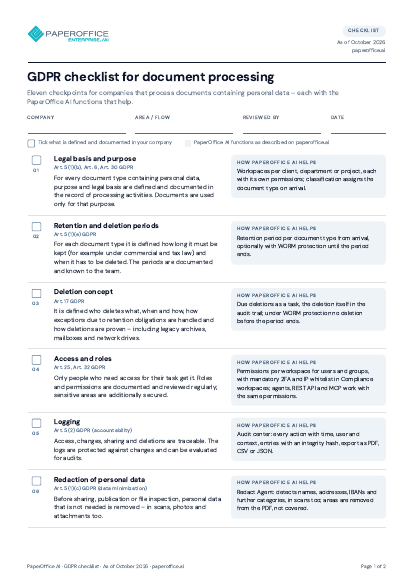
Datasheet: PaperOffice AI – the AI-DMS
Four functional areas with all modules, the DMS foundation, three ways in, workspace tiers, security and operations plus industries – on two pages.
The file is available in English and German; you download the version in the language of this page. Free, no registration.

Trusted by leading companies worldwide








OEM PARTNERSHIP
Hardware giants choose PaperOffice exclusively.

Sole official DMS partner for QNAP: Classic app, AI BYOS.
More

Sole official DMS partner for ASUSTOR: Classic app, AI BYOS.
MoreWhat's inside
- Four functional areas
- The DMS foundation
- Shared foundation for every way in
- Three ways in
- Workspace tiers
- Security and operations
- Industries
Who it is for
Business units, IT and procurement who want to see on two pages what PaperOffice AI covers as an AI-DMS: modules, foundation, ways in, workspace tiers, security and industries.
Key facts
- Four functional areas with all modules in menu order
- DMS foundation: workspaces, documents & folders, rights & sharing, search, versions & audit, document types, own storage
- Three ways into one dataset: app, API, MCP
- Workspace tiers Standard, Business, Compliance; security and operations in the company’s own EU data center
Questions and answers
Frequently asked questions about this download
What is an AI-DMS?
A document management system that does not just file documents but captures, understands, reviews and processes them with AI and connects them to business processes through agents – with PaperOffice AI directly in the app, via API or via MCP with AI agents.
Which workspace tiers are there?
Three tiers, chosen per workspace: Standard (For everyday operations), Business (For sensitive records), Compliance (For high security).
Which industries is PaperOffice AI suited for?
The datasheet lists use cases for Banks & Finance, Insurance, Tax Advisors & Law Firms, Industry & Production, Trade & Logistics, Energy & Utilities, Healthcare & Pharma, Real Estate, among others – each with typical documents.

Need personalized advice?
Our experts are happy to help you choose the right solution.
Request consultation