


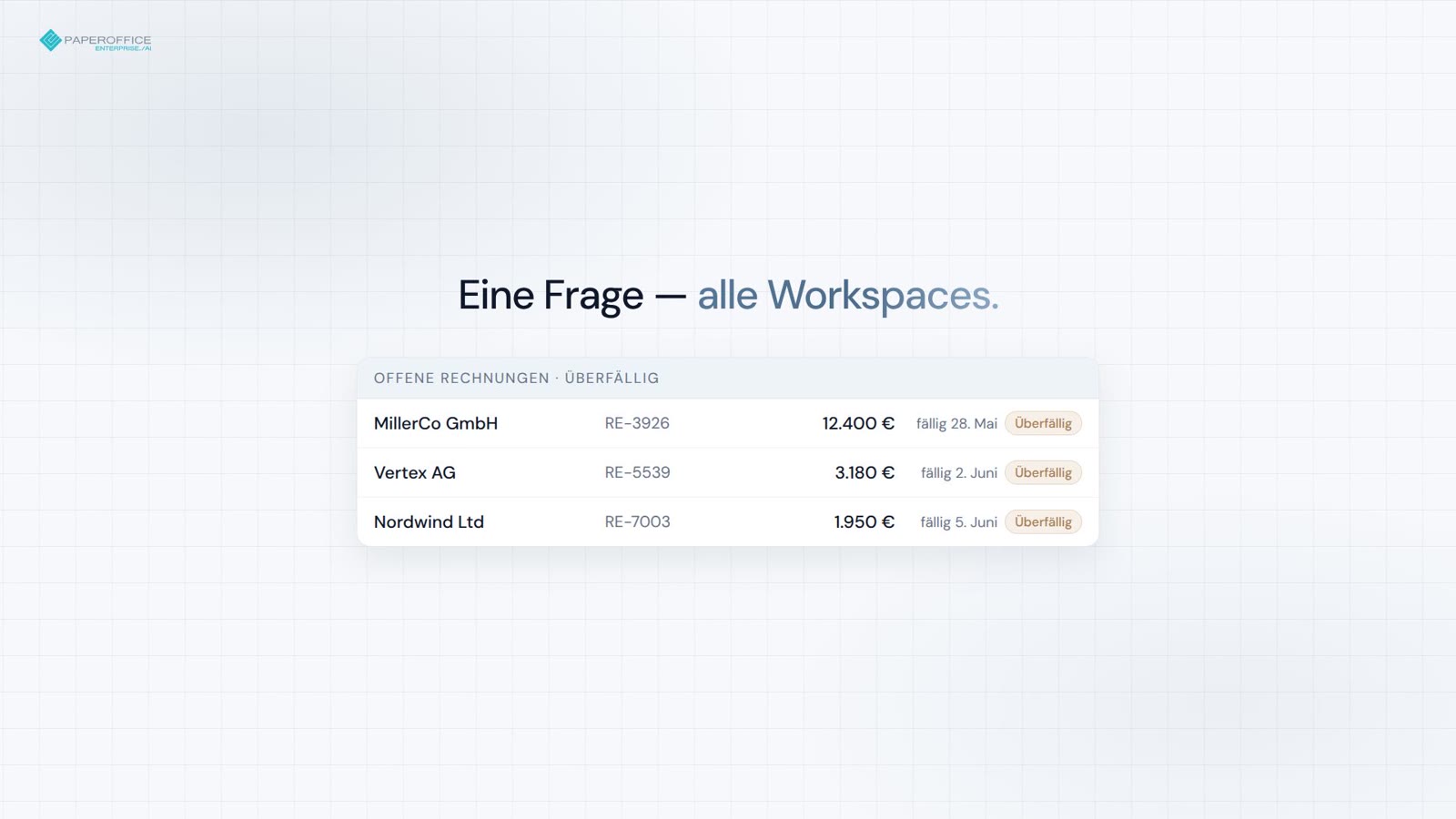
Monatsabschluss & Rechnungen
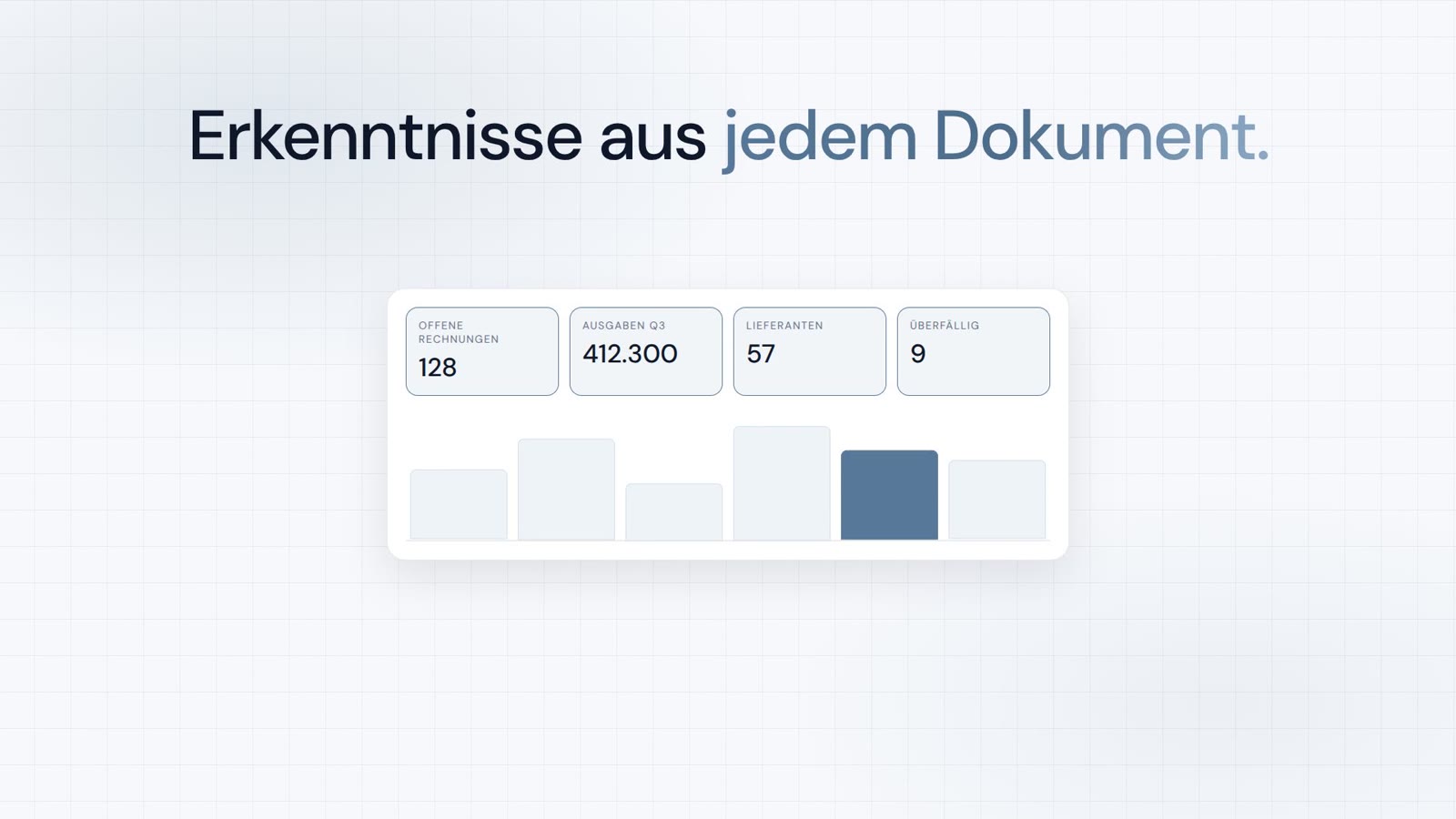
Offene Posten über alle Workspaces — Summen und Überfällig-Flags in einem Prompt.
MCP-Server
Der PaperOffice MCP-Server bringt Dokumente, Suche, Workflows und Analysen in Claude, ChatGPT, Grok und Cursor.
Wählen Sie das Chat-Tool. Die Anleitung zeigt jeden Klick — OAuth 2.1, ohne Installation.

Schnellstart
Die Anleitung zeigt jeden Klick in Claude, ChatGPT, Grok oder Cursor. Darunter liegt nur das Snippet zum Kopieren.
/claude Verzeichnis, Demo oder eigenes Konto.
/chatgpt Connector, Demo oder eigenes Konto.
/grok Grok Bot mit dieser URL verbinden.
/cursor mcp.json mit User-Token.
Snippet zum Kopieren
{
  "mcpServers": {
    "paperoffice": {
      "url": "https://mcp.paperoffice.ai/claude"
    }
  }
}
Claude-Directory-URL — OAuth 2.1. Document Operations ohne TTS. /claude einfügen; kein Bearer im Snippet.
{
  "mcpServers": {
    "paperoffice": {
      "url": "https://mcp.paperoffice.ai/cursor",
      "headers": {
        "Authorization": "Bearer po_ut_..."
      }
    }
  }
}
Derselbe Document-Operations-Katalog wie /dms (inklusive TTS) — User-Token (po_ut_ / po_gt_), nicht po_sk_.
{
  "mcpServers": {
    "paperoffice": {
      "url": "https://mcp.paperoffice.ai/chatgpt",
      "headers": {
        "Authorization": "Bearer po_ut_..."
      }
    }
  }
}
Kanonische URL /chatgpt (Alias /openai). Kuratiertes Tool-Set für Geschäftsunterlagen — jedes Tool einzeln gelistet, ohne TTS-, OTP- und Unlock-Tools. OAuth 2.1 oder User-Token (po_ut_ / po_gt_) — nicht po_sk_.
{
  "mcpServers": {
    "paperoffice": {
      "url": "https://mcp.paperoffice.ai/grok"
    }
  }
}
Kein Token in der Datei — OAuth 2.1 startet beim ersten Verbinden. In Grok einen Bot anlegen und den Verbindungs-Prompt mit dieser URL einfügen.
{
  "mcpServers": {
    "paperoffice-dms": {
      "url": "https://mcp.paperoffice.ai/dms"
    },
    "paperoffice-full": {
      "url": "https://mcp.paperoffice.ai/mcp-full"
    }
  }
}
Live-Pfade: /dms, /cursor, /claude, /chatgpt (Alias /openai), /grok, /muse, /mcp, /mcp-full (300+).
Endpunkte
Jedes Profil zeigt auf denselben Server — es unterscheidet sich nur im Werkzeugumfang. Welche URL wozu passt, steht in der Tabelle darunter.
/dms Document Operations — identischer Katalog auf /dms und /cursor. Kanonische URL.
https://mcp.paperoffice.ai/dms /claude Directory: Document Operations ohne TTS — Claude-Directory-URL.
https://mcp.paperoffice.ai/claude /cursor Derselbe Document-Operations-Katalog wie /dms (inklusive TTS).
https://mcp.paperoffice.ai/cursor /chatgpt ChatGPT-Konnektor — kuratiertes Tool-Set für Geschäftsunterlagen (Rechnungen, Verträge, Lieferscheine, Belege) und Wissensdatenbank-Artikel, jedes Tool einzeln gelistet. Ohne TTS und ohne Workspace-Unlock. Alias: /openai.
https://mcp.paperoffice.ai/chatgpt Alias: https://mcp.paperoffice.ai/openai
/grok Grok Bot — dieselben kuratierten Tools wie /chatgpt, ohne den nur für ChatGPT verfügbaren Anhang-Upload. Jedes Tool einzeln gelistet.
https://mcp.paperoffice.ai/grok /muse Meta-Muse-Konnektor — dieselben kuratierten Tools wie /chatgpt, ohne den nur für ChatGPT verfügbaren Anhang-Upload. Jedes Tool einzeln gelistet.
https://mcp.paperoffice.ai/muse /mcp Schlankes IDE-Set — nicht der Document-Operations-Katalog auf /cursor.
https://mcp.paperoffice.ai/mcp /mcp-full Alle MCP-Tools (300+) für Power-Workflows.
https://mcp.paperoffice.ai/mcp-full /openai bleibt als Alias von /chatgpt erreichbar. Stillgelegte Modulpfade antworten mit HTTP 410.
Capability-Matrix
Eine Zeile je Aufgabe: empfohlene URL und der Grund dafür. Diese Tabelle ist die einzige vollständige Pfadliste auf dieser Seite.
| Aufgabe | Empfohlene URL | Warum |
|---|---|---|
| Document Operations (kanonisch) | /dms | Document Operations (300+ MCP-Tools) — identischer Katalog auf /dms und /cursor. |
| Claude Desktop / Claude Code (Directory-URL) | /claude | Directory: Document Operations ohne TTS. Titel und Hinweise an jedem Tool. |
| Cursor IDE beim Coden | /cursor | Derselbe Document-Operations-Katalog wie /dms (inklusive TTS). |
| ChatGPT-Konnektor | /chatgpt | ChatGPT-Konnektor — kuratierte Tools für Geschäftsunterlagen und Wissensdatenbank-Artikel, jedes einzeln gelistet (siehe Tool-Referenz). Alias: /openai. |
| Grok Bot | /grok | Dieselben kuratierten Tools wie /chatgpt, ohne den nur für ChatGPT verfügbaren Anhang-Upload. Verbindung über einen Grok Bot mit dem Verbindungs-Prompt. |
| Meta-Muse-Konnektor | /muse | Dieselben kuratierten Tools wie /grok: das Set von /chatgpt ohne den nur für ChatGPT verfügbaren Anhang-Upload, jedes Tool in der Tool-Referenz gelistet. |
| Schlankes IDE-Set | /mcp | Kompaktes Set zum Suchen, Lesen und Analysieren, dazu Upload und Wissensdatenbank-Artikel — nicht der Document-Operations-Katalog. |
| Komplexe Mehrschritt-Aufgaben | po_agents_ask in /mcp-full | Host-LLM-Agent bleibt auf der vollen Oberfläche, nicht auf /dms. |
| Migration / alle MCP-Tools | /mcp-full | Vollständige MCP-Oberfläche (300+ Tools) für Debugging und Legacy-Agenten. |
Stillgelegte Modulpfade antworten mit HTTP 410. Für Document Operations /dms verwenden.
Tool-Referenz
/chatgpt (Alias /openai) listet 56 Tools; /muse und /grok listen 55 — dasselbe Set ohne den nur für ChatGPT verfügbaren Anhang-Upload. Jede Operation ist ein eigenes Tool mit eigener Beschreibung, eigenem Eingabeschema und eigenen MCP-Annotationen; es gibt keine Discovery-Tools und keinen generischen Ausführer.
Jedes Tool erfordert OAuth 2.1 mit PKCE (Scope mcp:tools) oder ein PaperOffice-User- oder Gruppen-Token (po_ut_ / po_gt_); po_sk_ und po_pk_ werden abgelehnt. Ein Aufruf läuft mit den Rechten des verbundenen PaperOffice-Benutzers, und seine Argumente werden vor der Ausführung gegen das veröffentlichte Eingabeschema geprüft.
Jedes Tool trägt die MCP-Annotationen readOnlyHint, destructiveHint, idempotentHint und openWorldHint. Die Kennzeichnung fasst zusammen, was ein Aufruf bewirkt:
/chatgpt: 56 Tools (25 Lesen, 18 Schreiben, 13 Sensibles Schreiben). /muse und /grok: 55 Tools (25 Lesen, 17 Schreiben, 13 Sensibles Schreiben).
| Tool | Kennzeichnung | Einsatz, wenn | Eingaben | Ausgabe und Nebenwirkungen | Parallele Aufrufe je Sitzung |
|---|---|---|---|---|---|
po_workspaces_listList workspaces | Lesen | The user names a workspace or asks which workspaces exist, or a workspace_id is needed. | optionallimitoffsetsearchworkspace_id | Lists ID, name and document count. Locked workspaces are unlocked only in the PaperOffice app. | 4 |
po_documents_searchSearch documents | Lesen | The user wants to find or list documents by number, name, keyword, type or date. Knowledge base: po_knowledge_search; sums by currency: po_analytics_financial_summary_get. | erforderlichqueryworkspace_idoptionalsearch_scopesearch_modelimitpagesort_bydate_fromdate_toissued_date_fromissued_date_todocument_typeinclude_summaryfilename_onlyinclude_historical | Returns pofid, sender, amount. | 4 |
po_documents_getGet document details | Lesen | The user wants details of one document: type, sender, amounts, dates, summary, processing status. Stored data only; to extract invoice data use po_extraction_invoice. | eines davonpofiddocuments_idoptionalresolvecompact | Keine Nebenwirkungen. | 4 |
po_extraction_invoiceExtract invoice data | Schreiben | The user asks to extract invoice data (supplier, number, dates, line items, VAT, total). Not for personal ID numbers. | eines davonpofidfile_urlupload_idoptionalmodelidp_fields | Runs a new extraction job (uses credits); poll po_job_get. | 1 |
po_job_getGet job status | Lesen | An extraction or PDF tool returned a job_id. | erforderlichjob_id | Returns status and, once completed, the result. Poll until completed; stop if it failed. | 4 |
po_analytics_financial_summary_getSummarize document amounts | Lesen | The user asks for totals or a summary of invoice amounts across documents, e.g. by currency. | optionalperiodworkspace_id | Sums extracted amounts of all documents (not only invoices) per currency, never mixing currencies. | 4 |
po_knowledge_searchSearch knowledge base | Lesen | The user asks to search their knowledge base or help articles, or asks about their own policies, FAQs or how-tos. | erforderlichqueryoptionalkb_idscategory_slugslanguagelimit | Returns matching articles with excerpts; for stored documents use po_documents_search. | 4 |
po_documents_create_from_contentCreate PDF from text | Schreiben | The user asks to create or write a PDF or document (notes, letter, report). | erforderlichcontenttitleworkspace_idoptionalcontent_typemetadatalanguageauto_classifycustom_cssheader_htmlfooter_htmlidempotency_key | Pass Markdown text: PaperOffice renders and stores the PDF, returns name and pofid. Costs credits. | 1 |
po_documents_renameRename document | Sensibles Schreiben | The user wants to rename a document or change its file name. | erforderlichnew_file_nameeines davonpofiddocuments_id | Overwrites the file name; the original extension (e.g. .pdf) is kept. | 1 |
po_documents_text_getRead document text | Lesen | The user needs the full text or exact wording of a document. | eines davonpofiddocuments_id | Returns its OCR text (only after processing); emails, phone and ID numbers are masked where detected. | 4 |
po_documents_creator_agents_listList Creator Agents | Lesen | The user wants a quote, letter or certificate on their own template, or asks which Creator Agents exist. | keine | Lists active agents (agent_id, name, template); then use po_documents_creator_agent_preview. | 4 |
po_documents_creator_agent_previewPreview agent document | Schreiben | The user asks a Creator Agent to draft a document, e.g. a quote. | erforderlichagent_idpromptoptionalvariablessource_pofidworkspace_id | Fills the agent's template from the request, its knowledge bases and contacts; stores nothing, costs credits. Returns values, questions, preview_token. | 4 |
po_documents_creator_agent_runCreate agent document | Schreiben | The user approved a Creator Agent preview and wants the document. | erforderlichagent_idpreview_tokenconfirmoptionalvariablesaccept_open_questions | Pass preview_token, confirm=true and answers in variables. Stores the PDF in the workspace (costs credits); a repeat returns the same document. | 1 |
po_documents_upload_filesStore chat attachmentsnur /chatgpt | Schreiben | The user wants to store files they attached in this chat. To create a PDF from text use po_documents_create_from_content. | erforderlichfilesoptionalworkspace_idai_dms_tieron_duplicate | One result per file; retries never store twice; workspace auto-processing may apply. If ChatGPT cannot pass an attachment to this tool (for example BLOCKED_FILE_REFERENCE), call it with files: [] to receive upload_url. | 1 |
po_knowledge_graph_askAsk across documents | Lesen | A question spans many documents, e.g. which contracts have a termination clause. Best effort; not for knowledge base articles (po_knowledge_search) or totals (po_analytics_financial_summary_get). | erforderlichquestionoptionalpofidsearch_scopeworkspace_idworkspace_idsperiod | Keine Nebenwirkungen. | 1 |
po_knowledge_get_articleRead knowledge article | Lesen | The user wants to read one knowledge base article in full, e.g. after a search hit. | erforderlichidoptionallanguage | Returns its title, text and summary in each language. | 4 |
po_analytics_financial_overdue_getList overdue invoices | Lesen | The user asks which invoices are overdue. | optionalperiodworkspace_idlimitdays_overdue | Lists documents whose extracted due date has passed, most overdue first, with amount and currency; totals per currency, never mixed. Payment status is not checked. | 4 |
po_documents_processStart AI processing | Sensibles Schreiben | A stored document needs OCR and AI analysis, e.g. it has no text yet. | erforderlichai_dms_tiereines davonpofiddocuments_idoptionalconfirm_reprocessconfirm_tier_downgrade | Runs in the background, costs credits; track via po_documents_get. Re-processing replaces the old analysis. | 1 |
po_documents_downloadGet download link | Lesen | The user wants to download or save a document's file, e.g. the PDF. | eines davonpofiddocuments_id | Returns a temporary link to the stored file, valid for about 10 minutes. | 4 |
po_documents_update_indexUpdate index fields | Sensibles Schreiben | The user wants to set or correct document metadata (index fields), e.g. document_type, sender_name, invoice_number, due_date, total_amount or currency. | erforderlichfieldseines davonpofiddocuments_idoptionalidempotency_key | Only the given fields are overwritten. | 1 |
po_documents_uploadUpload document from URL | Schreiben | The user gives a public file URL to store, or wants a browser upload page (omit file_url). | optionalupload_idfile_urlfile_nameworkspace_idai_dms_tier | Stores a new document; workspace auto-processing may apply. | 1 |
po_extraction_receiptExtract receipt data | Schreiben | The user asks to extract receipt data (merchant, date, items, tax, total), e.g. for expenses. | eines davonpofidfile_urlupload_idoptionalmodelidp_fields | Runs a new extraction job (uses credits); poll po_job_get. | 1 |
po_extraction_delivery_noteExtract delivery note data | Schreiben | The user asks to extract delivery note data (shipper, recipient, items, quantities, delivery date). | eines davonpofidfile_urlupload_idoptionalmodelidp_fields | Runs a new extraction job (uses credits); poll po_job_get. | 1 |
po_extraction_purchase_orderExtract purchase order data | Schreiben | The user asks to extract purchase order data (order number, vendor, buyer, items, delivery date, total). | eines davonpofidfile_urlupload_idoptionalmodelidp_fields | Runs a new extraction job (uses credits); poll po_job_get. | 1 |
po_tasks_list_my_tasksList my tasks | Lesen | The user asks about their tasks or pending approvals. | optionalstatusprioritystep_typelimitoffset | Lists tasks assigned to them, their role or group (default: open) with ID, status, priority and due date. | 4 |
po_tasks_get_task_detailsGet task details | Lesen | The user asks what a specific task or approval is about. | erforderlichtask_idoptionalinclude_interaction | Returns description, status, due date, history and whether completing needs an approve decision. | 4 |
po_tasks_claim_taskClaim task | Sensibles Schreiben | The user explicitly wants to claim an open task. Optional; if claimed, pass claim_session_id to po_tasks_complete_task or po_tasks_reject_task. | erforderlichtask_id | Locks it to them for 15 minutes and may notify the assignee. | 1 |
po_tasks_complete_taskComplete task | Sensibles Schreiben | The user approves a task or marks it done. | erforderlichtask_idoptionalresultcommentclaim_session_id | For approvals pass result {"decision":"approve"}. Final, cannot be undone; reject with po_tasks_reject_task. hitl_review tasks are done in the app. | 1 |
po_tasks_reject_taskReject task | Sensibles Schreiben | The user rejects or declines a task or approval. | erforderlichtask_idreasonoptionalclaim_session_id | Records the reason; a waiting workflow continues without the requested action. Final, cannot be undone. hitl_review tasks are done in the app. | 1 |
po_documents_moveMove document | Schreiben | The user wants to move a document to another workspace. | erforderlichtarget_workspace_ideines davonpofiddocuments_idoptionalconfirm | All its versions move along and keep their pofids. Documents under retention or legal hold cannot be moved. | 1 |
po_documents_copyCopy document | Schreiben | The user wants to copy or duplicate a document into a workspace. | erforderlichtarget_workspace_ideines davonpofiddocuments_idoptionalnew_file_name | Each call creates a new copy with its own pofid; a target workspace with automatic AI processing processes it, which costs credits. | 1 |
po_documents_tags_listList document tags | Lesen | The user asks which tags or labels a document has. | eines davonpofiddocuments_id | Returns tag names and colors. | 4 |
po_documents_tags_createAdd document tag | Schreiben | The user wants to tag or label a document. | erforderlichtag_nameeines davonpofiddocuments_idoptionaltag_color | Adds one tag per call; a tag the document already has is rejected. | 1 |
po_documents_folders_listList document folders | Lesen | The user asks for document folders, i.e. bundles of related documents, in a workspace. | erforderlichworkspace_id | Lists folders only; po_documents_search lists documents. | 4 |
po_documents_folders_createCreate document folder | Schreiben | The user wants to bundle or staple related documents, e.g. an invoice and its delivery note, into one new document folder; the files stay separate. | erforderlichpofidsoptionalfolder_namefolder_description | A document can be in only one folder. | 1 |
po_vat_validateValidate EU VAT ID | Lesen | The user wants to check if a company's EU VAT ID is valid. | erforderlichvat_id | Checks EU VIES or a recent cached result (check date returned); returns validity and, if disclosed, company name and address. | 4 |
po_currency_convertConvert currency | Lesen | The user asks to convert an amount to another currency. | erforderlichfromtooptionalamount | Uses the latest available rate (rate date returned); no historical rates. | 4 |
po_pdfstudio_mergeMerge PDFs | Schreiben | The user wants to merge or combine two or more PDF documents into one file. | eines davonpofidsfile_urlsoptionalorderoutput_filename | Starts a job; po_job_get returns the download link. | 1 |
po_pdfstudio_splitSplit PDF | Schreiben | The user wants to split a PDF into single pages or page ranges. | eines davonpofidfile_urlupload_idoptionalmodesplitsoutput_prefix | Starts a job; po_job_get returns the download link(s). | 1 |
po_pdfstudio_compressCompress PDF | Schreiben | The user wants to compress a PDF or reduce its file size. | eines davonpofidfile_urlupload_idoptionalqualityremove_metadata | Starts a job; po_job_get returns the download link. | 1 |
po_dataripper_office2pdfConvert Office to PDF | Schreiben | The user wants to convert a Word, Excel or PowerPoint file to PDF. | eines davonfile_urlupload_id | Pass a public file_url, or omit it to get an upload page, then pass the upload_id shown there. po_job_get returns the PDF link. | 4 |
po_documents_versions_listList document versions | Lesen | The user asks for earlier versions or the version history of a document. | erforderlichpofidoptionalinclude_trashed | Returns its versions with number, pofid, date, comment and which is current. | 4 |
po_documents_audit_trail_getGet change history | Lesen | The user asks what changed in a document or workspace, or for an audit trail or change log. | optionalpofiddocuments_idactionworkspace_idlimitoffset | Only revision-secure documents log changes; returns the latest entries with action, field, old and new value. | 4 |
po_documents_trash_listList recycle bin | Lesen | The user asks what is in the recycle bin or trash, or looks for a deleted document. | optionalworkspace_idpageper_page | Returns deleted documents (newest first, 50 per page) with pofid and days left before permanent deletion. | 4 |
po_documents_restoreRestore document | Schreiben | The user wants to restore or undelete a document from the recycle bin. | eines davonpofiddocuments_idoptionaltarget_workspace_id | Puts it back with its versions into its original workspace (a fallback one if that was deleted) or target_workspace_id. | 1 |
po_documents_deleteDelete document | Sensibles Schreiben | The user wants to delete a document and all its versions (not a tag or folder entry). | eines davonpofiddocuments_idoptionalconfirm | Permanent in standard workspaces, recycle bin in business and compliance ones. Retention or legal hold blocks it. | 1 |
po_knowledge_list_basesList knowledge bases | Lesen | The user asks which knowledge bases they have or a knowledge base ID is needed. | optionalinclude_archived | Returns ID, name, visibility and languages of each active knowledge base. | 4 |
po_knowledge_list_articlesList knowledge articles | Lesen | The user wants to browse or list the articles of a knowledge base instead of searching. | optionalkb_idpagelimitcategory_idlanguagesearch | Returns articles (50 per page) with IDs, titles, status and content. | 4 |
po_knowledge_categoriesList knowledge categories | Lesen | The user asks which categories their knowledge base articles are sorted into. | optionalkb_idlanguage | Returns each category's ID, name and article count. | 4 |
po_knowledge_get_baseGet knowledge base | Lesen | The user asks about one knowledge base's settings, visibility or languages. | erforderlichid | Returns its details with article and category counts. | 4 |
po_knowledge_add_articleCreate knowledge article | Sensibles Schreiben | The user asks to add or write a new knowledge base article. | erforderlichkb_idtitlecontentlanguageoptionalcategory_idtype | Saves it and indexes it for search; in a public knowledge base it is published at once. | 1 |
po_knowledge_update_articleUpdate knowledge article | Sensibles Schreiben | The user asks to edit or rewrite a knowledge base article. | erforderlichidlanguageeines davontitlecontentcategory_idtypeis_active | Replaces the title and/or text of one language version and clears its summary and tags; public articles change at once. | 1 |
po_knowledge_translateTranslate knowledge article | Sensibles Schreiben | The user asks to translate a knowledge base article. | erforderlichidtarget_languageoptionalsource_language | AI translates it and saves that language version, replacing an existing one; in a public knowledge base it goes live. Costs credits. | 1 |
po_knowledge_create_baseCreate knowledge base | Sensibles Schreiben | The user asks to create a new knowledge base for help articles. | erforderlichnameoptionaldescriptionprimary_languageenabled_languagesvisibility | By default it is internal (team only) with primary language en; visibility public puts its articles on the help center. | 1 |
po_knowledge_update_baseUpdate knowledge base | Sensibles Schreiben | The user asks to rename a knowledge base, change its description or make it public or internal. | erforderlichideines davonnamedescriptionvisibilityprimary_languageenabled_languages | Overwrites the given fields; public puts its published articles online, internal takes them offline. | 1 |
po_knowledge_delete_articleDelete knowledge article | Sensibles Schreiben | The user asks to delete a knowledge base article. | erforderlichid | Permanently removes it in all languages, also from search and the help center; cannot be undone. | 1 |
Fahren Sie mit der Maus über den Namen einer Eingabe, um Typ und Beschreibung zu sehen. Die letzte Spalte zeigt, wie viele Aufrufe eines Tools in einer MCP-Sitzung gleichzeitig laufen können.
Ein Tool-Fehler kommt als MCP-Tool-Ergebnis mit isError: true zurück. Dasselbe JSON-Objekt steht in structuredContent und im ersten Text-Content-Block:
{
  "error_code": "WORKSPACE_ACCESS_DENIED",
  "code": "WORKSPACE_ACCESS_DENIED",
  "message": "This connection has no access to this workspace.",
  "details": {
    "error_code": "WORKSPACE_ACCESS_DENIED",
    "workspace_id": 12345
  },
  "hint": "Use po_workspaces_list to see the workspaces this connection can access. Retrying will not change the result."
}error_codemessagedetailshintretryablehttp_status| Code | Bedeutung | Wiederholen? |
|---|---|---|
INVALID_PARAMS | Die Argumente haben die Schema-Prüfung nicht bestanden; details.validation_errors nennt die Felder. | Nein — Argumente korrigieren |
TOOL_UNKNOWN | Unter diesem Namen gibt es auf dieser Verbindung kein Tool — den Namen aus der Tool-Liste des Konnektors verwenden. | Nein |
TOOL_NOT_ON_THIS_CONNECTOR | Das Tool gibt es in PaperOffice, aber nicht auf diesem Konnektor. Der Hinweis nennt den Weg: auf /dms und /cursor über po_mcp_tools_call_read oder po_mcp_tools_call_write, sonst in der PaperOffice-App. | Nein — dem Hinweis folgen |
WORKSPACE_ACCESS_DENIED | Die Verbindung hat keinen Zugriff auf den Workspace oder das Dokument. | Nein |
DOCUMENT_NOT_FOUND | Unbekannte pofid oder documents_id. | Nein |
CONFIRMATION_REQUIRED | Die Aktion braucht eine Bestätigung — etwa Sammelaktionen ab 6 Elementen, Freigaben widerrufen oder einen Legal Hold aufheben. Eine Vorschau der betroffenen Elemente ist enthalten; nach der Bestätigung den Aufruf mit confirm=true wiederholen. | Nachdem der Benutzer bestätigt hat |
APP_ONLY_ACTIONINSTANT_DELETE_APP_ONLYFOLDER_DELETE_NOT_ALLOWED | Endgültige Schritte gehen nur in der PaperOffice-App: endgültig löschen, den Papierkorb leeren, einen Workspace löschen, die Aufbewahrung im Papierkorb ändern oder eine ganze Mappe löschen. Über MCP gelöschte Dokumente landen im Papierkorb. | Nein — in der App erledigen |
LEGAL_HOLD_ACTIVEUNDER_RETENTIONWORM_PROTECTED | Das Dokument ist geschützt; die Änderung wurde abgelehnt. | Nein |
GROUP_RESTRICTION | Der Gruppe des Tokens fehlt diese Berechtigung, zum Beispiel zum Löschen. | Nein |
PLAN_UPGRADE_REQUIRED | Die Funktion ist erst ab einem höheren Plan enthalten; details.required_plan nennt den Plan, details.plans_url die Tarifseite der App. | Nein — erst nach dem Plan-Upgrade |
INSUFFICIENT_CREDITS | Nicht genügend Credits (HTTP 402); es wurde nichts berechnet. | Nach dem Aufladen |
TASK_REQUIRES_APP_REVIEWCLAIM_SESSION_MISMATCHTASK_CLAIM_EXPIRED | Die Entscheidung zu einer Freigabeaufgabe konnte nicht gespeichert werden; der Hinweis nennt den nächsten Schritt. | Wie im Hinweis beschrieben |
TRANSLATION_IN_PROGRESS | Eine Übersetzung in der Wissensdatenbank läuft noch. | Ja, nach etwa 60 s mit denselben Argumenten |
WRITE_OUTCOME_UNKNOWN | Ein Schreibvorgang in der Wissensdatenbank bekam innerhalb des Zeitlimits keine Antwort; er wurde wahrscheinlich gespeichert. | Erst prüfen, dann wiederholen |
TRANSIENT_TRANSPORT_ERROR | Zeitüberschreitung im Backend (408) oder HTTP 429, 502, 503 oder 504; details.retryable ist true, suggested_backoff_ms ist 2000, und details.http_status zeigt die Ursache. | Ja, mit Wartezeit |
SESSION_BUSYACCOUNT_BUSY | Eine Grenze für gleichzeitige Aufrufe ist erreicht (siehe Rate Limits); retry_safe ist true, und retry_after_ms ist enthalten. | Ja, nach retry_after_ms |
MCP_MAINTENANCE | Wartung oder Neustart des Servers; retry_after_ms ist 2000. | Ja |
SECRET_ARGUMENT_REJECTED | Ein Argument sah aus wie ein Zugangsdatum; Tool-Argumente dürfen keine Tokens oder Passwörter enthalten. | Nein |
TOOL_ERROR | Allgemeiner Rückfall, wenn kein spezifischer Code passt. | Hängt von der Meldung ab |
Kein Fehler: Fehlt eine Datei-Eingabe, geben die dateibasierten Tools (Extraktion, PDF) ein normales Text-Ergebnis zurück, das mit FILE_UPLOAD_REQUIRED beginnt und die akzeptierten Eingaben oder eine Browser-Upload-Seite nennt.
Auf Transportebene erhält ein fehlendes, ungültiges, abgelaufenes oder widerrufenes Token HTTP 401 mit einem WWW-Authenticate-Header (OAuth erneut durchführen). Solange die Anmeldung oder der Tool-Katalog kurz nicht verfügbar ist, antwortet der Server mit HTTP 503 und Retry-After (2–5 s).
Werkzeuge
Die MCP-Tools sind nach Aufgaben gruppiert. Der Client sieht sie mit Titel und Kurzbeschreibung und wählt selbst das passende Werkzeug.
Dokumente, OCR, IDP, Suche, PDF-Operationen, Signaturen und AI-DMS.
document-ai Workflows, Jobs, Aufgaben, HITL, Freigaben und Prozessautomatisierung.
workflow-ai CRM, Partner, Leads, Helpdesk und Termine.
relations-ai Analytics, BI, Knowledge Graph, Entitäten und RAG.
analytics-ai Image Studio, TTS, STT und Übersetzung.
media-ai Validierung, USt, Währung, Geodaten und Security-Lookups.
data-ai Abgedeckte Bereiche
Beispiele
Vier Sätze aus dem Alltag und das MCP-Tool, das der Client dafür aufruft. Die Rechte kommen aus Ihrem Workspace, nicht aus dem Chat.
Extrahiere alle Daten aus der angehängten Rechnung.
po_aiocr_analyze Rechnung analysiert — extrahierte Daten:
Benenne dieses Dokument in Rechnung-2026-0042 um.
po_documents_rename Dokument umbenannt:
Füge einen Review-Kommentar auf Seite 2 hinzu.
po_documents_comments_create Kommentar erstellt:
Wie hat sich unser Dokumentenvolumen entwickelt?
po_analytics_trends_get Trend-Analyse der letzten 6 Monate:
Highlights
Der MCP-Server ist kein Wrapper um die REST-API, sondern derselbe Kern mit den Rechten, Workspaces und Credits Ihres Kontos.
OAuth für Claude, ChatGPT und Grok; User-Token (po_ut_ / po_gt_) für Cursor — po_sk_ ist blockiert.
PaperOffice-Embeddings und Volltext arbeiten zusammen, damit der Client das passende Werkzeug findet.
Presigned Upload-URLs — kein Base64 im Chat.
Business Cases, Timelines und Dokument-Relationen per natürlicher Sprache.
Trends, Finanzen, Heatmaps und Workspace-Metriken auf Zuruf.
Verarbeitung in der eigenen EU-Infrastruktur — dieselben Rechte und Workspaces wie in der App.
Anwendungsfälle
Vier echte Workflows mit Claude — je ein Kurzvideo. Deep-Dive-Artikel verlinkt.
Offene Posten über alle Workspaces — Summen und Überfällig-Flags in einem Prompt.
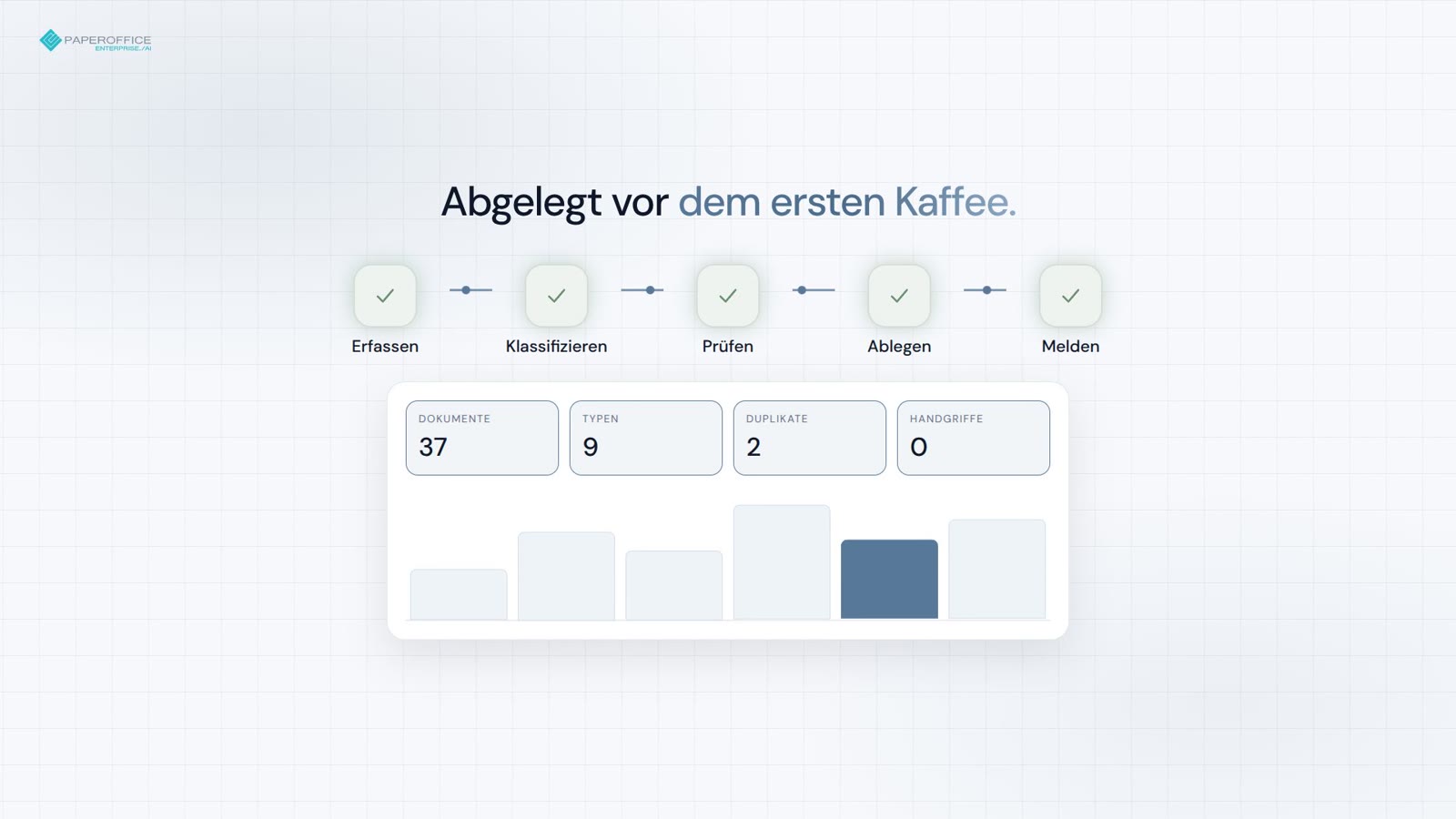
Erfassen, klassifizieren, ablegen — Duplikate und Vertragsfristen vor dem ersten Kaffee.
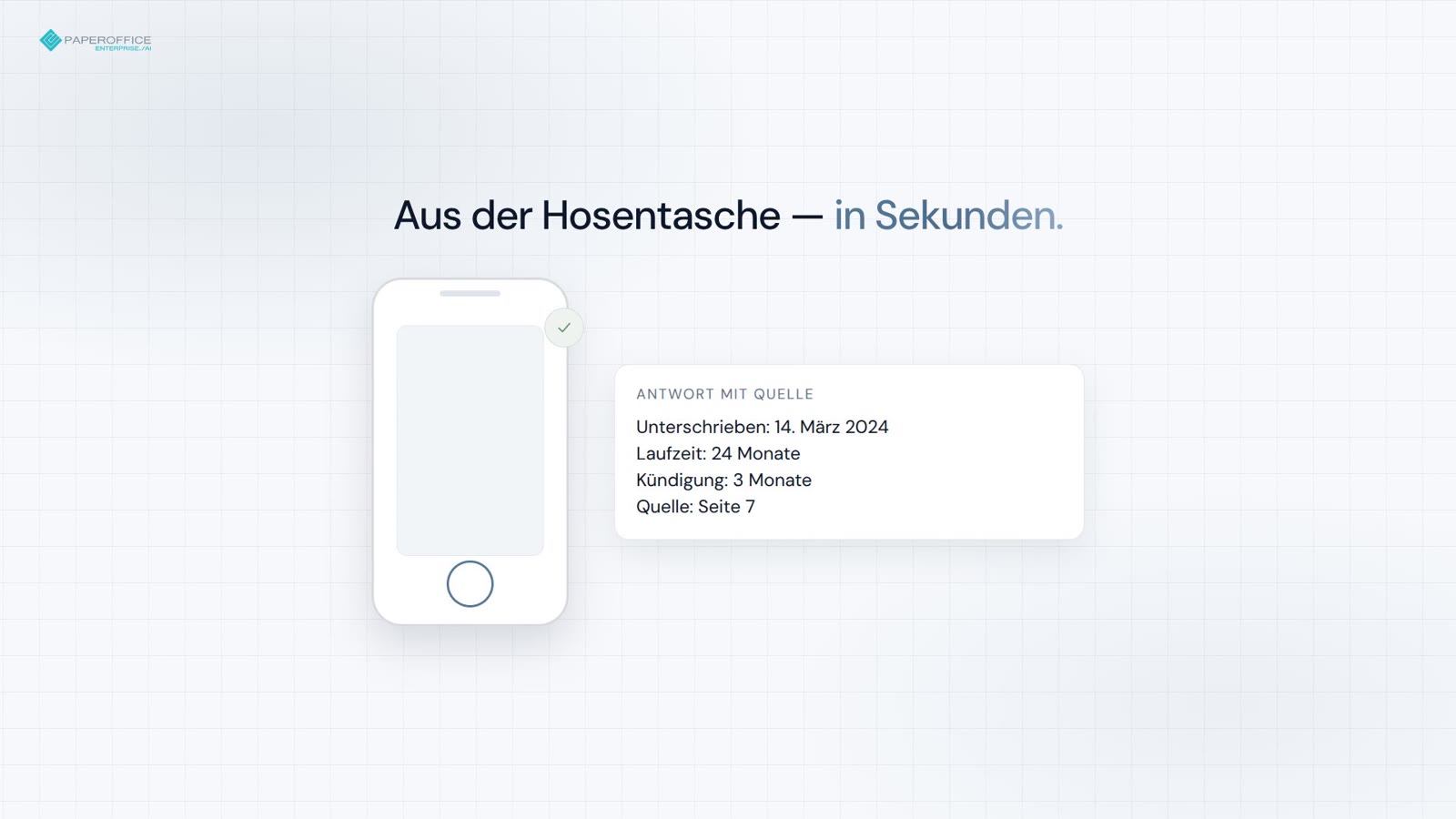
Unterschriftsdatum, Konditionen, Seitenreferenz — in Sekunden vom Handy.
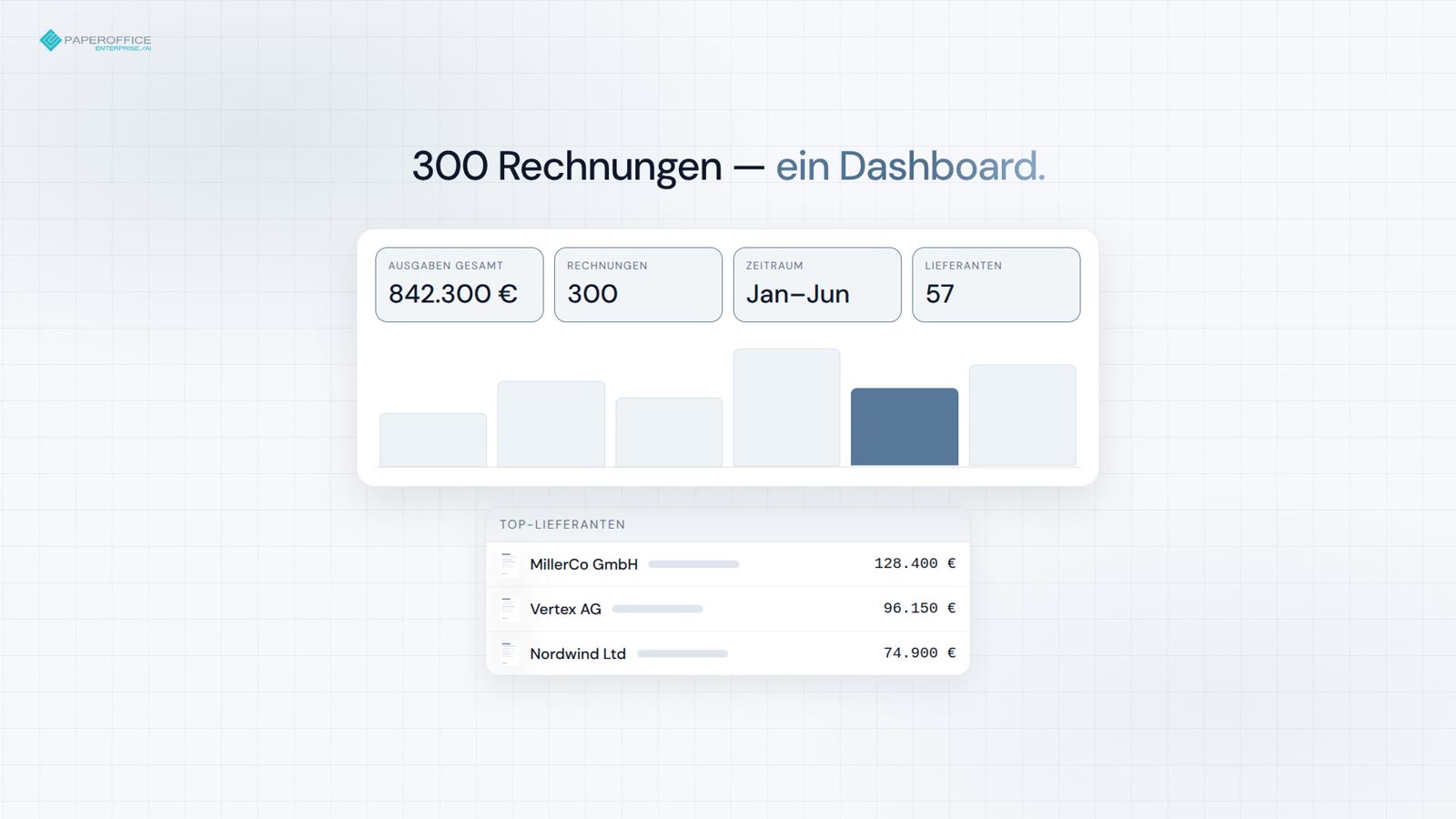
Von 300 Rechnungen zum Board-Dashboard — in einem Prompt.
Häufige Fragen
Nächste Station
Der empfohlene nächste Schritt im Developer-Funnel und zwei passende Abzweige.

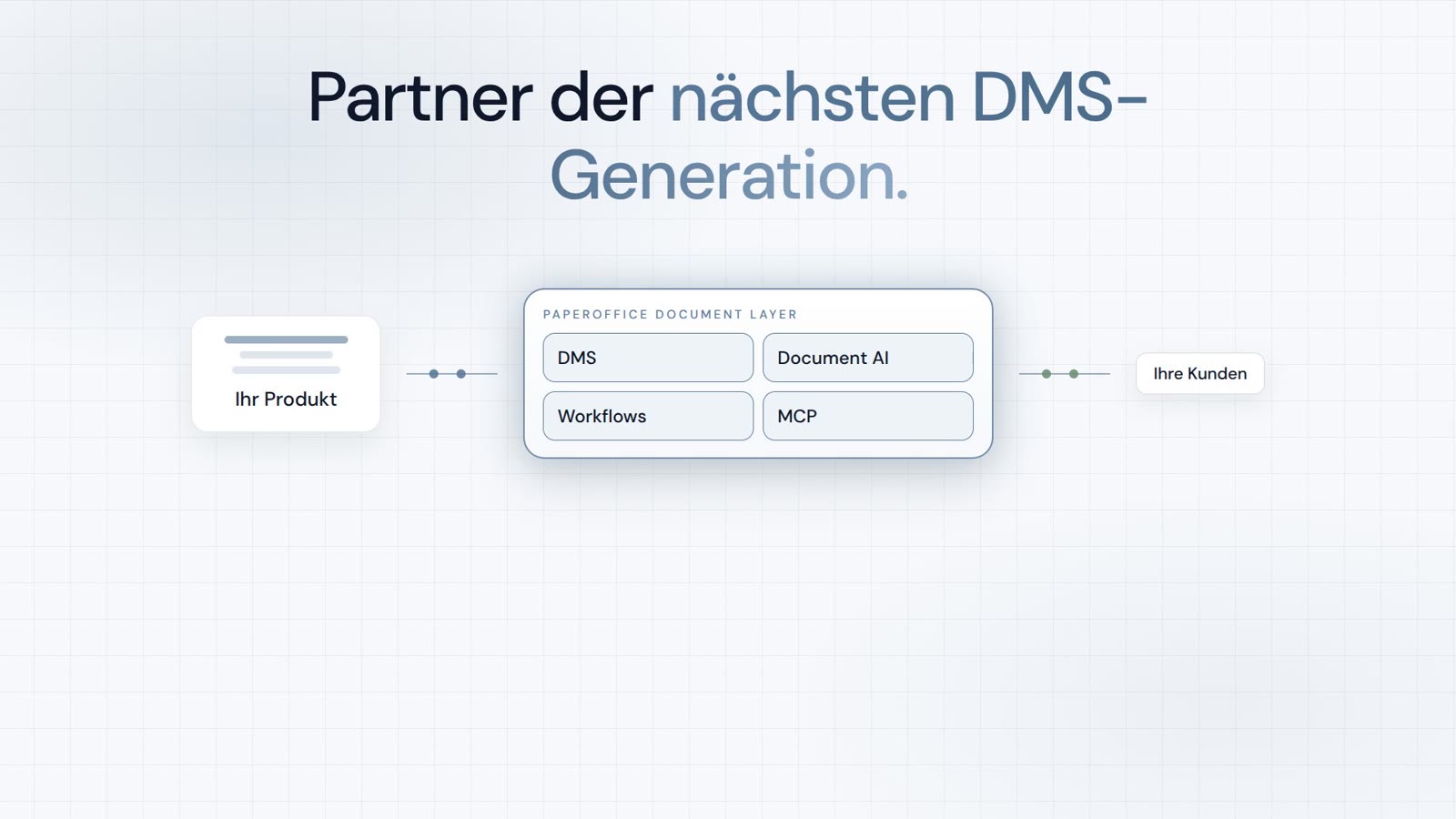
Integrator und Reseller kombinierbar. Vermittlung auf Einladung.
Partner-Programm ansehen
AI-DMS
Dokumente. Intelligenz. Echte Wirkung.
PaperOffice AI ist das AI-DMS. Vier Funktionsbereiche auf einem DMS-Fundament, erreichbar über drei Zugänge.
Funktionen, Module und Vorteile im Überblick.
Dokumente erfassen, organisieren, suchen und gemeinsam bearbeiten.
Nahtlos in Ihre Systeme und KI-Workflows einbinden.
Ohne Installation, sofort startklar.
Alle Tools durchsuchen