


Фактури в края на месеца
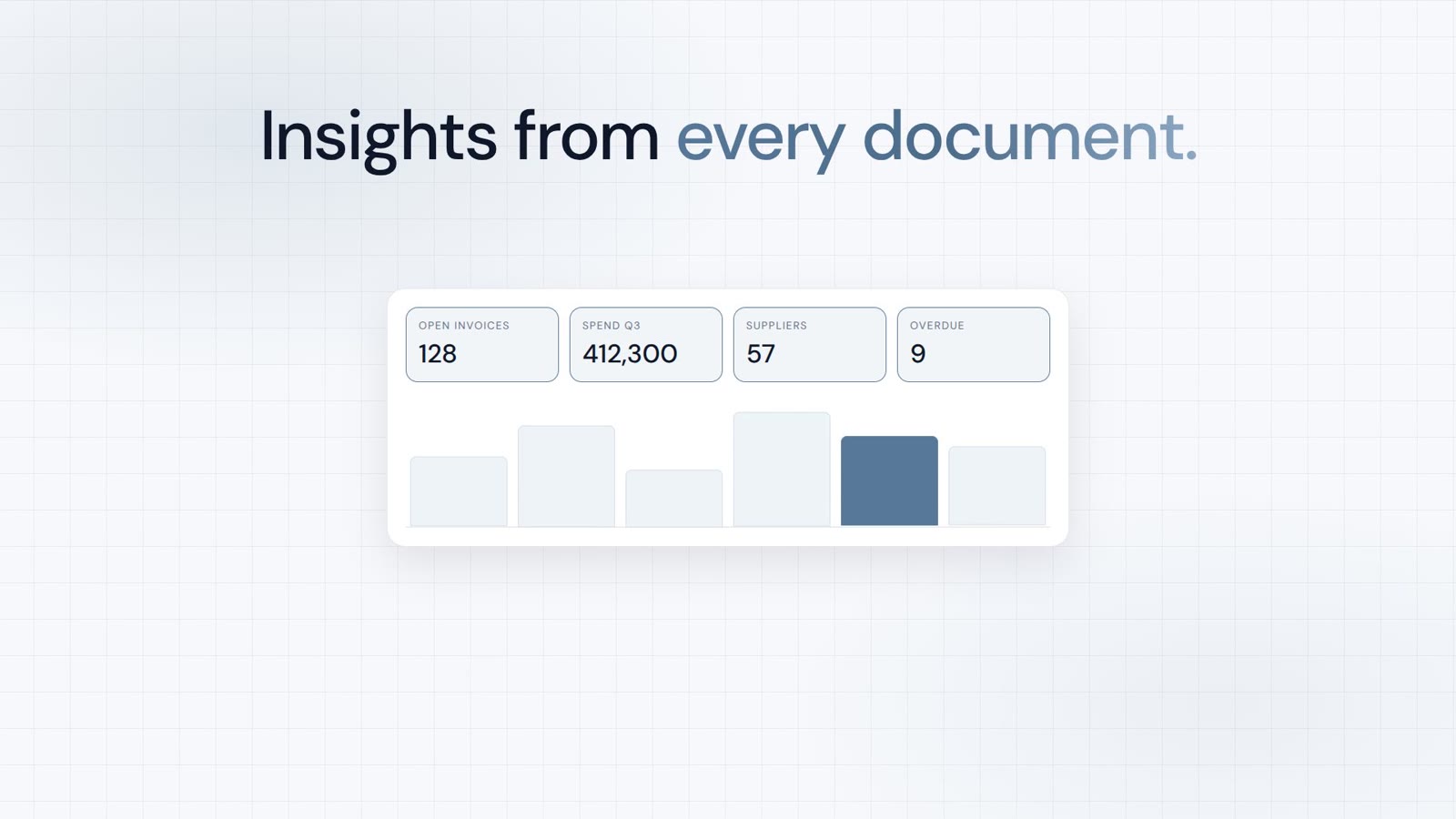
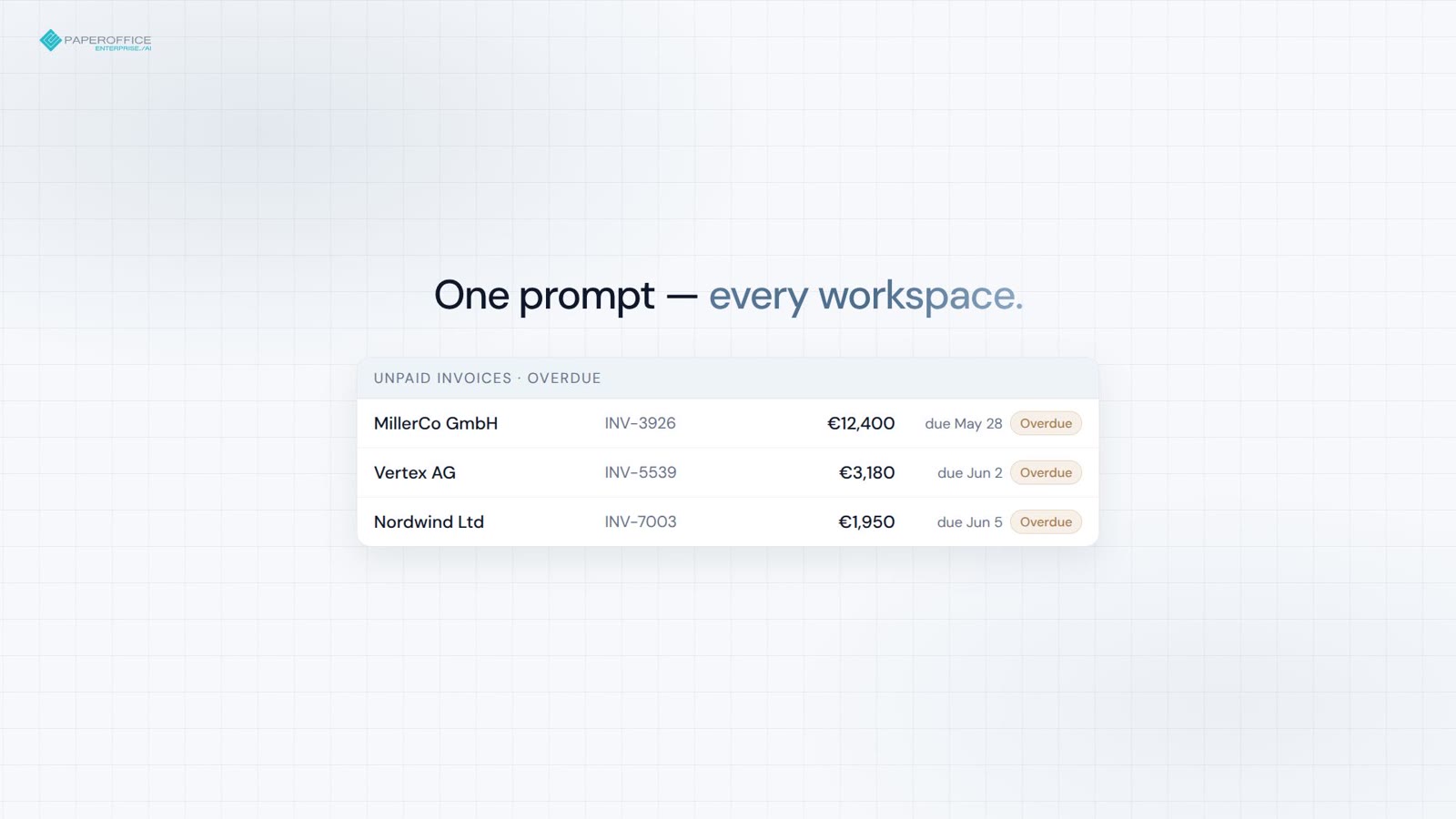
Неплатени фактури във всички Workspaces — общи суми и сигнали за просрочие в една заявка.
MCP сървър
MCP сървърът на PaperOffice въвежда документи, търсене, работни процеси и аналитика в Claude, ChatGPT и Cursor.
Изберете чат инструмента. Ръководството показва всеки клик — OAuth 2.1, без инсталация.
Claude чат · Десктоп · Мобилен · Cowork · Claude Code
ChatGPT уеб · Десктоп · Мобилен

Бърз старт
Ръководството показва всяко кликване в Claude, ChatGPT или Cursor. Под него се намира само фрагментът за копиране.
/claude Директория, демо или ваш собствен акаунт.
/chatgpt Connector, демо или ваш собствен акаунт.
/cursor mcp.json с потребителски токен.
Фрагмент за копиране
{
  "mcpServers": {
    "paperoffice": {
      "url": "https://mcp.paperoffice.ai/claude"
    }
  }
}
Claude-Directory-URL — OAuth 2.1. Document Operations без TTS. /claude вмъкване; без Bearer в фрагмента.
{
  "mcpServers": {
    "paperoffice": {
      "url": "https://mcp.paperoffice.ai/chatgpt",
      "headers": {
        "Authorization": "Bearer po_ut_..."
      }
    }
  }
}
Каноничен URL адрес /chatgpt (алиас /openai). Куриран набор от инструменти за бизнес документи — всеки инструмент е изброен отделно, без TTS, OTP и Unlock инструменти. OAuth 2.1 или потребителски токен (po_ut_ / po_gt_) — не po_sk_.
{
  "mcpServers": {
    "paperoffice": {
      "url": "https://mcp.paperoffice.ai/cursor",
      "headers": {
        "Authorization": "Bearer po_ut_..."
      }
    }
  }
}
Същият каталог за Document Operations като /dms (включително TTS) — User-token (po_ut_ / po_gt_), не po_sk_.
{
  "mcpServers": {
    "paperoffice-dms": {
      "url": "https://mcp.paperoffice.ai/dms"
    },
    "paperoffice-full": {
      "url": "https://mcp.paperoffice.ai/mcp-full"
    }
  }
}
Актуални пътища: /dms, /cursor, /claude, /chatgpt (алиас /openai), /muse, /mcp, /mcp-full (над 300).
Ендпойнти
Всеки профил сочи към един и същ сървър — разликата е само в обхвата на инструментите. Кой URL за какво се използва, вижте в таблицата по-долу.
/dms Document Operations — идентичен каталог на /dms и /cursor. Каноничен URL адрес.
https://mcp.paperoffice.ai/dms /claude Директория: Document Operations без TTS — Claude-Directory-URL.
https://mcp.paperoffice.ai/claude /chatgpt ChatGPT конектор — куриран набор от инструменти за бизнес документи (фактури, договори, товарителници, разписки) и статии в базата данни с знания, всеки инструмент изброен отделно. Без TTS и без Workspace Unlock. Алиас: /openai.
https://mcp.paperoffice.ai/chatgpt Alias: https://mcp.paperoffice.ai/openai
/cursor Същият каталог на Document Operations като /dms (включително TTS).
https://mcp.paperoffice.ai/cursor /muse Конектор Meta-Muse — същите подбрани инструменти като /chatgpt, без прикачването на файл, което е достъпно само за ChatGPT. Всеки инструмент е изброен един по един.
https://mcp.paperoffice.ai/muse /mcp Лек IDE комплект — не каталогът за документни операции на /cursor.
https://mcp.paperoffice.ai/mcp /mcp-full Всички MCP инструменти (300+) за мощни работни потоци.
https://mcp.paperoffice.ai/mcp-full /openai остава достъпен като алиас на /chatgpt. Изключените модулни пътища отговарят с HTTP 410.
Капацитетна матрица
Един ред за всяка задача: препоръчаният URL адрес и причината за това. Тази таблица е единственият пълен списък на пътищата на тази страница.
| Задача | Препоръчан URL адрес | Защо |
|---|---|---|
| Операции с документи (канонично) | /dms | Document Operations (над 300 MCP инструмента) — идентичен каталог на /dms и /cursor. |
| Claude Desktop / Claude Code (URL адрес на директорията) | /claude | Директория: Операции с документи без TTS. Заглавия и бележки към всеки инструмент. |
| Cursor IDE при кодиране | /cursor | Същият каталог на операциите с документи като /dms (включително TTS). |
| ChatGPT-конектор | /chatgpt | ChatGPT конектор — курирани инструменти за бизнес документи и статии в базата данни с знания, всеки изброен отделно (вижте справка за инструментите). Алиас: /openai. |
| Конектор Meta-Muse | /muse | Комплектът /chatgpt без качването на прикачени файлове само за ChatGPT; всеки инструмент е изброен в справочника на инструментите. |
| Лъскав IDE комплект | /mcp | Компактен набор за търсене, четене и анализ, както и за качване и статии в базата данни със знания — не е каталогът на документните операции. |
| Сложни многоетапни задачи | po_agents_ask в /mcp-full | Host-LLM-Agent остава върху пълната повърхност, а не върху /dms. |
| Миграция / всички MCP инструменти | /mcp-full | Пълна MCP повърхност (300+ инструмента) за дебъгване и legacy агенти. |
Изключените модулни пътища отговарят с HTTP 410. За Document Operations използвайте /dms.
Справочник с инструменти
/chatgpt (alias /openai) lists 56 tools; /muse lists 55 — the same set without the ChatGPT-only attachment upload. Each operation is a separate tool with its own description, input schema and MCP annotations; there are no discovery tools and no generic executor.
Всяко приложение изисква OAuth 2.1 с PKCE (обхват mcp:tools) или токен за потребител или група PaperOffice (po_ut_ / po_gt_); po_sk_ и po_pk_ се отхвърлят. Извикването се изпълнява с правата на свързания потребител PaperOffice, а неговите аргументи се проверяват преди изпълнение спрямо публикуваната схема за вход.
MCP. Всяко приложение носи анотациите readOnlyHint, destructiveHint, idempotentHint и openWorldHint. Етикетирането обобщава какво постига едно извикване:
/chatgpt: 56 tools (25 Read, 18 Write, 13 Sensitive write). /muse: 55 tools (25 Read, 17 Write, 13 Sensitive write).
| Инструмент | Обозначение | Използване, когато | Входни данни | Изход и странични ефекти | Паралелни повиквания на сесия |
|---|---|---|---|---|---|
po_workspaces_listList workspaces | Четене | The user names a workspace or asks which workspaces exist, or a workspace_id is needed. | по желаниеlimitoffsetsearchworkspace_id | Lists ID, name and document count. Locked workspaces are unlocked only in the PaperOffice app. | 4 |
po_documents_searchSearch documents | Четене | The user wants to find or list documents by number, name, keyword, type or date. Knowledge base: po_knowledge_search; sums by currency: po_analytics_financial_summary_get. | изискваниqueryworkspace_idпо желаниеsearch_scopesearch_modelimitpagesort_bydate_fromdate_toissued_date_fromissued_date_todocument_typeinclude_summaryfilename_onlyinclude_historical | Returns pofid, sender, amount. | 4 |
po_documents_getGet document details | Четене | The user wants details of one document: type, sender, amounts, dates, summary, processing status. Stored data only; to extract invoice data use po_extraction_invoice. | едно от тяхpofiddocuments_idпо желаниеresolvecompact | Без странични ефекти. | 4 |
po_extraction_invoiceExtract invoice data | Записване | The user asks to extract invoice data (supplier, number, dates, line items, VAT, total). Not for personal ID numbers. | едно от тяхpofidfile_urlupload_idпо желаниеmodelidp_fields | Runs a new extraction job (uses credits); poll po_job_get. | 1 |
po_job_getGet job status | Четене | An extraction or PDF tool returned a job_id. | изискваниjob_id | Returns status and, once completed, the result. Poll until completed; stop if it failed. | 4 |
po_analytics_financial_summary_getSummarize document amounts | Четене | The user asks for totals or a summary of invoice amounts across documents, e.g. by currency. | по желаниеperiodworkspace_id | Sums extracted amounts of all documents (not only invoices) per currency, never mixing currencies. | 4 |
po_knowledge_searchSearch knowledge base | Четене | The user asks to search their knowledge base or help articles, or asks about their own policies, FAQs or how-tos. | изискваниqueryпо желаниеkb_idscategory_slugslanguagelimit | Returns matching articles with excerpts; for stored documents use po_documents_search. | 4 |
po_documents_create_from_contentCreate PDF from text | Записване | The user asks to create or write a PDF or document (notes, letter, report). | изискваниcontenttitleworkspace_idпо желаниеcontent_typemetadatalanguageauto_classifycustom_cssheader_htmlfooter_htmlidempotency_key | Pass Markdown text: PaperOffice renders and stores the PDF, returns name and pofid. Costs credits. | 1 |
po_documents_renameRename document | Чувствителен запис | The user wants to rename a document or change its file name. | изискваниnew_file_nameедно от тяхpofiddocuments_id | Overwrites the file name; the original extension (e.g. .pdf) is kept. | 1 |
po_documents_text_getRead document text | Четене | The user needs the full text or exact wording of a document. | едно от тяхpofiddocuments_id | Returns its OCR text (only after processing); emails, phone and ID numbers are masked where detected. | 4 |
po_documents_creator_agents_listList Creator Agents | Четене | The user wants a quote, letter or certificate on their own template, or asks which Creator Agents exist. | няма | Lists active agents (agent_id, name, template); then use po_documents_creator_agent_preview. | 4 |
po_documents_creator_agent_previewPreview agent document | Записване | The user asks a Creator Agent to draft a document, e.g. a quote. | изискваниagent_idpromptпо желаниеvariablessource_pofidworkspace_id | Fills the agent's template from the request, its knowledge bases and contacts; stores nothing, costs credits. Returns values, questions, preview_token. | 4 |
po_documents_creator_agent_runCreate agent document | Записване | The user approved a Creator Agent preview and wants the document. | изискваниagent_idpreview_tokenconfirmпо желаниеvariablesaccept_open_questions | Pass preview_token, confirm=true and answers in variables. Stores the PDF in the workspace (costs credits); a repeat returns the same document. | 1 |
po_documents_upload_filesStore chat attachmentsсамо /chatgpt | Записване | The user wants to store files they attached in this chat. To create a PDF from text use po_documents_create_from_content. | изискваниfilesпо желаниеworkspace_idai_dms_tieron_duplicate | One result per file; retries never store twice; workspace auto-processing may apply. If ChatGPT cannot pass an attachment to this tool (for example BLOCKED_FILE_REFERENCE), call it with files: [] to receive upload_url. | 1 |
po_knowledge_graph_askAsk across documents | Четене | A question spans many documents, e.g. which contracts have a termination clause. Best effort; not for knowledge base articles (po_knowledge_search) or totals (po_analytics_financial_summary_get). | изискваниquestionпо желаниеpofidsearch_scopeworkspace_idworkspace_idsperiod | Без странични ефекти. | 1 |
po_knowledge_get_articleRead knowledge article | Четене | The user wants to read one knowledge base article in full, e.g. after a search hit. | изискваниidпо желаниеlanguage | Returns its title, text and summary in each language. | 4 |
po_analytics_financial_overdue_getList overdue invoices | Четене | The user asks which invoices are overdue. | по желаниеperiodworkspace_idlimitdays_overdue | Lists documents whose extracted due date has passed, most overdue first, with amount and currency; totals per currency, never mixed. Payment status is not checked. | 4 |
po_documents_processStart AI processing | Чувствителен запис | A stored document needs OCR and AI analysis, e.g. it has no text yet. | изискваниai_dms_tierедно от тяхpofiddocuments_idпо желаниеconfirm_reprocessconfirm_tier_downgrade | Runs in the background, costs credits; track via po_documents_get. Re-processing replaces the old analysis. | 1 |
po_documents_downloadGet download link | Четене | The user wants to download or save a document's file, e.g. the PDF. | едно от тяхpofiddocuments_id | Returns a temporary link to the stored file, valid for about 10 minutes. | 4 |
po_documents_update_indexUpdate index fields | Чувствителен запис | The user wants to set or correct document metadata (index fields), e.g. document_type, sender_name, invoice_number, due_date, total_amount or currency. | изискваниfieldsедно от тяхpofiddocuments_idпо желаниеidempotency_key | Only the given fields are overwritten. | 1 |
po_documents_uploadUpload document from URL | Записване | The user gives a public file URL to store, or wants a browser upload page (omit file_url). | по желаниеupload_idfile_urlfile_nameworkspace_idai_dms_tier | Stores a new document; workspace auto-processing may apply. | 1 |
po_extraction_receiptExtract receipt data | Записване | The user asks to extract receipt data (merchant, date, items, tax, total), e.g. for expenses. | едно от тяхpofidfile_urlupload_idпо желаниеmodelidp_fields | Runs a new extraction job (uses credits); poll po_job_get. | 1 |
po_extraction_delivery_noteExtract delivery note data | Записване | The user asks to extract delivery note data (shipper, recipient, items, quantities, delivery date). | едно от тяхpofidfile_urlupload_idпо желаниеmodelidp_fields | Runs a new extraction job (uses credits); poll po_job_get. | 1 |
po_extraction_purchase_orderExtract purchase order data | Записване | The user asks to extract purchase order data (order number, vendor, buyer, items, delivery date, total). | едно от тяхpofidfile_urlupload_idпо желаниеmodelidp_fields | Runs a new extraction job (uses credits); poll po_job_get. | 1 |
po_tasks_list_my_tasksList my tasks | Четене | The user asks about their tasks or pending approvals. | по желаниеstatusprioritystep_typelimitoffset | Lists tasks assigned to them, their role or group (default: open) with ID, status, priority and due date. | 4 |
po_tasks_get_task_detailsGet task details | Четене | The user asks what a specific task or approval is about. | изискваниtask_idпо желаниеinclude_interaction | Returns description, status, due date, history and whether completing needs an approve decision. | 4 |
po_tasks_claim_taskClaim task | Чувствителен запис | The user explicitly wants to claim an open task. Optional; if claimed, pass claim_session_id to po_tasks_complete_task or po_tasks_reject_task. | изискваниtask_id | Locks it to them for 15 minutes and may notify the assignee. | 1 |
po_tasks_complete_taskComplete task | Чувствителен запис | The user approves a task or marks it done. | изискваниtask_idпо желаниеresultcommentclaim_session_id | For approvals pass result {"decision":"approve"}. Final, cannot be undone; reject with po_tasks_reject_task. hitl_review tasks are done in the app. | 1 |
po_tasks_reject_taskReject task | Чувствителен запис | The user rejects or declines a task or approval. | изискваниtask_idreasonпо желаниеclaim_session_id | Records the reason; a waiting workflow continues without the requested action. Final, cannot be undone. hitl_review tasks are done in the app. | 1 |
po_documents_moveMove document | Записване | The user wants to move a document to another workspace. | изискваниtarget_workspace_idедно от тяхpofiddocuments_idпо желаниеconfirm | All its versions move along and keep their pofids. Documents under retention or legal hold cannot be moved. | 1 |
po_documents_copyCopy document | Записване | The user wants to copy or duplicate a document into a workspace. | изискваниtarget_workspace_idедно от тяхpofiddocuments_idпо желаниеnew_file_name | Each call creates a new copy with its own pofid; a target workspace with automatic AI processing processes it, which costs credits. | 1 |
po_documents_tags_listList document tags | Четене | The user asks which tags or labels a document has. | едно от тяхpofiddocuments_id | Returns tag names and colors. | 4 |
po_documents_tags_createAdd document tag | Записване | The user wants to tag or label a document. | изискваниtag_nameедно от тяхpofiddocuments_idпо желаниеtag_color | Adds one tag per call; a tag the document already has is rejected. | 1 |
po_documents_folders_listList document folders | Четене | The user asks for document folders, i.e. bundles of related documents, in a workspace. | изискваниworkspace_id | Lists folders only; po_documents_search lists documents. | 4 |
po_documents_folders_createCreate document folder | Записване | The user wants to bundle or staple related documents, e.g. an invoice and its delivery note, into one new document folder; the files stay separate. | изискваниpofidsпо желаниеfolder_namefolder_description | A document can be in only one folder. | 1 |
po_vat_validateValidate EU VAT ID | Четене | The user wants to check if a company's EU VAT ID is valid. | изискваниvat_id | Checks EU VIES or a recent cached result (check date returned); returns validity and, if disclosed, company name and address. | 4 |
po_currency_convertConvert currency | Четене | The user asks to convert an amount to another currency. | изискваниfromtoпо желаниеamount | Uses the latest available rate (rate date returned); no historical rates. | 4 |
po_pdfstudio_mergeMerge PDFs | Записване | The user wants to merge or combine two or more PDF documents into one file. | едно от тяхpofidsfile_urlsпо желаниеorderoutput_filename | Starts a job; po_job_get returns the download link. | 1 |
po_pdfstudio_splitSplit PDF | Записване | The user wants to split a PDF into single pages or page ranges. | едно от тяхpofidfile_urlupload_idпо желаниеmodesplitsoutput_prefix | Starts a job; po_job_get returns the download link(s). | 1 |
po_pdfstudio_compressCompress PDF | Записване | The user wants to compress a PDF or reduce its file size. | едно от тяхpofidfile_urlupload_idпо желаниеqualityremove_metadata | Starts a job; po_job_get returns the download link. | 1 |
po_dataripper_office2pdfConvert Office to PDF | Записване | The user wants to convert a Word, Excel or PowerPoint file to PDF. | едно от тяхfile_urlupload_id | Pass a public file_url, or omit it to get an upload page, then pass the upload_id shown there. po_job_get returns the PDF link. | 4 |
po_documents_versions_listList document versions | Четене | The user asks for earlier versions or the version history of a document. | изискваниpofidпо желаниеinclude_trashed | Returns its versions with number, pofid, date, comment and which is current. | 4 |
po_documents_audit_trail_getGet change history | Четене | The user asks what changed in a document or workspace, or for an audit trail or change log. | по желаниеpofiddocuments_idactionworkspace_idlimitoffset | Only revision-secure documents log changes; returns the latest entries with action, field, old and new value. | 4 |
po_documents_trash_listList recycle bin | Четене | The user asks what is in the recycle bin or trash, or looks for a deleted document. | по желаниеworkspace_idpageper_page | Returns deleted documents (newest first, 50 per page) with pofid and days left before permanent deletion. | 4 |
po_documents_restoreRestore document | Записване | The user wants to restore or undelete a document from the recycle bin. | едно от тяхpofiddocuments_idпо желаниеtarget_workspace_id | Puts it back with its versions into its original workspace (a fallback one if that was deleted) or target_workspace_id. | 1 |
po_documents_deleteDelete document | Чувствителен запис | The user wants to delete a document and all its versions (not a tag or folder entry). | едно от тяхpofiddocuments_idпо желаниеconfirm | Permanent in standard workspaces, recycle bin in business and compliance ones. Retention or legal hold blocks it. | 1 |
po_knowledge_list_basesList knowledge bases | Четене | The user asks which knowledge bases they have or a knowledge base ID is needed. | по желаниеinclude_archived | Returns ID, name, visibility and languages of each active knowledge base. | 4 |
po_knowledge_list_articlesList knowledge articles | Четене | The user wants to browse or list the articles of a knowledge base instead of searching. | по желаниеkb_idpagelimitcategory_idlanguagesearch | Returns articles (50 per page) with IDs, titles, status and content. | 4 |
po_knowledge_categoriesList knowledge categories | Четене | The user asks which categories their knowledge base articles are sorted into. | по желаниеkb_idlanguage | Returns each category's ID, name and article count. | 4 |
po_knowledge_get_baseGet knowledge base | Четене | The user asks about one knowledge base's settings, visibility or languages. | изискваниid | Returns its details with article and category counts. | 4 |
po_knowledge_add_articleCreate knowledge article | Чувствителен запис | The user asks to add or write a new knowledge base article. | изискваниkb_idtitlecontentlanguageпо желаниеcategory_idtype | Saves it and indexes it for search; in a public knowledge base it is published at once. | 1 |
po_knowledge_update_articleUpdate knowledge article | Чувствителен запис | The user asks to edit or rewrite a knowledge base article. | изискваниidlanguageедно от тяхtitlecontentcategory_idtypeis_active | Replaces the title and/or text of one language version and clears its summary and tags; public articles change at once. | 1 |
po_knowledge_translateTranslate knowledge article | Чувствителен запис | The user asks to translate a knowledge base article. | изискваниidtarget_languageпо желаниеsource_language | AI translates it and saves that language version, replacing an existing one; in a public knowledge base it goes live. Costs credits. | 1 |
po_knowledge_create_baseCreate knowledge base | Чувствителен запис | The user asks to create a new knowledge base for help articles. | изискваниnameпо желаниеdescriptionprimary_languageenabled_languagesvisibility | By default it is internal (team only) with primary language en; visibility public puts its articles on the help center. | 1 |
po_knowledge_update_baseUpdate knowledge base | Чувствителен запис | The user asks to rename a knowledge base, change its description or make it public or internal. | изискваниidедно от тяхnamedescriptionvisibilityprimary_languageenabled_languages | Overwrites the given fields; public puts its published articles online, internal takes them offline. | 1 |
po_knowledge_delete_articleDelete knowledge article | Чувствителен запис | The user asks to delete a knowledge base article. | изискваниid | Permanently removes it in all languages, also from search and the help center; cannot be undone. | 1 |
Поставете курсора върху името на вход, за да видите типа и описанието. Последната колона показва колко извиквания на инструмент могат да се изпълняват едновременно в MCP сесия.
Грешка от инструмента се връща като резултат от MCP инструмента с isError: true. Същият JSON обект е наличен в structuredContent и в първия текстов блок:
{
  "error_code": "WORKSPACE_ACCESS_DENIED",
  "code": "WORKSPACE_ACCESS_DENIED",
  "message": "This connection has no access to this workspace.",
  "details": {
    "error_code": "WORKSPACE_ACCESS_DENIED",
    "workspace_id": 12345
  },
  "hint": "Use po_workspaces_list to see the workspaces this connection can access. Retrying will not change the result."
}error_codemessagedetailshintretryablehttp_status| Код | Значение | Опитайте отново? |
|---|---|---|
INVALID_PARAMS | Аргументите не са преминали проверката на схемата; details.validation_errors посочва полетата. | Не — коригирайте аргументите |
TOOL_UNKNOWN | Под това име няма инструмент за тази връзка — използвайте името от списъка с инструменти на конектора. | Не |
TOOL_NOT_ON_THIS_CONNECTOR | Инструментът съществува в PaperOffice, но не е наличен за този конектор. Подсказката посочва пътя: към /dms и /cursor чрез po_mcp_tools_call_read или po_mcp_tools_call_write, иначе в приложението PaperOffice. | Не — следвайте подсказката |
WORKSPACE_ACCESS_DENIED | Връзката няма достъп до Workspace или документа. | Не |
DOCUMENT_NOT_FOUND | Непозната pofid или documents_id. | Не |
CONFIRMATION_REQUIRED | Действието изисква потвърждение — например масови действия от 6 елемента нататък, отмяна на споделяне или премахване на правна задържаща мярка. Включен е преглед на засегнатите елементи; след потвърждението повторете обаждането с confirm=true. | След като потребителят потвърди |
APP_ONLY_ACTIONINSTANT_DELETE_APP_ONLYFOLDER_DELETE_NOT_ALLOWED | Окончателните стъпки се извършват само в приложението PaperOffice: окончателно изтриване, изпразване на кошчето, изтриване на Workspace, промяна на задържането в кошчето или изтриване на цяла папка. Документи, изтрити чрез MCP, попадат в кошчето. | Не — изпълнете го в приложението |
LEGAL_HOLD_ACTIVEUNDER_RETENTIONWORM_PROTECTED | Документът е защитен; промяната е отхвърлена. | Не |
GROUP_RESTRICTION | На групата на токена липсва това разрешение, например за изтриване. | Не |
PLAN_UPGRADE_REQUIRED | Функцията е достъпна само в по-висок план; details.required_plan посочва необходимия план, details.plans_url — страницата с тарифите на приложението. | Не — само след надграждане на плана |
INSUFFICIENT_CREDITS | Недостатъчно Credits (HTTP 402); не е начислено нищо. | След зареждане |
TASK_REQUIRES_APP_REVIEWCLAIM_SESSION_MISMATCHTASK_CLAIM_EXPIRED | Решението за задача за освобождаване не може да бъде запазено; подсказката посочва следващата стъпка. | Както е описано в подсказката |
TRANSLATION_IN_PROGRESS | Преводът в базата данни за знания все още продължава. | Да, след около 60 секунди със същите аргументи |
WRITE_OUTCOME_UNKNOWN | Операцията по записване в базата данни за знания не получи отговор в рамките на времевия лимит; вероятно е запазена. | Първо проверете, след това повторете |
TRANSIENT_TRANSPORT_ERROR | Времеви лимит в бекенда (408) или HTTP 429, 502, 503 или 504; details.retryable е true, suggested_backoff_ms е 2000, а details.http_status показва причината. | Да, с изчакване |
SESSION_BUSYACCOUNT_BUSY | Достигнат е лимит за едновременни повиквания (вижте Rate Limits); retry_safe е true, а retry_after_ms е включен. | Да, след retry_after_ms |
MCP_MAINTENANCE | Поддръжка или рестартиране на сървъра; retry_after_ms е 2000. | Да |
SECRET_ARGUMENT_REJECTED | Аргумент приличаше на дата за достъп; аргументите на инструмента не трябва да съдържат токени или пароли. | Не |
TOOL_ERROR | Общо отклонение, когато няма подходящ специфичен код. | Зависи от съобщението |
Няма грешка: Ако липсва вход за файл, инструментите, базирани на файлове (екстракция, PDF), връщат нормален текстов резултат, започващ с FILE_UPLOAD_REQUIRED и посочващ приетите входове или страница за качване чрез браузър.
На транспортно ниво липсващ, невалиден, изтекъл или отменен токен получава HTTP 401 с заглавка WWW-Authenticate (извършете OAuth отново). Докато влизането или каталогът на инструментите са временно недостъпни, сървърът отговаря с HTTP 503 и Retry-After (2–5 s).
Инструменти
Инструментите MCP са групирани по задачи. Клиентът ги вижда с заглавие и кратко описание и сам избира подходящия инструмент.
Документи, OCR, IDP, търсене, PDF операции, подписи и AI DMS.
document-ai Работни потоци, задачи, задания, HITL, одобрения и автоматизация на процеси.
workflow-ai CRM, партньори, лидове, helpdesk и срещи.
relations-ai Аналитика, BI, граф на знанията, сущности и RAG.
analytics-ai Image Studio, TTS, STT и превод.
media-ai Валидация, ДДС, валута, геоданни и проверки за сигурност.
data-ai Обхванати области
Примери
Четири ежедневни изречения и инструментът MCP, който клиентът извиква за тях. Разрешенията идват от Вашето Workspace, а не от чата.
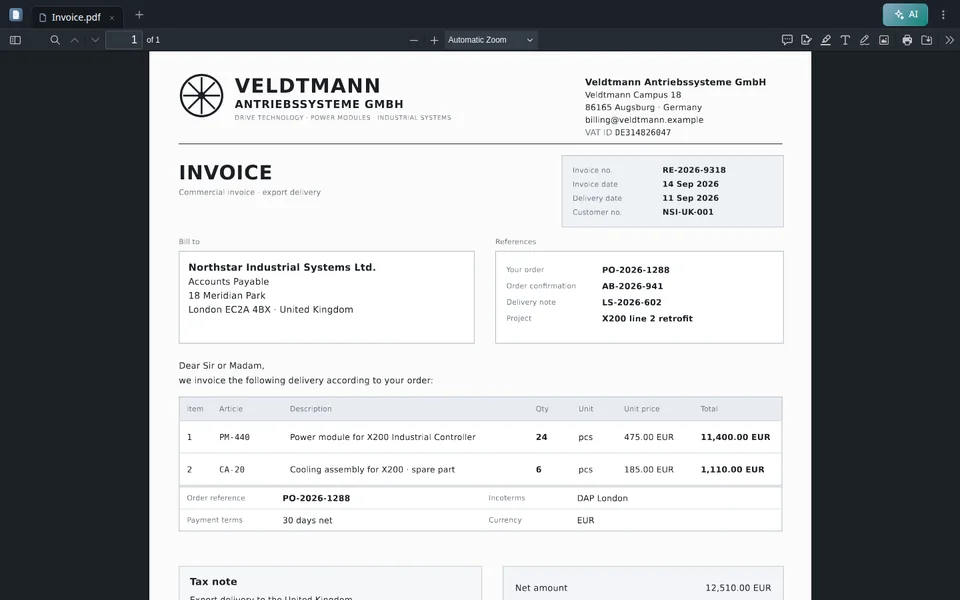
Извлечи всички данни от прикачената фактура.
po_aiocr_analyze Фактурата е анализирана — извлечени данни:
Преименувай този документ на Invoice-2026-0042.
po_documents_rename Документът е преименуван:
Добавете коментар за преглед на страница 2.
po_documents_comments_create Коментарът е създаден:
Как се развива обемът на нашите документи?
po_analytics_trends_get Анализ на тенденциите за последните 6 месеца:
Предимства
MCP сървърът не е обвивка около REST API — това е същото ядро с Вашите акаунт разрешения, Workspace и кредити.
OAuth за Claude и ChatGPT; потребителски токени (po_ut_ / po_gt_) за Cursor — po_sk_ е блокиран.
Вгражданията на PaperOffice и пълнотекстовото търсене работят заедно, за да позволи на клиента да намери подходящия инструмент.
Предварително подписани URL адреси за качване — без Base64 в чата.
Бизнес случаи, времеви рамки и връзки между документи чрез естествен език.
Тенденции, финанси, топлинни карти и метрики на Workspace по заявка.
Обработка във собствената ни ЕС инфраструкция — същите разрешения и Workspace като в приложението.
Случаи на употреба
Четири реални работни процеса с Claude — по един къс видео всеки. Статии с подробно разглеждане са линкнати отдолу.
Неплатени фактури във всички Workspaces — общи суми и сигнали за просрочие в една заявка.
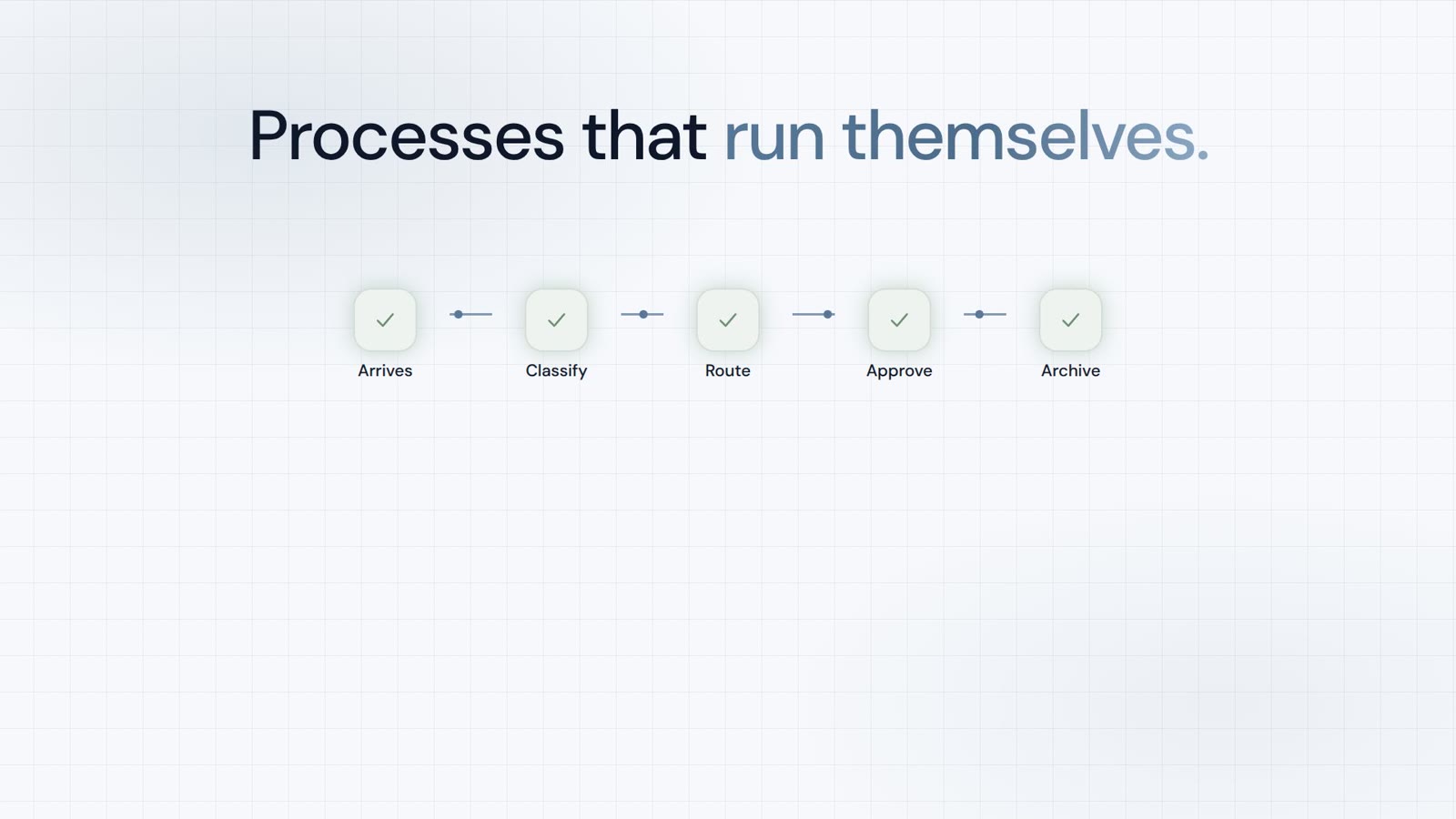
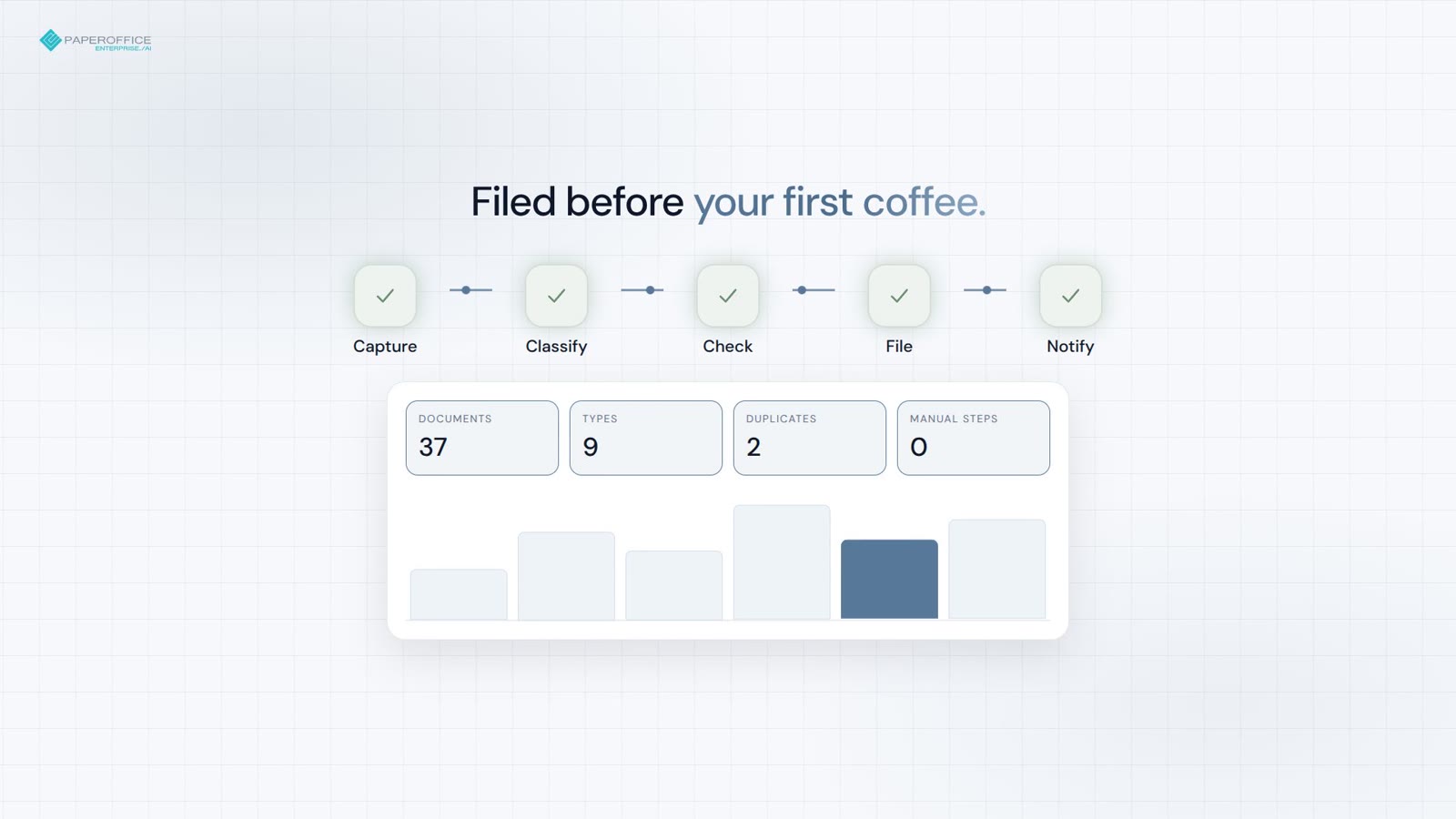
Записвайте, класифицирайте и архивирайте – дубликати и договори с изтичащ срок се маркират преди кафето.
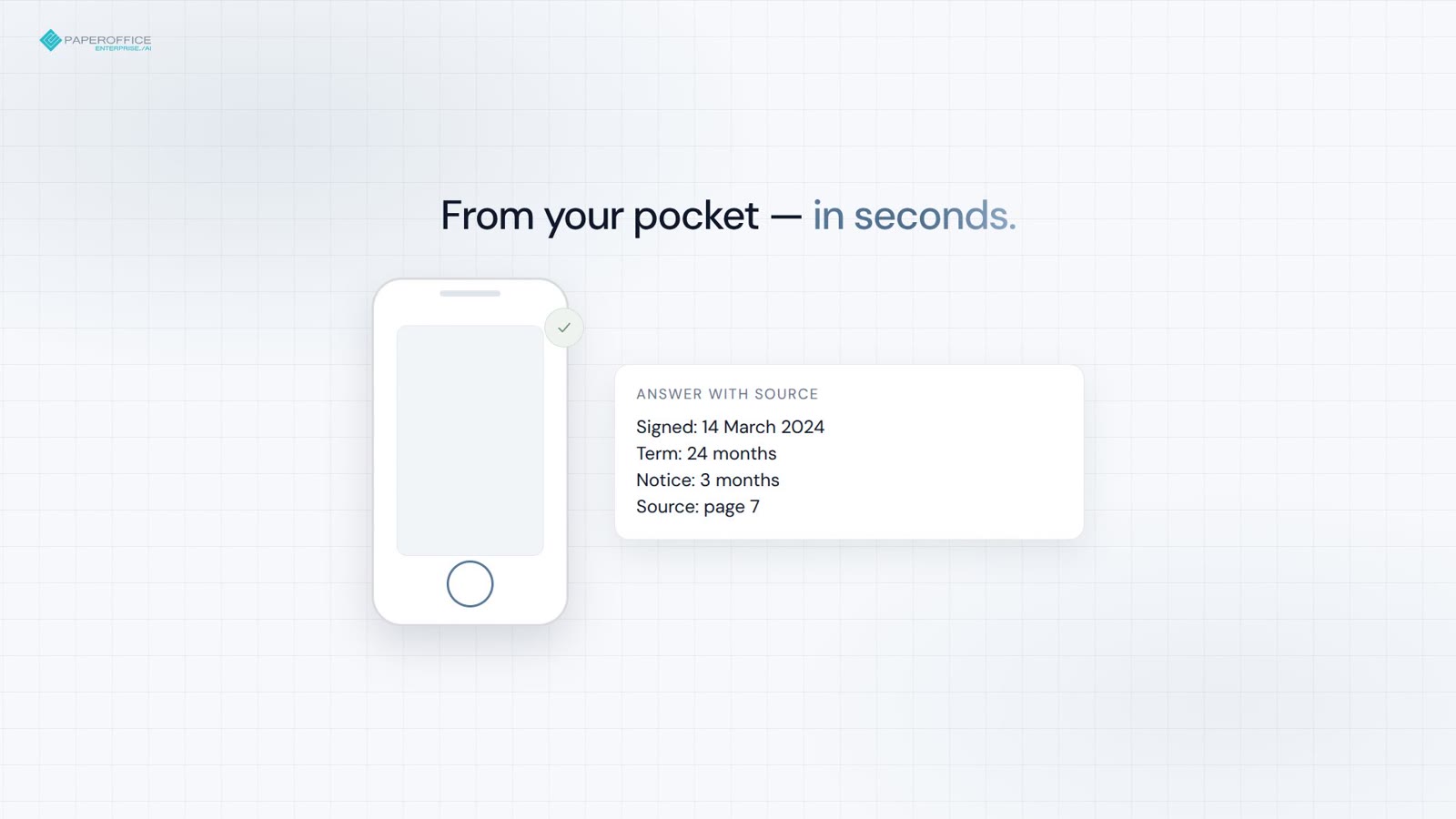
Дата на подписване, условия и препратка към страница — от джоба за секунди.
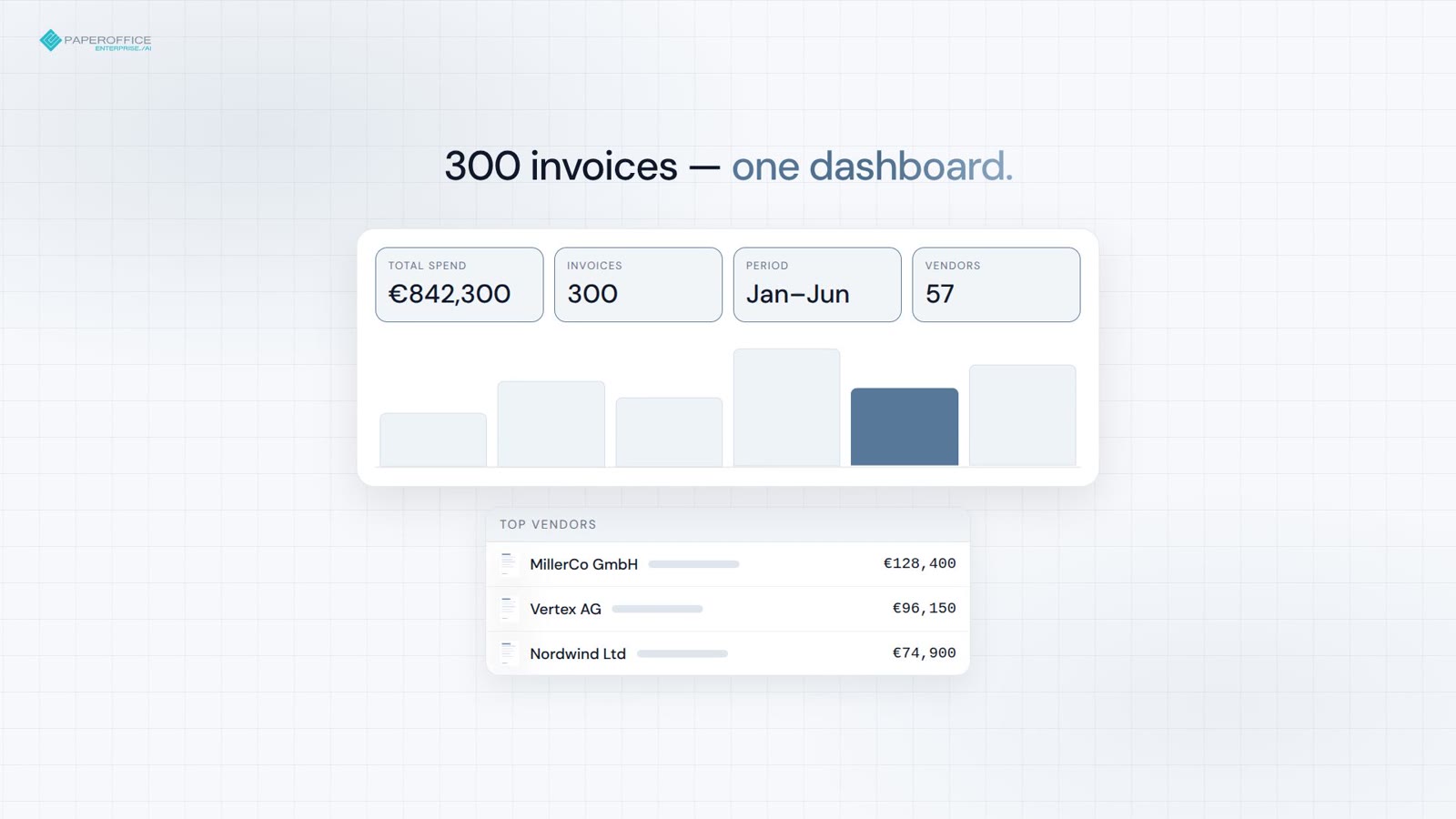
От 300 фактури до готов дашборд в един промпт.
Често задавани въпроси
Следваща спирка
Препоръчителната следваща стъпка във фунията за разработчици и две подходящи разклонения.

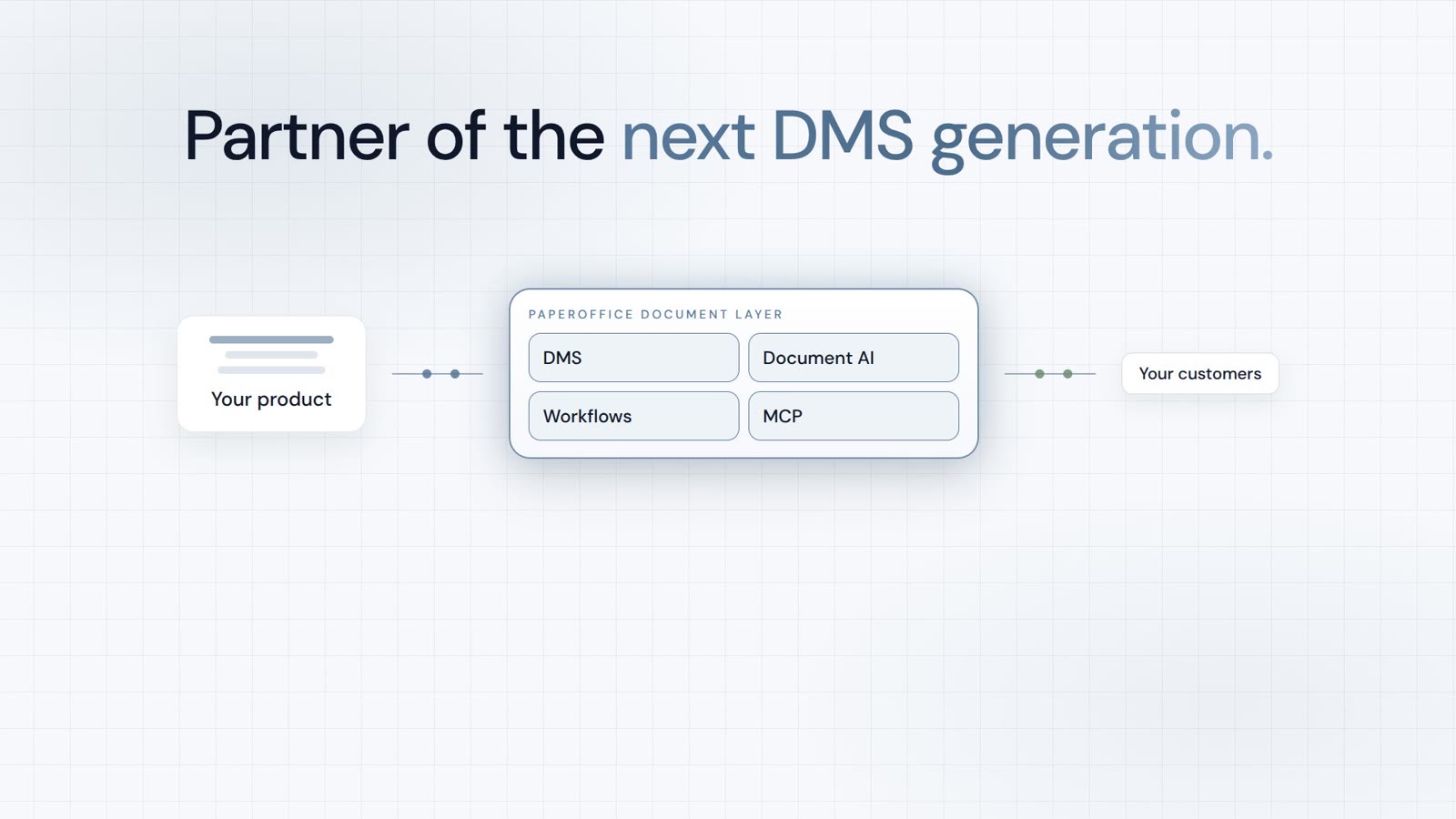
Integrator и Reseller могат да се комбинират. Рефералното партньорство е само с покана.
Преглед на партньорската програма
AI-DMS
Документи. Интелигентност. Истинско въздействие.
PaperOffice AI е AI-DMS. Четири функционални области върху единна основа на DMS, достъпни чрез три входни точки.
Преглед на функциите, модулите и предимствата.
Събирайте, организирайте, търсете и споделяйте документи.
Безпроблемно интегриране във вашите системи и AI работни процеси.
Без инсталация, готов за секунди.
Търсене на всички инструменти