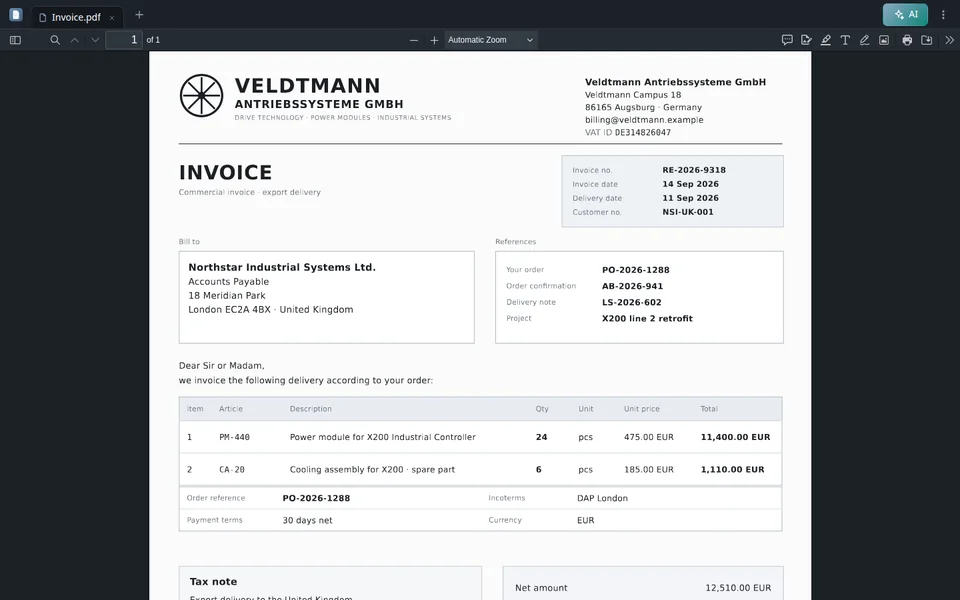



Fatture fine mese
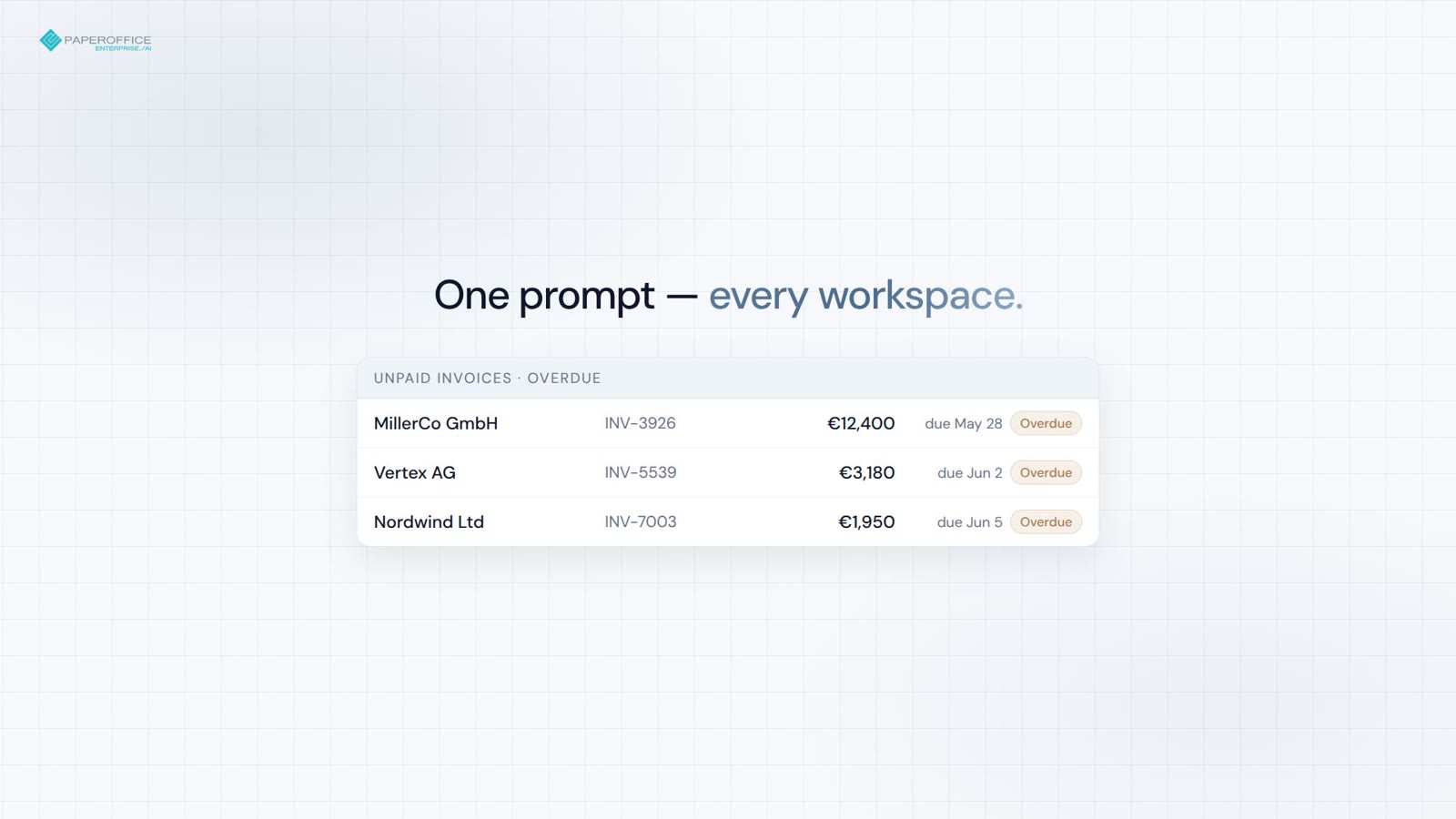
Fatture non pagate in ogni workspace — totali e bandiere per scadute in un unico prompt.
Server MCP
Il server MCP PaperOffice porta documenti, ricerca, flussi di lavoro e analisi in Claude, ChatGPT, Grok e Cursor.
Scelga lo strumento di chat. La guida illustra ogni passaggio — OAuth 2.1, senza necessità di installazione.

Avvio rapido
La guida mostra ogni clic in Claude, ChatGPT, Grok o Cursor. Di seguito è disponibile il snippet da copiare.
/claude Directory, demo o account personale.
/chatgpt Connector, demo o account personale.
/grok Connettere Grok Bot con questo URL.
/cursor mcp.json con token utente.
Snippet da copiare
{
  "mcpServers": {
    "paperoffice": {
      "url": "https://mcp.paperoffice.ai/claude"
    }
  }
}
URL della directory Claude — OAuth 2.1. Operazioni sui documenti senza TTS. Inserire /claude; nessun Bearer nello snippet.
{
  "mcpServers": {
    "paperoffice": {
      "url": "https://mcp.paperoffice.ai/cursor",
      "headers": {
        "Authorization": "Bearer po_ut_..."
      }
    }
  }
}
Lo stesso catalogo di operazioni sui documenti di /dms (incluso TTS) — Token utente (po_ut_ / po_gt_), non po_sk_.
{
  "mcpServers": {
    "paperoffice": {
      "url": "https://mcp.paperoffice.ai/chatgpt",
      "headers": {
        "Authorization": "Bearer po_ut_..."
      }
    }
  }
}
URL canonico /chatgpt (alias /openai). Set di strumenti curato per documenti aziendali — ogni strumento elencato singolarmente, senza strumenti TTS, OTP e Unlock. OAuth 2.1 o token utente (po_ut_ / po_gt_) — non po_sk_.
{
  "mcpServers": {
    "paperoffice": {
      "url": "https://mcp.paperoffice.ai/grok"
    }
  }
}
Nessun token presente nel file: l'avvio di OAuth 2.1 avviene al primo collegamento. Creare un bot in Grok e incollare il prompt di connessione con questo URL.
{
  "mcpServers": {
    "paperoffice-dms": {
      "url": "https://mcp.paperoffice.ai/dms"
    },
    "paperoffice-full": {
      "url": "https://mcp.paperoffice.ai/mcp-full"
    }
  }
}
Percorsi live: /dms, /cursor, /claude, /chatgpt (alias /openai), /grok, /muse, /mcp, /mcp-full (oltre 300).
Endpoint
Ogni profilo punta allo stesso server — la differenza sta solo nell'insieme degli strumenti. Quale URL per quale scopo è indicato nella tabella sottostante.
/dms Document Operations — catalogo identico su /dms e /cursor. URL canonico.
https://mcp.paperoffice.ai/dms /claude Verzeichnis: Document Operations ohne TTS — Claude-Directory-URL.
https://mcp.paperoffice.ai/claude /cursor Lo stesso catalogo di operazioni documentali come /dms (incluso TTS).
https://mcp.paperoffice.ai/cursor /chatgpt Connettore ChatGPT — set di strumenti curato per documenti aziendali (fatture, contratti, bacheche di consegna, ricevute) e articoli della knowledge base, ogni strumento elencato singolarmente. Senza TTS e senza sblocco Workspace. Alias: /openai.
https://mcp.paperoffice.ai/chatgpt Alias: https://mcp.paperoffice.ai/openai
/grok Grok Bot — gli stessi strumenti curati di /chatgpt, senza l'upload allegati disponibile esclusivamente per ChatGPT. Ogni strumento è elencato singolarmente.
https://mcp.paperoffice.ai/grok /muse Connettore Meta-Muse — gli stessi strumenti curati di /chatgpt, senza l'allegato di caricamento disponibile solo per ChatGPT. Ogni strumento elencato singolarmente.
https://mcp.paperoffice.ai/muse /mcp Set IDE snello — non il catalogo di operazioni sui documenti su /cursor.
https://mcp.paperoffice.ai/mcp /mcp-full Tutti gli strumenti MCP (300+) per flussi di lavoro avanzati.
https://mcp.paperoffice.ai/mcp-full /openai rimane raggiungibile come alias di /chatgpt. I percorsi dei moduli dismessi rispondono con HTTP 410.
Matrice delle capacità
Una riga per attività: URL consigliato e la relativa motivazione. Questa tabella è l'unico elenco completo dei percorsi su questa pagina.
| Attività | URL consigliato | Perché |
|---|---|---|
| Operazioni sui documenti (canonico) | /dms | Document Operations (oltre 300 strumenti MCP) — catalogo identico su /dms e /cursor. |
| Claude Desktop / Claude Codice (URL della directory) | /claude | Directory: Operazioni sui documenti senza TTS. Titolo e note per ogni strumento. |
| Cursor IDE durante la codifica | /cursor | Stesso catalogo di operazioni sui documenti di /dms (incluso TTS). |
| Connettore ChatGPT | /chatgpt | Connettore ChatGPT — strumenti curati per documenti aziendali e articoli della knowledge base, ciascuno elencato singolarmente (vedere riferimento strumenti). Alias: /openai. |
| Grok Bot | /grok | Gli stessi strumenti curati di /chatgpt, senza l'upload allegati disponibile esclusivamente per ChatGPT. Connessione tramite un Grok Bot con il prompt di connessione. |
| Connettore Meta-Muse | /muse | Gli stessi strumenti curati di /grok: l'insieme di /chatgpt escluso il caricamento degli allegati disponibile solo per ChatGPT, ogni strumento elencato nel riferimento degli strumenti. |
| Set IDE snello | /mcp | Set compatto per cercare, leggere e analizzare, unito all'upload e agli articoli della knowledge base — non si tratta del catalogo delle operazioni sui documenti. |
| Compiti complessi a più fasi | po_agents_ask in /mcp-full | L'agente Host-LLM rimane sulla superficie completa, non su /dms. |
| Migrazione / tutti gli strumenti MCP | /mcp-full | Superficie MCP completa (300+ strumenti) per il debug e gli agenti legacy. |
I percorsi dei moduli dismessi rispondono con HTTP 410. Utilizzare per Document Operations /dms.
Riferimento agli strumenti
/chatgpt (Alias /openai) elenca 56 strumenti; /muse e /grok elencano 55 — lo stesso insieme senza l'allegato di caricamento disponibile solo per ChatGPT. Ogni operazione costituisce uno strumento autonomo con la propria descrizione, il proprio schema di input e le proprie annotazioni MCP; non esistono strumenti di discovery né un esecutore generico.
Ogni strumento richiede OAuth 2.1 con PKCE (Scope mcp:tools) o un token utente o di gruppo PaperOffice (po_ut_ / po_gt_); po_sk_ e po_pk_ vengono rifiutati. Una chiamata viene eseguita con i diritti dell'utente PaperOffice connesso e i suoi argomenti vengono verificati rispetto allo schema di input pubblicato prima dell'esecuzione.
MCP. Ogni strumento include le annotazioni readOnlyHint, destructiveHint, idempotentHint e openWorldHint. L'etichettatura riassume ciò che una chiamata produce:
/chatgpt: 56 strumenti (25 Lettura, 18 Scrittura, 13 Scrittura sensibile). /muse e /grok: 55 strumenti (25 Lettura, 17 Scrittura, 13 Scrittura sensibile).
| Strumento | Etichetta | Utilizzo, quando | Input | Output ed effetti collaterali | Chiamate parallele per sessione |
|---|---|---|---|---|---|
po_workspaces_listList workspaces | Lettura | The user names a workspace or asks which workspaces exist, or a workspace_id is needed. | opzionalelimitoffsetsearchworkspace_id | Lists ID, name and document count. Locked workspaces are unlocked only in the PaperOffice app. | 4 |
po_documents_searchSearch documents | Lettura | The user wants to find or list documents by number, name, keyword, type or date. Knowledge base: po_knowledge_search; sums by currency: po_analytics_financial_summary_get. | richiestiqueryworkspace_idopzionalesearch_scopesearch_modelimitpagesort_bydate_fromdate_toissued_date_fromissued_date_todocument_typeinclude_summaryfilename_onlyinclude_historical | Returns pofid, sender, amount. | 4 |
po_documents_getGet document details | Lettura | The user wants details of one document: type, sender, amounts, dates, summary, processing status. Stored data only; to extract invoice data use po_extraction_invoice. | uno di questipofiddocuments_idopzionaleresolvecompact | Nessun effetto collaterale. | 4 |
po_extraction_invoiceExtract invoice data | Scrittura | The user asks to extract invoice data (supplier, number, dates, line items, VAT, total). Not for personal ID numbers. | uno di questipofidfile_urlupload_idopzionalemodelidp_fields | Runs a new extraction job (uses credits); poll po_job_get. | 1 |
po_job_getGet job status | Lettura | An extraction or PDF tool returned a job_id. | richiestijob_id | Returns status and, once completed, the result. Poll until completed; stop if it failed. | 4 |
po_analytics_financial_summary_getSummarize document amounts | Lettura | The user asks for totals or a summary of invoice amounts across documents, e.g. by currency. | opzionaleperiodworkspace_id | Sums extracted amounts of all documents (not only invoices) per currency, never mixing currencies. | 4 |
po_knowledge_searchSearch knowledge base | Lettura | The user asks to search their knowledge base or help articles, or asks about their own policies, FAQs or how-tos. | richiestiqueryopzionalekb_idscategory_slugslanguagelimit | Returns matching articles with excerpts; for stored documents use po_documents_search. | 4 |
po_documents_create_from_contentCreate PDF from text | Scrittura | The user asks to create or write a PDF or document (notes, letter, report). | richiesticontenttitleworkspace_idopzionalecontent_typemetadatalanguageauto_classifycustom_cssheader_htmlfooter_htmlidempotency_key | Pass Markdown text: PaperOffice renders and stores the PDF, returns name and pofid. Costs credits. | 1 |
po_documents_renameRename document | Scrittura sensibile | The user wants to rename a document or change its file name. | richiestinew_file_nameuno di questipofiddocuments_id | Overwrites the file name; the original extension (e.g. .pdf) is kept. | 1 |
po_documents_text_getRead document text | Lettura | The user needs the full text or exact wording of a document. | uno di questipofiddocuments_id | Returns its OCR text (only after processing); emails, phone and ID numbers are masked where detected. | 4 |
po_documents_creator_agents_listList Creator Agents | Lettura | The user wants a quote, letter or certificate on their own template, or asks which Creator Agents exist. | nessuna | Lists active agents (agent_id, name, template); then use po_documents_creator_agent_preview. | 4 |
po_documents_creator_agent_previewPreview agent document | Scrittura | The user asks a Creator Agent to draft a document, e.g. a quote. | richiestiagent_idpromptopzionalevariablessource_pofidworkspace_id | Fills the agent's template from the request, its knowledge bases and contacts; stores nothing, costs credits. Returns values, questions, preview_token. | 4 |
po_documents_creator_agent_runCreate agent document | Scrittura | The user approved a Creator Agent preview and wants the document. | richiestiagent_idpreview_tokenconfirmopzionalevariablesaccept_open_questions | Pass preview_token, confirm=true and answers in variables. Stores the PDF in the workspace (costs credits); a repeat returns the same document. | 1 |
po_documents_upload_filesStore chat attachmentssolo /chatgpt | Scrittura | The user wants to store files they attached in this chat. To create a PDF from text use po_documents_create_from_content. | richiestifilesopzionaleworkspace_idai_dms_tieron_duplicate | One result per file; retries never store twice; workspace auto-processing may apply. If ChatGPT cannot pass an attachment to this tool (for example BLOCKED_FILE_REFERENCE), call it with files: [] to receive upload_url. | 1 |
po_knowledge_graph_askAsk across documents | Lettura | A question spans many documents, e.g. which contracts have a termination clause. Best effort; not for knowledge base articles (po_knowledge_search) or totals (po_analytics_financial_summary_get). | richiestiquestionopzionalepofidsearch_scopeworkspace_idworkspace_idsperiod | Nessun effetto collaterale. | 1 |
po_knowledge_get_articleRead knowledge article | Lettura | The user wants to read one knowledge base article in full, e.g. after a search hit. | richiestiidopzionalelanguage | Returns its title, text and summary in each language. | 4 |
po_analytics_financial_overdue_getList overdue invoices | Lettura | The user asks which invoices are overdue. | opzionaleperiodworkspace_idlimitdays_overdue | Lists documents whose extracted due date has passed, most overdue first, with amount and currency; totals per currency, never mixed. Payment status is not checked. | 4 |
po_documents_processStart AI processing | Scrittura sensibile | A stored document needs OCR and AI analysis, e.g. it has no text yet. | richiestiai_dms_tieruno di questipofiddocuments_idopzionaleconfirm_reprocessconfirm_tier_downgrade | Runs in the background, costs credits; track via po_documents_get. Re-processing replaces the old analysis. | 1 |
po_documents_downloadGet download link | Lettura | The user wants to download or save a document's file, e.g. the PDF. | uno di questipofiddocuments_id | Returns a temporary link to the stored file, valid for about 10 minutes. | 4 |
po_documents_update_indexUpdate index fields | Scrittura sensibile | The user wants to set or correct document metadata (index fields), e.g. document_type, sender_name, invoice_number, due_date, total_amount or currency. | richiestifieldsuno di questipofiddocuments_idopzionaleidempotency_key | Only the given fields are overwritten. | 1 |
po_documents_uploadUpload document from URL | Scrittura | The user gives a public file URL to store, or wants a browser upload page (omit file_url). | opzionaleupload_idfile_urlfile_nameworkspace_idai_dms_tier | Stores a new document; workspace auto-processing may apply. | 1 |
po_extraction_receiptExtract receipt data | Scrittura | The user asks to extract receipt data (merchant, date, items, tax, total), e.g. for expenses. | uno di questipofidfile_urlupload_idopzionalemodelidp_fields | Runs a new extraction job (uses credits); poll po_job_get. | 1 |
po_extraction_delivery_noteExtract delivery note data | Scrittura | The user asks to extract delivery note data (shipper, recipient, items, quantities, delivery date). | uno di questipofidfile_urlupload_idopzionalemodelidp_fields | Runs a new extraction job (uses credits); poll po_job_get. | 1 |
po_extraction_purchase_orderExtract purchase order data | Scrittura | The user asks to extract purchase order data (order number, vendor, buyer, items, delivery date, total). | uno di questipofidfile_urlupload_idopzionalemodelidp_fields | Runs a new extraction job (uses credits); poll po_job_get. | 1 |
po_tasks_list_my_tasksList my tasks | Lettura | The user asks about their tasks or pending approvals. | opzionalestatusprioritystep_typelimitoffset | Lists tasks assigned to them, their role or group (default: open) with ID, status, priority and due date. | 4 |
po_tasks_get_task_detailsGet task details | Lettura | The user asks what a specific task or approval is about. | richiestitask_idopzionaleinclude_interaction | Returns description, status, due date, history and whether completing needs an approve decision. | 4 |
po_tasks_claim_taskClaim task | Scrittura sensibile | The user explicitly wants to claim an open task. Optional; if claimed, pass claim_session_id to po_tasks_complete_task or po_tasks_reject_task. | richiestitask_id | Locks it to them for 15 minutes and may notify the assignee. | 1 |
po_tasks_complete_taskComplete task | Scrittura sensibile | The user approves a task or marks it done. | richiestitask_idopzionaleresultcommentclaim_session_id | For approvals pass result {"decision":"approve"}. Final, cannot be undone; reject with po_tasks_reject_task. hitl_review tasks are done in the app. | 1 |
po_tasks_reject_taskReject task | Scrittura sensibile | The user rejects or declines a task or approval. | richiestitask_idreasonopzionaleclaim_session_id | Records the reason; a waiting workflow continues without the requested action. Final, cannot be undone. hitl_review tasks are done in the app. | 1 |
po_documents_moveMove document | Scrittura | The user wants to move a document to another workspace. | richiestitarget_workspace_iduno di questipofiddocuments_idopzionaleconfirm | All its versions move along and keep their pofids. Documents under retention or legal hold cannot be moved. | 1 |
po_documents_copyCopy document | Scrittura | The user wants to copy or duplicate a document into a workspace. | richiestitarget_workspace_iduno di questipofiddocuments_idopzionalenew_file_name | Each call creates a new copy with its own pofid; a target workspace with automatic AI processing processes it, which costs credits. | 1 |
po_documents_tags_listList document tags | Lettura | The user asks which tags or labels a document has. | uno di questipofiddocuments_id | Returns tag names and colors. | 4 |
po_documents_tags_createAdd document tag | Scrittura | The user wants to tag or label a document. | richiestitag_nameuno di questipofiddocuments_idopzionaletag_color | Adds one tag per call; a tag the document already has is rejected. | 1 |
po_documents_folders_listList document folders | Lettura | The user asks for document folders, i.e. bundles of related documents, in a workspace. | richiestiworkspace_id | Lists folders only; po_documents_search lists documents. | 4 |
po_documents_folders_createCreate document folder | Scrittura | The user wants to bundle or staple related documents, e.g. an invoice and its delivery note, into one new document folder; the files stay separate. | richiestipofidsopzionalefolder_namefolder_description | A document can be in only one folder. | 1 |
po_vat_validateValidate EU VAT ID | Lettura | The user wants to check if a company's EU VAT ID is valid. | richiestivat_id | Checks EU VIES or a recent cached result (check date returned); returns validity and, if disclosed, company name and address. | 4 |
po_currency_convertConvert currency | Lettura | The user asks to convert an amount to another currency. | richiestifromtoopzionaleamount | Uses the latest available rate (rate date returned); no historical rates. | 4 |
po_pdfstudio_mergeMerge PDFs | Scrittura | The user wants to merge or combine two or more PDF documents into one file. | uno di questipofidsfile_urlsopzionaleorderoutput_filename | Starts a job; po_job_get returns the download link. | 1 |
po_pdfstudio_splitSplit PDF | Scrittura | The user wants to split a PDF into single pages or page ranges. | uno di questipofidfile_urlupload_idopzionalemodesplitsoutput_prefix | Starts a job; po_job_get returns the download link(s). | 1 |
po_pdfstudio_compressCompress PDF | Scrittura | The user wants to compress a PDF or reduce its file size. | uno di questipofidfile_urlupload_idopzionalequalityremove_metadata | Starts a job; po_job_get returns the download link. | 1 |
po_dataripper_office2pdfConvert Office to PDF | Scrittura | The user wants to convert a Word, Excel or PowerPoint file to PDF. | uno di questifile_urlupload_id | Pass a public file_url, or omit it to get an upload page, then pass the upload_id shown there. po_job_get returns the PDF link. | 4 |
po_documents_versions_listList document versions | Lettura | The user asks for earlier versions or the version history of a document. | richiestipofidopzionaleinclude_trashed | Returns its versions with number, pofid, date, comment and which is current. | 4 |
po_documents_audit_trail_getGet change history | Lettura | The user asks what changed in a document or workspace, or for an audit trail or change log. | opzionalepofiddocuments_idactionworkspace_idlimitoffset | Only revision-secure documents log changes; returns the latest entries with action, field, old and new value. | 4 |
po_documents_trash_listList recycle bin | Lettura | The user asks what is in the recycle bin or trash, or looks for a deleted document. | opzionaleworkspace_idpageper_page | Returns deleted documents (newest first, 50 per page) with pofid and days left before permanent deletion. | 4 |
po_documents_restoreRestore document | Scrittura | The user wants to restore or undelete a document from the recycle bin. | uno di questipofiddocuments_idopzionaletarget_workspace_id | Puts it back with its versions into its original workspace (a fallback one if that was deleted) or target_workspace_id. | 1 |
po_documents_deleteDelete document | Scrittura sensibile | The user wants to delete a document and all its versions (not a tag or folder entry). | uno di questipofiddocuments_idopzionaleconfirm | Permanent in standard workspaces, recycle bin in business and compliance ones. Retention or legal hold blocks it. | 1 |
po_knowledge_list_basesList knowledge bases | Lettura | The user asks which knowledge bases they have or a knowledge base ID is needed. | opzionaleinclude_archived | Returns ID, name, visibility and languages of each active knowledge base. | 4 |
po_knowledge_list_articlesList knowledge articles | Lettura | The user wants to browse or list the articles of a knowledge base instead of searching. | opzionalekb_idpagelimitcategory_idlanguagesearch | Returns articles (50 per page) with IDs, titles, status and content. | 4 |
po_knowledge_categoriesList knowledge categories | Lettura | The user asks which categories their knowledge base articles are sorted into. | opzionalekb_idlanguage | Returns each category's ID, name and article count. | 4 |
po_knowledge_get_baseGet knowledge base | Lettura | The user asks about one knowledge base's settings, visibility or languages. | richiestiid | Returns its details with article and category counts. | 4 |
po_knowledge_add_articleCreate knowledge article | Scrittura sensibile | The user asks to add or write a new knowledge base article. | richiestikb_idtitlecontentlanguageopzionalecategory_idtype | Saves it and indexes it for search; in a public knowledge base it is published at once. | 1 |
po_knowledge_update_articleUpdate knowledge article | Scrittura sensibile | The user asks to edit or rewrite a knowledge base article. | richiestiidlanguageuno di questititlecontentcategory_idtypeis_active | Replaces the title and/or text of one language version and clears its summary and tags; public articles change at once. | 1 |
po_knowledge_translateTranslate knowledge article | Scrittura sensibile | The user asks to translate a knowledge base article. | richiestiidtarget_languageopzionalesource_language | AI translates it and saves that language version, replacing an existing one; in a public knowledge base it goes live. Costs credits. | 1 |
po_knowledge_create_baseCreate knowledge base | Scrittura sensibile | The user asks to create a new knowledge base for help articles. | richiestinameopzionaledescriptionprimary_languageenabled_languagesvisibility | By default it is internal (team only) with primary language en; visibility public puts its articles on the help center. | 1 |
po_knowledge_update_baseUpdate knowledge base | Scrittura sensibile | The user asks to rename a knowledge base, change its description or make it public or internal. | richiestiiduno di questinamedescriptionvisibilityprimary_languageenabled_languages | Overwrites the given fields; public puts its published articles online, internal takes them offline. | 1 |
po_knowledge_delete_articleDelete knowledge article | Scrittura sensibile | The user asks to delete a knowledge base article. | richiestiid | Permanently removes it in all languages, also from search and the help center; cannot be undone. | 1 |
Passare il mouse sul nome di un input per visualizzarne tipo e descrizione. L'ultima colonna indica quanti chiamate a uno strumento possono essere eseguite contemporaneamente in una sessione MCP.
Un errore dello strumento viene restituito come risultato dello strumento MCP con isError: true. Lo stesso oggetto JSON è disponibile in structuredContent e nel primo blocco di contenuto testuale:
{
  "error_code": "WORKSPACE_ACCESS_DENIED",
  "code": "WORKSPACE_ACCESS_DENIED",
  "message": "This connection has no access to this workspace.",
  "details": {
    "error_code": "WORKSPACE_ACCESS_DENIED",
    "workspace_id": 12345
  },
  "hint": "Use po_workspaces_list to see the workspaces this connection can access. Retrying will not change the result."
}error_codemessagedetailshintretryablehttp_status| Codice | Significato | Riprova? |
|---|---|---|
INVALID_PARAMS | Gli argomenti non hanno superato la convalida dello schema; details.validation_errors indica i campi. | No — Correggere gli argomenti |
TOOL_UNKNOWN | Non esiste alcuno strumento con questo nome su questa connessione — utilizzare il nome dalla lista degli strumenti del connettore. | No |
TOOL_NOT_ON_THIS_CONNECTOR | Lo strumento esiste in PaperOffice, ma non su questo connettore. Il suggerimento indica il percorso: su /dms e /cursor tramite po_mcp_tools_call_read o po_mcp_tools_call_write, altrimenti nell'app PaperOffice. | No — seguire il suggerimento |
WORKSPACE_ACCESS_DENIED | La connessione non ha accesso a Workspace o al documento. | No |
DOCUMENT_NOT_FOUND | pofid o documents_id sconosciuti. | No |
CONFIRMATION_REQUIRED | L'azione richiede una conferma — ad esempio azioni collettive a partire da 6 elementi, revoca di condivisioni o rimozione di un Legal Hold. È inclusa un'anteprima degli elementi interessati; dopo la conferma, ripetere la chiamata con confirm=true. | Dopo che l'utente ha confermato |
APP_ONLY_ACTIONINSTANT_DELETE_APP_ONLYFOLDER_DELETE_NOT_ALLOWED | I passaggi definitivi possono essere eseguiti solo nell'app PaperOffice: eliminazione definitiva, svuotamento del cestino, eliminazione di un Workspace, modifica della conservazione nel cestino o eliminazione di un'intera cartella. I documenti eliminati tramite MCP finiscono nel cestino. | No — completare nell'app |
LEGAL_HOLD_ACTIVEUNDER_RETENTIONWORM_PROTECTED | Il documento è protetto; la modifica è stata rifiutata. | No |
GROUP_RESTRICTION | Al gruppo del token manca questo permesso, ad esempio per l'eliminazione. | No |
PLAN_UPGRADE_REQUIRED | La funzione è disponibile solo a partire da un piano superiore; details.required_plan indica il piano richiesto, details.plans_url il link alla pagina dei piani dell'app. | No — solo dopo l'aggiornamento del piano |
INSUFFICIENT_CREDITS | Crediti insufficienti Credits (HTTP 402); non è stato addebitato nulla. | Dopo il ricaricamento |
TASK_REQUIRES_APP_REVIEWCLAIM_SESSION_MISMATCHTASK_CLAIM_EXPIRED | La decisione relativa a un'attività di approvazione non è stata salvata; il messaggio indica il passaggio successivo. | Come descritto nel messaggio |
TRANSLATION_IN_PROGRESS | È ancora in corso una traduzione nella knowledge base. | Sì, dopo circa 60 secondi con gli stessi argomenti |
WRITE_OUTCOME_UNKNOWN | Una scrittura nella knowledge base non ha ricevuto risposta entro il limite di tempo; è probabile che sia stata salvata. | Verificare prima, quindi ripetere |
TRANSIENT_TRANSPORT_ERROR | Timeout del backend (408) o HTTP 429, 502, 503 o 504; details.retryable è true, details.http_status indica la causa e suggested_backoff_ms è impostato su 2000. | Sì, con attesa |
SESSION_BUSYACCOUNT_BUSY | È stato raggiunto un limite per le chiamate simultanee (vedere i limiti di frequenza); retry_safe è true e retry_after_ms è incluso. | Sì, dopo retry_after_ms |
MCP_MAINTENANCE | Manutenzione o riavvio del server; retry_after_ms è 2000. | Sì |
SECRET_ARGUMENT_REJECTED | Un argomento sembrava una data di accesso; gli argomenti degli strumenti non possono contenere token o password. | No |
TOOL_ERROR | Errore generico quando nessun codice specifico si applica. | Dipende dal messaggio |
Nessun errore: se manca un input file, gli strumenti basati su file (estrazione, PDF) restituiscono un normale risultato di testo che inizia con FILE_UPLOAD_REQUIRED e indica gli input accettati o una pagina di caricamento browser.
A livello di trasporto, un token mancante, non valido, scaduto o revocato riceve HTTP 401 con un header WWW-Authenticate (effettuare nuovamente l'OAuth). Finché l'accesso o il catalogo degli strumenti non sono temporaneamente disponibili, il server risponde con HTTP 503 e Retry-After (2–5 s).
Strumenti
Gli strumenti MCP sono raggruppati per attività. Il client li visualizza con titolo e breve descrizione e seleziona autonomamente lo strumento appropriato.
Documenti, OCR, IDP, ricerca, operazioni PDF, firme e DMS AI.
document-ai Flussi di lavoro, job, attività, HITL, approvazioni e automazione dei processi.
workflow-ai CRM, partner, lead, helpdesk e appuntamenti.
relations-ai Analisi, BI, knowledge graph, entità e RAG.
analytics-ai Image Studio, TTS, STT e traduzione.
media-ai Validazione, IVA, valuta, geodati e lookup di sicurezza.
data-ai Aree coperte
Esempi
Quattro frasi della vita quotidiana e lo strumento MCP che il client richiama per esse. I permessi derivano dal suo workspace, non dalla chat.
Estrai tutti i dati dalla fattura allegata.
po_aiocr_analyze Fattura analizzata — dati estratti:
Rinomina questo documento in Fattura-2026-0042.
po_documents_rename Documento rinominato:
Aggiungi un commento di revisione alla pagina 2.
po_documents_comments_create Commento creato:
Come si è evoluto il nostro volume di documenti?
po_analytics_trends_get Analisi delle tendenze degli ultimi 6 mesi:
Punti di forza
Il server MCP non è un wrapper dell'API REST — è lo stesso core con i permessi del proprio account, Workspaces e crediti.
OAuth per Claude, ChatGPT e Grok; token utente (po_ut_ / po_gt_) per Cursor — po_sk_ è bloccato.
Gli embedding di PaperOffice e la ricerca full-text lavorano insieme, consentendo al client di individuare lo strumento appropriato.
URL di caricamento presigned — nessun Base64 nella chat.
Business Cases, timeline e relazioni documentali tramite linguaggio naturale.
Tendenze, finanza, heatmap e metriche di Workspace su richiesta.
Elaborazione nella nostra infrastruttura UE — con le stesse autorizzazioni e Workspaces dell'applicazione.
Casi d'Uso
Quattro flussi di lavoro reali con Claude — un breve video ciascuno. Articoli approfonditi collegati qui sotto.
Fatture non pagate in ogni workspace — totali e bandiere per scadute in un unico prompt.
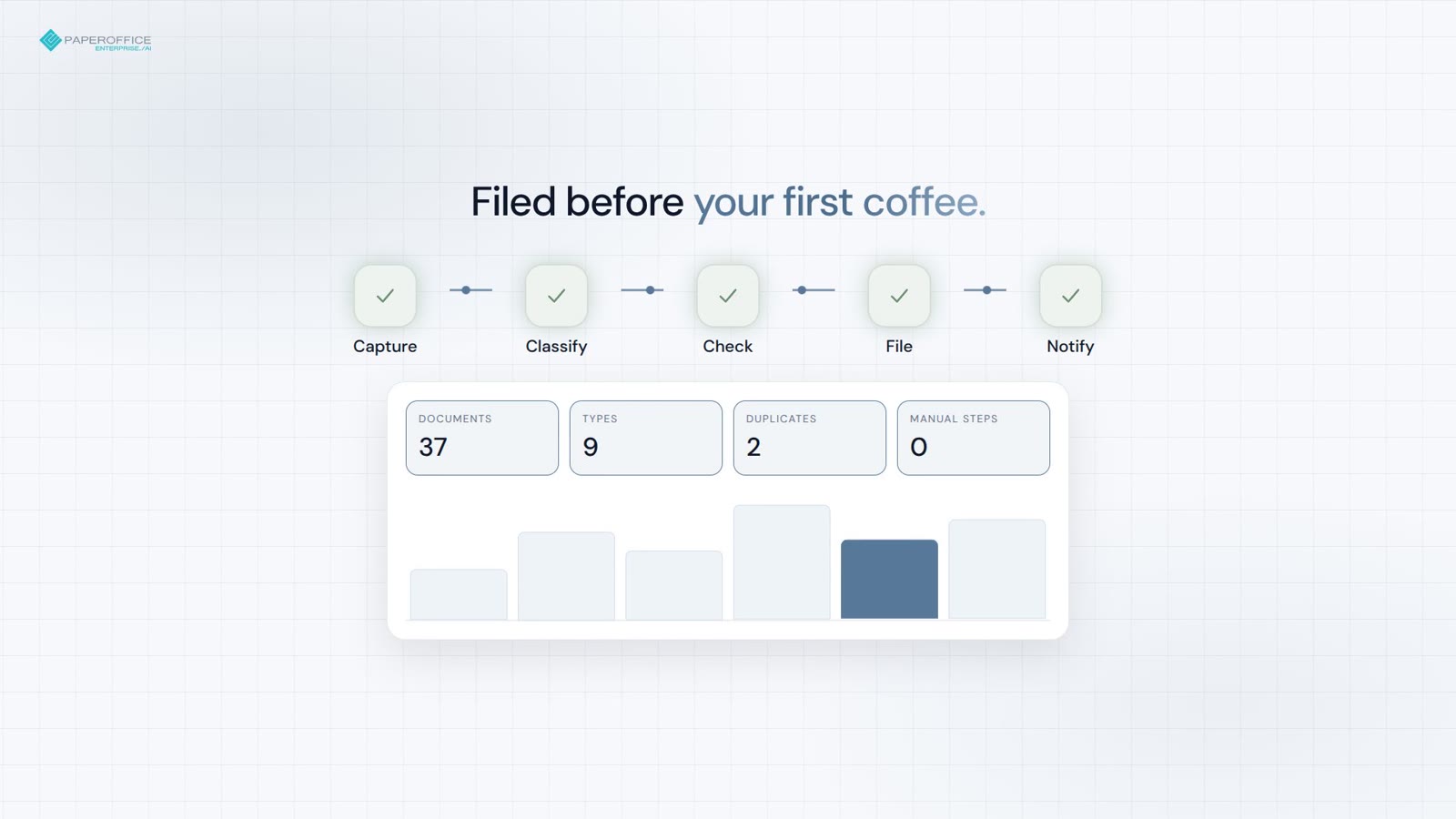
Acquisisca, classifichi e archivi — duplicati e contratti in scadenza segnalati prima del caffè.
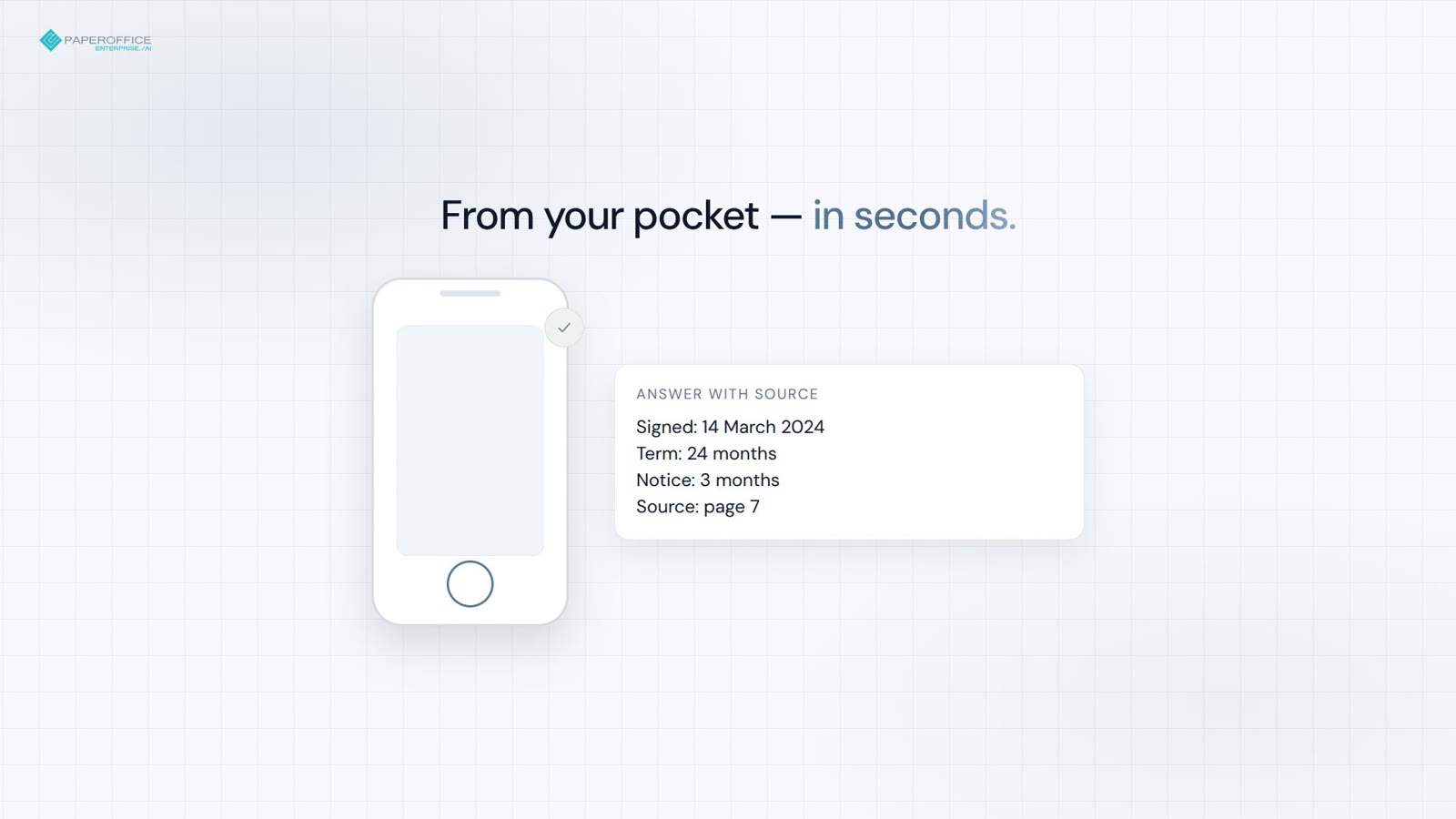
Data di firma, condizioni e riferimento alla pagina — dal suo portafoglio in pochi secondi.
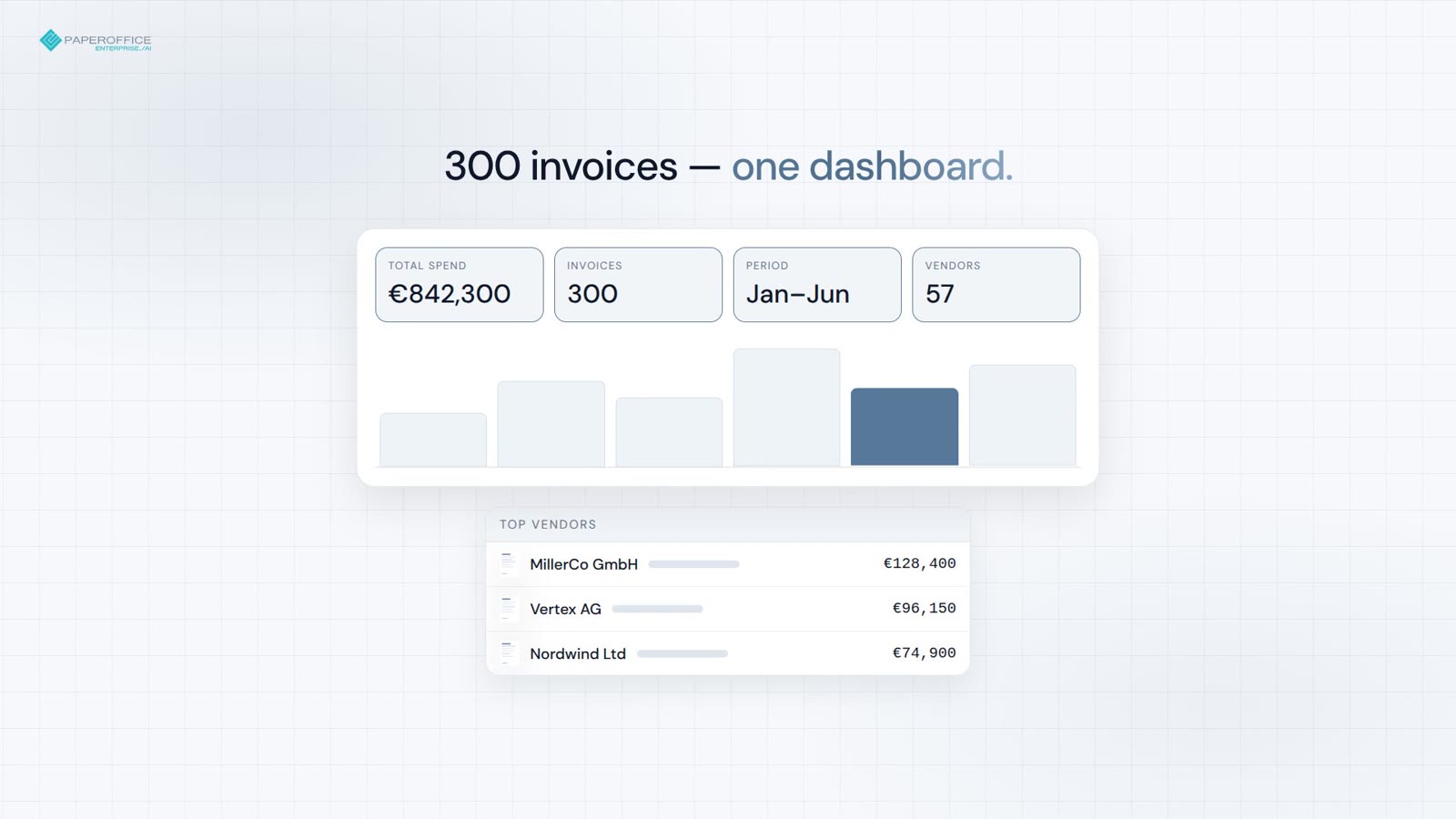
Da 300 fatture a una dashboard pronta per il board con un solo prompt.
Domande frequenti
Prossima fermata
Il prossimo passo consigliato nel funnel degli sviluppatori e due diramazioni pertinenti.


Integrator e Reseller combinabili. Segnalazione solo su invito.
Vedere il programma partner
AI-DMS
Documenti. Intelligenza. Impatto reale.
PaperOffice AI è l’AI-DMS. Quattro aree funzionali sulle stesse fondamenta DMS, disponibili tramite tre accessi.
Panoramica di funzionalità, moduli e vantaggi.
Acquisire, organizzare, cercare e collaborare sui documenti.
Integrarsi senza interruzioni nei sistemi e nei flussi di lavoro di intelligenza artificiale.
Nessuna installazione, pronto in pochi secondi.
Ricerca di tutti gli strumenti