


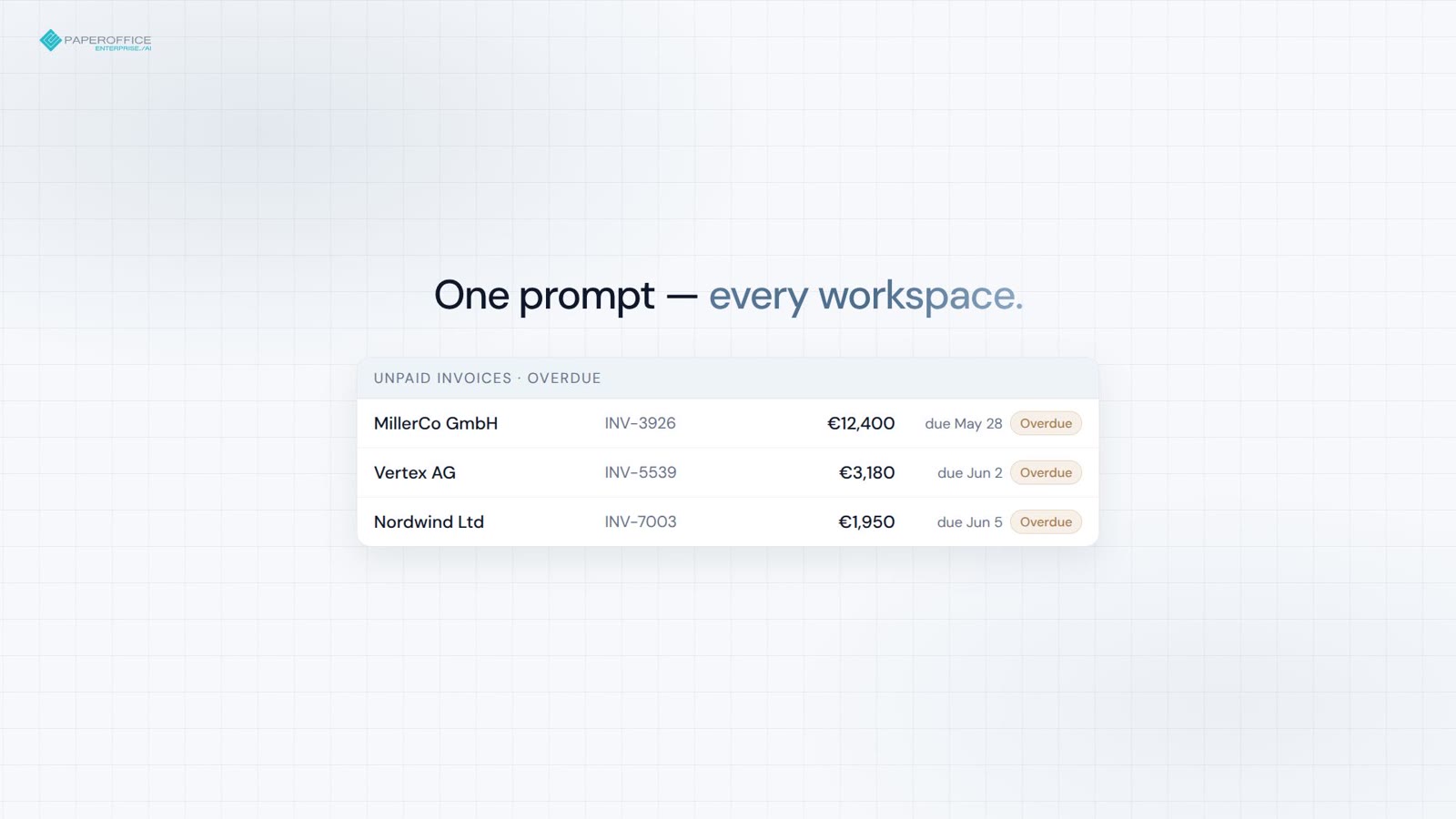
月末請求書処理
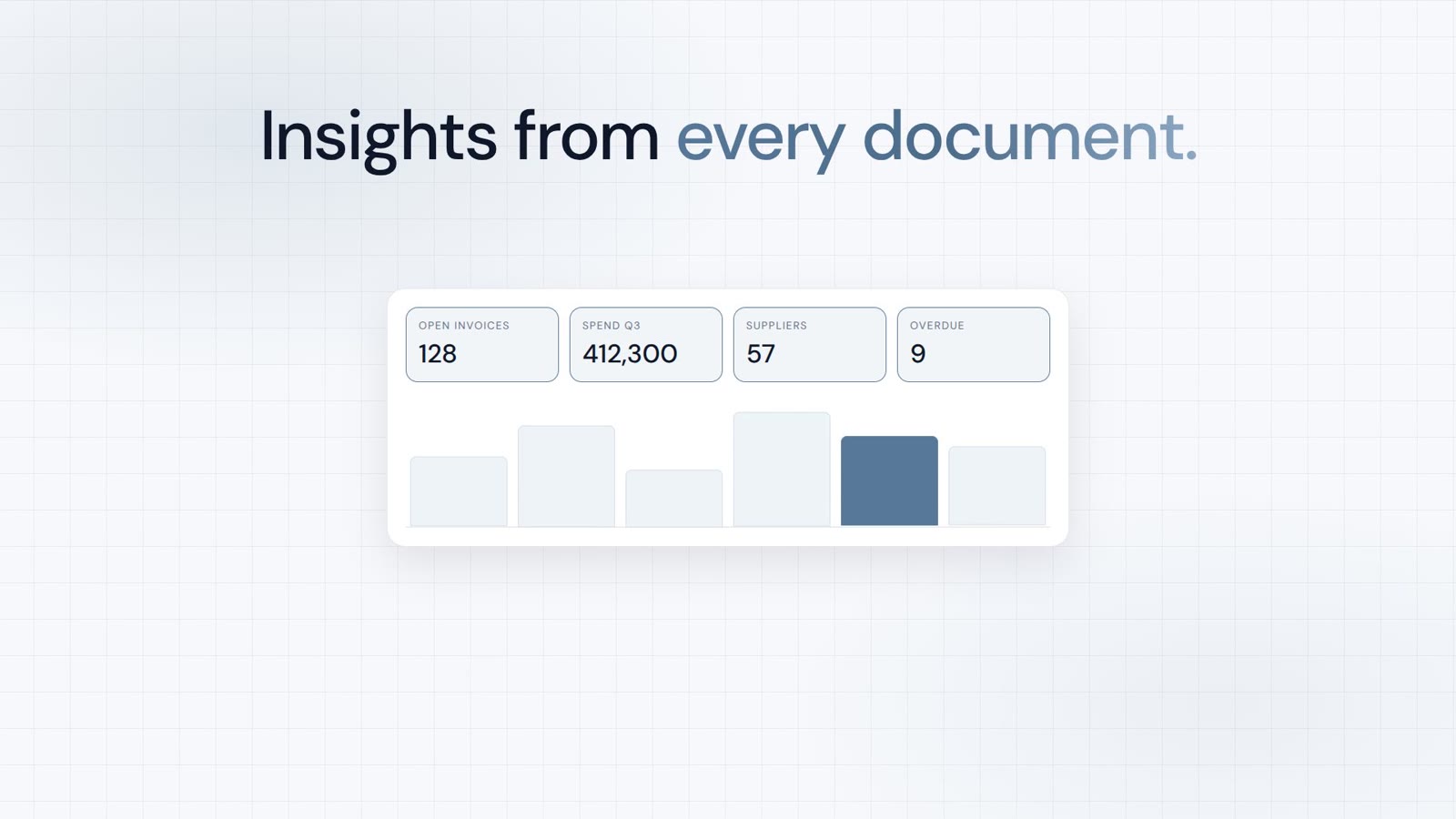
すべてのワークスペースにわたる未払い請求書の合計と超過フラグを 1 つのプロンプトで取得。
MCPサーバー
PaperOffice MCPサーバーは、ドキュメント、検索、ワークフロー、分析をClaude、ChatGPT、およびCursorに統合します。
チャットツールを選択してください。ガイドがクリック一つひとつを丁寧に案内します。インストール不要で、すぐに開始できます — OAuth 2.1。

クイックスタート
ガイドでは、Claude、ChatGPT、またはCursorでのすべてのクリック操作を示します。その下にはコピー用のスニペットのみが表示されます。
/claude ディレクトリ、デモ環境、またはご自身のアカウントをご利用ください。
/chatgpt Connector、デモ環境、またはご自身のアカウントをご利用ください。
/cursor ユーザートークンでmcp.jsonをご利用ください。
コピー用スニペット
{
  "mcpServers": {
    "paperoffice": {
      "url": "https://mcp.paperoffice.ai/claude"
    }
  }
}
Claude ディレクトリURL — OAuth 2.1。TTSなしのドキュメント操作。/claude に挿入;スニペットにベアラートークン不要。
{
  "mcpServers": {
    "paperoffice": {
      "url": "https://mcp.paperoffice.ai/cursor",
      "headers": {
        "Authorization": "Bearer po_ut_..."
      }
    }
  }
}
/dms と同じドキュメント操作カタログ(TTS含む)— ユーザートークン(po_ut_ / po_gt_)、po_sk_ではない。
{
  "mcpServers": {
    "paperoffice": {
      "url": "https://mcp.paperoffice.ai/chatgpt",
      "headers": {
        "Authorization": "Bearer po_ut_..."
      }
    }
  }
}
正規URL:/chatgpt(エイリアス:/openai)。ビジネス文書用の厳選ツールセット。各ツールは個別にリストされており、TTS、OTP、およびアンロックツールは含まれません。OAuth 2.1またはユーザートークン(po_ut_ / po_gt_)を使用します(po_sk_ではありません)。
{
  "mcpServers": {
    "paperoffice-dms": {
      "url": "https://mcp.paperoffice.ai/dms"
    },
    "paperoffice-full": {
      "url": "https://mcp.paperoffice.ai/mcp-full"
    }
  }
}
ライブパス:/dms、/cursor、/claude、/chatgpt(エイリアス /openai)、/muse、/mcp、/mcp-full(300以上)。
エンドポイント
各プロファイルは同じサーバーを指しています — ツールの範囲のみが異なります。どの URL が何に該当するかは、以下の表をご覧ください。
/dms Document Operations — /dmsおよび/cursorで同じカタログ。正規URL。
https://mcp.paperoffice.ai/dms /claude ディレクトリ:TTSなしのDocument Operations — Claude-Directory URL。
https://mcp.paperoffice.ai/claude /cursor /dmsと同じDocument Operationsカタログ(TTSを含む)。
https://mcp.paperoffice.ai/cursor /chatgpt ChatGPTコネクタ — ビジネス文書(請求書、契約書、納品書、領収書)およびナレッジベース記事用の厳選ツールセット。各ツールは個別にリストされています。TTSおよびWorkspaceアンロックは含まれません。エイリアス:/openai。
https://mcp.paperoffice.ai/chatgpt Alias: https://mcp.paperoffice.ai/openai
/muse Meta-Museコネクタ — /chatgptと同じキュレーションされたツールセットですが、ChatGPTでのみ利用可能な添付ファイルアップロードは含まれません。各ツールは個別にリストされます。
https://mcp.paperoffice.ai/muse /mcp 軽量 IDE セット — /cursor のドキュメント操作カタログではありません。
https://mcp.paperoffice.ai/mcp /mcp-full パワーワークフロー用の全 MCP ツール(300+)。
https://mcp.paperoffice.ai/mcp-full /openaiは/chatgptのエイリアスとして引き続き利用可能です。廃止されたモジュールパスはHTTP 410を返します。
キャパビリティ・マトリックス
タスクごとの1行:推奨URLとその理由。この表はこのページ上の唯一の完全なパスリストです。
| タスク | 推奨URL | 理由 |
|---|---|---|
| ドキュメント操作(標準) | /dms | Document Operations(300以上のMCPツール)— /dmsおよび/cursorで同じカタログ。 |
| Claude デスクトップ / Claude コード(ディレクトリURL) | /claude | ディレクトリ:TTSなしのドキュメント操作。各ツールにタイトルと注釈付き。 |
| Cursor コーディング時のIDE | /cursor | /dmsと同じドキュメント操作カタログ(TTSを含む)。 |
| ChatGPTコネクタ | /chatgpt | ChatGPTコネクタ — ビジネス文書およびナレッジベース記事用の厳選ツール。各ツールは個別にリストされています(ツール参照を参照)。エイリアス:/openai。 |
| Meta-Museコネクタ | /muse | /chatgptセットにはChatGPT専用の添付ファイルアップロード機能が含まれておらず、各ツールはツールリファレンスに記載されています。 |
| 軽量IDEセット | /mcp | 検索、読取、分析のためのコンパクトなセットに加え、アップロードとナレッジベース記事の作成が可能です。ただし、ドキュメント操作カタログではありません。 |
| 複雑なマルチステップタスク | /mcp-fullのpo_agents_ask | ホストLLMエージェントは/dmsではなく、フルインターフェース上に留まる。 |
| 移行/すべてのMCPツール | /mcp-full | デバッグおよびレガシーエージェント用の完全なMCPインターフェース(300以上のツール)。 |
廃止されたモジュールパスはHTTP 410を返します。Document Operations /dms を使用してください。
ツール参照
/chatgpt (alias /openai) lists 56 tools; /muse lists 55 — the same set without the ChatGPT-only attachment upload. Each operation is a separate tool with its own description, input schema and MCP annotations; there are no discovery tools and no generic executor.
各ツールには、OAuth 2.1 with PKCE (スコープ mcp:tools) または PaperOffice ユーザーまたはグループトークン (po_ut_ / po_gt_) が必要です。po_sk_ および po_pk_ は拒否されます。呼び出しは接続された PaperOffice ユーザーの権限で実行され、その引数は実行前に公開された入力スキーマに対して検証されます。
各ツールには、readOnlyHint、destructiveHint、idempotentHint、openWorldHint の MCP アノテーションが付いています。ラベルは呼び出しが何を行うかを要約します:
/chatgpt: 56 tools (25 Read, 18 Write, 13 Sensitive write). /muse: 55 tools (25 Read, 17 Write, 13 Sensitive write).
| ツール | ラベル | 使用時 | 入力 | 出力と副作用 | セッションごとの並列呼び出し数 |
|---|---|---|---|---|---|
po_workspaces_listList workspaces | 読み取り | The user names a workspace or asks which workspaces exist, or a workspace_id is needed. | オプションlimitoffsetsearchworkspace_id | Lists ID, name and document count. Locked workspaces are unlocked only in the PaperOffice app. | 4 |
po_documents_searchSearch documents | 読み取り | The user wants to find or list documents by number, name, keyword, type or date. Knowledge base: po_knowledge_search; sums by currency: po_analytics_financial_summary_get. | 必須queryworkspace_idオプションsearch_scopesearch_modelimitpagesort_bydate_fromdate_toissued_date_fromissued_date_todocument_typeinclude_summaryfilename_onlyinclude_historical | Returns pofid, sender, amount. | 4 |
po_documents_getGet document details | 読み取り | The user wants details of one document: type, sender, amounts, dates, summary, processing status. Stored data only; to extract invoice data use po_extraction_invoice. | いずれか1つpofiddocuments_idオプションresolvecompact | 副作用はありません。 | 4 |
po_extraction_invoiceExtract invoice data | 書き込み | The user asks to extract invoice data (supplier, number, dates, line items, VAT, total). Not for personal ID numbers. | いずれか1つpofidfile_urlupload_idオプションmodelidp_fields | Runs a new extraction job (uses credits); poll po_job_get. | 1 |
po_job_getGet job status | 読み取り | An extraction or PDF tool returned a job_id. | 必須job_id | Returns status and, once completed, the result. Poll until completed; stop if it failed. | 4 |
po_analytics_financial_summary_getSummarize document amounts | 読み取り | The user asks for totals or a summary of invoice amounts across documents, e.g. by currency. | オプションperiodworkspace_id | Sums extracted amounts of all documents (not only invoices) per currency, never mixing currencies. | 4 |
po_knowledge_searchSearch knowledge base | 読み取り | The user asks to search their knowledge base or help articles, or asks about their own policies, FAQs or how-tos. | 必須queryオプションkb_idscategory_slugslanguagelimit | Returns matching articles with excerpts; for stored documents use po_documents_search. | 4 |
po_documents_create_from_contentCreate PDF from text | 書き込み | The user asks to create or write a PDF or document (notes, letter, report). | 必須contenttitleworkspace_idオプションcontent_typemetadatalanguageauto_classifycustom_cssheader_htmlfooter_htmlidempotency_key | Pass Markdown text: PaperOffice renders and stores the PDF, returns name and pofid. Costs credits. | 1 |
po_documents_renameRename document | 機密書き込み | The user wants to rename a document or change its file name. | 必須new_file_nameいずれか1つpofiddocuments_id | Overwrites the file name; the original extension (e.g. .pdf) is kept. | 1 |
po_documents_text_getRead document text | 読み取り | The user needs the full text or exact wording of a document. | いずれか1つpofiddocuments_id | Returns its OCR text (only after processing); emails, phone and ID numbers are masked where detected. | 4 |
po_documents_creator_agents_listList Creator Agents | 読み取り | The user wants a quote, letter or certificate on their own template, or asks which Creator Agents exist. | なし | Lists active agents (agent_id, name, template); then use po_documents_creator_agent_preview. | 4 |
po_documents_creator_agent_previewPreview agent document | 書き込み | The user asks a Creator Agent to draft a document, e.g. a quote. | 必須agent_idpromptオプションvariablessource_pofidworkspace_id | Fills the agent's template from the request, its knowledge bases and contacts; stores nothing, costs credits. Returns values, questions, preview_token. | 4 |
po_documents_creator_agent_runCreate agent document | 書き込み | The user approved a Creator Agent preview and wants the document. | 必須agent_idpreview_tokenconfirmオプションvariablesaccept_open_questions | Pass preview_token, confirm=true and answers in variables. Stores the PDF in the workspace (costs credits); a repeat returns the same document. | 1 |
po_documents_upload_filesStore chat attachments/chatgptのみ | 書き込み | The user wants to store files they attached in this chat. To create a PDF from text use po_documents_create_from_content. | 必須filesオプションworkspace_idai_dms_tieron_duplicate | One result per file; retries never store twice; workspace auto-processing may apply. If ChatGPT cannot pass an attachment to this tool (for example BLOCKED_FILE_REFERENCE), call it with files: [] to receive upload_url. | 1 |
po_knowledge_graph_askAsk across documents | 読み取り | A question spans many documents, e.g. which contracts have a termination clause. Best effort; not for knowledge base articles (po_knowledge_search) or totals (po_analytics_financial_summary_get). | 必須questionオプションpofidsearch_scopeworkspace_idworkspace_idsperiod | 副作用はありません。 | 1 |
po_knowledge_get_articleRead knowledge article | 読み取り | The user wants to read one knowledge base article in full, e.g. after a search hit. | 必須idオプションlanguage | Returns its title, text and summary in each language. | 4 |
po_analytics_financial_overdue_getList overdue invoices | 読み取り | The user asks which invoices are overdue. | オプションperiodworkspace_idlimitdays_overdue | Lists documents whose extracted due date has passed, most overdue first, with amount and currency; totals per currency, never mixed. Payment status is not checked. | 4 |
po_documents_processStart AI processing | 機密書き込み | A stored document needs OCR and AI analysis, e.g. it has no text yet. | 必須ai_dms_tierいずれか1つpofiddocuments_idオプションconfirm_reprocessconfirm_tier_downgrade | Runs in the background, costs credits; track via po_documents_get. Re-processing replaces the old analysis. | 1 |
po_documents_downloadGet download link | 読み取り | The user wants to download or save a document's file, e.g. the PDF. | いずれか1つpofiddocuments_id | Returns a temporary link to the stored file, valid for about 10 minutes. | 4 |
po_documents_update_indexUpdate index fields | 機密書き込み | The user wants to set or correct document metadata (index fields), e.g. document_type, sender_name, invoice_number, due_date, total_amount or currency. | 必須fieldsいずれか1つpofiddocuments_idオプションidempotency_key | Only the given fields are overwritten. | 1 |
po_documents_uploadUpload document from URL | 書き込み | The user gives a public file URL to store, or wants a browser upload page (omit file_url). | オプションupload_idfile_urlfile_nameworkspace_idai_dms_tier | Stores a new document; workspace auto-processing may apply. | 1 |
po_extraction_receiptExtract receipt data | 書き込み | The user asks to extract receipt data (merchant, date, items, tax, total), e.g. for expenses. | いずれか1つpofidfile_urlupload_idオプションmodelidp_fields | Runs a new extraction job (uses credits); poll po_job_get. | 1 |
po_extraction_delivery_noteExtract delivery note data | 書き込み | The user asks to extract delivery note data (shipper, recipient, items, quantities, delivery date). | いずれか1つpofidfile_urlupload_idオプションmodelidp_fields | Runs a new extraction job (uses credits); poll po_job_get. | 1 |
po_extraction_purchase_orderExtract purchase order data | 書き込み | The user asks to extract purchase order data (order number, vendor, buyer, items, delivery date, total). | いずれか1つpofidfile_urlupload_idオプションmodelidp_fields | Runs a new extraction job (uses credits); poll po_job_get. | 1 |
po_tasks_list_my_tasksList my tasks | 読み取り | The user asks about their tasks or pending approvals. | オプションstatusprioritystep_typelimitoffset | Lists tasks assigned to them, their role or group (default: open) with ID, status, priority and due date. | 4 |
po_tasks_get_task_detailsGet task details | 読み取り | The user asks what a specific task or approval is about. | 必須task_idオプションinclude_interaction | Returns description, status, due date, history and whether completing needs an approve decision. | 4 |
po_tasks_claim_taskClaim task | 機密書き込み | The user explicitly wants to claim an open task. Optional; if claimed, pass claim_session_id to po_tasks_complete_task or po_tasks_reject_task. | 必須task_id | Locks it to them for 15 minutes and may notify the assignee. | 1 |
po_tasks_complete_taskComplete task | 機密書き込み | The user approves a task or marks it done. | 必須task_idオプションresultcommentclaim_session_id | For approvals pass result {"decision":"approve"}. Final, cannot be undone; reject with po_tasks_reject_task. hitl_review tasks are done in the app. | 1 |
po_tasks_reject_taskReject task | 機密書き込み | The user rejects or declines a task or approval. | 必須task_idreasonオプションclaim_session_id | Records the reason; a waiting workflow continues without the requested action. Final, cannot be undone. hitl_review tasks are done in the app. | 1 |
po_documents_moveMove document | 書き込み | The user wants to move a document to another workspace. | 必須target_workspace_idいずれか1つpofiddocuments_idオプションconfirm | All its versions move along and keep their pofids. Documents under retention or legal hold cannot be moved. | 1 |
po_documents_copyCopy document | 書き込み | The user wants to copy or duplicate a document into a workspace. | 必須target_workspace_idいずれか1つpofiddocuments_idオプションnew_file_name | Each call creates a new copy with its own pofid; a target workspace with automatic AI processing processes it, which costs credits. | 1 |
po_documents_tags_listList document tags | 読み取り | The user asks which tags or labels a document has. | いずれか1つpofiddocuments_id | Returns tag names and colors. | 4 |
po_documents_tags_createAdd document tag | 書き込み | The user wants to tag or label a document. | 必須tag_nameいずれか1つpofiddocuments_idオプションtag_color | Adds one tag per call; a tag the document already has is rejected. | 1 |
po_documents_folders_listList document folders | 読み取り | The user asks for document folders, i.e. bundles of related documents, in a workspace. | 必須workspace_id | Lists folders only; po_documents_search lists documents. | 4 |
po_documents_folders_createCreate document folder | 書き込み | The user wants to bundle or staple related documents, e.g. an invoice and its delivery note, into one new document folder; the files stay separate. | 必須pofidsオプションfolder_namefolder_description | A document can be in only one folder. | 1 |
po_vat_validateValidate EU VAT ID | 読み取り | The user wants to check if a company's EU VAT ID is valid. | 必須vat_id | Checks EU VIES or a recent cached result (check date returned); returns validity and, if disclosed, company name and address. | 4 |
po_currency_convertConvert currency | 読み取り | The user asks to convert an amount to another currency. | 必須fromtoオプションamount | Uses the latest available rate (rate date returned); no historical rates. | 4 |
po_pdfstudio_mergeMerge PDFs | 書き込み | The user wants to merge or combine two or more PDF documents into one file. | いずれか1つpofidsfile_urlsオプションorderoutput_filename | Starts a job; po_job_get returns the download link. | 1 |
po_pdfstudio_splitSplit PDF | 書き込み | The user wants to split a PDF into single pages or page ranges. | いずれか1つpofidfile_urlupload_idオプションmodesplitsoutput_prefix | Starts a job; po_job_get returns the download link(s). | 1 |
po_pdfstudio_compressCompress PDF | 書き込み | The user wants to compress a PDF or reduce its file size. | いずれか1つpofidfile_urlupload_idオプションqualityremove_metadata | Starts a job; po_job_get returns the download link. | 1 |
po_dataripper_office2pdfConvert Office to PDF | 書き込み | The user wants to convert a Word, Excel or PowerPoint file to PDF. | いずれか1つfile_urlupload_id | Pass a public file_url, or omit it to get an upload page, then pass the upload_id shown there. po_job_get returns the PDF link. | 4 |
po_documents_versions_listList document versions | 読み取り | The user asks for earlier versions or the version history of a document. | 必須pofidオプションinclude_trashed | Returns its versions with number, pofid, date, comment and which is current. | 4 |
po_documents_audit_trail_getGet change history | 読み取り | The user asks what changed in a document or workspace, or for an audit trail or change log. | オプションpofiddocuments_idactionworkspace_idlimitoffset | Only revision-secure documents log changes; returns the latest entries with action, field, old and new value. | 4 |
po_documents_trash_listList recycle bin | 読み取り | The user asks what is in the recycle bin or trash, or looks for a deleted document. | オプションworkspace_idpageper_page | Returns deleted documents (newest first, 50 per page) with pofid and days left before permanent deletion. | 4 |
po_documents_restoreRestore document | 書き込み | The user wants to restore or undelete a document from the recycle bin. | いずれか1つpofiddocuments_idオプションtarget_workspace_id | Puts it back with its versions into its original workspace (a fallback one if that was deleted) or target_workspace_id. | 1 |
po_documents_deleteDelete document | 機密書き込み | The user wants to delete a document and all its versions (not a tag or folder entry). | いずれか1つpofiddocuments_idオプションconfirm | Permanent in standard workspaces, recycle bin in business and compliance ones. Retention or legal hold blocks it. | 1 |
po_knowledge_list_basesList knowledge bases | 読み取り | The user asks which knowledge bases they have or a knowledge base ID is needed. | オプションinclude_archived | Returns ID, name, visibility and languages of each active knowledge base. | 4 |
po_knowledge_list_articlesList knowledge articles | 読み取り | The user wants to browse or list the articles of a knowledge base instead of searching. | オプションkb_idpagelimitcategory_idlanguagesearch | Returns articles (50 per page) with IDs, titles, status and content. | 4 |
po_knowledge_categoriesList knowledge categories | 読み取り | The user asks which categories their knowledge base articles are sorted into. | オプションkb_idlanguage | Returns each category's ID, name and article count. | 4 |
po_knowledge_get_baseGet knowledge base | 読み取り | The user asks about one knowledge base's settings, visibility or languages. | 必須id | Returns its details with article and category counts. | 4 |
po_knowledge_add_articleCreate knowledge article | 機密書き込み | The user asks to add or write a new knowledge base article. | 必須kb_idtitlecontentlanguageオプションcategory_idtype | Saves it and indexes it for search; in a public knowledge base it is published at once. | 1 |
po_knowledge_update_articleUpdate knowledge article | 機密書き込み | The user asks to edit or rewrite a knowledge base article. | 必須idlanguageいずれか1つtitlecontentcategory_idtypeis_active | Replaces the title and/or text of one language version and clears its summary and tags; public articles change at once. | 1 |
po_knowledge_translateTranslate knowledge article | 機密書き込み | The user asks to translate a knowledge base article. | 必須idtarget_languageオプションsource_language | AI translates it and saves that language version, replacing an existing one; in a public knowledge base it goes live. Costs credits. | 1 |
po_knowledge_create_baseCreate knowledge base | 機密書き込み | The user asks to create a new knowledge base for help articles. | 必須nameオプションdescriptionprimary_languageenabled_languagesvisibility | By default it is internal (team only) with primary language en; visibility public puts its articles on the help center. | 1 |
po_knowledge_update_baseUpdate knowledge base | 機密書き込み | The user asks to rename a knowledge base, change its description or make it public or internal. | 必須idいずれか1つnamedescriptionvisibilityprimary_languageenabled_languages | Overwrites the given fields; public puts its published articles online, internal takes them offline. | 1 |
po_knowledge_delete_articleDelete knowledge article | 機密書き込み | The user asks to delete a knowledge base article. | 必須id | Permanently removes it in all languages, also from search and the help center; cannot be undone. | 1 |
入力名のカーソルをホバーすると、型と説明が表示されます。最後の列は、MCPセッションで同時に実行できるツールの呼び出し数を示します。
ツールエラーは、isError: trueを含むMCPツール結果として返されます。同じJSONオブジェクトはstructuredContentと最初のテキストコンテンツブロックに格納されています:
{
  "error_code": "WORKSPACE_ACCESS_DENIED",
  "code": "WORKSPACE_ACCESS_DENIED",
  "message": "This connection has no access to this workspace.",
  "details": {
    "error_code": "WORKSPACE_ACCESS_DENIED",
    "workspace_id": 12345
  },
  "hint": "Use po_workspaces_list to see the workspaces this connection can access. Retrying will not change the result."
}error_codemessagedetailshintretryablehttp_status| コード | 意味 | 再試行? |
|---|---|---|
INVALID_PARAMS | 引数がスキーマ検証に失敗しました。詳細はdetails.validation_errorsでフィールドを確認してください。 | いいえ — 引数を修正する |
TOOL_UNKNOWN | この接続にはこの名前のツールが存在しません。コネクタのツールリストから名前を使用してください。 | いいえ |
TOOL_NOT_ON_THIS_CONNECTOR | このツールはPaperOfficeには存在しますが、このコネクタにはありません。ヒントには以下の経路が示されています:po_mcp_tools_call_readまたはpo_mcp_tools_call_write経由で/dmsおよび/cursorにアクセスするか、PaperOfficeアプリ内を確認してください。 | いいえ — ヒントに従ってください |
WORKSPACE_ACCESS_DENIED | 接続はWorkspaceまたはドキュメントにアクセスできません。 | いいえ |
DOCUMENT_NOT_FOUND | 不明なpofidまたはdocuments_idです。 | いいえ |
CONFIRMATION_REQUIRED | この操作には確認が必要です。例えば、6件以上の一括操作、共有の取り消し、または法務保持の解除などです。対象となるアイテムのプレビューが含まれており、確認後にconfirm=trueで呼び出しを再実行してください。 | ユーザーが確認した後 |
APP_ONLY_ACTIONINSTANT_DELETE_APP_ONLYFOLDER_DELETE_NOT_ALLOWED | 最終的な手順はPaperOfficeアプリでのみ実行できます:完全に削除、ゴミ箱の空欄化、Workspaceの削除、ゴミ箱内の保持変更、またはフォルダ全体の削除。MCP経由で削除されたドキュメントはゴミ箱に移動されます。 | いいえ — アプリ内で実行してください |
LEGAL_HOLD_ACTIVEUNDER_RETENTIONWORM_PROTECTED | ドキュメントは保護されています。変更は拒否されました。 | いいえ |
GROUP_RESTRICTION | トークンのグループにこの権限(例:削除)がありません。 | いいえ |
PLAN_UPGRADE_REQUIRED | この機能は上位プランから利用可能です。詳細な必要プランは details.required_plan で、プランのページは details.plans_url で確認できます。 | いいえ — プランをアップグレードした後に再試行してください |
INSUFFICIENT_CREDITS | Creditsが不足しています(HTTP 402)。請求されていません。 | チャージ後 |
TASK_REQUIRES_APP_REVIEWCLAIM_SESSION_MISMATCHTASK_CLAIM_EXPIRED | 承認タスクの決定を保存できませんでした。ヒントには次のステップが記載されています。 | ヒントに記載されている通りです |
TRANSLATION_IN_PROGRESS | ナレッジベースでの翻訳処理がまだ進行中です。 | はい、約60秒後に同じ引数で再試行します |
WRITE_OUTCOME_UNKNOWN | ナレッジベースへの書き込み処理がタイムアウトにより応答を取得できませんでした。おそらく保存されています。 | まず確認してから再試行してください |
TRANSIENT_TRANSPORT_ERROR | バックエンドでタイムアウト(408)またはHTTP 429、502、503、504が発生しました。details.retryableはtrue、suggested_backoff_msは2000であり、details.http_statusが原因を示します。 | はい、待機時間後に再試行します |
SESSION_BUSYACCOUNT_BUSY | 同時呼び出しの制限に達しました(レート制限を参照してください)。retry_safeはtrueであり、retry_after_msが含まれています。 | はい、retry_after_ms後に再試行します |
MCP_MAINTENANCE | サーバーのメンテナンスまたは再起動; retry_after_ms は 2000 です。 | はい |
SECRET_ARGUMENT_REJECTED | 引数がアクセス日付のように見えました; ツールの引数にはトークンやパスワードを含めることはできません。 | いいえ |
TOOL_ERROR | 特定のコードに該当しない場合の一般的なフォールバック。 | メッセージ内容によります |
エラーではありません: ファイル入力が不足している場合、ファイルベースのツール(抽出、PDF)は、FILE_UPLOAD_REQUIRED で始まり、受け入れ可能な入力またはブラウザアップロードページを指定する通常のテキスト結果を返します。
トランスポートレベルでは、不足している、無効な、期限切れまたは取り消されたトークンに対して HTTP 401 が WWW-Authenticate ヘッダーとともに返されます(OAuth を再実行してください)。ログインまたはツールカタログが一時的に利用できない場合、サーバーは HTTP 503 と Retry-After(2〜5 秒)で応答します。
ツール
MCPツールはタスク別にグループ化されています。クライアントはタイトルと短い説明でそれらを表示し、適切なツールを自分で選択します。
ドキュメント、OCR、IDP、検索、PDF 操作、署名、AI-DMS。
document-ai ワークフロー、ジョブ、タスク、HITL、承認、プロセス自動化。
workflow-ai CRM、パートナー、リード、ヘルプデスクおよび予定。
relations-ai 分析、BI、ナレッジグラフ、エンティティおよびRAG。
analytics-ai イメージスタジオ、TTS(音声合成)、STT(音声認識)および翻訳。
media-ai 検証、付加価値税、通貨、地理空間データおよびセキュリティルックアップ。
data-ai カバーされる領域
例
日常の4つの文と、クライアントが呼び出すMCPツール。権限はチャットではなくワークスペースから付与されます。
添付された請求書からすべてのデータを抽出してください。
po_aiocr_analyze 請求書を分析しました — 抽出されたデータ:
このドキュメントを「請求書-2026-0042」に名前を変更してください。
po_documents_rename ドキュメントの名前を変更しました:
ページ2にレビューコメントを追加してください。
po_documents_comments_create コメントを作成しました:
当社の文書量はどのように推移しましたか?
po_analytics_trends_get 過去6ヶ月のトレンド分析:
特徴
MCPサーバーはREST APIのラッパーではありません — あなたのアカウント権限、Workspaces、クレジットを備えた同じコアです。
ClaudeおよびChatGPT用のOAuth;Cursor用のユーザートークン(po_ut_ / po_gt_)— po_sk_はブロックされています。
PaperOfficeの埋め込みと全文検索が連携し、クライアントが適切なツールを見つけられるようにします。
プレサインドアップロードURL — チャット内でBase64は使用しません。
自然言語によるビジネスケース、タイムライン、およびドキュメント関係。
ご要望に応じて、トレンド、財務データ、ヒートマップ、およびWorkspaceメトリクスをご提供します。
当社の独自EUインフラでの処理 — アプリケーションと同じ権限とWorkspacesに対応しています。
ユースケース
Claude を活用した 4 つの実際のワークフロー — それぞれ短い動画付き。詳細記事は下記リンクから。
よくある質問
次のステップ
開発者向けファネルにおける推奨される次のステップと、関連する2つの分岐先。

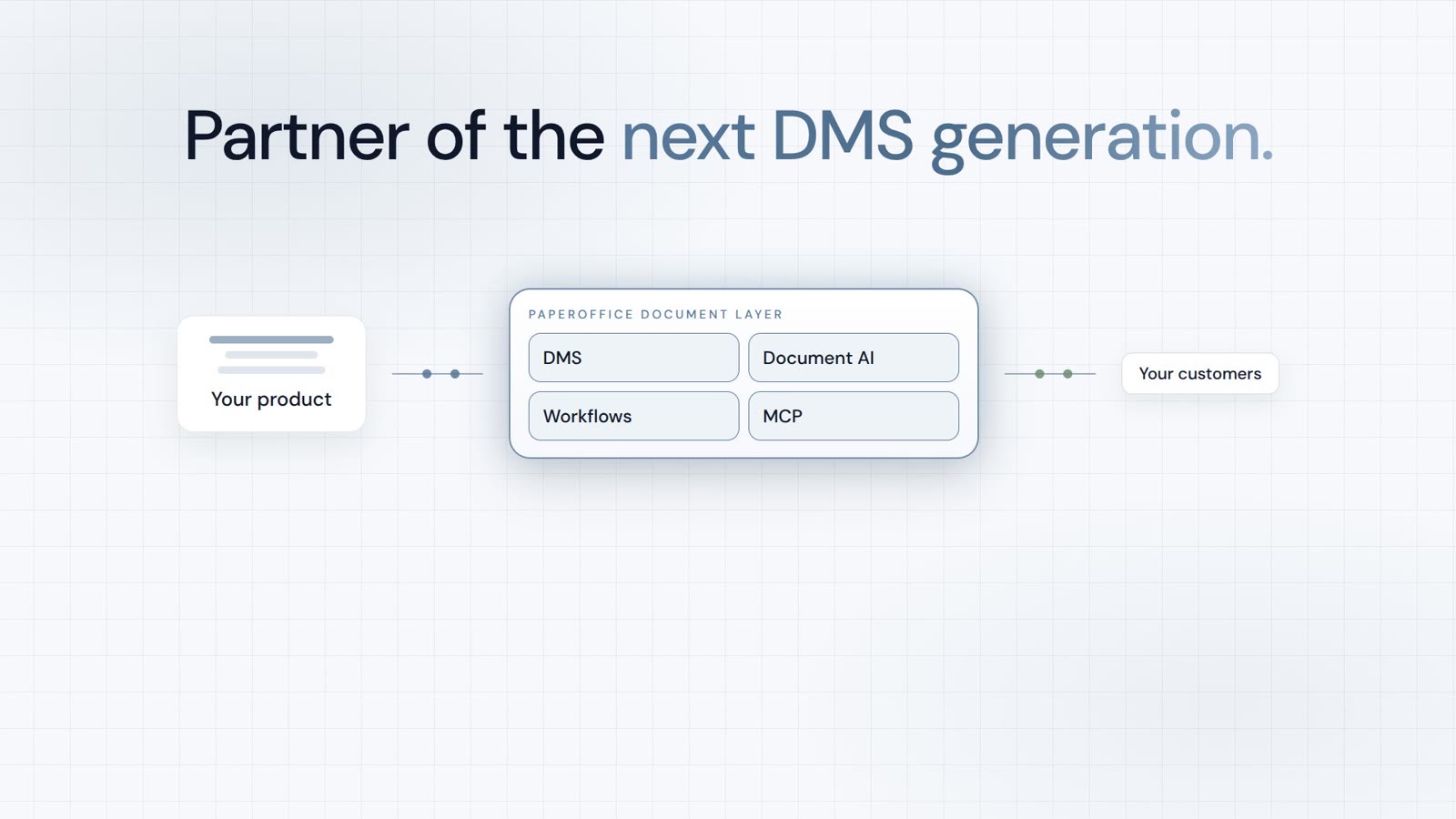
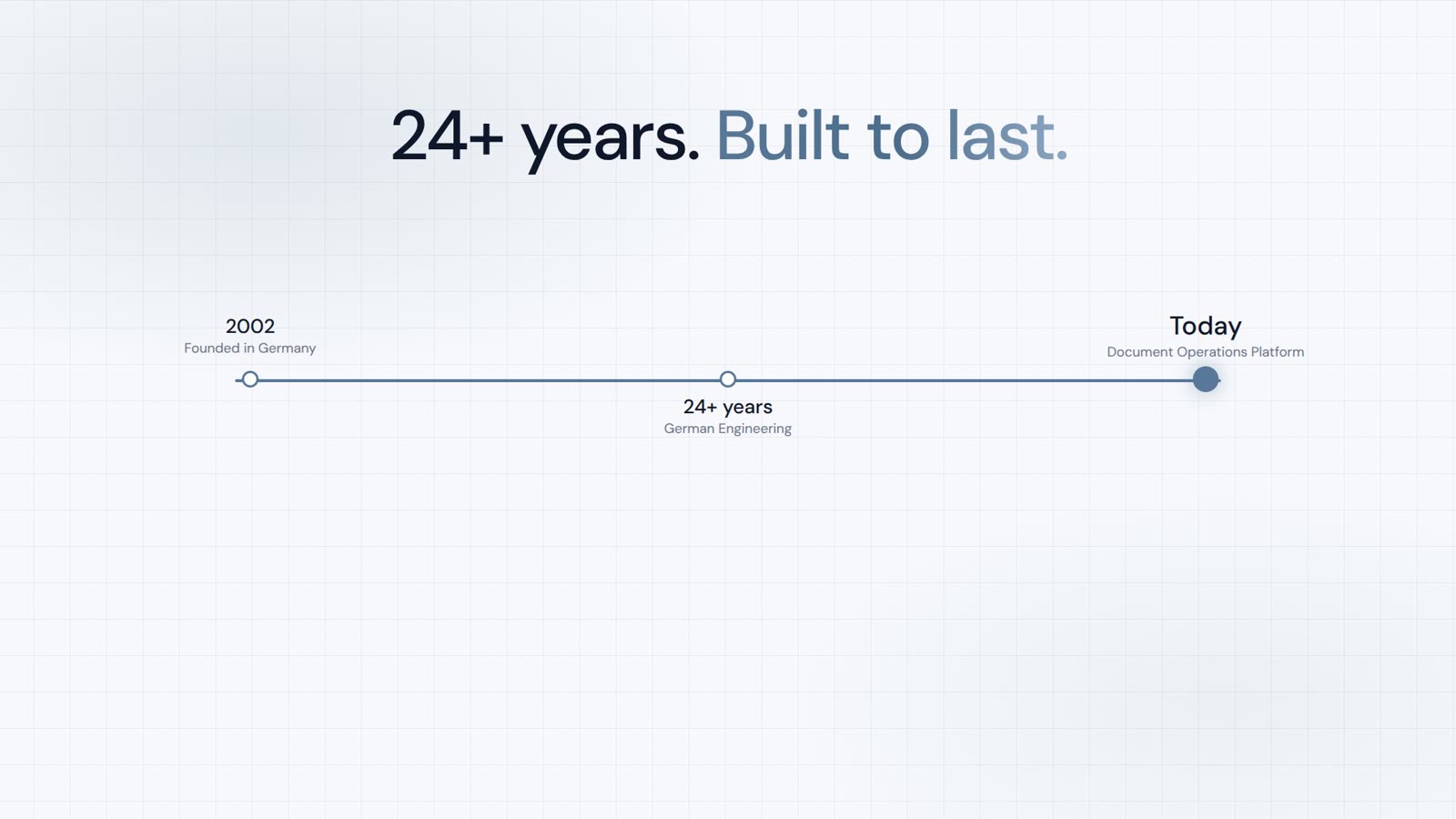
AI-DMS
ドキュメント。インテリジェンス。真の効果。
PaperOffice AIは、AI-DMSです。1つのDMS基盤の上に4つの機能領域を備え、3つのアクセス方法でご利用いただけます。
機能、モジュール、および利点の概要。
文書の取得、整理、検索、共同編集。
あなたのシステムやAIワークフローにシームレスに統合。
インストール不要、数秒で準備完了です。
すべてのツールを検索