



Preskočiť na obsah
Prehľad Prehľad Novinky Novinky
Zdieľať

Cookbook

Prompty na kopírovanie. Hotové príklady API.

28 promptov pre Document AI, Data APIs a IDE-workflow — skopírujte, vložte, získajte kód.

Súbor llms.txt od PaperOffice číta každé moderné LLM: Claude, Cursor a vaša IDE napíše zvyšok.

28 hotových promptov Skutočné endpointy REST a MCP

Integrácia

Od llms.txt k bežiacej integrácii

Tri kroky: Odkazovať na dokumentáciu, určiť úmysel, prevziať kód.

  1. Vložiť llms.txt

    Vložiť do Claude, Cursor alebo vášho IDE.

  2. Zadanie zámeru

    Čo má byť vytvorené — alebo prompt z tejto stránky.

  3. Nechať napísať kód

    IDE poskytuje bežiacu integráciu.

Document AI

Čítať, kontrolovať a odosielať dokumenty

Skopírovať prompt, vložiť do Claude alebo Cursor — hotovo.

IDP faktúra + AI-OCR + Bounding Boxes

Extrakcia polí faktúry vrátane pozície v dokumente.

Prompt
Read this llms.txt (AI-optimized API docs):
https://api.paperoffice.ai/latest/docs/llms.txt

Build me an invoice extractor that:
1. Uploads a PDF via POST /job/add/workflow (multipart, field file_1)
2. Uses idp_collection=invoice, processing_lane=instant (sync)
3. Reads every field from result.pages_idp[0].suggested_fields
   (keys like _supplier_name, _total_amount, _invoice_date)
   and the boxes from result.pages_aiocr.pages
4. Renders a verification view highlighting each value
   at its bounding box position

Auth: Authorization: Bearer po_ut_YOUR_API_KEY
AI-OCR — Text z obrázka/PDF

Úplný text cez POST /job/add/paperoffice_aiocr___generate (ocr_mode=complete).

Prompt
Read this llms.txt (AI-optimized API docs):
https://api.paperoffice.ai/latest/docs/llms.txt

Write a minimal script that:
1. Sends an image or PDF to POST /job/add/paperoffice_aiocr___generate
   (multipart, field file_1)
2. Uses ocr_mode=complete and processing_lane=instant (sync)
3. Prints the extracted text from result ?? job_result (pages)

Modes: complete (+tables), grid (+bounding boxes), text (plain).
Auth: Authorization: Bearer po_ut_YOUR_API_KEY

Rozdelenie AI PDF — Rozdelenie zjednoteného PDF

Zistiť hranice dokumentov a pomenovať jednotlivé súbory.

Prompt
Read this llms.txt (AI-optimized API docs):
https://api.paperoffice.ai/latest/docs/llms.txt

Build a splitter for large batch PDFs (up to 3000 pages):
1. POST /job/add/workflow with template=pdf_ai_split (multipart, field file)
2. naming_instruction=Dokumenttyp_Datum_Absender,
   locale=de_DE, processing_lane=instant
3. List every created document from the result
   (suggested filename + page range)

The AI detects document boundaries automatically.
Auth: Authorization: Bearer po_ut_YOUR_API_KEY

Anonymizácia dokumentu — Zatemnenie PII

Zistiť mená, IBAN a adresy a redigovať ich.

Prompt
Read this llms.txt (AI-optimized API docs):
https://api.paperoffice.ai/latest/docs/llms.txt
Also use llms-full.txt for anonymize parameters (scenario, apply).

Build a GDPR anonymizer (preview → apply):
1. POST /job/add/workflow template=document_anonymize_preview (field file)
2. Set scenario=gdpr_auskunft (or externe_weitergabe / finanzdaten),
   redact_categories=all, optional whitelist / custom_redact
3. client_wait=false then poll GET /job/get/{job_id}
4. Show detected_pii.redact_box_ids + simplified_boxes
5. Apply: POST /job/add/paperoffice_dataripper___redact_image
   with files + bounding_boxes + redact_boxes from the preview
   (or MCP: po_anonymization_pii_detect → po_anonymization_redaction_apply
   with preview_job_id)
Optional one-shot: REST template=document_anonymize OR MCP po_anonymization_anonymize
  (no HITL; pass scenario/whitelist).
Redact Agent: POST /documents/redact-agent-run or MCP po_documents_redact_agent_run.

Auth: Authorization: Bearer po_ut_YOUR_API_KEY

Hlas TTS — Text na audio

Synchronné MP3 cez voice=Nadja (a ďalšie).

Prompt
Read this llms.txt (AI-optimized API docs):
https://api.paperoffice.ai/latest/docs/llms.txt

Build a text-to-speech generator:
1. POST /job/add/paperoffice_voice___tts with text=..., voice=Nadja,
   output_format=mp3
2. output=url and processing_lane=instant for a synchronous audio link
3. Play or download the audio URL from result ?? job_result

Voices: Nadja, Thomas, Anna, Hans (DE) + 100+ more.
Auth: Authorization: Bearer po_ut_YOUR_API_KEY

IDP Zmluva + AI-OCR + Bounding Boxes

Extrahovať polia zmluvy vrátane pozície v dokumente.

Prompt
Read this llms.txt (AI-optimized API docs):
https://api.paperoffice.ai/latest/docs/llms.txt

Build a contract extractor that:
1. Uploads a PDF via POST /job/add/workflow (multipart, field file_1)
2. Uses idp_collection=contract, processing_lane=instant (sync)
3. Reads parties, dates and notice period from
   result.pages_idp[0].suggested_fields (value + bounding box)
4. Renders a verification view with bounding boxes

Auth: Authorization: Bearer po_ut_YOUR_API_KEY

E-signum — Vytvoriť požiadavku na podpis

Pozvať podpisujúceho a riadiť stav/pripomienky.

Prompt
Read this llms.txt (AI-optimized API docs):
https://api.paperoffice.ai/latest/docs/llms.txt

Build an e-signature request flow:
1. Ensure the document has a pofid in PaperOffice
2. POST /signatures/create with document_pofid (or pofid)
   and a signers array (name + email per signer)
3. Return the signature request id and status
4. Optionally POST /signatures/remind for pending signers

Auth: Authorization: Bearer po_ut_YOUR_API_KEY

Digitálny doporučený list — Odoslať e-mailom

Bezpečné doručenie s heslom PDF (e-mail alebo SMS) a protokolom odoslania.

Prompt
Read this llms.txt (AI-optimized API docs):
https://api.paperoffice.ai/latest/docs/llms.txt

Build a secure document delivery (digital registered mail):
1. POST /document_delivery/create_and_send with:
   pofids: ["POFID_HERE"],
   recipient_email, optional recipient_name,
   subject, optional message
2. security_mode=link → PDF password in the same email
   security_mode=secure_sms → link by email, password by SMS
   (requires recipient_phone in E.164, e.g. +49170…)
3. Show delivery_id and that access events are logged
   (Versandhistorie / delivery log)

Auth: Authorization: Bearer po_ut_YOUR_API_KEY

Dáta a bezpečnosť APIs

Skontrolovať polohu, riziko a základné údaje

Geokódovanie, počasie, odtlačok prsta, DIČ a viac — ako prompt.

Geokódovanie — Forward / Reverse / Autocomplete

Adresa ↔ Súradnice.

Prompt
Read this llms.txt (AI-optimized API docs):
https://api.paperoffice.ai/latest/docs/llms.txt

Build a geocoding helper that:
1. Forward: GET /geocoding/forward?q=...&lang=de
2. Reverse: GET /geocoding/reverse?lat=...&lon=...
3. Autocomplete: GET /geocoding/autocomplete?q=...
4. Prints display_name, lat, lon and credits_billed

Auth: Authorization: Bearer po_ut_YOUR_API_KEY

Počasie — Aktuálne + Kvalita vzduchu

Aktuálne počasie vrátane fakturácie.

Prompt
Read this llms.txt (AI-optimized API docs):
https://api.paperoffice.ai/latest/docs/llms.txt

Build a weather lookup that:
1. Calls GET /weather/current?lat=...&lon=...&lang=de
2. Shows temperature, condition text and air quality if present
3. Displays credits_billed from the response

Auth: Authorization: Bearer po_ut_YOUR_API_KEY

IP2Location — IP → Umiestnenie

Umiestnenie z IP, voliteľne Počasie.

Prompt
Read this llms.txt (AI-optimized API docs):
https://api.paperoffice.ai/latest/docs/llms.txt

Build an IP intelligence client that:
1. Calls GET /ip2location/full (empty ip = visitor IP)
2. Extracts country, city, geo_lat/lon, ISP
3. Optionally chains weather from the same response

Auth: Authorization: Bearer po_ut_YOUR_API_KEY

Odtlačok zariadenia — ID návštevníka

ID návštevníka a dôvera.

Prompt
Read this llms.txt (AI-optimized API docs):
https://api.paperoffice.ai/latest/docs/llms.txt

Build a device fingerprint check that:
1. Collects client signals in the browser
2. POSTs to /fingerprint/identify
3. Returns visitor_id / confidence for fraud checks

Auth: Authorization: Bearer po_ut_YOUR_API_KEY

Detektor falošných e-mailov — Kontrola jednorazových adries

Jednorazový e-mail a skóre rizika.

Prompt
Read this llms.txt (AI-optimized API docs):
https://api.paperoffice.ai/latest/docs/llms.txt

Build an email risk checker that:
1. Validates an address via the Fake Email Detector endpoint
2. Flags disposable / role / invalid domains
3. Returns a clear allow/deny recommendation

Auth: Authorization: Bearer po_ut_YOUR_API_KEY

Kontrola VPN / Anonymity

VPN, Proxy, Tor, Dátové centrum.

Prompt
Read this llms.txt (AI-optimized API docs):
https://api.paperoffice.ai/latest/docs/llms.txt

Build a VPN/proxy detector that:
1. Calls GET /ip2location/vpn?ip=...
2. Normalizes is_vpn, is_proxy, is_tor, is_datacenter flags
3. Shows a clear risk badge for the visitor

Auth: Authorization: Bearer po_ut_YOUR_API_KEY

Overovač DPH — DIČ EÚ

Platnosť a údaje o firme.

Prompt
Read this llms.txt (AI-optimized API docs):
https://api.paperoffice.ai/latest/docs/llms.txt

Build a VAT ID validator that:
1. Checks an EU VAT number via the VAT validator endpoint
2. Returns company name and address when valid
3. Handles invalid / not-found responses cleanly

Auth: Authorization: Bearer po_ut_YOUR_API_KEY

Výmena mien — Živé kurzy

Prevod s aktuálnym kurzom.

Prompt
Read this llms.txt (AI-optimized API docs):
https://api.paperoffice.ai/latest/docs/llms.txt

Build a currency converter that:
1. Calls the currency exchange endpoint (from, to, amount)
2. Shows rate and converted amount
3. Caches the last rate for the UI

Auth: Authorization: Bearer po_ut_YOUR_API_KEY

IDE & AI nástroje

Pre Claude, Cursor a vašu IDE

Prompty, ktoré fungujú v IDE — vrátane MCP servera.

IDP fakturačný pipeline + Bounding Boxes + CSV

Batch extrakcia s overovacími súradnicami.

Prompt
Read this llms.txt (AI-optimized API docs):
https://api.paperoffice.ai/latest/docs/llms.txt

Create a Python script that:
1. Takes a folder of invoice PDFs
2. Extracts all fields using POST /job/add/workflow with idp_collection=invoice
3. Returns bounding boxes for verification (result.pages_aiocr)
4. Exports to CSV

Important: Use file_1 for uploads; fields live in result.pages_idp[0].suggested_fields.
Handle sync (HTTP 200 with result) and async (HTTP 202 → poll GET /job/get/{job_id}).
Auth: Authorization: Bearer po_ut_YOUR_API_KEY

MCP server — Document AI v IDE

Pripojenie MCP a spracovanie dokumentov z workspace.

Prompt
Read this llms.txt (AI-optimized API docs):
https://api.paperoffice.ai/latest/docs/llms.txt

Help me set up the MCP Server for PaperOffice in Cursor.
I want to use Document AI directly in my IDE.

Show me:
1. How to configure the MCP connection (URL https://mcp.paperoffice.ai/cursor)
2. Available tools via tools/list
3. How to process documents from my workspace

Auth: Authorization: Bearer po_ut_YOUR_API_KEY

Hlasový agent — STT + TTS

Spracovať hlasový vstup a vrátiť audio odpoveď.

Prompt
Read this llms.txt (AI-optimized API docs):
https://api.paperoffice.ai/latest/docs/llms.txt

Create a voice agent that:
1. Takes audio input (Speech-to-Text)
2. Processes the text
3. Generates audio response (Text-to-Speech)

Use these pipelines:
- STT: POST /job/add/paperoffice_voice___stt (audio_file)
- TTS: POST /job/add/paperoffice_voice___tts (text, voice=Nadja,
  output_format=mp3, output=url)
- Use processing_lane=instant for a synchronous response.
Auth: Authorization: Bearer po_ut_YOUR_API_KEY

Detekcia podvodov — Odtlačok zariadenia + IP

Skontrolovať signály odtlačku zariadenia a geo/IP.

Prompt
Read this llms.txt (AI-optimized API docs):
https://api.paperoffice.ai/latest/docs/llms.txt

Build a fraud detection system that:
1. Checks device fingerprints
2. Validates IP geolocation
3. Detects suspicious patterns

Use the Security & Data AI endpoints.
These are instant APIs (no polling needed).
Auth: Authorization: Bearer po_ut_YOUR_API_KEY

Asynchrónne rozdelenie PDF pomocou AI

Asynchrónne rozdeliť priečinok s veľkými PDF súbormi.

Prompt
Read this llms.txt (AI-optimized API docs):
https://api.paperoffice.ai/latest/docs/llms.txt

Create a batch processor that:
1. Takes a folder of large PDFs (up to 3000 pages each)
2. Uses POST /job/add/workflow with template=pdf_ai_split
3. Uses naming_instruction for smart filenames
4. Handles async jobs (HTTP 202) by polling GET /job/get/{job_id}

Use locale=de_DE for German document types.
Auth: Authorization: Bearer po_ut_YOUR_API_KEY

Klasifikátor dokumentov — OCR + priečinok

OCR, klasifikovať a zoradiť do podpriečinkov.

Prompt
Read this llms.txt (AI-optimized API docs):
https://api.paperoffice.ai/latest/docs/llms.txt

Build a document classifier that:
1. Watches a folder for new PDFs
2. Uses OCR (POST /job/add/paperoffice_aiocr___generate, ocr_mode=complete)
   to extract text
3. Classifies into: invoice, contract, receipt, correspondence
4. Moves files to category subfolders
5. Logs results to classification_log.csv

Authenticate with: Authorization: Bearer po_ut_YOUR_API_KEY.
processing_lane=instant for a synchronous response.

Koniec-koncu

Kompletné pipeline

Od vstupu po export — každá stanica v rovnakom prompte.

IDP faktúry → export do účtovníctva

Nahranie PDF → AI-IDP + ohraničujúce boxy → Validácia → Export do CSV

Prompt
Read this llms.txt (AI-optimized API docs):
https://api.paperoffice.ai/latest/docs/llms.txt

Build an accounts-payable pipeline:
1. Watch a folder for incoming invoice PDFs
2. Extract fields via POST /job/add/workflow (file_1,
   idp_collection=invoice, processing_lane=instant)
3. Flag every field with confidence < 0.9 for manual review,
   including its bounding box for the verification UI
   (result.pages_idp[0].suggested_fields + result.pages_aiocr)
4. Export supplier, total, date and IBAN as CSV for the accounting import

Auth: Authorization: Bearer po_ut_YOUR_API_KEY

IDP zmluvy + výstrahy k termínom

Nahranie zmluvy → Kľúčové pojmy → Knowledge Graph → Výstrahy

Prompt
Read this llms.txt (AI-optimized API docs):
https://api.paperoffice.ai/latest/docs/llms.txt

Build a contract analyzer:
1. Upload contracts via POST /job/add/workflow (file_1,
   idp_collection=contract, processing_lane=instant)
2. Extract parties, start date, end date and notice period
   from result.pages_idp[0].suggested_fields (each with a bounding box)
3. Store the key terms in a knowledge graph
4. Alert me 90 days before a notice period expires

Auth: Authorization: Bearer po_ut_YOUR_API_KEY

PDF Konvertierung — Word / PowerPoint / PDF/A

PDF nahrať → Vybrať formát → Konverzia → Stiahnuť

Prompt
Read this llms.txt (AI-optimized API docs):
https://api.paperoffice.ai/latest/docs/llms.txt

Build a PDF converter service:
1. One pipeline per target format (field file_1):
   POST /job/add/pdfstudio___pdf_to_word | pdfstudio___pdf_to_powerpoint |
   pdfstudio___pdf_to_pdfa | pdfstudio___pdf_to_webp
2. processing_lane=instant for a synchronous response
3. Return the download URL from result ?? job_result

Auth: Authorization: Bearer po_ut_YOUR_API_KEY

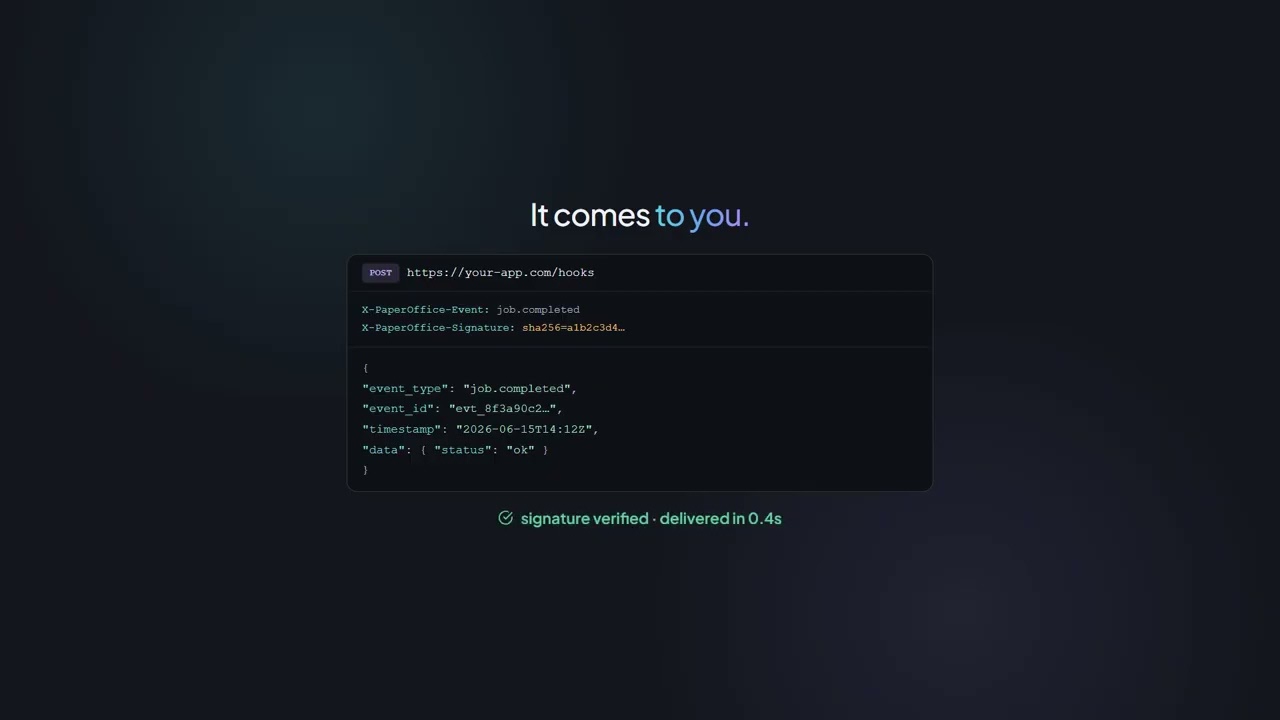
Webhooky — spracovať job.completed

Registrovať webhook → Odoslať dokument → Prijať udalosť → Spracovať

Prompt
Read this llms.txt (AI-optimized API docs):
https://api.paperoffice.ai/latest/docs/llms.txt

Build a webhook event handler:
1. Register a webhook via POST /webhooks/subscribe
   (url, events: ["job.completed", "job.failed"], secret)
2. Verify the HMAC-SHA256 signature of every delivery
   with the subscription secret (see llms-full.txt, webhooks)
3. Process the payload whenever job.completed arrives

Note: webhooks always require a token (account binding).
Auth: Authorization: Bearer po_ut_YOUR_API_KEY

OCR → TTS — Dokument do audia

OCR dokumentu → Úprava textu → Generovanie TTS → Uloženie audia

Prompt
Read this llms.txt (AI-optimized API docs):
https://api.paperoffice.ai/latest/docs/llms.txt

Build a document-to-audio pipeline:
1. OCR via POST /job/add/paperoffice_aiocr___generate
   (file_1, ocr_mode=complete, processing_lane=instant)
2. Split the extracted text (result ?? job_result, pages) into 5000-character chunks
3. TTS per chunk: POST /job/add/paperoffice_voice___tts (text, voice=Nadja,
   output_format=mp3, output=url, processing_lane=instant)
4. Save all returned audio URLs as a playlist

Auth: Authorization: Bearer po_ut_YOUR_API_KEY

Hromadné OCR → Export do CSV

Skenovanie priečinka → Hromadné OCR → Zber textu → Export do CSV

Prompt
Read this llms.txt (AI-optimized API docs):
https://api.paperoffice.ai/latest/docs/llms.txt

Build a batch OCR-to-CSV exporter:
1. Scan a folder for PDF/PNG/JPG/TIFF/WEBP files
2. For each file: POST /job/add/paperoffice_aiocr___generate
   (file_1, ocr_mode=complete, processing_lane=instant)
3. Collect filename, page_count, text preview and confidence
4. Write everything to ocr_results.csv

Auth: Authorization: Bearer po_ut_YOUR_API_KEY

Ďalší krok

Pokračovať s API

llms.txt a Playground — bez obchádzok.

Token pre REST a MCP Odpoveď s credits_billed Vlastná infraštruktúra v EÚ
Video

Cookbook v akcii

Pozrite si, ako PaperOffice API funguje v praxi — vo videu.

Cookbook v akcii

Často kladené otázky

Všetko dôležité na jednom mieste

Potrebujem SDK?

Nie. PaperOffice API je čisté REST: jeden endpoint, bearer token, multipart/form-data. Pre IDE a agentov je navyše k dispozícii aj MCP server.

Prečo je llms.txt v každom prompte?

llms.txt je strojovo čitateľná verzia dokumentácie API. Váš model z nej číta endpointy, parametre a formáty odpovedí — a nevytvára žiadne nové polia.

Aký kľúč mám zadať?

Používateľský token s prefixom po_ut_. Nájdete ho v aplikácii PaperOffice pod položkou Účet → API. Nahraďte reťazec po_ut_YOUR_API_KEY vo vašom prompte vlastným kľúčom.

Dostanem výsledok okamžite, alebo musím pollingovať?

S parametrom processing_lane=instant odpovedá API synchronne (HTTP 200 s výsledkom). Bez tohto parametra dostanete HTTP 202 s job_id; výsledok získate cez GET /job/get/{job_id} alebo pomocou webhooku.

Fungujú prompty v každom prostredí?

Prompty neobsahujú špecifické inštrukcie pre nástroje. Otestované s Claude, Claude Code a Cursor — každé prostredie, ktoré dokáže čítať URL, si s tým poradí.

Koľko stojí jedno volanie?

Každá odpoveď obsahuje pole credits_billed. Ceny Credits pre jednotlivé pipeline nájdete v prehľade cien; účtované je len to, čo bolo skutočne spracované.

Kde chcete vyskúšať PaperOffice?

Počítač a smartfón sú prepojené: Pracovný priestor na počítači, zachytávanie na telefóne.

Vaša skúšobná verzia je pripravená

Kde chcete začať?

Plný pracovný priestor je optimalizovaný pre počítač. Mobilná verzia sa hodí na zachytávanie, kontrolu a uvoľňovanie dokumentov.

app.paperoffice.ai

Začať na počítači

Vašu osobnú odkazovú adresu pošleme na vašu e-mailovú adresu.

Registrovať sa zadarmo Otvoriť aplikáciu Aplikácia PaperOffice Kompletný produkt: web, počítač aj mobil. Snímajte, organizujte, vyhľadávajte dokumenty a pracujte na nich s tímom. Je potrebný bezplatný účet Otvoriť Playground Playground Vybrané funkcie ihneď — bez registrácie, s obmedzeným demo API kľúčom. Bez registrácie, ale s obmedzeným demo API kľúčom