บิลสิ้นเดือน
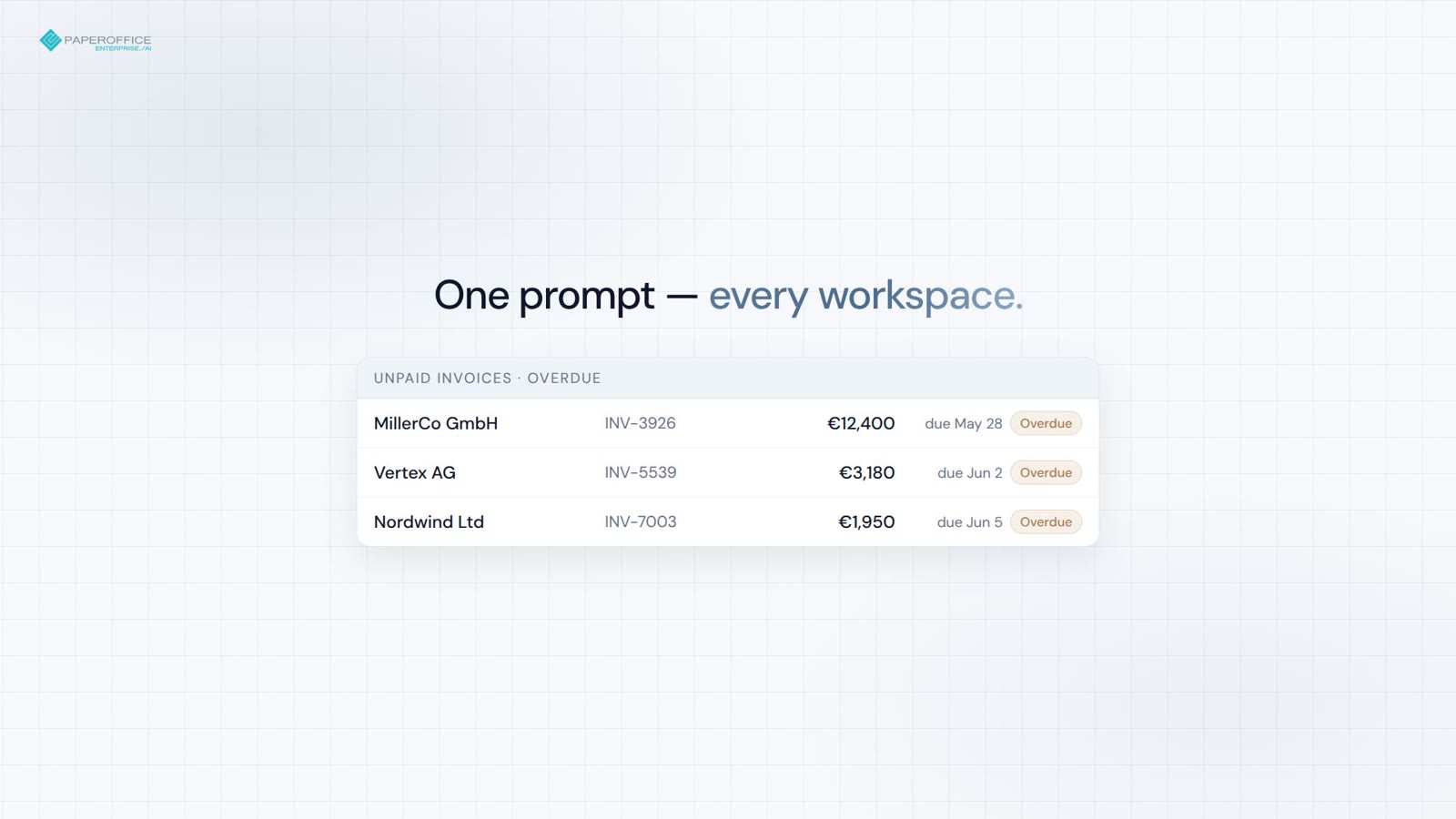
บิลที่ไม่ได้รับชำระทั่วทุกพื้นที่ทำงาน — ยอดรวมและธงรายการค้างจ่ายในคำสั่งเดียว.


เซิร์ฟเวอร์ MCP
PaperOffice MCP-Server นำเอกสาร การค้นหา กระบวนการทำงาน และการวิเคราะห์มาสู่ Claude, ChatGPT, Grok และ Cursor
ใส่ URL โปรไฟล์ เชื่อมต่อด้วย OAuth 2.1 หรือโทเค็นผู้ใช้ — ไม่มี SDK ไม่ต้องติดตั้ง
ไคลเอนต์ที่รองรับ
Claude, ChatGPT, Grok และ Cursor เชื่อมต่อกันผ่าน URL คู่มือจะนำทางคุณทีละขั้นตอน การตั้งค่าอยู่ด้านล่างทันที
/claude /chatgpt /grok /cursor เริ่มต้นอย่างรวดเร็ว
เซิร์ฟเวอร์ MCP ระยะไกล — ไม่ต้องติดตั้ง วาง URL ใช้ OAuth 2.1 หรือโทเค็นผู้ใช้ (po_ut_ / po_gt_)
OAuth 2.1 จะเริ่มทำงานเมื่อเชื่อมต่อ หรือใช้โทเค็นผู้ใช้หรือกลุ่ม (po_ut_ / po_gt_) — ห้ามใช้ po_sk_
เลือก URL สำหรับไคลเอนต์ AI (แท็บด้านล่าง)
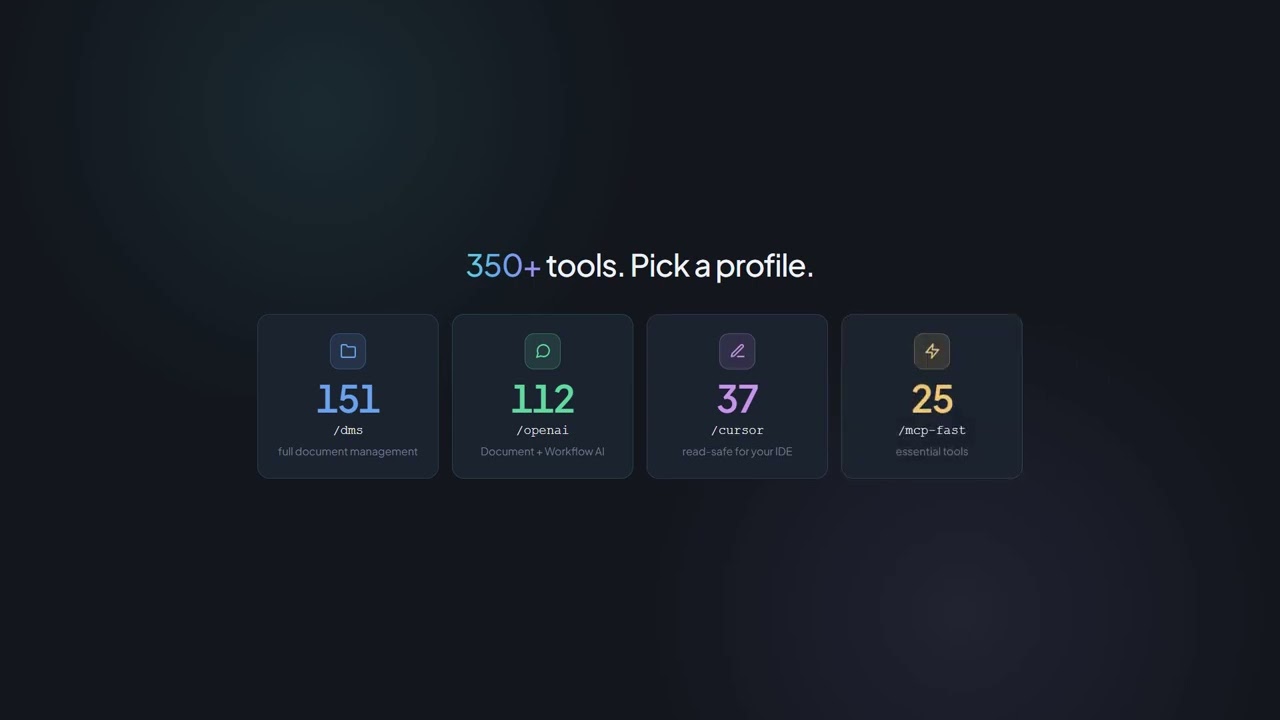
/dms, /cursor และ /grok ใช้ Documents Operations (เครื่องมือ MCP กว่า 300 รายการ รวมถึง TTS) ร่วมกัน
{
  "mcpServers": {
    "paperoffice": {
      "url": "https://mcp.paperoffice.ai/claude"
    }
  }
}
URL ของไดเรกทอรี Claude — OAuth 2.1 การดำเนินการเอกสารโดยไม่ใช้ TTS. เพิ่ม /claude; ไม่ใช้ Bearer ในโค้ดตัวอย่าง
{
  "mcpServers": {
    "paperoffice": {
      "url": "https://mcp.paperoffice.ai/cursor",
      "headers": {
        "Authorization": "Bearer po_ut_..."
      }
    }
  }
}
แคตตาล็อกการดำเนินการเอกสารเดียวกันกับ /dms (รวม TTS) — โทเค็นผู้ใช้ (po_ut_ / po_gt_) ไม่ใช่ po_sk_
{
  "mcpServers": {
    "paperoffice": {
      "url": "https://mcp.paperoffice.ai/chatgpt",
      "headers": {
        "Authorization": "Bearer po_ut_..."
      }
    }
  }
}
URL มาตรฐาน /chatgpt (ชื่อ_alias_/openai) ไดเรกทอรีไม่มี TTS เครื่องมือ OTP และการปลดล็อก ใช้เฉพาะเอกสารทางธุรกิจ OAuth 2.1 หรือโทเค็นผู้ใช้ (po_ut_ / po_gt_) — ไม่ใช่ po_sk_
{
  "mcpServers": {
    "paperoffice": {
      "url": "https://mcp.paperoffice.ai/grok"
    }
  }
}
ไม่มีโทเค็นในไฟล์ — OAuth 2.1 จะเริ่มทำงานเมื่อเชื่อมต่อครั้งแรก ใน Grok: New Connector → Custom → URL นี้
{
  "mcpServers": {
    "paperoffice-dms": {
      "url": "https://mcp.paperoffice.ai/dms"
    },
    "paperoffice-full": {
      "url": "https://mcp.paperoffice.ai/mcp-full"
    }
  }
}
เส้นทางแบบเรียลไทม์: /dms, /cursor, /grok, /claude, /chatgpt (Alias /openai), /mcp, /mcp-full (300+)
จุดปลาย (Endpoints)
แต่ละโปรไฟล์ชี้ไปยังเซิร์ฟเวอร์เดียวกัน — ความแตกต่างอยู่ที่ขอบเขตของเครื่องมือ ดูตารางด้านล่างว่า URL ไหนใช้สำหรับอะไร
/dms Document Operations — แคตตาล็อกเดียวกันบน /dms, /cursor และ /grok URL หลัก
https://mcp.paperoffice.ai/dms /claude ไดเรกทอรี: Document Operations โดยไม่มี TTS — Claude-Directory-URL
https://mcp.paperoffice.ai/claude /cursor แคตตาล็อก Document Operations เดียวกันกับ /dms (รวม TTS)
https://mcp.paperoffice.ai/cursor /chatgpt ChatGPT-Konnektor — ไดเรกทอรีโดยไม่มี TTS, OTP และ Unlock Tools ใช้เฉพาะเอกสารทางธุรกิจเท่านั้น ห้ามเก็บข้อมูลสุขภาพใน Workspaces ที่เชื่อมต่อ ชื่อเล่น: /openai
https://mcp.paperoffice.ai/chatgpt Alias: https://mcp.paperoffice.ai/openai
/grok ตัวเชื่อมต่อ Grok แบบกำหนดเอง — แคตตาล็อกการดำเนินการเอกสารเดียวกันกับ /dms
https://mcp.paperoffice.ai/grok /mcp ชุด IDE แบบเพรียวบาง — ไม่ใช่แคตตาล็อกการดำเนินการเอกสารบน /cursor
https://mcp.paperoffice.ai/mcp /mcp-full เครื่องมือ MCP ทั้งหมด (300+) สำหรับเวิร์กโฟลว์ประสิทธิภาพสูง
https://mcp.paperoffice.ai/mcp-full /openai ยังคงสามารถเข้าถึงได้โดยเป็น Alias ของ /chatgpt เส้นทางโมดูลที่ปิดใช้งานจะตอบกลับด้วย HTTP 410
เมทริกซ์ความสามารถ
หนึ่งแถวต่อภารกิจ: URL ที่แนะนำและเหตุผล ตารางนี้เป็นรายการเส้นทางที่สมบูรณ์เพียงรายการเดียวในหน้านี้
| ภารกิจ | URL ที่แนะนำ | ทำไม |
|---|---|---|
| การดำเนินการเอกสาร (มาตรฐาน) | /dms | Document Operations (300+ MCP-Tools) — แคตตาล็อกเดียวกันบน /dms, /cursor และ /grok. |
| Claude เดสก์ท็อป / Claude โค้ด (URL ของไดเรกทอรี) | /claude | Directory: Document Operations โดยไม่มี TTS ชื่อและคำแนะนำที่เครื่องมือแต่ละตัว |
| Cursor IDE ขณะเขียนโค้ด | /cursor | แคตตาล็อก Document Operations เดียวกันกับ /dms (รวม TTS) |
| ChatGPT-คอนเนกเตอร์ | /chatgpt | ChatGPT-Konneक्टर — ไดเรกทอรีที่ไม่มีเครื่องมือ TTS, OTP และ Unlock ใช้เฉพาะเอกสารทางธุรกิจ เท่านั้น อลิแอส: /openai. |
| ตัวเชื่อมต่อแบบกำหนดเองของ Grok | /grok | แคตตาล็อกการดำเนินการเอกสารเดียวกันกับ /dms ใส่ URL ใน grok.com/connectors |
| ชุด IDE แบบเบา | /mcp | ชุดสมดุลที่อ่านได้อย่างปลอดภัย — ไม่ใช่แคตตาล็อกการดำเนินการเอกสาร |
| งานหลายขั้นตอนที่ซับซ้อน | po_agents_ask ใน /mcp-full | โฮสต์ LLM-Agent ยังคงอยู่บนพื้นผิวเต็มรูปแบบ ไม่ใช่บน /dms |
| การย้ายข้อมูล / เครื่องมือ MCP ทั้งหมด | /mcp-full | อินเทอร์เฟซ MCP แบบครบวงจร (มากกว่า 300 เครื่องมือ) สำหรับการดีบักและเอเยนต์รุ่นเก่า |
เส้นทางโมดูลที่เลิกใช้งานแล้วจะตอบกลับด้วย HTTP 410 ใช้สำหรับ Document Operations /dms
เครื่องมือ
เครื่องมือ MCP จัดกลุ่มตามหน้าที่ ไคลเอนต์จะเห็นชื่อและคำอธิบายสั้นๆ แล้วเลือกเครื่องมือที่เหมาะสมด้วยตนเอง
เอกสาร, OCR, IDP, การค้นหา, การดำเนินการ PDF, ลายเซ็น และ DMS AI
document-ai เวิร์กโฟลว์, จ็อบ, งาน, HITL (มนุษย์ในวงจร), การอนุมัติ และการอัตโนมัติกระบวนการ
workflow-ai CRM, พันธมิตร, ลีดส์, เฮลป์เดสก์ และนัดหมาย
relations-ai การวิเคราะห์ข้อมูล, BI, กราฟความรู้, เอ็นทิตี และ RAG
analytics-ai สตูดิโอภาพ, TTS, STT และการแปล
media-ai การตรวจสอบ, ภาษีมูลค่าเพิ่ม, สกุลเงิน, ข้อมูลทางภูมิศาสตร์ และการค้นหาความปลอดภัย
data-ai พื้นที่ที่ครอบคลุม
ตัวอย่าง
ประโยคสั้นๆ สี่ประโยคจากชีวิตประจำวัน และเครื่องมือ MCP ที่ไคลเอนต์เรียกใช้สำหรับสิ่งนั้น สิทธิ์มาจากเวิร์กสเปซของคุณ ไม่ใช่จากการแชท
ดึงข้อมูลทั้งหมดจากใบแจ้งหนี้ที่แนบมา
po_aiocr_analyze วิเคราะห์ใบแจ้งหนี้แล้ว — ข้อมูลที่ดึงออกมา:
เปลี่ยนชื่อเอกสารนี้เป็น Invoice-2026-0042
po_documents_rename เปลี่ยนชื่อเอกสารแล้ว:
เพิ่มความคิดเห็นรีวิวในหน้า 2
po_documents_comments_create สร้างความคิดเห็นแล้ว:
ปริมาณเอกสารของเราเปลี่ยนแปลงอย่างไร?
po_analytics_trends_get การวิเคราะห์แนวโน้มของ 6 เดือนที่ผ่านมา:
จุดเด่น
เซิร์ฟเวอร์ MCP ไม่ใช่ตัวหุ้ม REST-API แต่เป็นแกนกลางเดียวกันที่มีสิทธิ์ พื้นที่ทำงาน และ Credits ตามบัญชีของคุณ
OAuth สำหรับ Claude, ChatGPT และ Grok; โทเค็นผู้ใช้ (po_ut_ / po_gt_) สำหรับ Cursor — po_sk_ ถูกบล็อกไว้
PaperOffice-embeddings และข้อความเต็มทำงานร่วมกัน เพื่อให้ไคลเอนต์สามารถค้นหาเครื่องมือที่เหมาะสมได้
URL การอัปโหลดแบบลงนามล่วงหน้า — ไม่มี Base64 ในแชท
กรณีธุรกิจ เส้นเวลา และความสัมพันธ์ของเอกสารผ่านภาษาธรรมชาติ
แนวโน้ม การเงิน ฮีตแมป และเมตริกซ์พื้นที่ทำงานตามคำขอ
การประมวลผลภายในโครงสร้างพื้นฐาน EU ของคุณเอง — สิทธิ์และพื้นที่ทำงานเดียวกันกับในแอปพลิเคชัน
กรณีการใช้งาน
สี่เวิร์กโฟลว์จริงพร้อม Claude — วิดีโอสั้นๆ แต่ละตัว บทความเจาะลึกมีลิงก์ด้านล่าง.
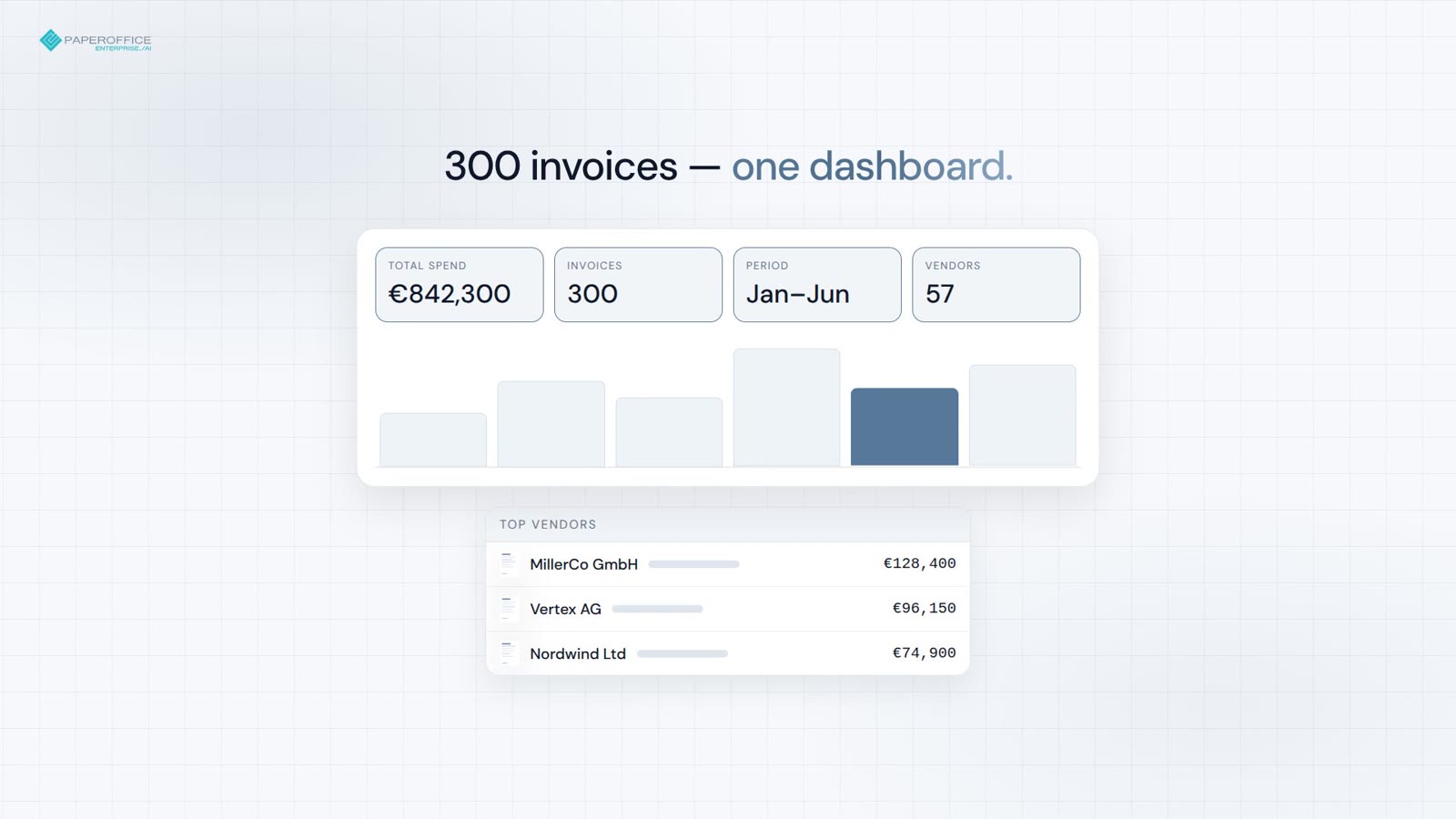
บิลที่ไม่ได้รับชำระทั่วทุกพื้นที่ทำงาน — ยอดรวมและธงรายการค้างจ่ายในคำสั่งเดียว.
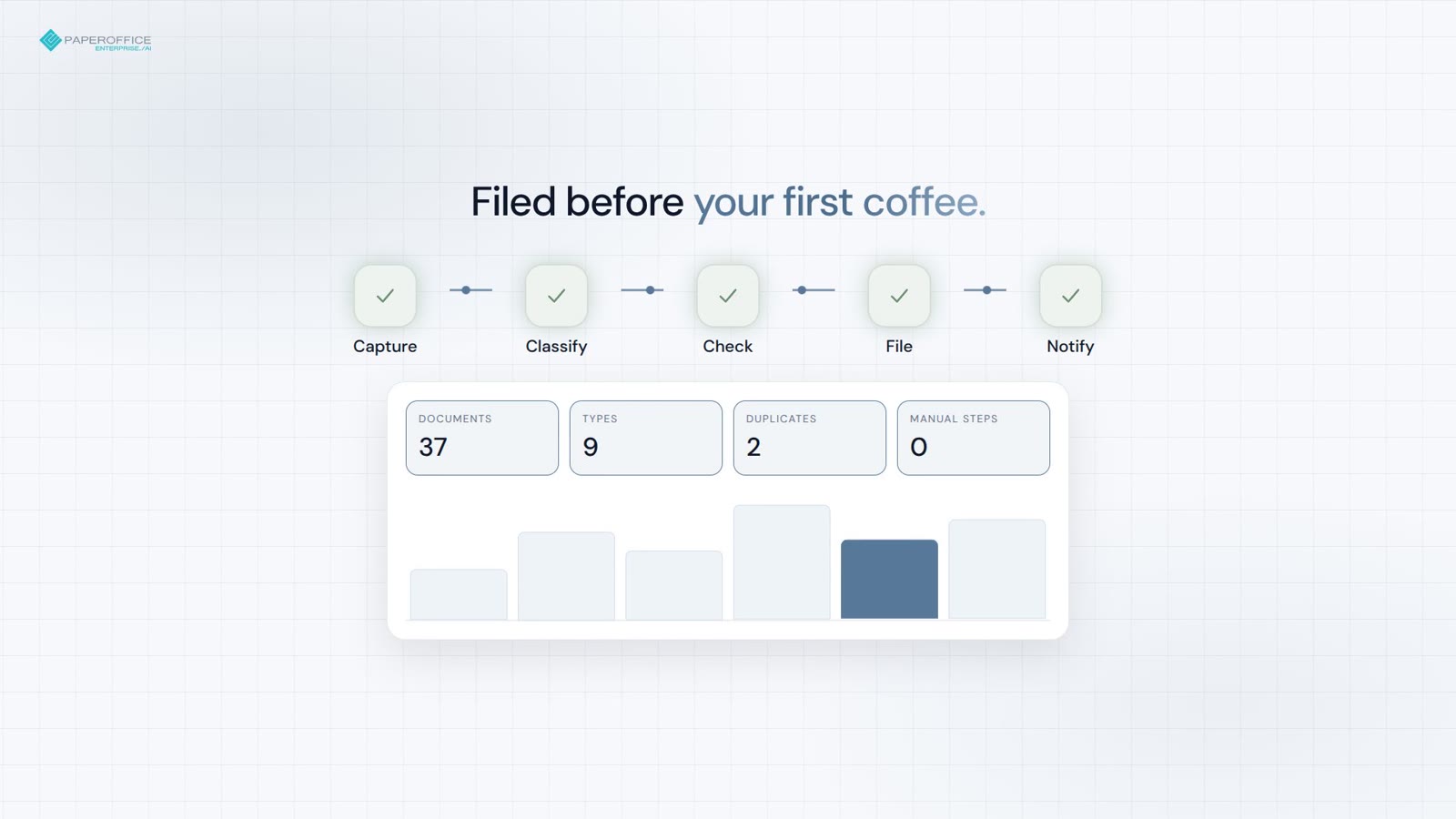
บันทึก จัดหมวดหมู่ และจัดเก็บไฟล์ — สำเนาซ้ำและสัญญาที่หมดอายุถูกทำเครื่องหมายก่อนดื่มกาแฟ.
วันที่ลงนาม เงื่อนไข และอ้างอิงหน้า — จากกระเป๋าของคุณในไม่กี่วินาที
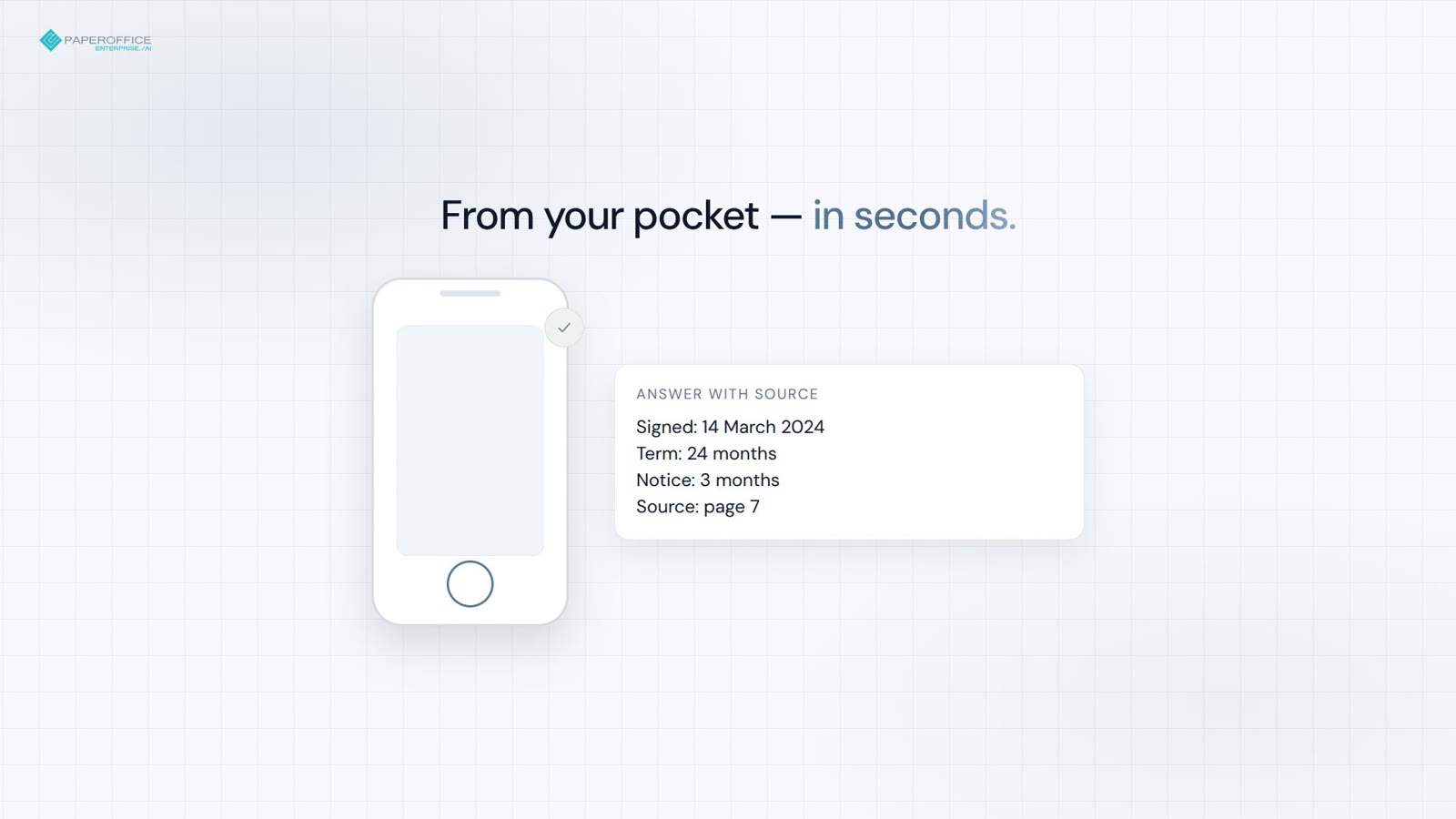
จากใบแจ้งหนี้ 300 ฉบับสู่แดชบอร์ดพร้อมใช้งานบนกระดานได้ในคำสั่งเดียว
ดูว่า PaperOffice MCP ทำงานในทางปฏิบัติอย่างไร — ในวิดีโอ
คำถามที่พบบ่อย
สถานีถัดไป
ขั้นตอนถัดไปแนะนำในฟันเนลนักพัฒนา และสองเส้นทางแยกที่สอดคล้องกัน